The Best Data Entry Virtual Assistant Tools, Compared With Real Pricing
The software a data entry virtual assistant needs, what each tool costs, and where each one falls short.
On this page
- Best Data Entry Virtual Assistant Tools Comparison
- Best Data Entry Virtual Assistant Tools Reviews
- 1) Google Sheets
- 2) Microsoft Excel
- 3) Airtable
- 4) Zapier
- 5) Docparser
- 6) TextExpander
- 7) Bitwarden
- 8) Hubstaff
- How should you set up tools for a data entry virtual assistant?
- Access and security before the first login
- Accuracy controls the tools don't give you
- FAQs
Clean Data Gets Invoices Out and Deals Closed
When orders get retyped and contacts get duplicated, billing and follow-up slow down. Hyperstaff has placed 70+ virtual assistants with 30+ clients. Our data entry virtual assistant services start within 5 business days, from $3/hour, and your SOPs live in an Operations Vault that we keep up to date for you.
Best Data Entry Virtual Assistant Tools Comparison
The best data entry virtual assistant tools cover five jobs: storing records, pulling data out of documents, moving data between apps, sharing logins and logging hours. If the role itself still needs defining, start with what a data entry virtual assistant does.
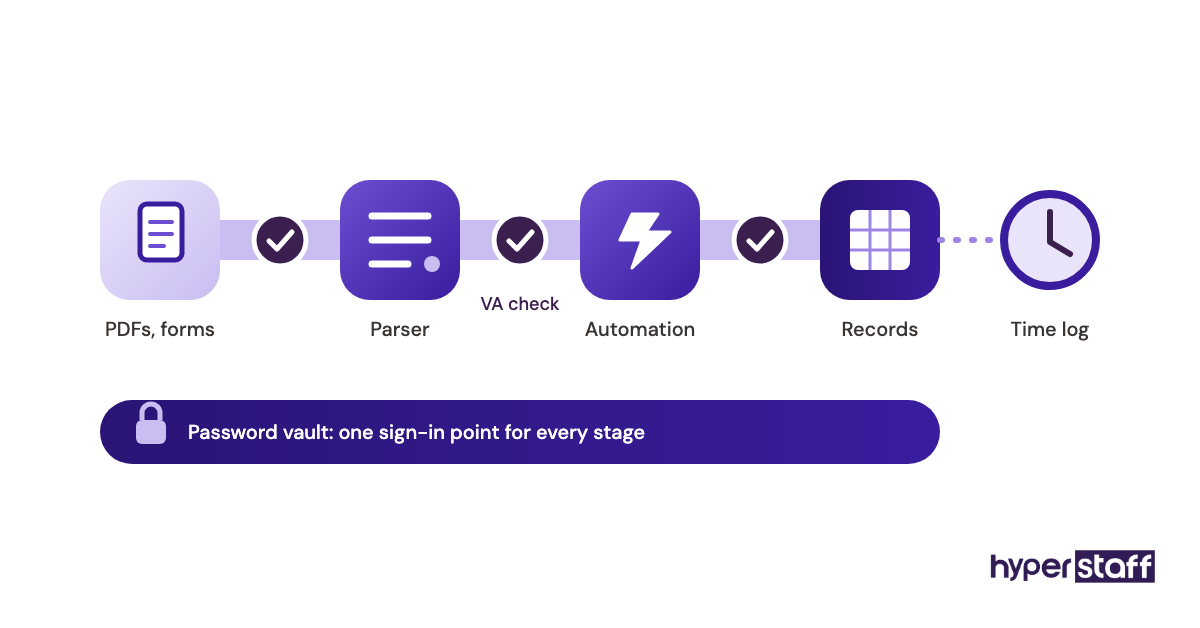
We took these prices from each vendor's own pricing page. They're billed annually unless noted and can change, so check before you buy.
| Tool | Best for | Free option | Paid pricing | What the VA uses it for |
|---|---|---|---|---|
| Google Sheets | Live, shared records | Yes, with a Google account | Workspace about $7 to $22/user/month | Entering, checking and commenting on records in real time |
| Microsoft Excel | Large files and heavy cleanup | Excel for the web | Microsoft 365 business plans about $7 to $22/user/month | Power Query imports, deduplication, pivot checks |
| Airtable | Linked records and intake forms | Free plan | Team $20, Business $45/user/month | Relational tables, forms, filtered views |
| Zapier | App-to-app transfers | 100 tasks/month | Pro from $19.99/month | Replacing copy-paste between forms, CRMs and sheets |
| Docparser | Extracting data from PDFs | 14-day trial | $32.50 to $133/month | Invoices, purchase orders, bank statements |
| TextExpander | Repeated text and codes | Free plan | Pro $5, Business $10/user/month | Snippets for notes, SKUs, standard replies |
| Bitwarden | Sharing logins safely | Free personal accounts | Teams $4, Enterprise $6/user/month | Accessing client systems without seeing raw passwords |
| Hubstaff | Tracking hours | 14-day trial | $4.99 to $25/seat/month | Logging time per project and task |
Best Data Entry Virtual Assistant Tools Reviews
Each review covers what the tool does for a data entry VA, where it breaks down and who should pay for it. They run in the order a typical stack gets built: first the place your records live, then everything around it.
1) Google Sheets: Best for live, shared records
Key highlights
- Free with any Google account
- Real-time co-editing and comments
- Dropdowns and data validation
- Version history for every edit
- Connects to nearly every automation tool
Why most data entry work starts in Sheets
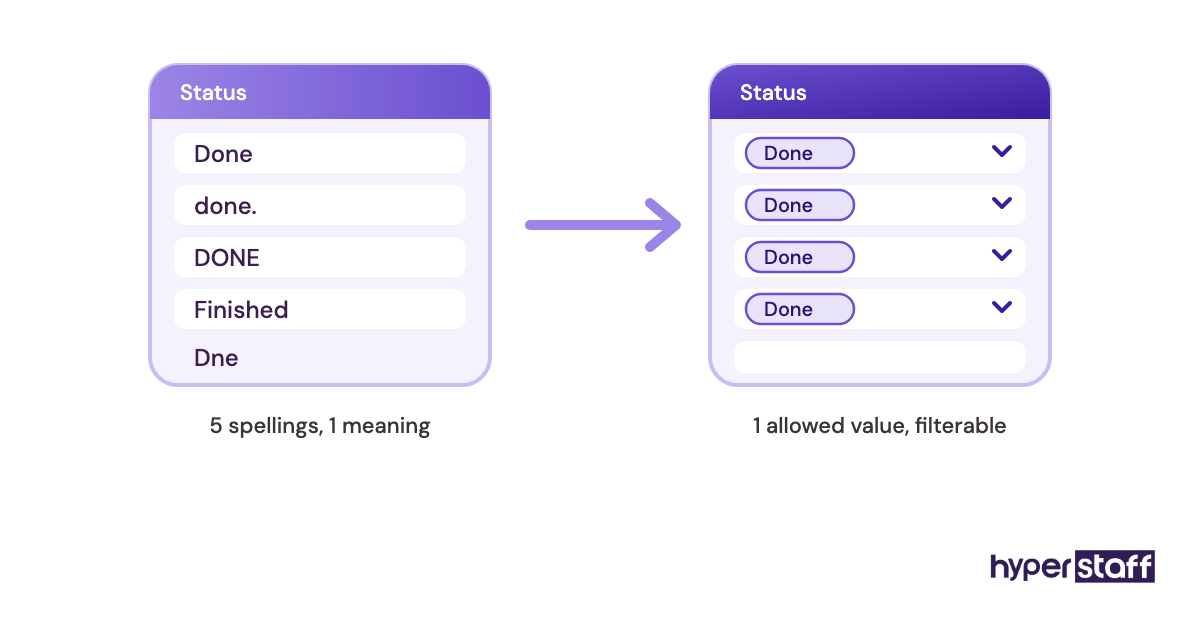
Google Sheets is the usual home for data entry virtual assistant work, because you and the VA watch the same file update as entries go in. Dropdowns, checkboxes and validation rules block a lot of bad input before it lands.
Paid Google Workspace plans run about $7 to $22 per user per month on annual billing. The paid tier mostly matters to you as the owner, since it lets you control the account and revoke access in one place.
Big, formula-heavy files are where Sheets struggles. Once scrolling starts to lag, move the master list somewhere else and keep Sheets for daily intake, which suits most of the data entry tasks you hand over.
Pros
- Free to start
- Live collaboration with comments
- Validation keeps inputs consistent
- Edits can be rolled back
- Integrates with almost everything
Cons
- Lags on large files
- Weak with linked, relational data
- "Anyone with the link" sharing gets overused
- Offline editing is limited
- Cleanup tools trail Excel
Where Sheets earns its place
If you're working with a new VA, start here. It's free, it's familiar, and you can see every change.
2) Microsoft Excel: Best for large files and heavy cleanup
Key highlights
- Power Query for repeatable imports
- Handles bigger datasets than Sheets
- Strong deduplication and lookups
- Free web version available
- Desktop app on Business Standard and up
The cleanup engine behind messy exports
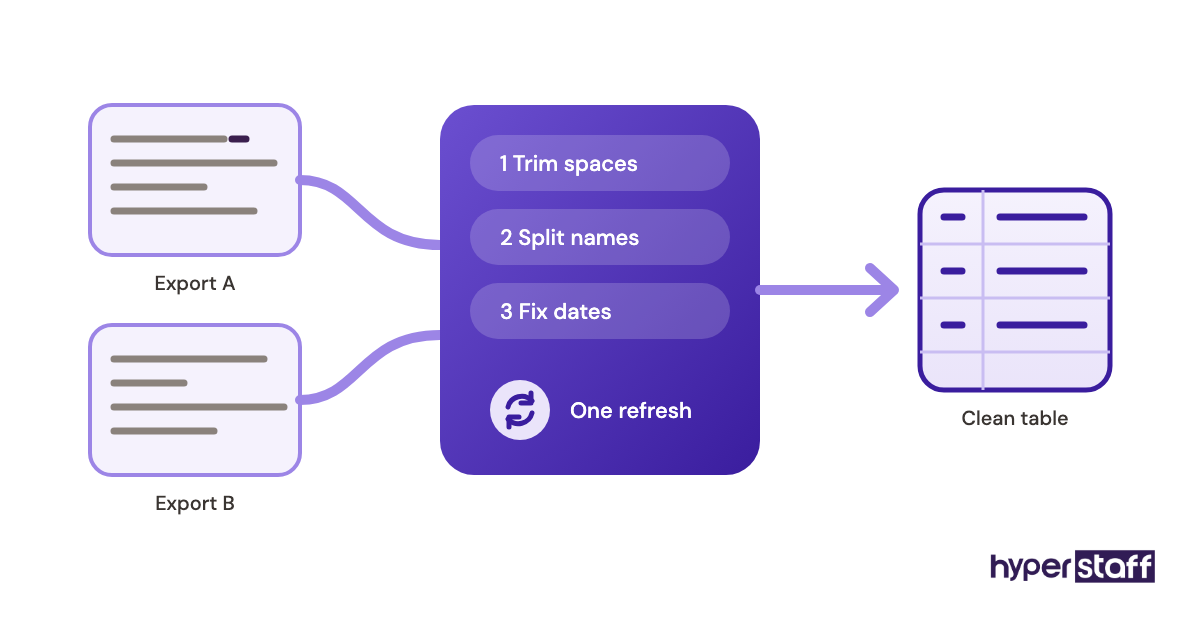
Power Query is the main reason to give a data entry VA Excel. It records each cleanup step, like splitting names, trimming spaces or fixing dates, then runs the same steps on next month's export with one refresh.
Microsoft 365 business plans cost about $7 to $22 per user per month on an annual plan (see Microsoft 365 for business pricing). Business Basic only covers the web and mobile apps. Full desktop Excel starts at Business Standard.
Excel's weak spot is version sprawl. Files emailed back and forth as "final_v3" are one of the classic data entry virtual assistant mistakes, so keep the workbook in OneDrive or SharePoint.
Pros
- Power Query repeats cleanup steps
- Copes with large files
- XLOOKUP and pivots for checking
- Standard format for accountants
- Works offline on desktop
Cons
- Desktop app costs extra
- Co-editing is clunkier than Sheets
- Emailed copies drift apart
- Power Query takes time to learn
- Web version lacks some features
Pick Excel when the data is messy
Excel pays off when the inputs are exports from other systems. It's the wrong choice for a simple shared log.
3) Airtable: Best for linked records and intake forms
Key highlights
- Spreadsheet look, database structure
- Field types enforce clean input
- Built-in forms feed tables directly
- Linked records between tables
- Free plan for small teams
When a spreadsheet stops being enough
Field types are why Airtable beats a spreadsheet for structured data entry. A date field only takes dates, and a linked-record field only takes an existing customer, so typos have fewer places to sneak in.
Airtable's pricing starts with a free plan, then Team at $20 and Business at $45 per user per month, billed annually. The free plan has record and attachment caps, so check them before you move a full customer list.
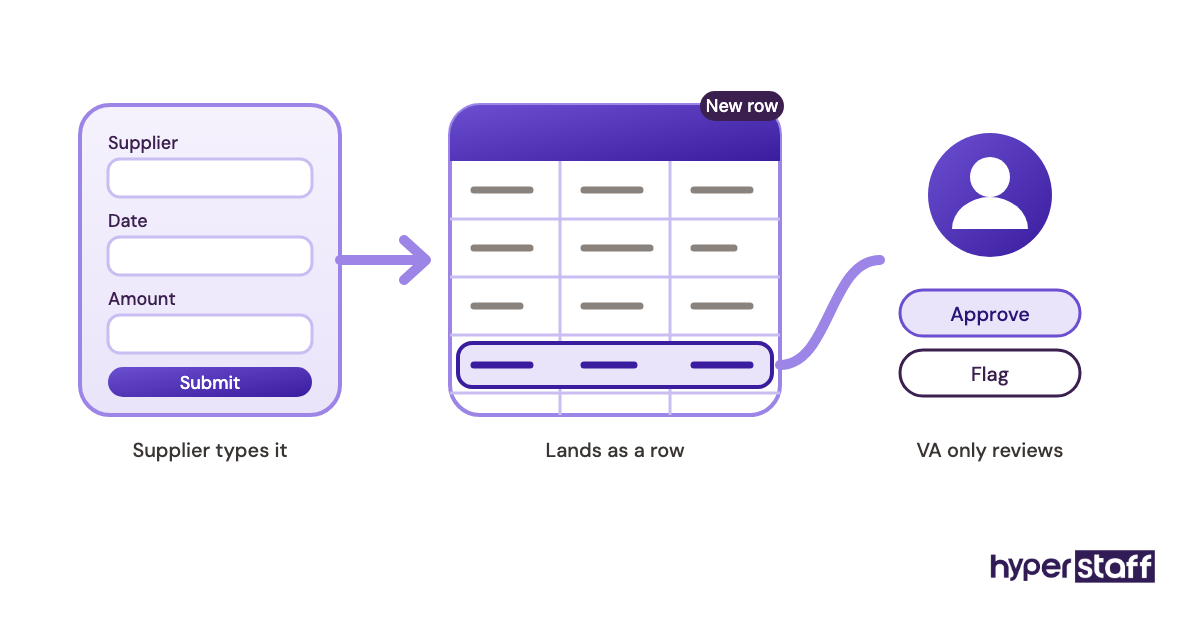
Forms are the feature people miss. When suppliers or staff submit through an Airtable form, your VA spends their time checking entries instead of typing them, and that changes how you hire a data entry VA too, because you need a reviewer's eye more than raw typing speed.
Pros
- Strict field types
- Linked tables without formulas
- Forms remove retyping
- Filtered views per person
- Good automation built in
Cons
- Per-seat cost adds up quickly
- Free plan limits records
- Exports flatten linked data
- Setup needs real planning
- Feels foreign to Excel users
Airtable suits structured, repeat intake
Airtable is worth paying for when records link to other records. For one flat list, it's overkill.
4) Zapier: Best for automating app-to-app transfers
Key highlights
- Connects thousands of apps
- Free plan with 100 tasks
- No code needed for basic Zaps
- Filters and formatting steps
- Task-based pricing
The tool that removes the copy-paste
Zapier moves data between apps on a trigger: a new form entry becomes a CRM contact and a spreadsheet row without anyone typing it twice. For a data entry VA, the job then shifts from typing records to handling the ones the Zap couldn't.
Zapier's free plan allows 100 tasks a month and two-step Zaps only. Pro starts at $19.99 a month on annual billing for 750 tasks, or $29.99 billed monthly.
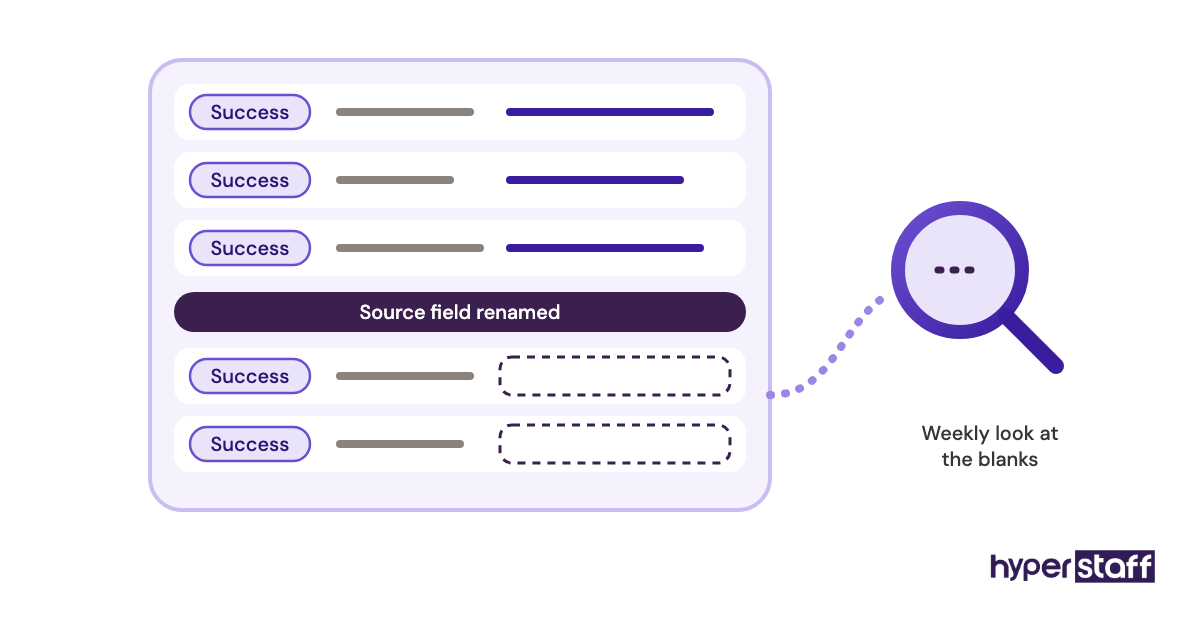
The failure mode is silent breakage. When a field gets renamed in the source app, the Zap can keep running and write blanks, so somebody has to check the Zap history every week. Add that tool spend when you work out the full data entry virtual assistant cost.
Pros
- Huge app library
- Quick to set up
- Formatter cleans data in transit
- Run history for auditing
- Free tier for testing
Cons
- Costs rise with task volume
- Free plan only allows two steps
- Breaks when source fields change
- Errors can go unnoticed
- Complex logic gets fiddly
Automate the boring transfers first
Begin with the one transfer your VA does most often. Run it in parallel with manual entry for a week before you trust it.
5) Docparser: Best for extracting data from PDFs
Key highlights
- Rule-based PDF extraction
- Templates per document layout
- Sends data to Sheets or Zapier
- 14-day free trial
- Credits priced per document
Where document parsing beats typing
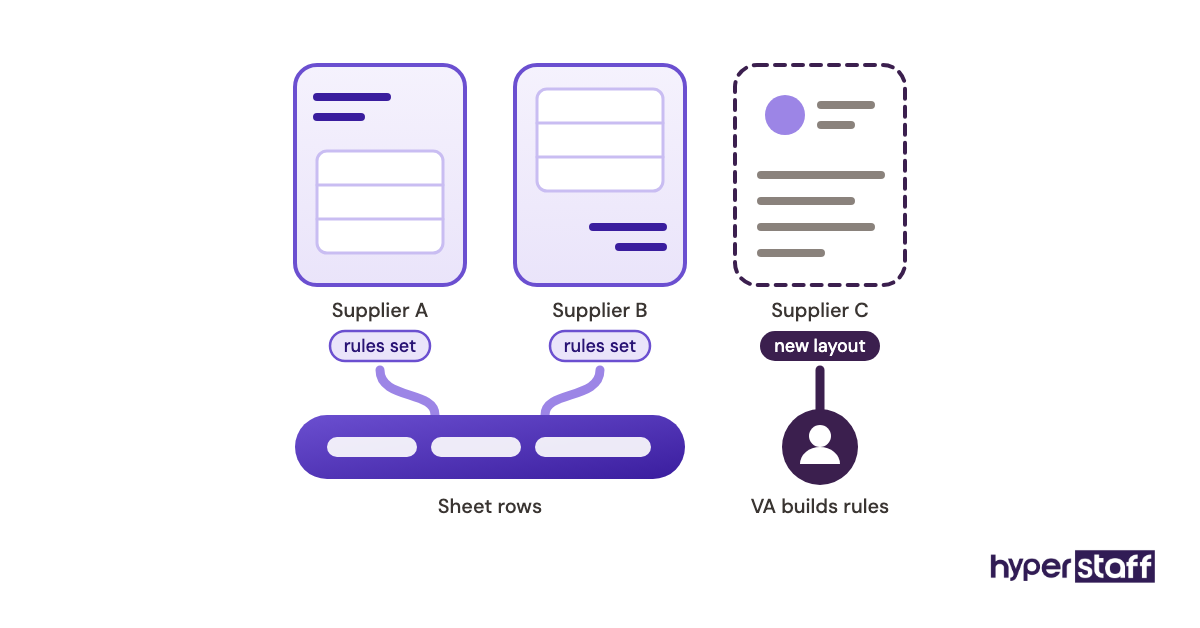
Docparser pulls fields like invoice number, date and line totals out of PDFs using rules you set for each layout. It works best when the same supplier sends the same format every time.
Docparser's plans run from $32.50 to $133 a month on annual billing, covering about 100 to 1,000 documents a month. One credit covers a document of up to five pages.
New layouts are the catch. Every new supplier format needs its own parsing rules, so the VA's work shifts to building templates and checking what gets flagged. That trade-off is a fair way to judge whether a data entry virtual assistant is worth it for document-heavy work.
Pros
- Accurate on consistent layouts
- Handles tables in PDFs
- Exports to common apps
- Trial needs no card
- Clear per-document pricing
Cons
- Each layout needs its own rules
- Credits run out fast at volume
- Handwritten scans are unreliable
- Setup takes trial and error
- Still needs human review
Worth it for repeat document formats
Docparser fits a business that gets dozens of the same invoice format. If every document looks different, have a VA type them.
6) TextExpander: Best for repeated text and codes
Key highlights
- Short abbreviations expand into full text
- Fill-in fields inside snippets
- Shared team snippet libraries
- Free plan available
- Works across most apps
Small tool, big effect on consistency
TextExpander turns a short abbreviation into a full block of text, like a standard note, an address format or a product code. Shared snippets make every VA enter the same wording the same way.
TextExpander's pricing includes a free plan, then Pro at $5 and Business at $10 per user per month on annual billing. A shared library is a good piece to put in your data entry virtual assistant job description, so candidates know they'll be working to set wording.
Pros
- Fewer typing errors
- Same wording every time
- Fill-in forms for variables
- Cheap per seat
- Quick to learn
Cons
- Snippet libraries get cluttered
- Abbreviations can fire by accident
- Useless for numeric entry
- Team sharing needs a paid plan
- Another login to manage
A cheap fix for inconsistent notes
TextExpander is worth adding once the same phrases show up dozens of times a day. Keep the library short.
7) Bitwarden: Best for sharing logins safely
Key highlights
- Shared vaults by collection
- Access revoked in one step
- Open-source codebase
- Teams plan at $4/user
- Browser autofill everywhere
Access control your VA shouldn't skip
Password sharing through a manager like Bitwarden means your VA logs into your CRM or accounting tool without ever seeing or copying the raw password. When the engagement ends, you remove their access to the collection and every shared login goes with it.
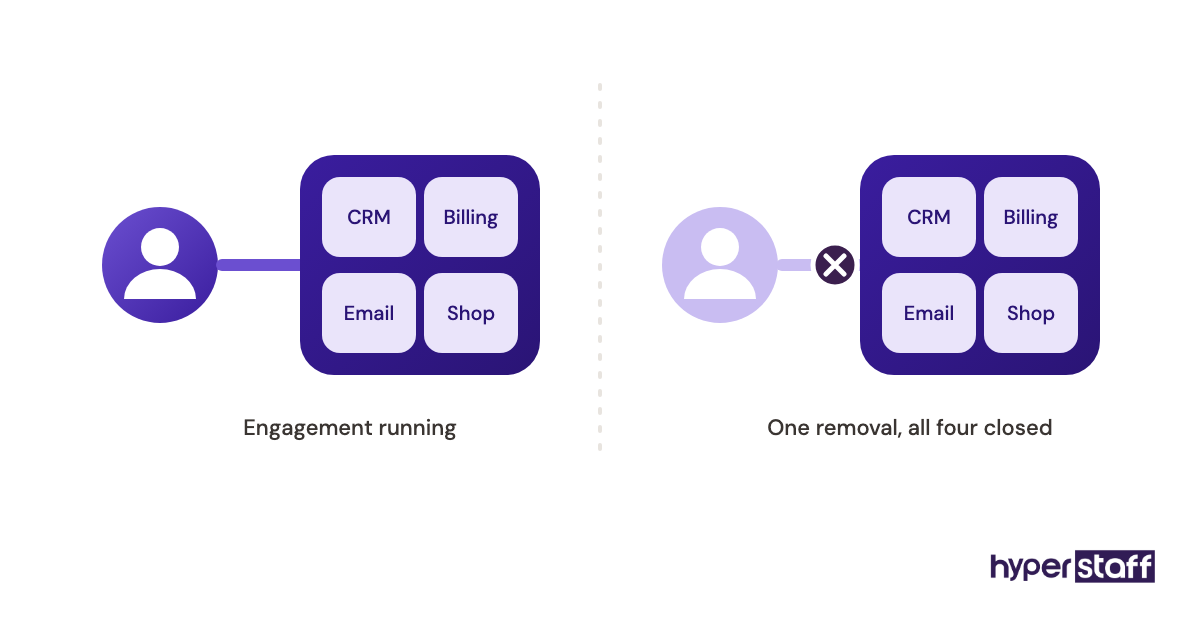
Bitwarden's business plans cost $4 per user per month for Teams and $6 for Enterprise, billed annually. Set it up before day one, as part of onboarding a data entry virtual assistant, so no password ever goes out over chat.
Pros
- Low per-user price
- Granular collection sharing
- Fast offboarding
- Open-source and audited
- Works on every major browser
Cons
- Interface is plain
- Admin console takes some learning
- Two-factor codes still need planning
- Autofill misses some custom forms
- Users may skip it if it isn't enforced
Non-negotiable for client systems
Any VA touching financial or customer data should use a password manager. The brand matters less than actually using one.
8) Hubstaff: Best for tracking hours
Key highlights
- Time tracking per project and task
- Optional screenshots and activity levels
- Timesheets and reports
- 14-day free trial
- Plans from $4.99 per seat
Visibility without micromanaging
Hubstaff logs hours by project and task, so you can see how long invoice entry takes compared with CRM cleanup. For hourly data entry work, those numbers tell you where automation would pay off.
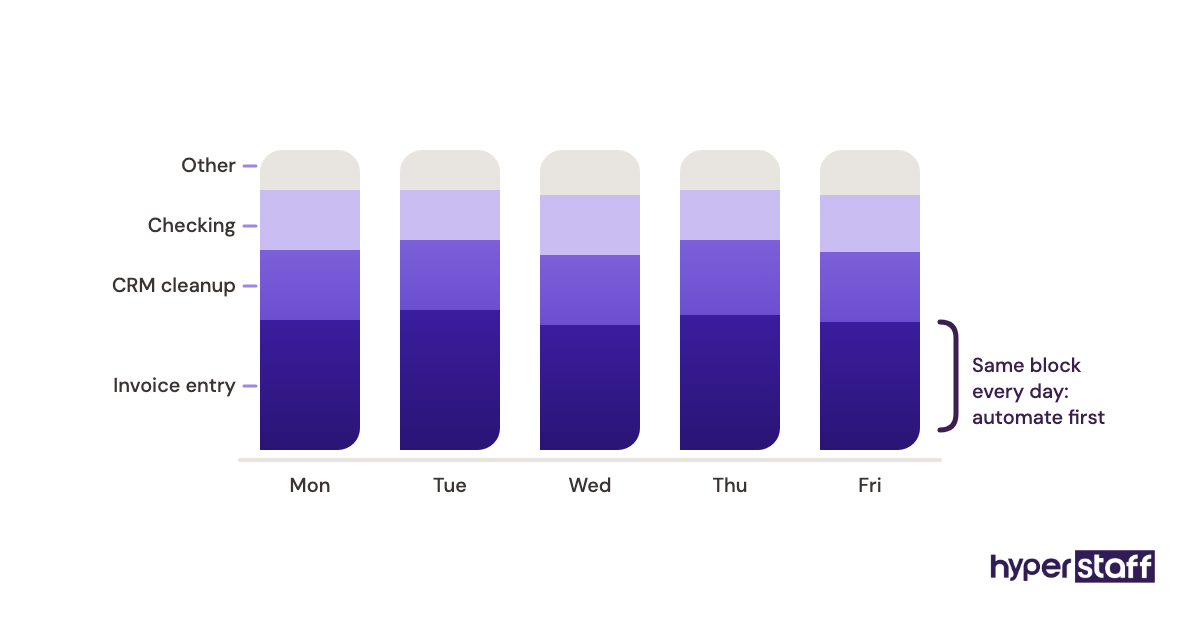
Hubstaff's pricing runs from $4.99 to $25 per seat per month on annual plans, with higher monthly rates. There's no free plan, only a 14-day trial.
Screenshot monitoring splits opinion. Some owners rely on it, while plenty of experienced VAs see it as a sign of distrust, and that tension is one way remote work differs from a data entry virtual assistant vs in-house hire.
Pros
- Clear time-per-task data
- Useful timesheet exports
- Integrates with project tools
- Activity data is optional
- Free trial needs no card
Cons
- No free plan
- Monitoring can hurt trust
- Key features sit on higher tiers
- Activity scores can mislead
- Another app to keep running
Track tasks, measure output
Use Hubstaff to learn how long each task takes. Judge the VA on accuracy and turnaround.
How should you set up tools for a data entry virtual assistant?
Set up access, field rules and quality checks before the VA's first login. The tools above only stay accurate when ownership and checking are decided up front. Here's the order that holds up best.
Access and security before the first login
Security setup is the step most often rushed and the hardest one to fix later. Shared logins sent over chat tend to stay valid for years.
Treat access as something you design. Decide which systems the VA reads, which they edit and which they never see.
Least-privilege access
Give edit rights only to the sheets and records the VA actually works on. View-only access is enough for reference data like price lists.
Use the FTC's data security guidance as a plain-language baseline if you handle customer data.
One-step offboarding
Every login should run through the password manager or your own admin console. That way, removing a VA takes one action.
Test it once on day one by revoking and restoring a single login.
Accuracy controls the tools don't give you
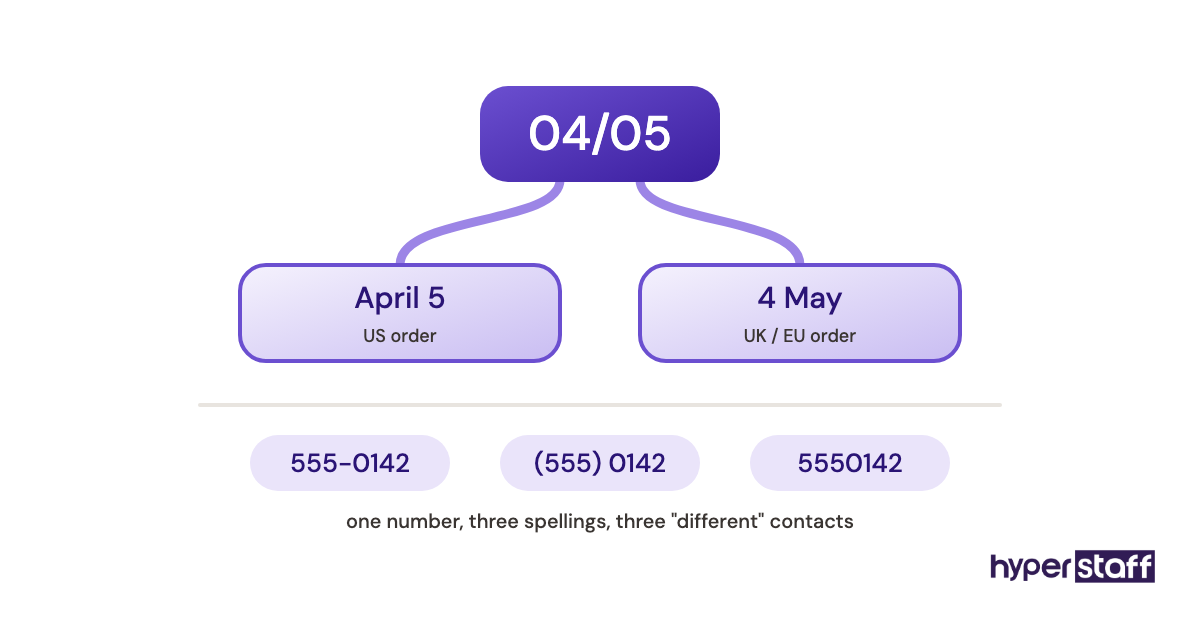
Software catches format errors. It can't catch a correct-looking number typed into the wrong row.
Validation rules
Lock dropdowns, date formats and required fields in Sheets or Airtable before entry begins. Every rule removes a class of error.
Keep the rules in one written field guide the VA can check.
Sample audits
Check a small random sample of finished records against the source each week. A pattern of errors points to a rule that needs fixing.
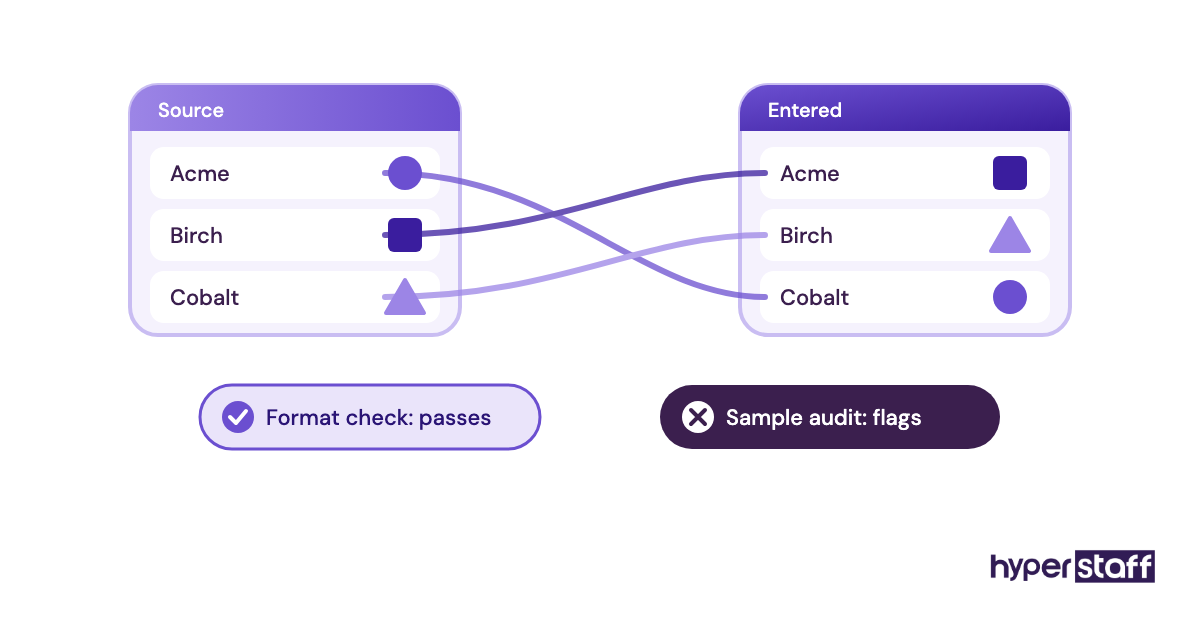
Raise the sample size whenever a new data source comes in.
Disclaimer: This article is for general information only. Tool features and pricing come from vendor websites and may change without notice. Hyperstaff is not affiliated with any vendor named here. Check current terms with each provider before you buy.
Common questions
Is Google Sheets enough for a data entry VA, or do I need Excel?
Google Sheets is enough for most shared, daily entry. Excel becomes worth it when your VA cleans large exports or repeats the same cleanup every week, since Power Query automates those steps.
Should I give my virtual assistant my passwords?
No, share access through a password manager instead. Your VA logs in without seeing the raw password, and you can revoke everything in one step.
Can OCR or parsing tools replace manual data entry?
Partly. Parsers like Docparser handle consistent document layouts well, but handwritten scans, new formats and odd cases still need a person to review them.
Who should pay for data entry software, me or the VA?
You should, and the accounts should be in your name. Owning the subscriptions keeps your data and workflows intact if the person in the role changes.
Do I need time tracking software for a remote data entry assistant?
It depends on how you pay. Hourly work benefits from task-level time data, while output-based work is better judged by accuracy and turnaround than by screenshots.
Book a free 15 min call
We place a pre-vetted specialist in 5 business days, fully managed, from $3/hour.