The Best Executive Virtual Assistant Tools for Delegated Work
The software an executive and their virtual assistant actually share, compared on access, price and where each tool breaks down.
On this page
💡 Key Takeaways:
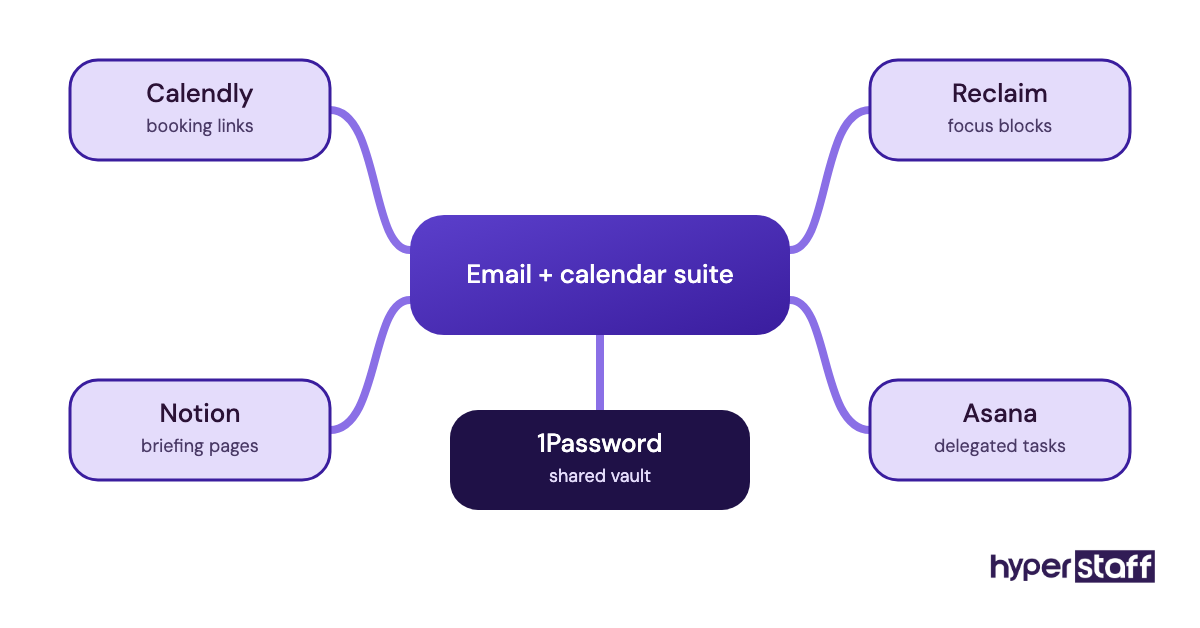
1) Most executive virtual assistant tools stacks need only four layers: a shared email and calendar suite, a scheduling tool, a task or notes hub, and a password manager.
2) Delegated access built into Gmail, Outlook and password managers is safer than sharing a login, because the executive can revoke it in one click without changing a password.
3) The executive should own every account and subscription, so work continues without a rebuild if the assistant changes.
Pay for tools that buy back executive hours
Software only earns its fee when someone runs it daily on your behalf. That's the work behind Hyperstaff's executive virtual assistant services: we've placed 70+ pre-vetted assistants with 30+ clients, rates start at $3/hour, and placement takes 5 business days. Your assistant already knows the stack below, so the first kickoff call can turn straight into delegated inbox and calendar work.
Best Executive Virtual Assistant Tools Comparison
The eight tools below cover the jobs that make up most of what an executive virtual assistant does day to day. Prices are list prices per user per month from each vendor's own pricing page, and they shift with promotions and region.
| Tool | Best for | Starting paid price | Free plan | How the assistant gets access |
|---|---|---|---|---|
| Google Workspace | Gmail and Google Calendar teams | About $7 per user (annual) | No (14-day trial) | Gmail delegation, calendar "make changes" sharing |
| Microsoft 365 | Outlook and Teams offices | About $7 per user (annual) | No | Outlook delegate permissions, Send on Behalf |
| Calendly | External meeting booking | $10 per seat (yearly) | Yes, 1 event type | Assistant manages event types on the executive's seat |
| Superhuman | High-volume inboxes | About $25 per user (annual) | No | Shared conversations and team comments |
| Reclaim.ai | Protecting focus time | $10 per seat (annual) | Yes, Lite | Delegated Access on Business tier |
| Notion | Briefing docs and SOPs | $10 per member (monthly) | Yes | Shared workspace with page permissions |
| Asana | Tracking delegated tasks | $10.99 per user (annual) | Yes, up to 2 people | Shared projects and assigned tasks |
| 1Password | Sharing logins safely | $8.99 per user (Business, annual) | No | Shared vaults with revocable permissions |
Best Executive Virtual Assistant Tools Reviews
Each review below covers what the tool does for an executive and assistant pair, where it breaks, and who should skip it. We judge them on one question first: can the executive hand over access and take it back cleanly?
1) Google Workspace: Best for executives who live in Gmail
Google Workspace at a glance
- Business Starter from about $7 per user, annual
- Gmail delegation without sharing a password
- Calendar sharing with edit rights
- Gemini built into Gmail on paid plans
- Up to 300 users on Business plans
Why Gmail delegation matters more than the price
Gmail delegation lets an assistant read, send and archive mail from the executive's inbox while signed into their own account. They can't change the password or settings, and messages show "sent by" the assistant, which keeps the paper trail honest.
Pair it with calendar sharing set to "make changes to events" and the assistant can accept, move and decline invites directly. Business Standard at about $14 per user adds 2 TB of storage and Meet recording, according to Google's pricing page. For a two-person setup, Starter is usually enough.
Pros
- Delegation is built in and free
- Executive keeps full control of settings
- Calendar permissions are granular
- Works with almost every scheduling tool
- Low entry price
Cons
- Delegates can't use some Gmail add-ons
- Delegated mail on mobile is limited
- Starter storage fills fast with attachments
- Promotional pricing varies by region
- Gemini features differ between tiers
Who should pick Workspace
If the executive already uses Gmail, this is the default and nothing else comes close for delegated inbox work.
2) Microsoft 365: Best for Outlook-based offices
Microsoft 365 key highlights
- Business plans from about $7 to $22 per user, annual
- Outlook delegate roles per folder
- Send on Behalf and Send As options
- Teams included in most US plans
- Desktop Office apps from Business Standard
How Outlook delegate access works in practice
Outlook delegate permissions are set per folder, so an assistant can be an Editor on the calendar and only a Reviewer on the inbox. That granularity is useful for executives who want help with scheduling but not with every email.
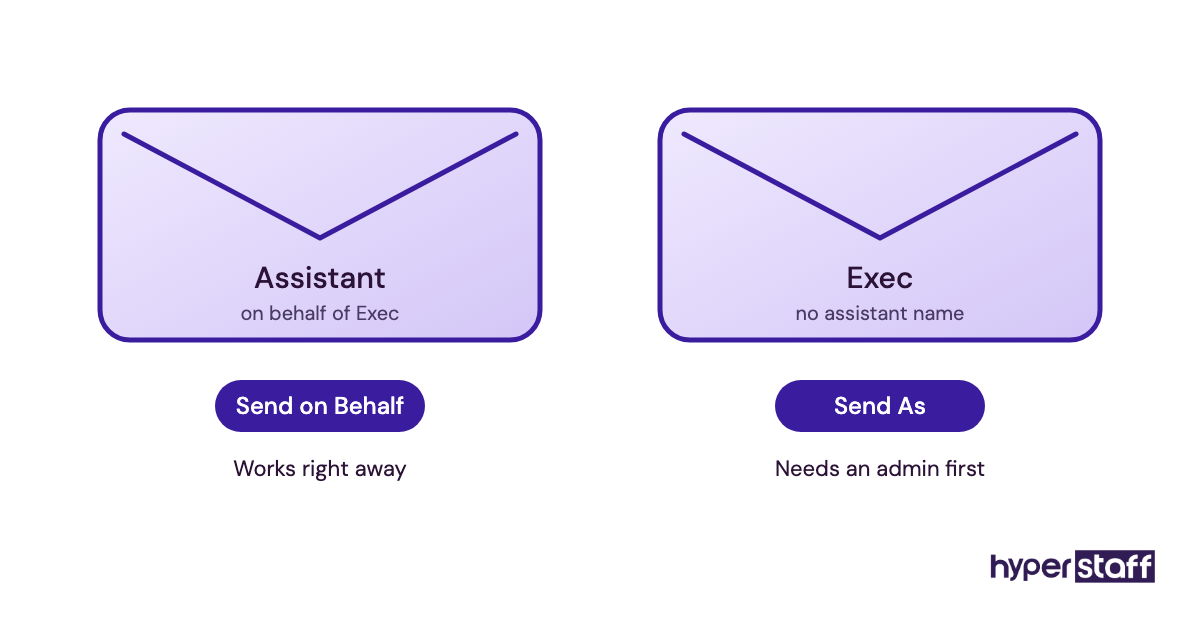
Send As is the catch. It needs an admin to grant it, and a solo executive without an IT contact often gets stuck at that step for a few days. Send on Behalf works right away and shows both names on the message.
Pros
- Per-folder permission control
- Strong fit for firms already on Office
- Teams covers chat and calls
- Business Premium adds device security
- Shared mailboxes for team addresses
Cons
- Send As needs admin setup
- Delegate settings are spread across menus
- Prices rose recently on Basic and Standard
- Monthly billing costs more than annual
- Web and desktop Outlook behave differently
Our honest take on Microsoft 365
Choose it when the company already runs on Outlook. Switching an executive off it just to hire an assistant rarely pays back.
3) Calendly: Best for booking external meetings
Calendly in five points
- Free plan with one event type
- Standard at $10 per seat, billed yearly
- Up to 6 connected calendars on paid plans
- Automated reminders and follow-ups
- Teams plan adds routing at $16 per seat
Where Calendly saves the assistant time
Calendly event types let the assistant set rules once: buffer times, daily meeting caps, and which hours investors or vendors can book. After that, external scheduling stops being an email thread.
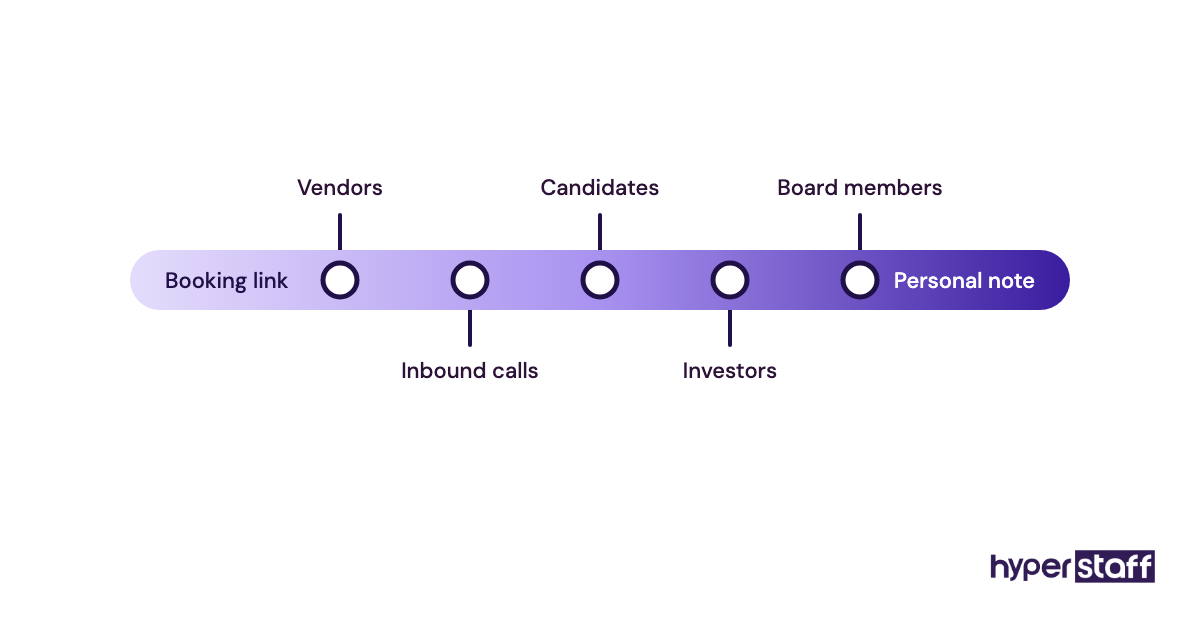
The failure mode is overuse. Senior people often find a booking link impersonal, so many assistants keep Calendly for vendors and inbound calls and still book board members by hand. Standard pricing is listed on Calendly's pricing page. It pairs well with the scheduling work in our list of executive virtual assistant tasks.
Pros
- Fast to set up
- Free plan covers basic use
- Works with Google and Outlook calendars
- Reminders cut no-shows
- Recipients need no account
Cons
- Booking links can feel cold to VIPs
- Free plan allows one event type only
- Routing needs the Teams plan
- Assistant often shares the executive's seat
- Monthly billing costs more
Is Calendly worth paying for?
Yes, once the executive takes more than a handful of external meetings a week.
4) Superhuman: Best for executives with heavy inboxes
Superhuman essentials
- Starter at $30 per user monthly, about $25 annually
- Business at $40 monthly, about $33 annually
- Works with Gmail and Outlook accounts
- Shared conversations and team comments
- AI drafts on the Business plan
What Superhuman changes for an assistant
Superhuman's shared conversations let the executive and assistant comment on a thread without forwarding it. For an inbox clearing hundreds of messages a day, that cuts the "did you see this?" back-and-forth.
We're less sure how well it handles a delegated mailbox on every setup. Test it with both seats on a trial before paying for two subscriptions, as plans are listed on Superhuman's pricing page.
Pros
- Very fast keyboard-driven triage
- Comments on threads without forwarding
- Share-availability tool built in
- Read status on sent mail
- Runs on top of Gmail or Outlook
Cons
- Expensive per seat
- Two seats needed for a pair
- Learning curve for shortcuts
- Duplicates some Gmail features
- CRM integrations need Business
Who Superhuman is really for
It suits executives whose inbox is the main job. A light inbox gets little from the added cost.
5) Reclaim.ai: Best for protecting focus time
Reclaim.ai highlights
- Free Lite plan for one user
- Starter at $10 per seat annually, $12 monthly
- Business at $15 per seat annually
- Google and Outlook calendars supported
- Delegated Access on Business and up
How Reclaim fits next to a human scheduler
Reclaim.ai blocks focus time, habits and buffers on the calendar automatically, and moves them when meetings land. The assistant then schedules around blocks that defend themselves.
The plan detail matters here. Delegated Access, which lets an assistant manage Reclaim for the executive, sits on the Business tier per Reclaim's pricing page. Buying Starter and expecting delegation is a common mistake.
Pros
- Focus blocks reschedule themselves
- Generous free plan
- Unlimited calendars on paid plans
- Scheduling links included
- Monthly billing available
Cons
- Delegation needs Business tier
- Automation can clash with manual edits
- Takes a week or two to tune
- Overlaps with Calendly links
- Calendar can look crowded
Our view on Reclaim
Good when the executive keeps losing deep-work hours. Skip it if the assistant already guards the calendar well.
6) Notion: Best for briefing docs and SOPs
Notion key points
- Free plan for individuals
- Plus at $10 per member monthly
- Business at $20 adds Notion AI
- Yearly billing saves up to 20%
- Page-level sharing and guests
Why the written playbook lives here
Notion pages hold the things an assistant needs to act without asking: travel preferences, who gets put through, standing meeting rules. That written context is what separates a useful assistant from one who checks in on every decision.
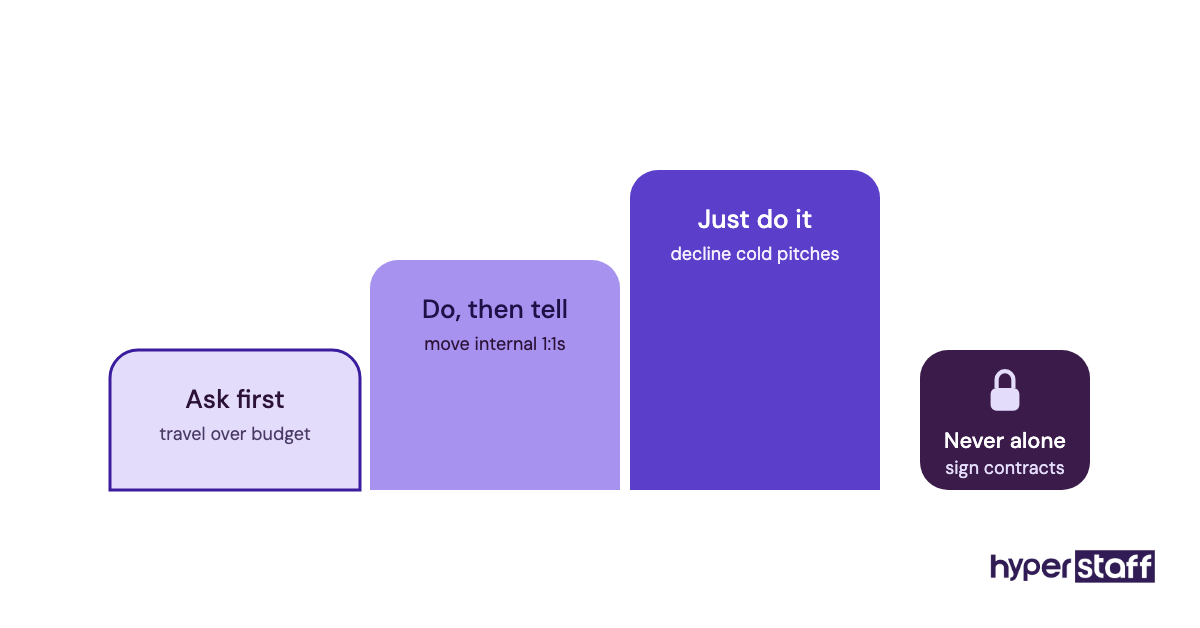
Start with the duties in your executive assistant job description and give each one a page. Plus is enough for a pair, per Notion's pricing page. Business only makes sense if you want AI meeting notes.
Pros
- Flexible pages and databases
- Easy to search
- Free plan works for a start
- Page history on paid plans
- Templates for briefings
Cons
- Gets messy without a structure
- AI needs the Business tier
- Weak for task deadlines
- Offline use is limited
- Permissions take care to set
Notion, plainly
Use it for knowledge, then pair it with a task tool for deadlines.
7) Asana: Best for tracking delegated tasks
Asana quick facts
- Free Personal plan for up to 2 people
- Starter at $10.99 per user annually
- $13.49 monthly on Starter
- Timeline and Gantt views on paid
- AI features on paid plans
How Asana keeps handoffs visible
Asana tasks give every delegated request an owner, a due date and a comment thread. The executive stops chasing updates by email because the status is already there.
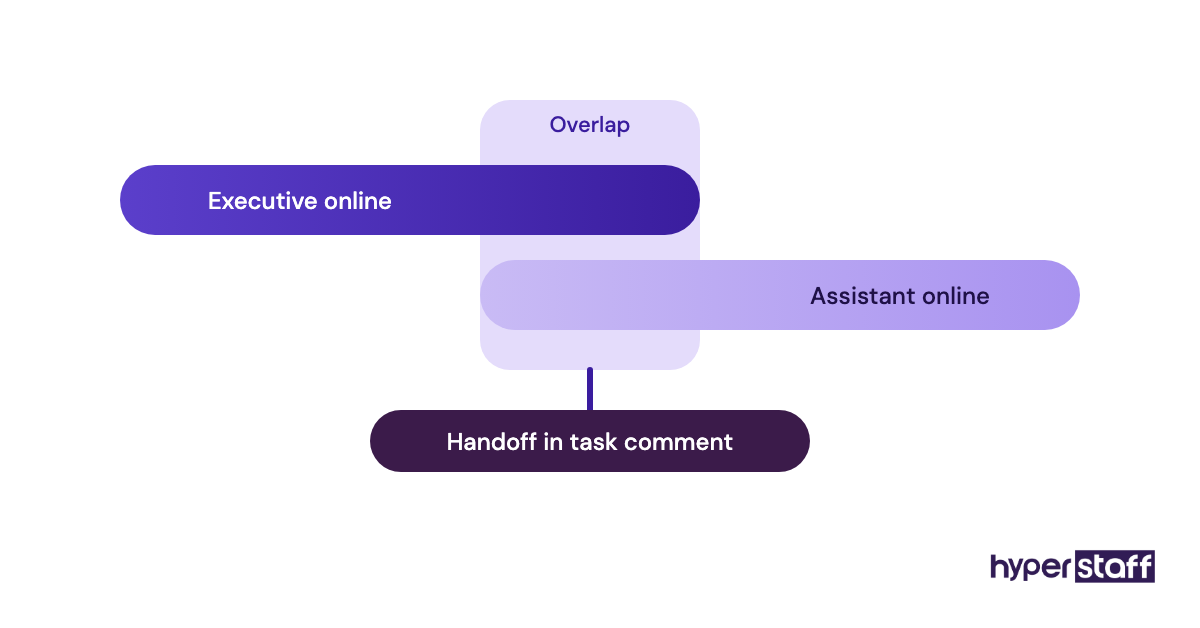
An executive and one assistant fit inside the free Personal plan, according to Asana's pricing page. Pay for Starter only when you need timelines or more collaborators.
Pros
- Free plan fits an exec and assistant
- Clear task ownership
- Recurring tasks for routine work
- Many integrations
- Good mobile app
Cons
- Free plan caps at 2 people
- Can feel heavy for small task lists
- Starter is pricier than rivals
- Executives may not open it
- Notifications can pile up
Does an executive need Asana?
Only if the executive will check it. If they won't, a shared Notion list is enough.
8) 1Password: Best for sharing logins safely
1Password highlights
- Business at $8.99 per user, annual
- Teams Starter Pack for small teams
- Shared vaults with permissions
- Access revoked without a password reset
- Works across browsers and phones
Why a password manager comes before anything else
1Password shared vaults let the executive give the assistant airline, vendor and booking logins without sending passwords by email or chat. When access needs to end, the executive removes it in one step.
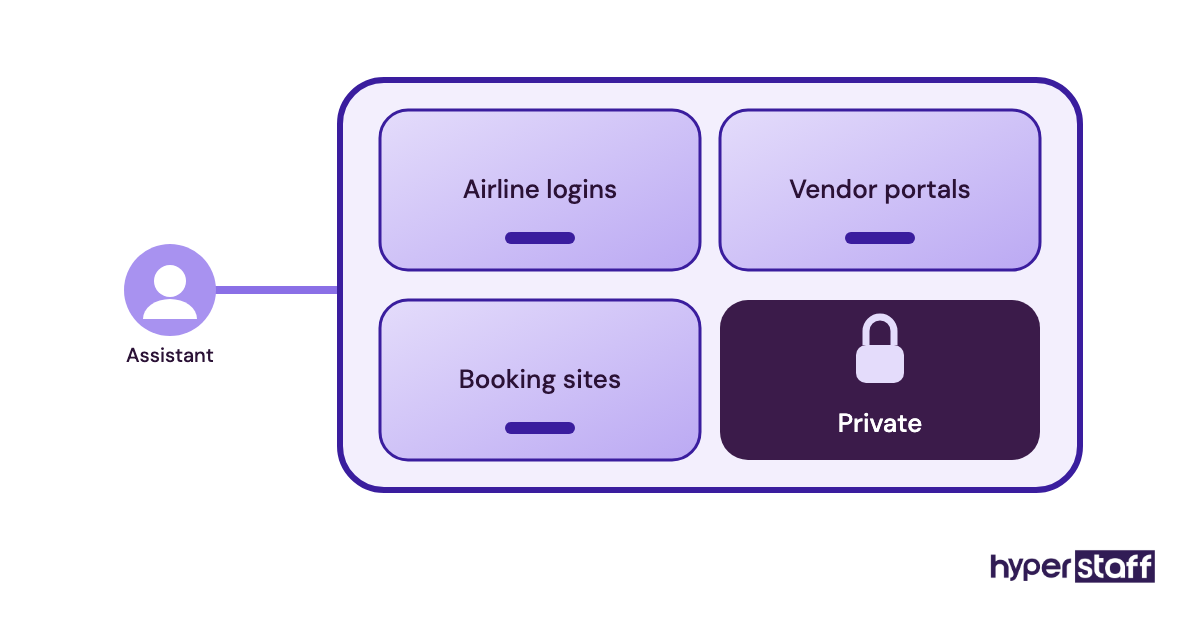
This matters during an assistant change. Hyperstaff replaces an assistant free in 5 to 7 business days, briefed from your Operations Vault, and the handover is far cleaner when logins sit in a vault the executive owns. Plans are on 1Password's business pricing page, and setup belongs in week one of onboarding an executive virtual assistant.
Pros
- Passwords never leave the vault
- Access revoked in one step
- Vault-level permissions
- Strong browser autofill
- Low cost per user
Cons
- Both people need an account
- Two-factor codes need planning
- Setup takes an hour or so
- Some sites block autofill
- Families plan lacks business controls
Our call on 1Password
Buy this one before the assistant's first day. It is the cheapest risk control in the whole stack.
How should an executive share tool access with a virtual assistant?
Give the assistant their own login with delegated rights, and keep every account in the executive's name. The tools above all support this, though few people set it up that way at first.
Delegated access vs. shared logins
Most security trouble with assistants starts with one shared password. It is quick on day one and painful to undo later.
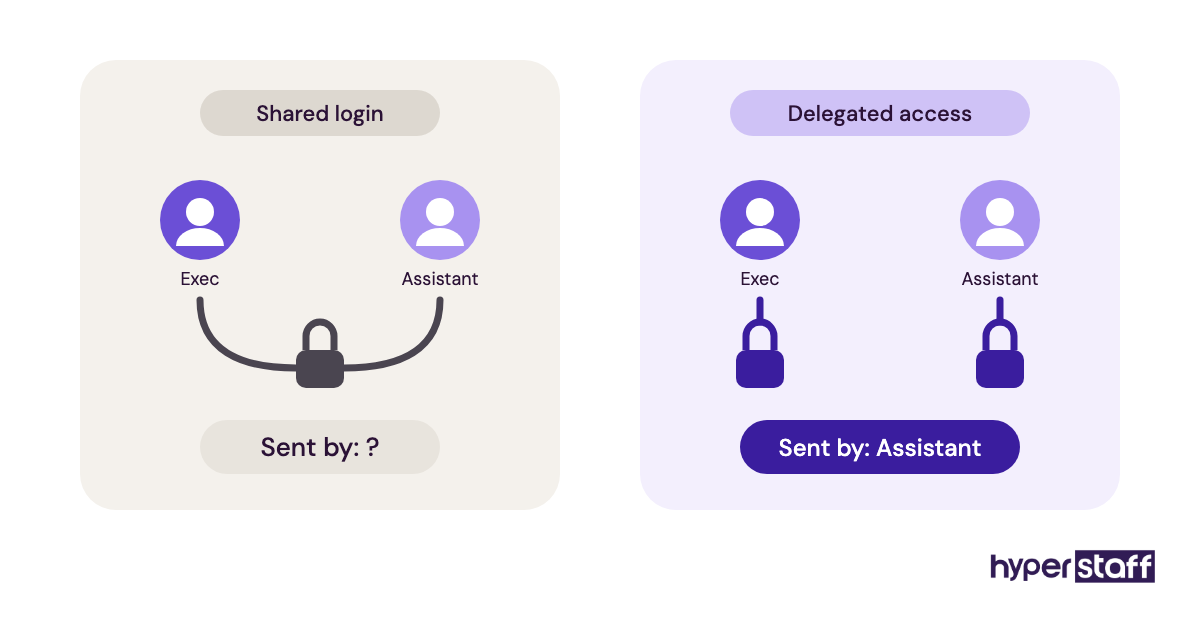
Shared logins make every action look like the executive did it. Nobody can tell who sent an email or deleted an invite.
They also break two-factor codes, since the code goes to the executive's phone at odd hours.
The audit trail
Delegation in Gmail and Outlook labels messages with the assistant's name. That record settles "who sent this?" questions in seconds.
Shared logins are also one of the common executive virtual assistant mistakes we flag early.
Ending access cleanly
Revoking a delegate takes one click. Changing a shared password means updating every device and app that used it.
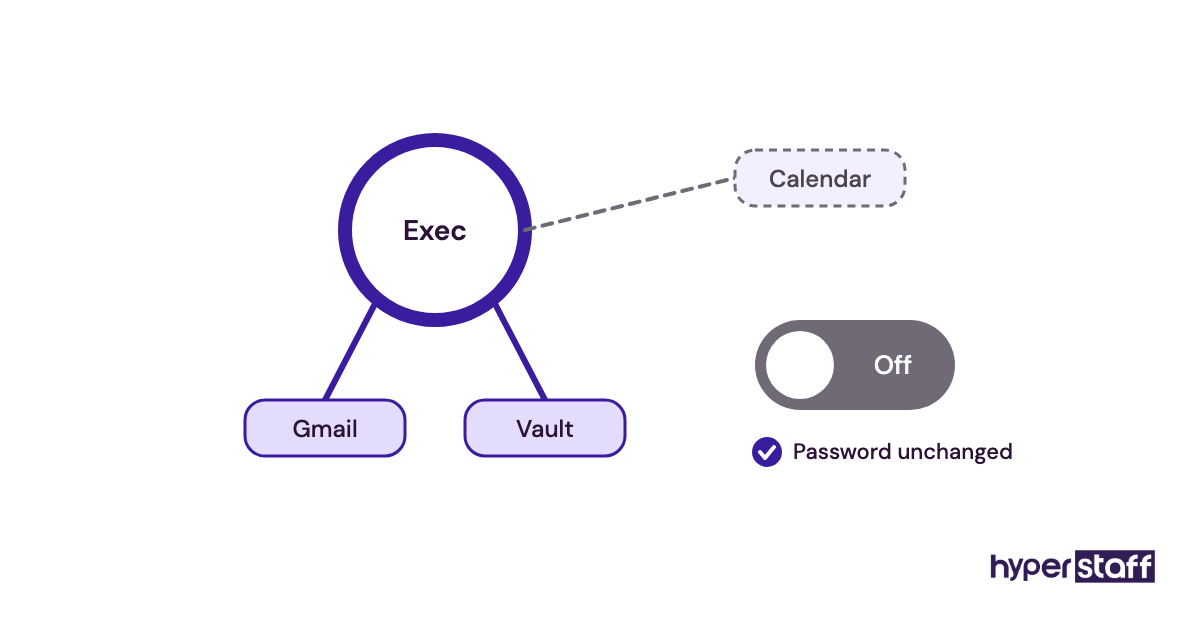
The cleaner option keeps a handover short.
Who owns the accounts
Ownership decides what happens when people change. Practitioners still disagree on whether assistants should hold any subscription themselves; we think they shouldn't.
Billing in the executive's name
Put every subscription on the company card. An assistant who pays and expenses tools leaves a trail of accounts nobody can reach.
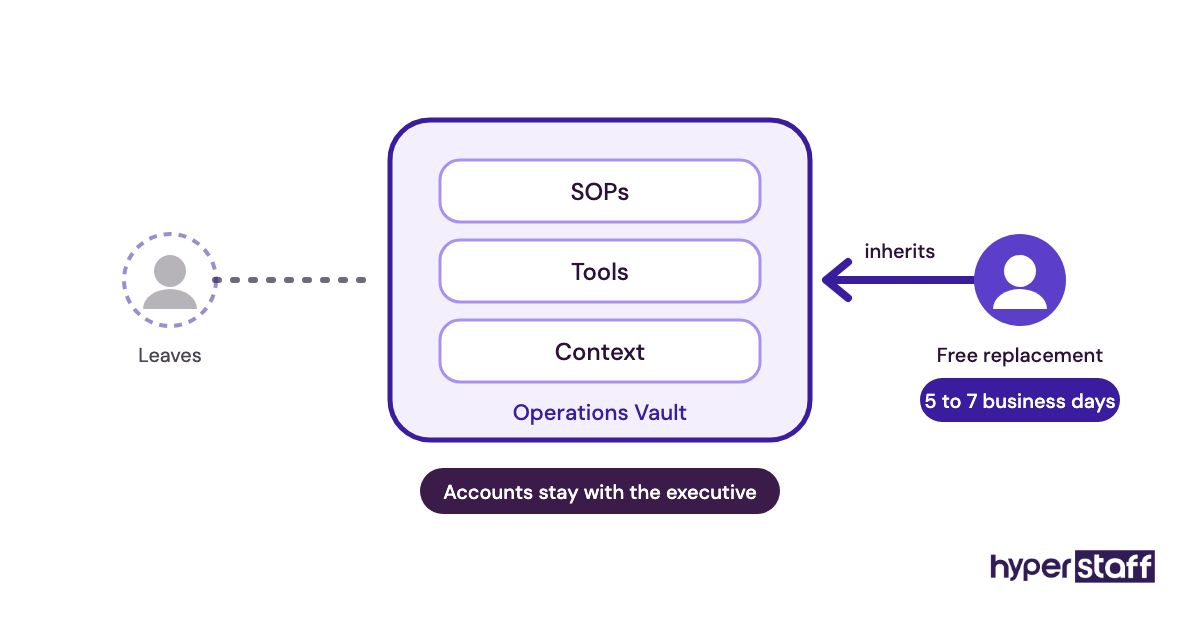
This also keeps the true tool cost visible next to the assistant's rate.
Documenting the stack
Write down each tool, its owner and its purpose. Your Operations Vault at Hyperstaff holds that list for you.
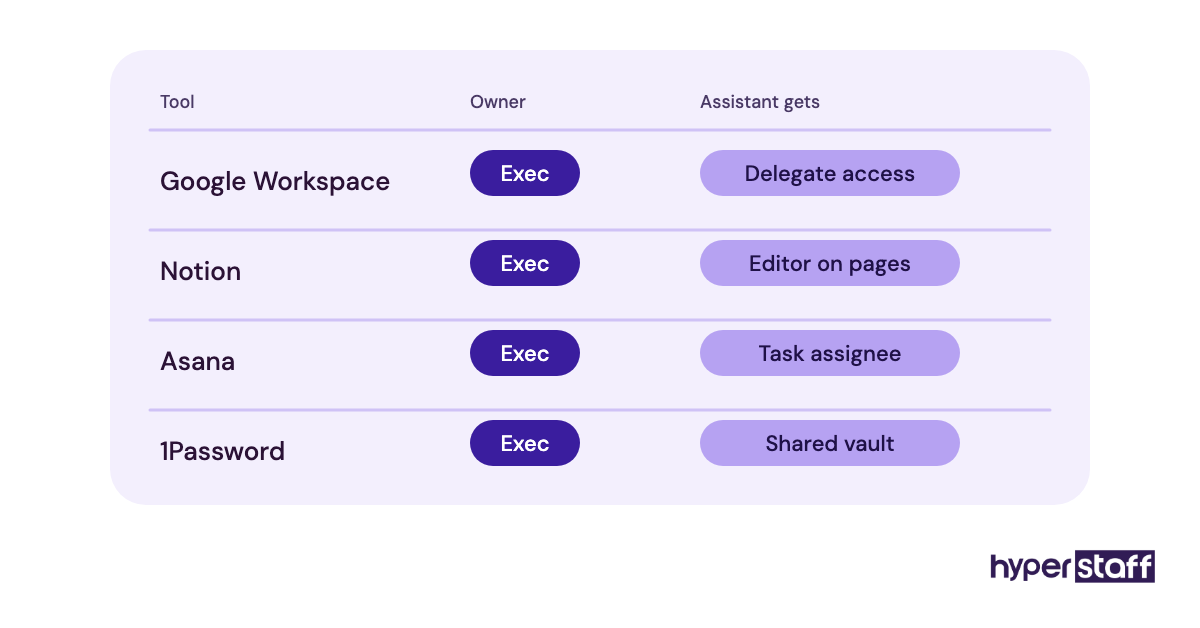
A replacement assistant then starts from the record, not from guesswork.
Disclaimer: This article is for general information only. Tool features and prices change and may differ by region; check each vendor's site before buying. Hyperstaff is not affiliated with any tool listed and accepts no liability for decisions made based on this content.
Common questions
How much should I budget for executive virtual assistant tools?
Most pairs spend roughly $20 to $80 a month in total. Email suite and password manager are the fixed costs, and the rest depends on inbox volume. Our guide to executive virtual assistant cost covers the assistant's side.
Do I need a separate seat for my assistant in Google Workspace?
Yes, in most cases. The assistant needs their own account to use Gmail delegation and calendar sharing, which is safer than sharing yours.
Should I test an assistant's tool skills before hiring?
Yes. Ask them to walk through delegation in your email suite or set up a booking link live. Our list of executive assistant interview questions includes tool prompts, and the guide on how to hire an executive virtual assistant covers the full process.
Are paid tools worth it for a part-time assistant?
Usually only the email suite and password manager. A 40-hour monthly bundle rarely needs Superhuman or Reclaim. Weigh it against whether an executive assistant is worth it for you.
Do remote and in-house executive assistants need different tools?
The core stack is the same. Remote assistants lean harder on delegation and password sharing, as covered in executive virtual assistant vs in-house.
Book a free 15 min call
We place a pre-vetted specialist in 5 business days, fully managed, from $3/hour.