Executive Virtual Assistant Tasks: A 9-Point Handoff Checklist
Nine executive virtual assistant tasks worth handing off, with what to check, why each one matters and how to tell when the handoff is finished.
On this page
- Has your inbox triage been written down as rules?
- Who controls what lands on the executive's calendar?
- What belongs in a pre-meeting brief?
- Who owns follow-ups after every meeting?
- Travel booking and expenses from a preference file
- How much account access should an executive assistant get?
- Can your assistant write emails that sound like you?
- The weekly priorities review
- Which executive tasks sit outside the inbox and calendar?
- FAQs
💡 Key Takeaways:
1) Executive virtual assistant tasks go well past email and scheduling: meeting briefs, follow-up tracking, travel, expenses, drafting in the executive's voice and recurring operations work all belong on the list.
2) Every task needs a written rule, a defined access level and a clear "done" signal before it moves off the executive's plate, or it drifts back within weeks.
3) The handoffs that pay back fastest are the ones that protect an executive's decision time, such as calendar authority, pre-meeting briefs and owned follow-ups.
Win back the hours that earn revenue
Hyperstaff has placed 70+ virtual assistants with 30+ clients, and our executive virtual assistant services match you with a pre-vetted specialist in 5 business days. You get a dedicated account manager, a 30-minute kickoff call and work that starts that day or the next morning, with rates from $3/hour.
Has your inbox triage been written down as rules?
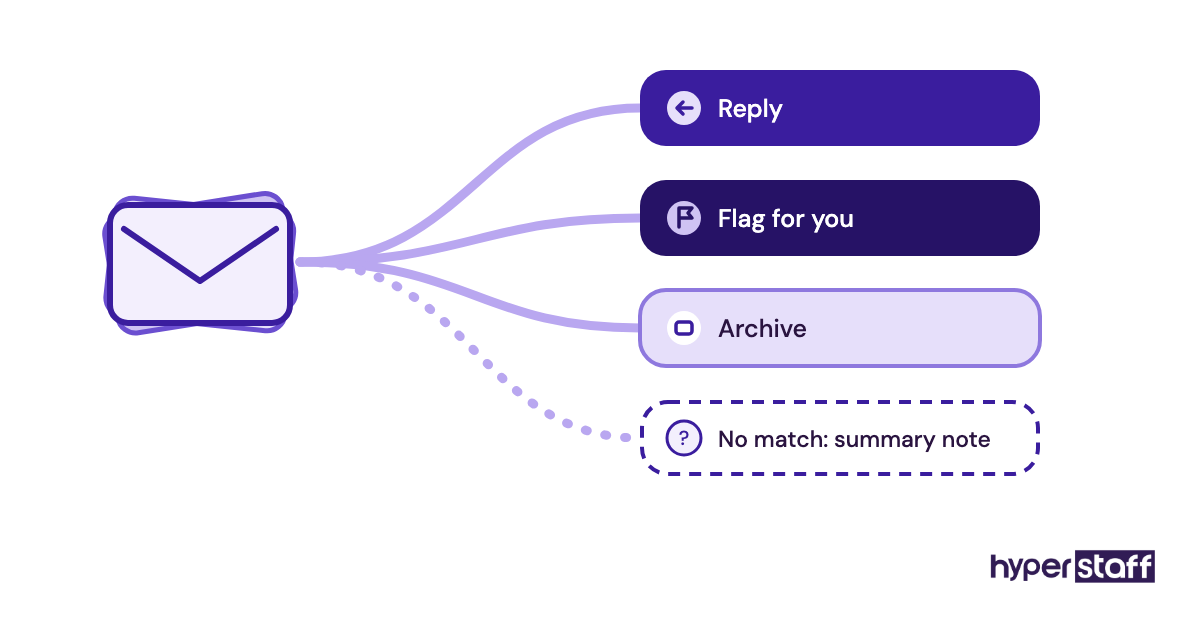
Inbox triage is the first executive virtual assistant task most people hand off, and it breaks down when the sorting rules live only in the executive's head. A written triage rule set tells the assistant what to answer, what to flag and what to archive without asking each time.
The trouble usually starts in week one, when the assistant meets an email that fits no category. Executives tend to say "use your judgment" at that point, which only works after the assistant has seen a few hundred of their replies.
What to check in the triage rules
Open the rule document and look for these items:
- A short list of VIP senders who always get flagged
- Reply templates for the 5 to 10 most common requests
- A money or deadline threshold that triggers escalation
- A label or folder scheme the executive also uses
- A fallback rule for emails that fit nowhere
Why written rules matter early on
An assistant without rules escalates everything, so the executive ends up reading the inbox twice. Gmail's delegated access lets an assistant read, send and delete mail on the executive's behalf, and the rules decide how that power gets used.
Written rules also survive turnover. At Hyperstaff they go into the client's Operations Vault, which is what a free replacement assistant is briefed from in 5 to 7 business days if one is ever needed.
Triage is finished when
The executive opens the inbox once a day and finds only flagged items plus a short written summary. If they're still scrolling past newsletters and receipts, a rule is missing.
Who controls what lands on the executive's calendar?
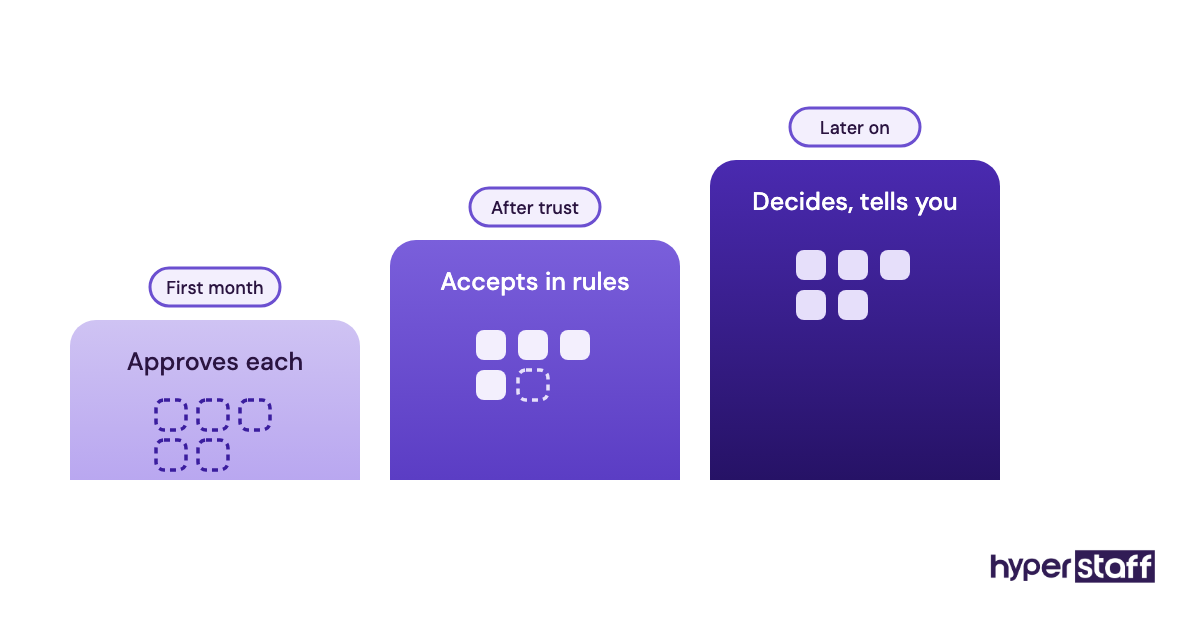
Calendar management becomes a real executive virtual assistant task only when the assistant has authority to decline, move or shorten meetings. Without that authority, the assistant books whatever request arrives first.
Executives split on how much authority to give. Some want every meeting approved, others let the assistant accept anything inside agreed rules, and both models work. The approval model is slower but safer for the first month.
Calendar rules worth auditing
Check that these are written and followed:
- Protected focus blocks the assistant defends
- Buffer time between back-to-back calls
- Time-zone rules for external invites
- Who can book directly through a scheduling link
The cost of an undefended calendar
A calendar fills with other people's priorities unless someone pushes back on them. An assistant in a different time zone can also clear tomorrow's conflicts before the executive starts the day.
Scheduling links deserve a blunt opinion: Calendly-style booking links suit sales calls and cause problems on an executive's calendar, because anyone with the link can claim prime hours. We'd limit links to one or two meeting types with a daily cap, which Calendly supports in its event settings.
Ask about calendar authority when you hire an executive virtual assistant. Some candidates are used to taking orders, others to pushing back, and you want to know which before day one.
Calendar control is working when
A full week passes with no double bookings, every external invite shows the right time zone and the focus blocks survive intact.
What belongs in a pre-meeting brief?
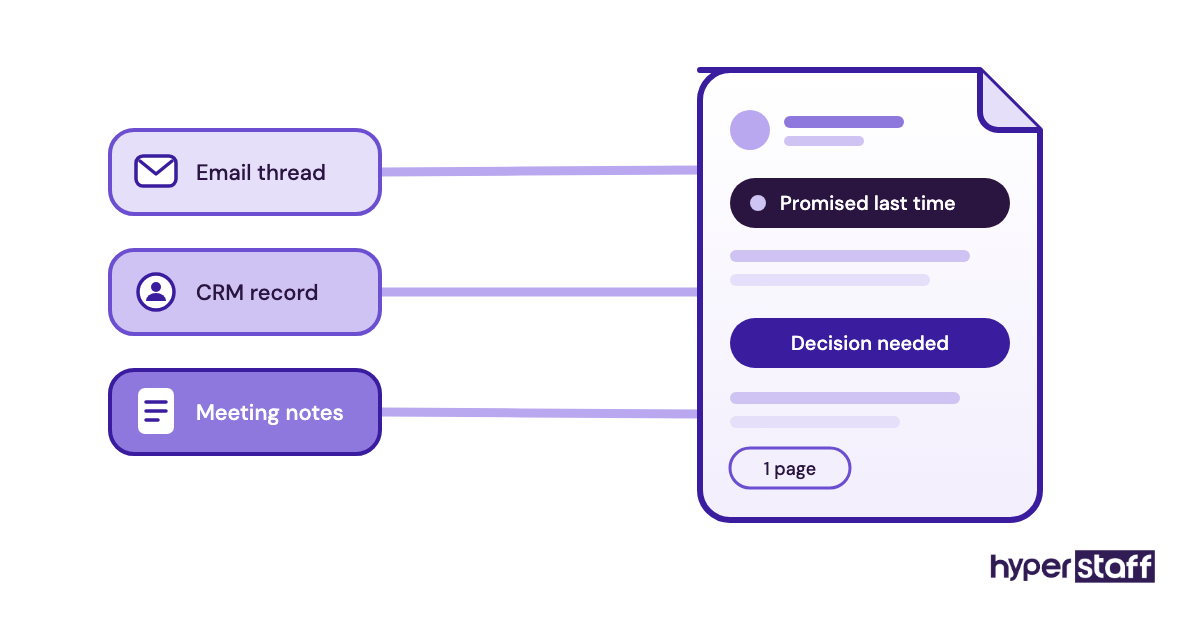
A pre-meeting brief is a one-page note the assistant prepares before each important call, covering who's attending, what they want and what was promised last time. Among executive virtual assistant tasks, it's one of the quickest to show results.
Briefs need source material, though. The assistant can only pull last month's promises if they have access to the email thread, the CRM record or the meeting notes where those promises were made.
Contents to look for in each brief
A good brief is short and holds these elements:
- Attendee names, roles and profile links
- Open items from the last conversation
- The decision the meeting needs to produce
- Relevant numbers from the CRM or finance sheet
- The other side's likely ask
- A fixed delivery time, such as the evening before
Why briefs change the meeting
Executives often prep in the few minutes before a call, from memory. A brief puts facts in front of them, and it surfaces the awkward open item someone forgot to mention.
Briefs fail when they grow. Once they run past a page, executives stop reading them while the assistant keeps writing them, and that silent waste can run for weeks before anyone notices.
Prep work like this is often what decides whether an executive VA is worth it, since the time saved shows up in every meeting.
Briefs are done right when
Every meeting tagged as important gets a brief in the same place at the same time. The executive no longer searches old emails before a call.
Who owns follow-ups after every meeting?
Follow-up ownership means the assistant captures action items from a meeting, sends the recap and chases each owner until the item closes. Executives often assume this task is happening and rarely check whether it is.
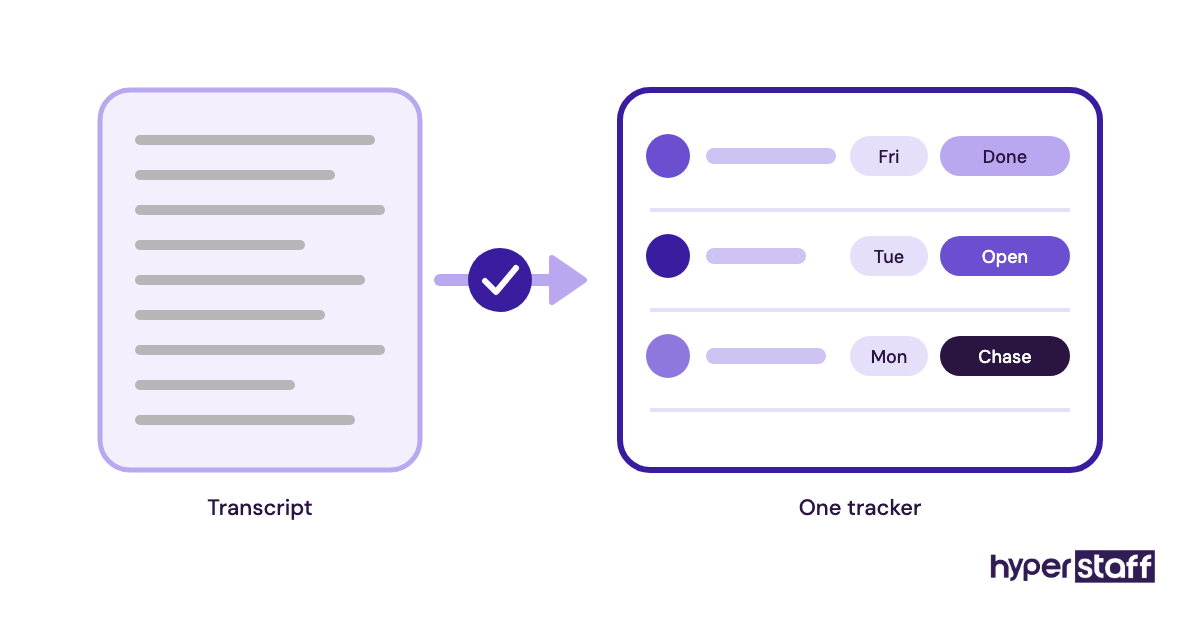
Meeting recorders such as Otter, Fireflies and the built-in notes in Zoom or Google Meet will produce a transcript. Someone still has to turn that transcript into named owners, due dates and reminders.
Follow-up habits to verify
Look at the last five meetings and confirm:
- A recap went out within one business day
- Every action item has a name and a date
- One tracker holds all open items
- Overdue items get a chase on a fixed rule
- Closed items are marked, then archived
Where deals and hires stall
Momentum dies in the gap between "let's do that" and the email that confirms it. An assistant who owns the recap closes that gap while the meeting is still fresh for everyone.
The tricky part is authority to chase. An assistant nudging a senior partner or investor needs explicit cover from the executive, ideally a line in each recap saying the assistant tracks open items.
Letting follow-ups drift is one of the common executive VA mistakes, mostly because nobody owned the task on paper.
Follow-ups are handled when
The executive can open one tracker and see every open commitment, its owner and its due date without asking anyone.
Travel booking and expenses from a preference file
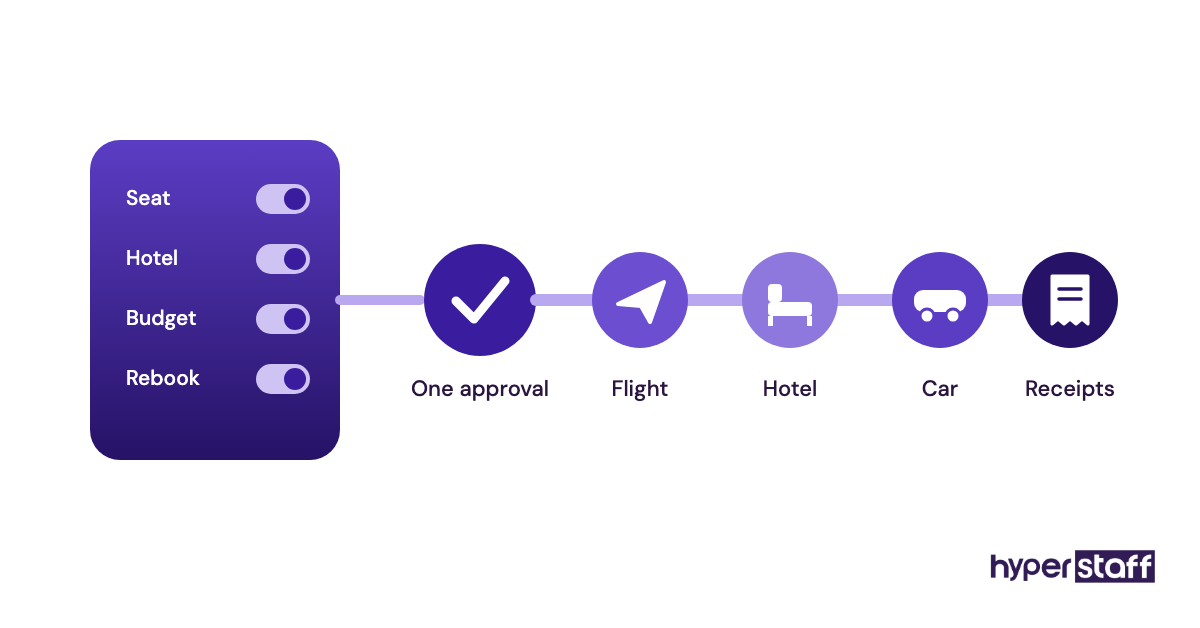
Travel booking moves to an assistant cleanly once a written preference file exists: airlines, seats, hotel style, loyalty numbers and the layover length the executive will tolerate. Without that file, every trip becomes a round of questions.
Items the preference file should hold
Before the first booking, confirm the file has:
- Loyalty numbers and trusted traveler IDs, stored securely
- Seat, cabin and hotel preferences
- Budget limits by trip type
- A rebooking rule for cancelled flights
- Who approves before payment
Why travel rewards written preferences
Small preferences repeat on every trip. The aisle seat, the hotel near the client's office and the no-red-eye rule only need to be learned once if they're written down.
Expense reporting belongs in the same checkbox. Receipts captured during the trip in a tool like Expensify, Ramp or QuickBooks are far easier to reconcile than a pile forwarded at month end.
List travel and expense duties in the executive virtual assistant job description so candidates with booking experience stand out early.
Travel is handed off when
The assistant books a full trip (flights, hotel and ground transport) with one approval message. The expense report is filed within a week of return.
How much account access should an executive assistant get?
An executive assistant should get the least access that lets them finish each task, granted through delegation features and a password manager. Shared passwords sent over chat are the setup to avoid.
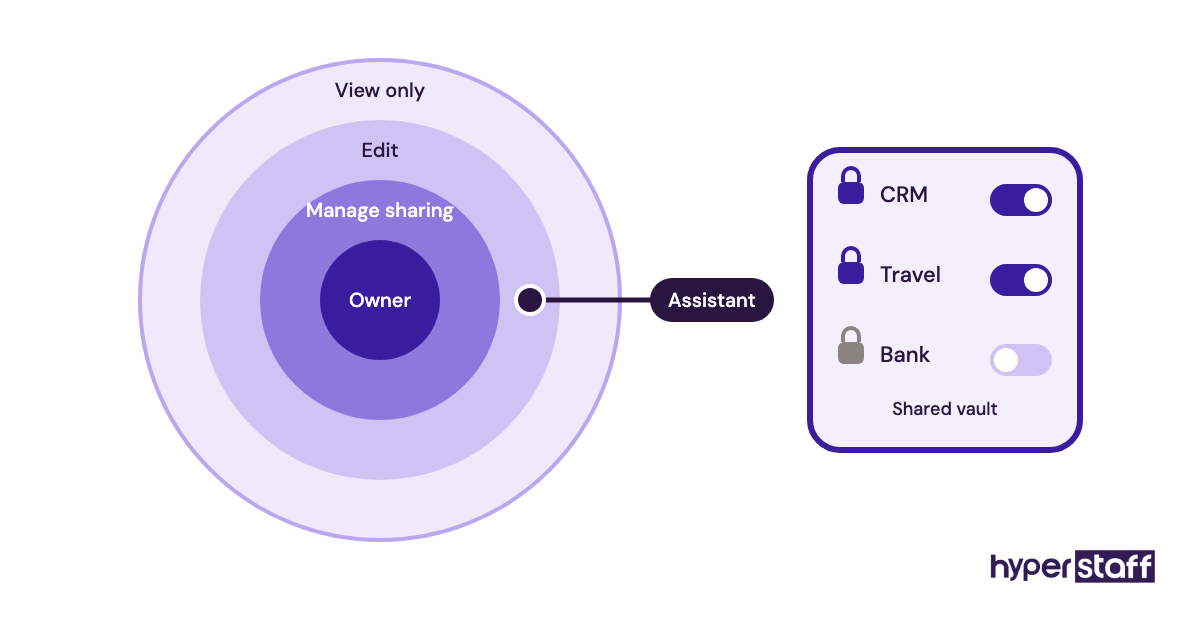
Gmail and Outlook both support delegate access, and Google Calendar lets you choose whether a person can only edit events or also manage sharing. Password managers like 1Password and Bitwarden let you share specific logins through a shared vault and revoke them in one step.
Access settings to review
Walk through each system and confirm:
- Delegate access set up in email and calendar
- A shared vault with only the logins the role needs
- Two-factor codes routed so the assistant isn't stuck
- Bank and payroll access kept view-only or excluded
Why access design protects both sides
Passwords pasted into chat are painful to unwind when someone leaves. A vault gives you a record of what was shared and a clean off switch.
The issue nobody plans for is two-factor authentication. If every code goes to the executive's phone, the assistant waits on a text for each login, and the handoff fails without anyone deciding it should.
Our guide to executive virtual assistant tools compares password managers and delegation setups in more depth.
Access is set up correctly when
You can name every system the assistant touches and at what permission level. You can also remove all of it in under ten minutes.
Can your assistant write emails that sound like you?
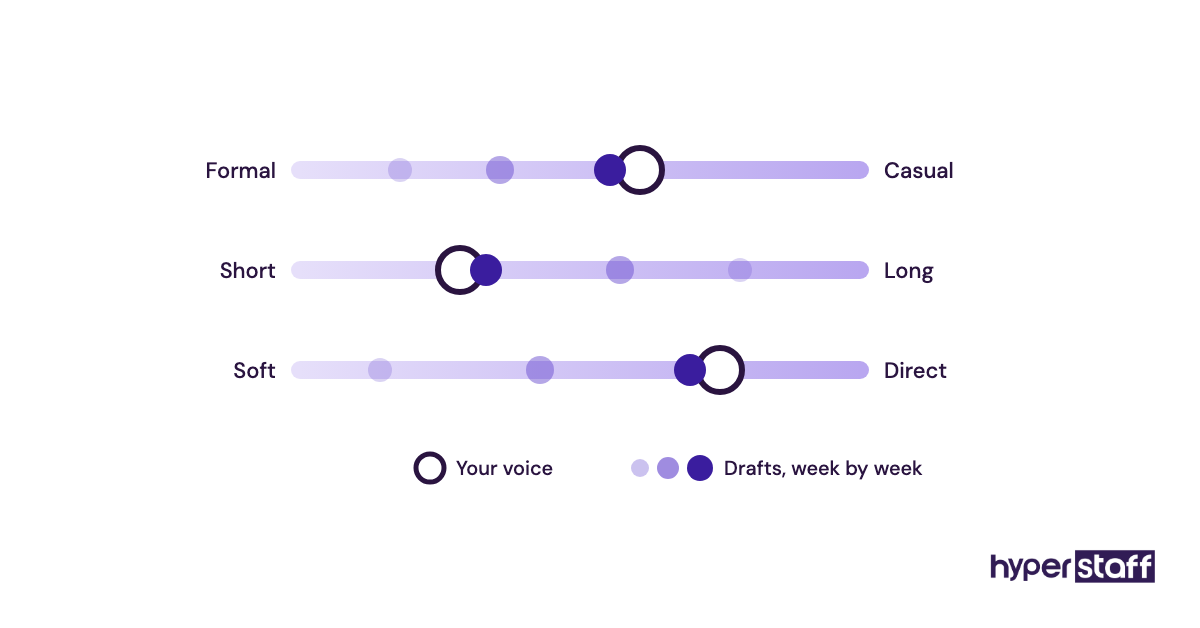
Ghostwriting in the executive's voice is one of the higher-skill executive virtual assistant tasks, and it's learnable once the assistant has real samples and a short style note. With steady edits, a capable assistant matches tone within a few weeks.
Inputs the assistant needs for voice
Make sure these exist before drafting starts:
- 10 to 20 sent emails the executive considers typical
- Greeting, sign-off and formality rules
- Phrases the executive never uses
- A list of message types that go out without review
- An edit loop where corrections come with a reason
Why voice decides the time saved
Drafting is where an executive's time savings either appear or vanish. If every draft needs a rewrite, the executive is editing instead of writing, which is barely faster.
Practitioners disagree on whether an assistant should ever send as the executive. Some keep everything under the assistant's own signature, while we lean toward letting routine replies go out under the executive's name once edits become rare, with anything about money or people kept under review.
A short written exercise drawn from your executive VA interview questions is the quickest way to judge this skill before you commit.
The voice handoff is complete when
The executive sends most drafts unchanged. The remaining edits are about facts the assistant had no way of knowing.
The weekly priorities review
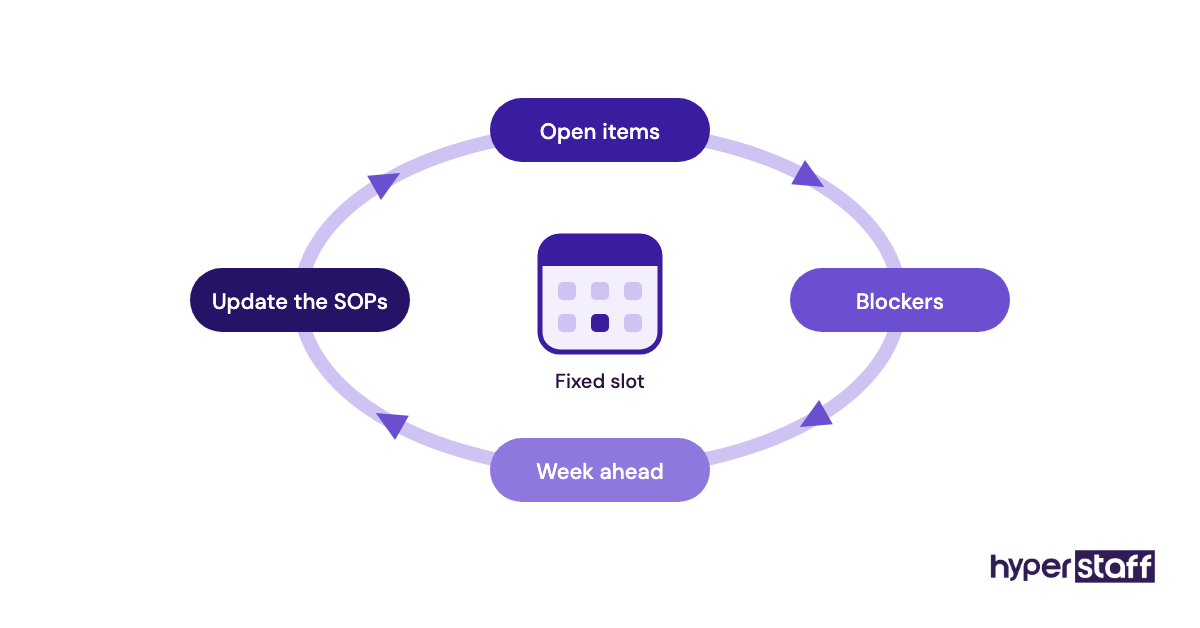
A weekly priorities review is a 20 to 30 minute call where the executive and assistant agree on the week's top outcomes, clear blockers and update the rules. Without it, every other task on this list slowly drifts.
Parts of a working weekly review
A useful review has a fixed shape:
- A slot on the calendar that doesn't get moved
- An agenda the assistant prepares in advance
- Last week's open items, reviewed one by one
- Next week's travel and deadlines previewed
- Rule changes written into the SOPs the same day
Why remote assistants depend on it
Remote assistants miss the context an office provides, because they never overhear anything. The weekly call fills that gap, and it's where an assistant learns a deal is heating up before an email says so.
That missing hallway is one of the real trade-offs in the virtual vs in-house assistant decision, and the weekly review is the cheapest fix for it.
Expect the first few reviews to run long. Once the rules settle, usually after the first month, the call shrinks and the assistant brings decisions instead of questions.
Build the review into your plan for onboarding an executive virtual assistant from week one, before habits form without it.
The review is established when
The call has happened every week for a month straight. The SOP document shows edits after each one.
Which executive tasks sit outside the inbox and calendar?
Executive virtual assistant tasks reach well beyond admin, into CRM updates, invoice chasing, vendor coordination, deck formatting, recruiting logistics, light research and more. The right mix depends on what the executive still does personally that someone else could own.
If you're still defining the role itself, start with what an executive virtual assistant is and come back to this list.
Places to look for hidden tasks
Scan last week's work for these:
- Tasks the executive did more than twice
- CRM records the executive updates personally
- Vendor and invoice follow-ups
- Interview scheduling and candidate emails
- Research requests with a clear output format
- Recurring reports or slide decks
Why scope sets the return
An assistant limited to email and calendar is useful, and the return grows once they also own recurring operations work. The experience tier should follow that scope, since research and stakeholder work need more judgment than inbox sorting.
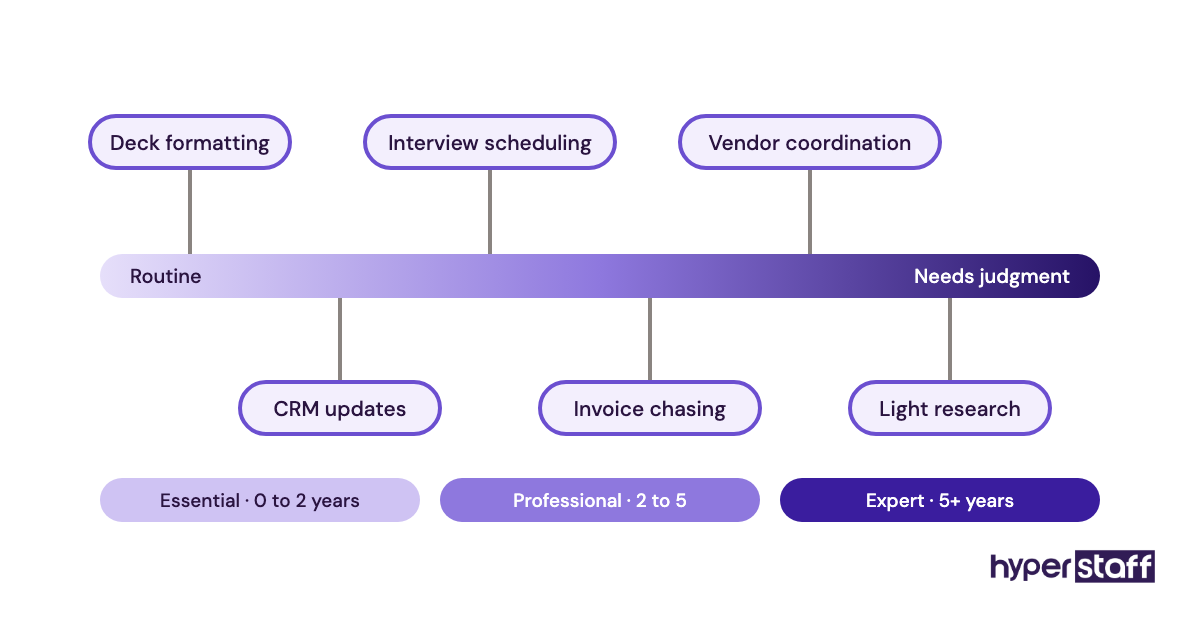
Hyperstaff's Essential tier starts from $3/hour, Professional from $6/hour and Expert from $12/hour, sold in monthly bundles of 40, 80 or 160 hours. The full breakdown sits in our executive virtual assistant cost guide.
The scope is right when
Every recurring task on the executive's list has either an owner or a written reason it stays with the executive.
Disclaimer: This article is for general information only and does not constitute legal, financial, security or employment advice. Tool features and pricing may change, so verify details with each provider, and consult qualified professionals before granting account access or delegating authority.
Common questions
What tasks shouldn't an executive virtual assistant do?
Keep final approvals on payments, contract signatures and sensitive HR conversations with the executive. An assistant can prepare all of these, draft the paperwork and schedule the conversations, but the decision and signature should stay with the person accountable for them.
How many hours a week does an executive VA need?
It depends on scope. Inbox, calendar and briefs for one executive often fit a part-time load, while adding travel, follow-ups and operations work pushes toward full time. Hyperstaff sells monthly bundles of 40, 80 or 160 hours, so you can start small and scale.
Can one executive assistant support two executives?
Yes, if their calendars rarely collide and each one has written rules. Conflicts get messy when both executives want the same time slot, so agree in advance whose calendar wins.
How are executive VA tasks different from general VA tasks?
Executive tasks carry more authority and context, such as declining meetings, writing in someone's voice and chasing senior people. General VA work is usually task-based and needs less judgment about priorities and relationships.
How long until an executive VA works without hand-holding?
Expect a few weeks for routine tasks and about a month for voice and calendar judgment. With Hyperstaff, a 30-minute kickoff call starts the work that day or the next morning, and the weekly review shortens the learning curve.
Book a free 15 min call
We place a pre-vetted specialist in 5 business days, fully managed, from $3/hour.