The ecommerce virtual assistant tools we'd set up first
Seven pieces of software an ecommerce virtual assistant works in every day, what each costs, and where each one falls short.
On this page
The right stack makes every VA hour count
Good tools only pay off when someone skilled runs them every day, and that's the part Hyperstaff's ecommerce virtual assistant services take care of. We've placed 70+ pre-vetted virtual assistants with 30+ clients, at rates from $3/hour, and placement takes 5 business days. Your SOPs, tools and logins go into an Operations Vault we maintain for you, so your assistant can start work the day after a 30-minute kickoff call.
Best Ecommerce Virtual Assistant Tools Comparison
The seven ecommerce virtual assistant tools below each cover a different part of running a store: support, fulfillment, retention, creative work, task tracking, hours and access. Prices are the ranges published on each vendor's pricing page, and they move often, so check the live page before you buy.
| Tool | Main job for the VA | How it bills | Starting price range | Free option | Best fit |
|---|---|---|---|---|---|
| Gorgias | Customer support tickets, order edits, refunds | Per billable ticket | About $10 to $60/month for entry tiers | 7-day trial | Shopify stores with steady support volume |
| ShipStation | Label printing, order routing, tracking | Per shipment volume | From $14.99/month (50 shipments) | 30-day trial | Stores selling on several channels |
| Klaviyo | Email and SMS flows, list cleanup | Per active profile | Free to 250 profiles, then about $20/month and up | Free plan | Brands with repeat buyers |
| Canva | Product graphics, ad creative, listing images | Per person | About $15 to $25 per person/month | Free plan | Stores without an in-house designer |
| ClickUp | Daily task lists, SOP docs, recurring checks | Per user | About $7 to $19 per user/month | Free plan | Owners managing more than one assistant |
| Hubstaff | Time tracking, activity and timesheets | Per seat | About $5 to $25 per seat/month | 14-day trial, one-seat free plan | Hourly arrangements that need proof of hours |
| 1Password | Shared logins and 2FA codes | Per user or flat pack | $24.95/month for 10 users, or $8.99 per user/month | Trial | Any store giving a VA access to accounts |
Best Ecommerce Virtual Assistant Tools Reviews
The reviews below judge each tool from the assistant's chair: how fast a new person learns it, what it costs at small volume, and where it breaks down. If you're still deciding on the role itself, start with what an ecommerce virtual assistant is before you buy any software.
1) Gorgias: Best for Shopify customer support
Key highlights
- Helpdesk built around Shopify orders
- Refunds and order edits inside the ticket
- Email, chat and social in one inbox
- Billed per ticket, not per agent
- 7-day free trial
Why a VA answers tickets faster here
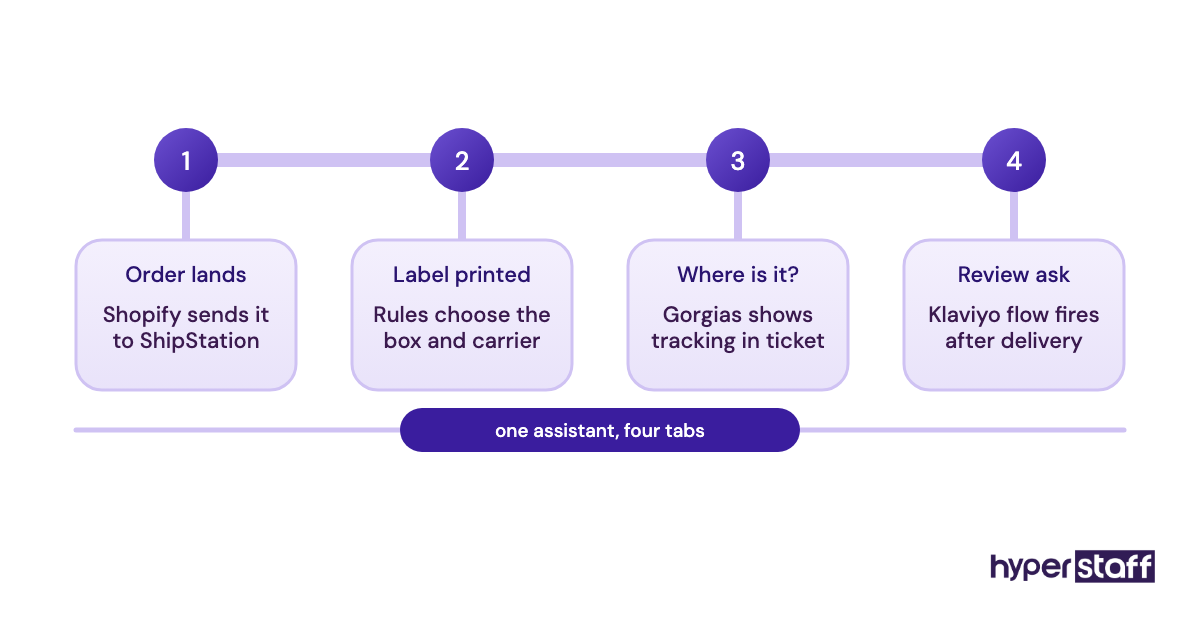
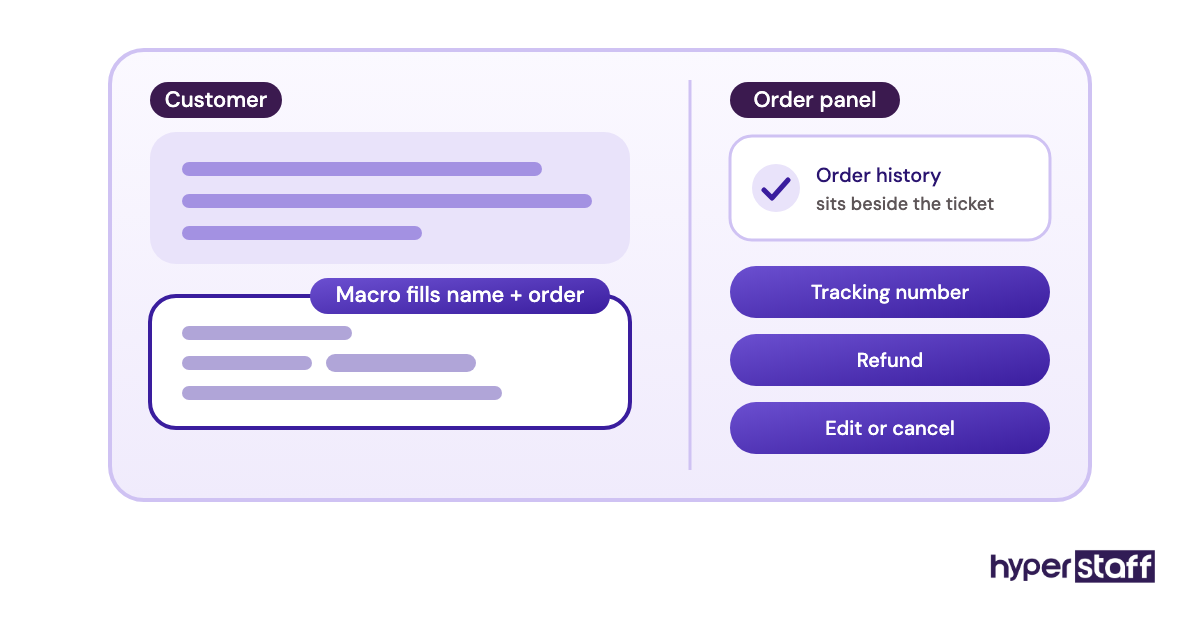
Gorgias shows the customer's Shopify order history next to every ticket, so an assistant can check a tracking number, cancel an order or issue a refund without opening a second tab. Macros fill in the order number and customer name, and rules can tag or route tickets before anyone reads them.
Billing runs on tickets. The Gorgias pricing page lists a Starter tier at $10/month for 50 tickets and a Basic tier of $50 to $60/month for 300, with overages around $0.36 to $0.40 per ticket. Seats are unlimited, which suits a store adding a second assistant during peak season.
Pros
- Order actions live inside each ticket
- Unlimited users on every plan
- Macros cut repeat replies down to seconds
- Social comments land in the same queue
- Short learning curve for Shopify-trained VAs
Cons
- Costs climb fast with ticket volume
- Auto-reply rules can add billable tickets
- Weaker fit for non-Shopify platforms
- Higher tiers get expensive quickly
- Reporting takes setup to be useful
Worth it once tickets pile up
For a store answering a few dozen emails a week, a shared Gmail inbox still works. Gorgias starts paying for itself once order questions become most of the assistant's day.
2) ShipStation: Best for multichannel order fulfillment
Key highlights
- Pulls orders from many sales channels
- Batch label printing
- Automation rules by weight or destination
- Plans priced by monthly shipments
- 30-day free trial
Where shipping work actually happens
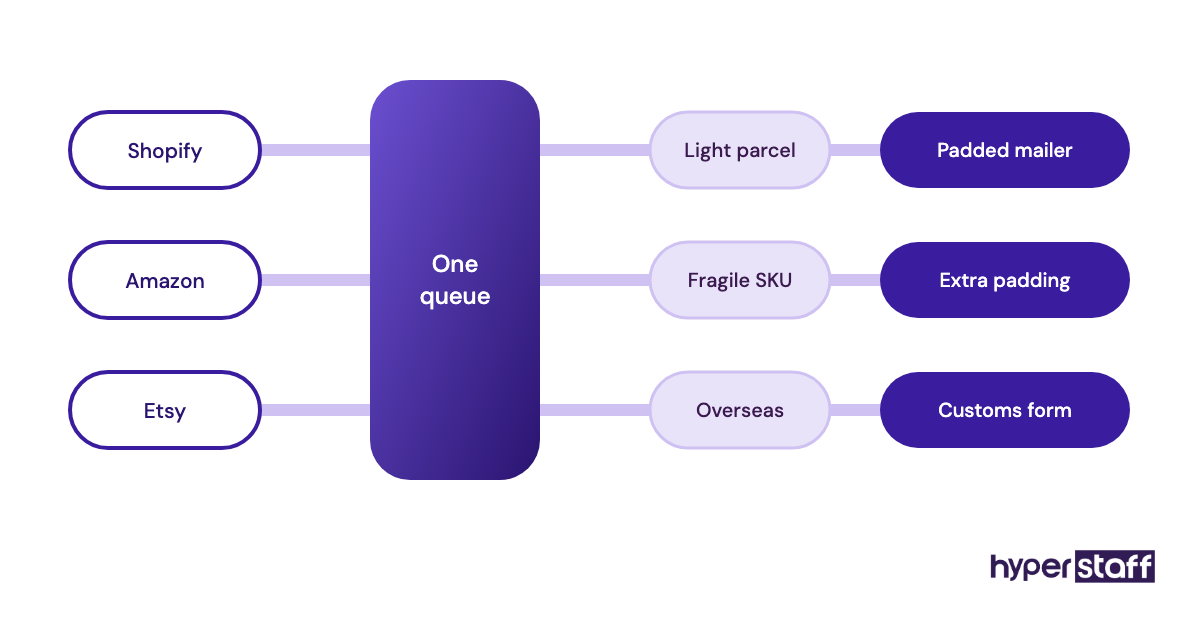
ShipStation pulls orders from Shopify, Amazon, Etsy and other marketplaces into one screen, where an assistant can compare carrier rates and print labels in batches. Automation rules assign a box size or carrier based on weight, SKU or destination, which cuts the manual choices per order.
The ShipStation pricing page starts Starter at $14.99/month for 50 shipments with 3 users. Standard plans run from $29.99/month and allow 10 users, while annual billing takes about 20% off.
Pros
- One queue for every marketplace
- Rules handle carrier and packaging choices
- Discounted carrier rates built in
- Branded tracking pages
- Long trial for testing real orders
Cons
- Starter caps you at 3 users
- Shipment tiers jump in big steps
- Rule conflicts can mislabel orders
- Interface feels dated in places
- Premium tiers cost far more
Fine for most, overkill for some
A store shipping fewer than 50 orders a month from Shopify alone can print labels inside Shopify itself. ShipStation earns its fee once a second sales channel appears.
3) Klaviyo: Best for email and SMS retention
Key highlights
- Deep Shopify data sync
- Prebuilt flows for abandoned carts
- Email and SMS in one account
- Free plan up to 250 profiles
- Billed on active profiles
What an assistant does inside Klaviyo
Klaviyo reads purchase and browsing data from your store, so flows like abandoned cart, post-purchase and win-back can trigger without manual sends. A virtual assistant usually builds campaigns from saved templates, checks flow performance each week and cleans the list.
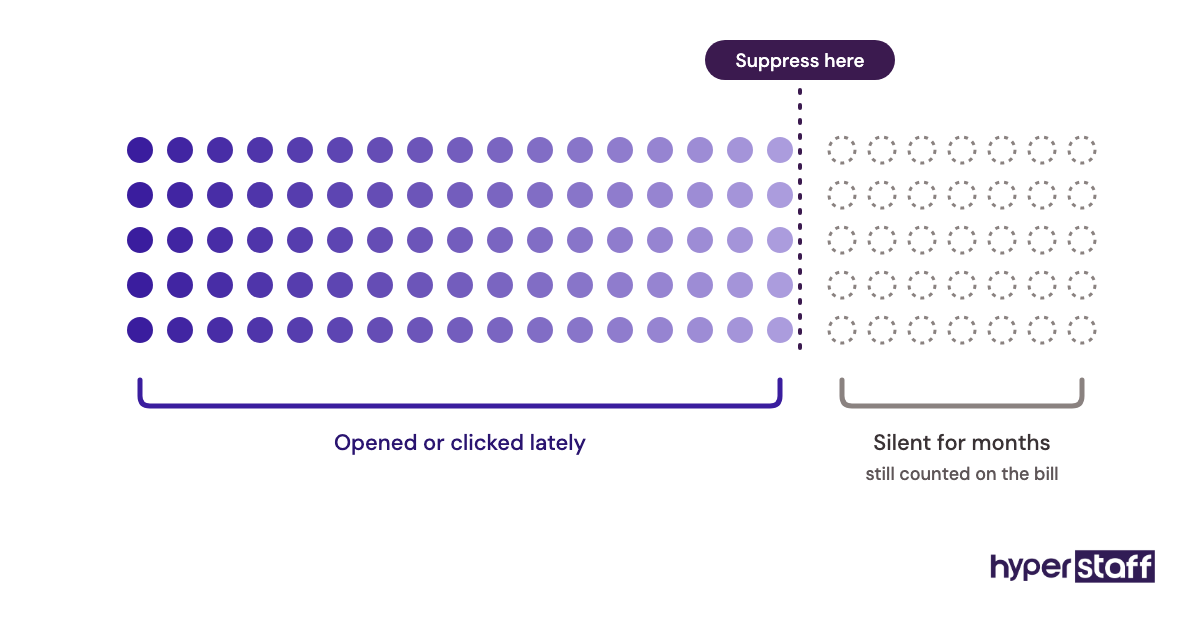
The free plan covers 250 active profiles and 500 email sends a month, according to Klaviyo's pricing page. Paid email plans start around $20/month and rise with profile count, and unengaged contacts still count toward the bill.
Pros
- Segments built from real order data
- Strong library of ready flows
- Clear revenue attribution per email
- Templates keep VA work on brand
- Free tier for testing
Cons
- Price rises steeply with list size
- Inactive profiles still cost money
- SMS adds a separate credit cost
- Reporting overwhelms new users
- Easy to over-send without a calendar
Strong tool, but watch the list
Klaviyo rewards stores with repeat buyers. For a one-time-purchase product, a cheaper email tool may do the same job.
4) Canva: Best for product images and ad creative
Key highlights
- Templates for listings and social posts
- Brand Kit locks fonts and colors
- Background remover on paid plans
- Resize one design for many formats
- Free plan available
Keeping a non-designer on brand
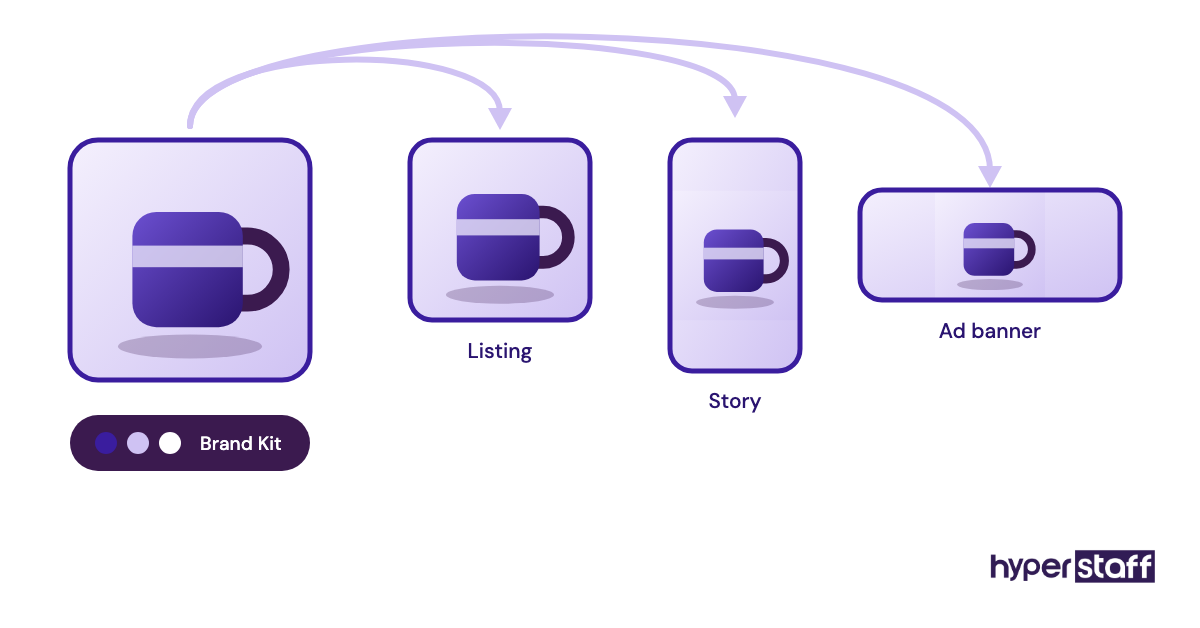
Most ecommerce assistants aren't trained designers, and Canva's Brand Kit closes much of that gap by saving your logo, fonts and color codes in one place. Paid plans also add the background remover and one-click resizing, which turn one product shot into a listing image, a story and an ad.
Canva's pricing has changed more than once recently. Pro sits around $15 to $18 per month for one person, and the team tier, now called Business, runs about $21 to $25 per person monthly, per the Canva pricing page.
Pros
- Fast to learn with no design background
- Brand Kit keeps output consistent
- Huge template and stock library
- Real-time comments on drafts
- Works in the browser
Cons
- Template looks are easy to spot
- Pro is a one-person license
- Team pricing has risen
- Limited for detailed photo retouching
- Exports can lose quality at large sizes
Good enough for most store creative
Canva covers listing graphics, banners and simple ads well. Hero product photography still needs a real photographer or editor.
Design work is one slice of the job. Our full ecommerce VA task list shows how it fits next to support, listings and order work.
5) ClickUp: Best for managing tasks and SOPs
Key highlights
- Tasks, docs and wikis in one place
- Recurring tasks for daily checks
- Free Forever plan
- Paid plans priced per user
- Automations on every tier
One place for the work and the instructions
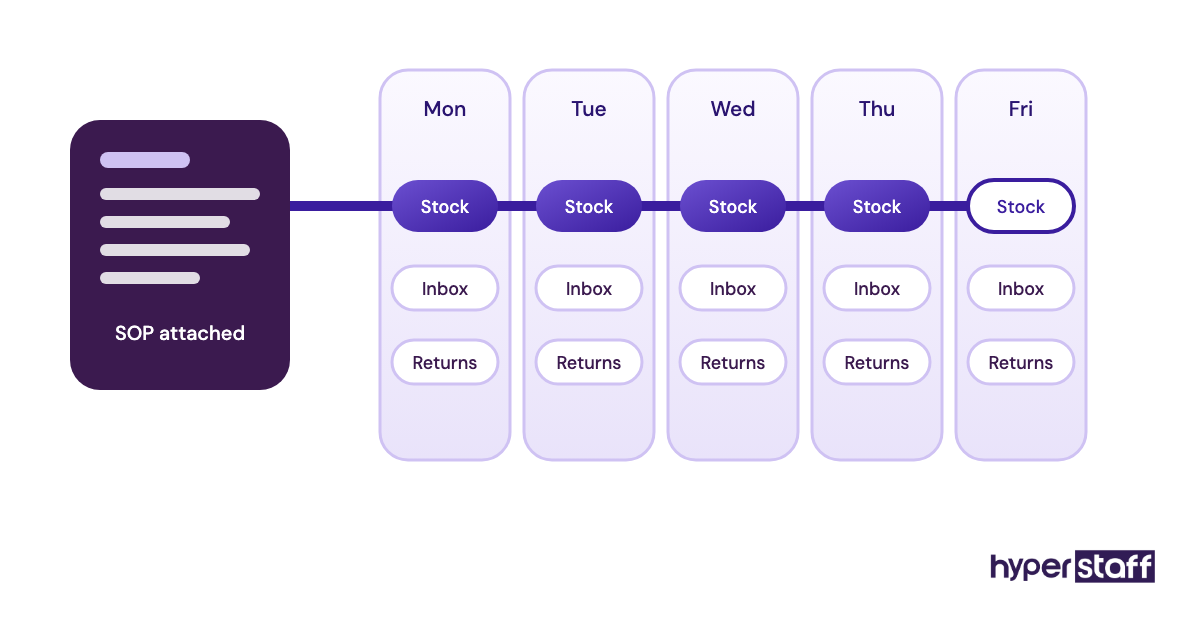
ClickUp lets you attach the SOP doc directly to the recurring task it explains, so a daily "check stock levels" task carries its own how-to. Assistants see what's due, owners see what's done, and nobody has to chase status in chat.
The free plan includes unlimited tasks but caps storage at 60MB and limits automations. Paid plans run about $7 to $19 per user per month depending on tier and billing, per ClickUp's pricing page.
Pros
- SOPs sit beside the tasks they govern
- Recurring tasks suit daily store checks
- Generous free plan
- Many views: list, board, calendar
- Guests can join without paid seats
Cons
- Too many features for small teams
- Workspaces get messy without rules
- Free storage runs out fast
- Mobile app feels slower
- Plan names and pricing change often
Pick it for structure, keep it simple
Plenty of owners run one assistant happily from a Trello board or a Notion page, and that's a fair call. ClickUp earns its place once there are two or more people and dozens of recurring checks.
The first weeks of setup matter more than which tool you choose, and our onboarding plan for a new VA lays out what to hand over and in what order.
6) Hubstaff: Best for tracking hourly work
Key highlights
- Time tracking with optional screenshots
- Activity levels per hour
- Timesheets and payroll on higher tiers
- Priced per seat
- 14-day free trial
What the activity score really measures
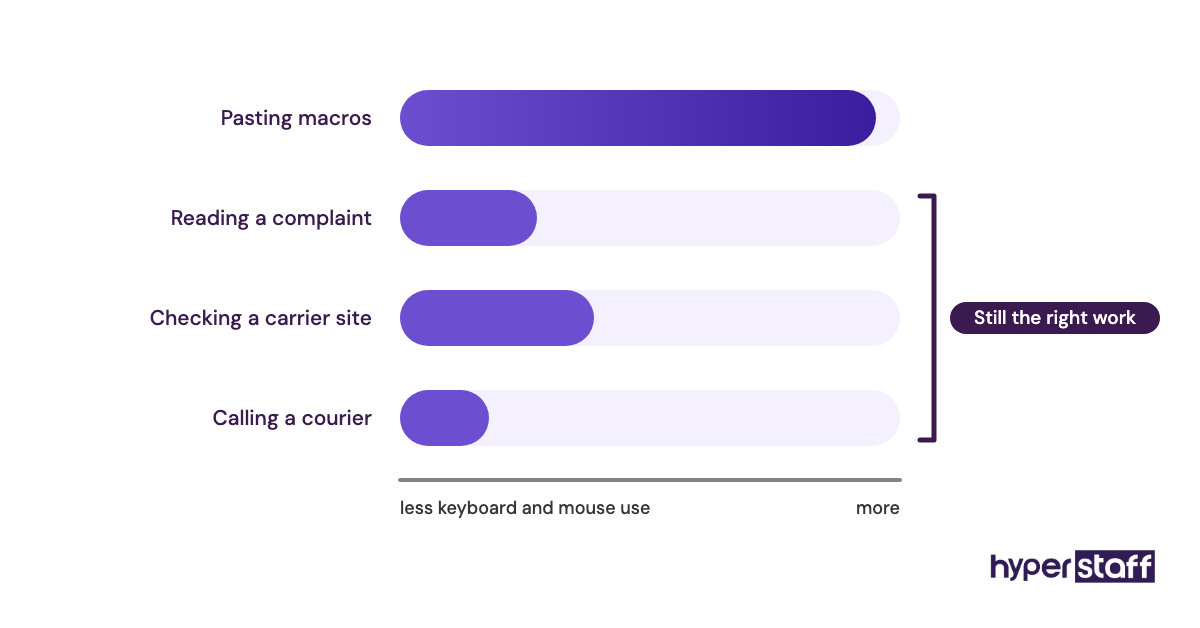
Hubstaff records hours against projects and can take periodic screenshots, which gives owners paying by the hour a clear log. Activity levels come from keyboard and mouse use, so they rate typing-heavy tasks higher than reading or phone work.
Plans run roughly $5 to $25 per seat per month, with annual billing cheaper than monthly, based on Hubstaff's published tiers. The Hubstaff pricing page lists a 14-day trial with no credit card needed.
Pros
- Clear record of paid hours
- Hours tied to specific projects
- Blurred screenshot option for privacy
- Timesheets ready for invoicing
- Works on desktop and mobile
Cons
- Activity scores misread research work
- Screenshots can feel like surveillance
- Key features sit on higher tiers
- Minimum of 2 billed seats
- Adds overhead to fixed-scope work
Useful, but it's a judgment call
Practitioners genuinely split on screenshot tracking. Some owners want the proof, while others find it costs them trust with good assistants who are paid for outcomes.
7) 1Password: Best for sharing store logins safely
Key highlights
- Shared vaults per person or role
- Stores 2FA codes with passwords
- Access revoked in one step
- Flat 10-user Teams Starter Pack
- Business plan per user
Why password sharing decides offboarding
1Password lets you put the logins an assistant needs into one shared vault, so they never see your personal accounts. It also stores two-factor codes, which means the assistant can sign in to a marketplace without texting you for a code each morning.
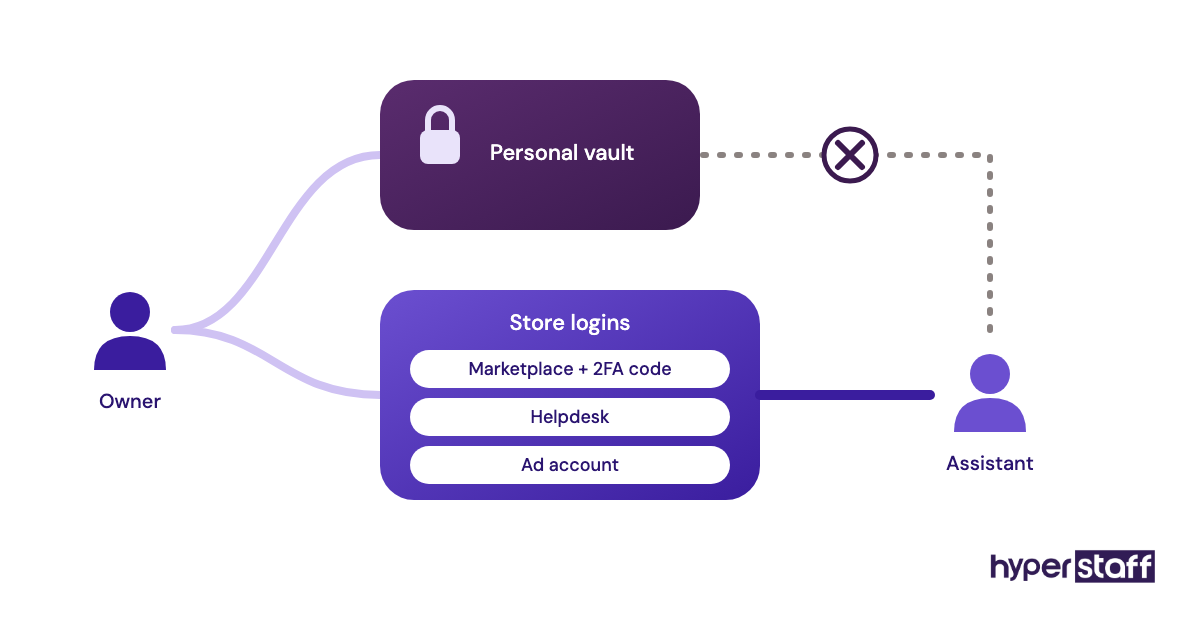
The Teams Starter Pack costs $24.95/month for up to 10 members, and the Business plan is $8.99 per user per month billed yearly, per 1Password's business pricing. Removing someone from the vault cuts their access to every item inside it.
Pros
- No passwords sent in chat or email
- 2FA codes shared without your phone
- Quick offboarding
- Vaults split by role
- Activity logs on Business
Cons
- Revoking a vault doesn't change passwords
- Assistants still see shared passwords
- Business costs more per user
- Setup takes an afternoon
- Some platforms prefer staff accounts
The cheapest insurance in the stack
At about $2.50 per user per month in the starter pack, 1Password costs less than any other tool here. It also prevents the most painful cleanup job when a working relationship ends.
The software bill is only part of the cost of the role. Our breakdown of ecommerce virtual assistant cost puts rates and tool fees side by side.
How should you give an ecommerce VA access to your tools?
Give an ecommerce virtual assistant a separate login with limited permissions in every tool that supports it, and use a password manager only for accounts that don't. Separate logins make every action traceable, and removing one person never locks out anyone else.
Staff accounts beat shared passwords
Shopify staff accounts let you choose exactly which sections a person can open, such as orders and products, while keeping payouts and billing hidden. Gorgias, ShipStation, Klaviyo and ClickUp all support individual users with set roles.
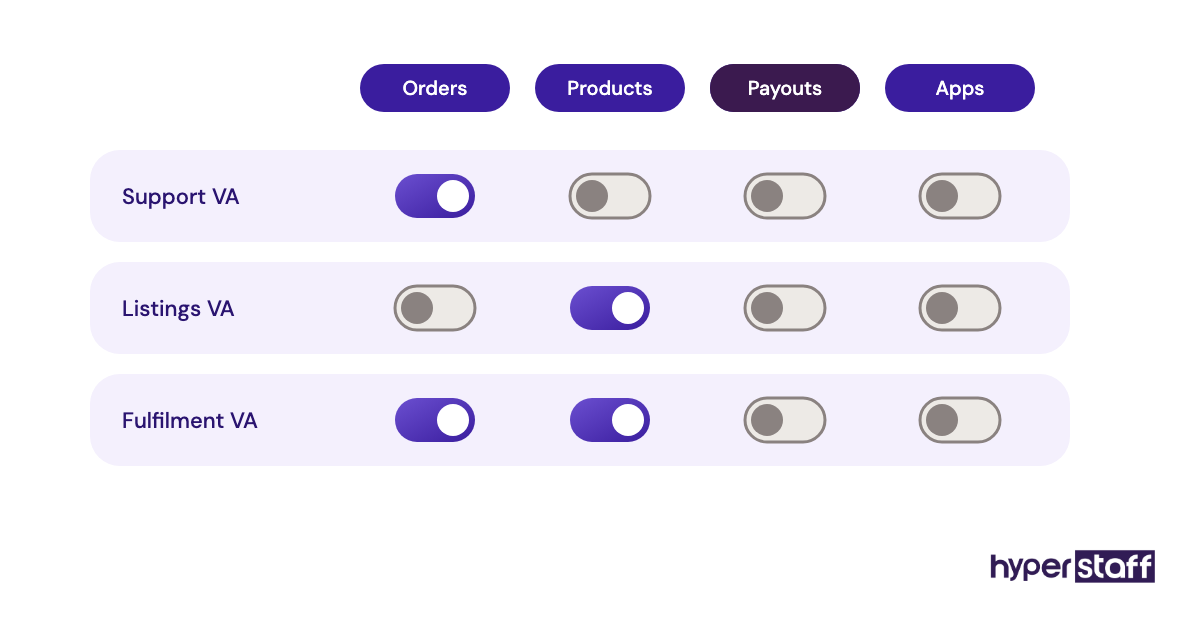
Shared owner logins look faster in week one. They cause trouble later, when a platform flags a login from a new country and freezes the account you depend on.
Permission scope
Start narrow and widen access when a task needs it. An assistant handling refunds needs order access, and they rarely need to change payment settings or apps.
Owners often skip this step under time pressure, and it's one of the common ecommerce VA mistakes we see repeated. Writing the scope into the ecommerce VA job description settles it before day one.
Login location flags
Marketplaces like Amazon watch for sign-ins from unfamiliar locations. Staff or user-level accounts reduce that risk, because each person signs in under their own identity.
Order of setup matters
Tool access works best in a set order: password manager first, then staff accounts, then the working tools. Skipping straight to the working tools usually ends with logins pasted into chat.
When you're hiring an ecommerce virtual assistant, ask which of these tools they've used. Our interview questions for ecommerce VAs include ones that test real tool fluency.
Documenting access
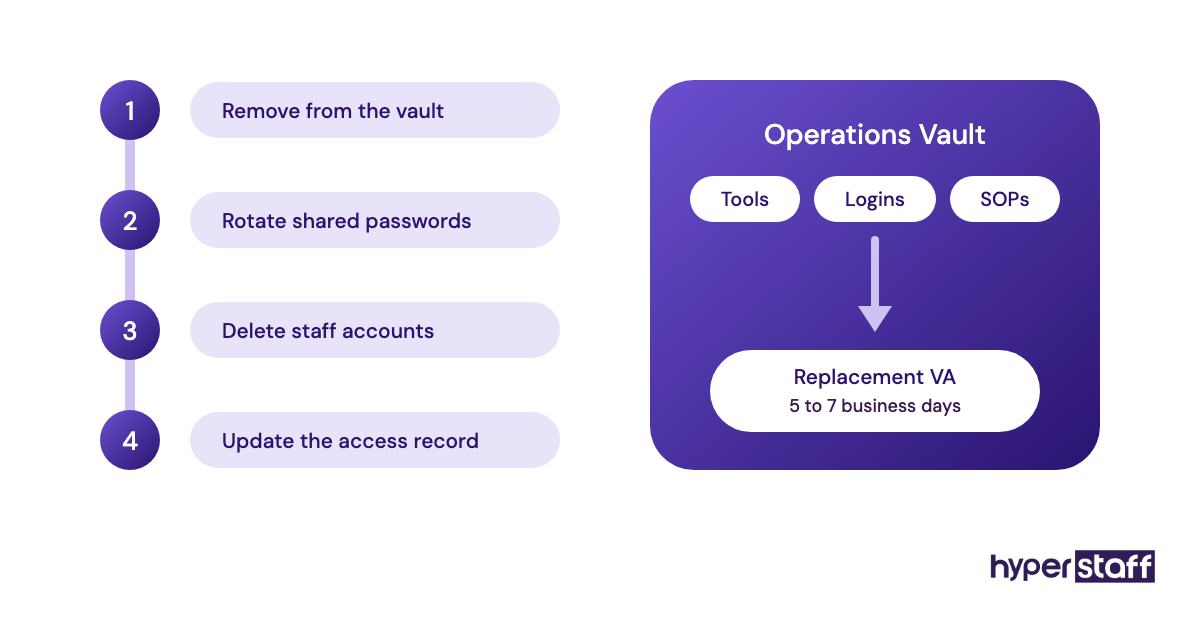
A written record of who holds which login turns offboarding into a checklist. Without that record, owners end up guessing which passwords to rotate.
Every Hyperstaff client's tools and logins are recorded in their Operations Vault, so a replacement assistant can be briefed in 5 to 7 business days. An in-house hire still needs the same records, a point our remote VA versus in-house hire comparison covers in more depth.
Reviewing access quarterly
Roles change, and permissions rarely shrink by themselves. A short review every quarter catches leftover access from old projects or past contractors.
Disclaimer: This article is for general information only. Tool features and pricing change often and may differ by region, so confirm details on each vendor's website before buying. Hyperstaff has no affiliation with the tools named and receives no payment for mentioning them.
Common questions
Do I have to pay for my VA's tools?
Yes, in most cases the store owner pays, and the accounts should belong to the business. That way you keep the data, templates and history if the assistant changes.
What tools does an ecommerce virtual assistant need first?
Start with a password manager, staff access to your store platform and a task list. Add a helpdesk, shipping software or design tool once the assistant takes on that work.
Can a VA use free versions of these tools?
You can, for Klaviyo, Canva and ClickUp at low volume. Free tiers cap profiles, storage or automations, so expect to upgrade once order volume grows.
Is time tracking software necessary for an ecommerce VA?
It depends on how you pay. Hourly arrangements benefit from a time log, while outcome-based work is easier to judge by tickets closed or orders shipped. Our guide on whether an ecommerce VA pays off covers how to measure that output.
How much do ecommerce VA tools cost per month?
A small store's core stack usually lands between about $50 and $150 a month. Free plans and low-volume tiers keep it near the lower end, and ticket or shipment volume pushes it up.
Book a free 15 min call
We place a pre-vetted specialist in 5 business days, fully managed, from $3/hour.