7 Social Media Virtual Assistant Tools Worth Paying For
Seven tools a social media virtual assistant uses to design, schedule, approve and answer posts, with current pricing and what changes when a VA joins.
On this page
💡 Key Takeaways:
1) A social media virtual assistant usually needs four kinds of tools: a design app, a scheduler, an inbox for comments and DMs, and a way to report results. One all-in-one platform can cover the last three.
2) Pricing models matter more than headline prices. Buffer bills per channel, Agorapulse and Hootsuite per user, Planable per workspace and Later per bundle of profiles, so the cheapest tool depends on how many accounts and people you have.
3) Keep the owner account for every tool in your company's name and give your VA a member login with a limited role. Access can then be removed in minutes if the person changes.
Pick tools that make your social media VA profitable
Hyperstaff has placed 70+ virtual assistants with 30+ clients, and the ones running social accounts work inside stacks like the one below. Our social media virtual assistant services match you with a pre-vetted specialist from $3/hour, placed in 5 business days, who learns your brand and runs these tools with you.
Best Social Media Virtual Assistant Tools Comparison
The best social media virtual assistant tools are Canva for design, Buffer or Metricool for budget scheduling, Later for visual planning, Planable for approvals, and Agorapulse or Hootsuite for inbox-heavy work. The table compares price, free access and how each one bills for a second person.
Match each tool to the social media VA tasks you plan to hand off. A VA who only schedules needs far less than one who also answers DMs and builds monthly reports.
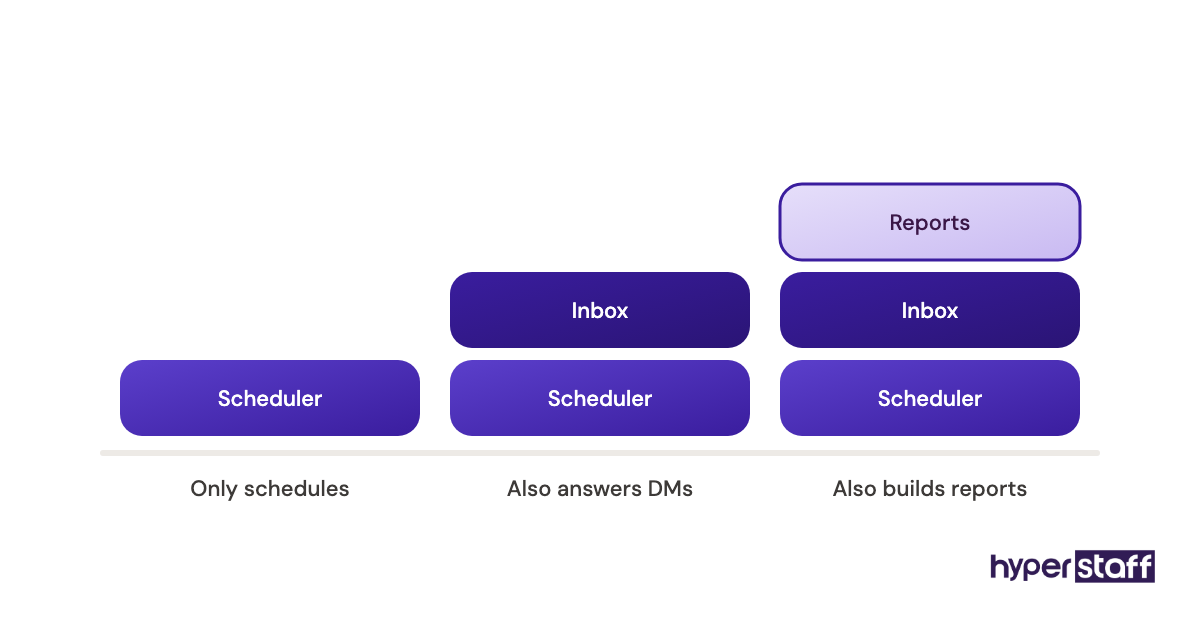
Since what a social media VA does often stretches into customer replies and lead follow-up, the team access column deserves the closest look. It's the one that changes your bill the day a VA joins.
| Tool | Best for | Starting price | Free plan or trial | Team access | Standout feature |
|---|---|---|---|---|---|
| Canva | Graphics, carousels and short video | Pro about $15 to $18 a month | Free plan | Pro is one person; Business is billed per person | Brand Kit and one-click resizing |
| Buffer | Simple scheduling on a small budget | $5 per channel a month | Free plan for 3 channels | Unlimited users on Team | Per-channel pricing |
| Metricool | Scheduling and analytics together | About $20 a month, billed annually | Free plan for 1 brand | Team and client roles on Advanced | Organic and paid ad reports side by side |
| Later | Visual planning for Instagram and TikTok | $18.75 a month, billed yearly | 14-day trial | 1 to 4 users depending on plan | Grid preview and link in bio |
| Planable | Approvals before posts go live | $33 per workspace a month | 50 free posts, no time limit | Unlimited users on Basic and Pro | Required and multi-level approvals |
| Agorapulse | Answering comments and DMs | $79 per user a month, billed annually | 30-day trial, then a free plan | Billed per user | Unified social inbox |
| Hootsuite | Larger teams that need social listening | From $99 per user a month | 14-day trial | Billed per user | Listening streams across networks |
Best Social Media Virtual Assistant Tools Reviews
These seven reviews cover the tools a social media virtual assistant uses to create, schedule, approve and answer posts, with plan prices checked on each vendor's own site. Each one shows who it suits, what it costs once a VA has a seat, and where it falls short.
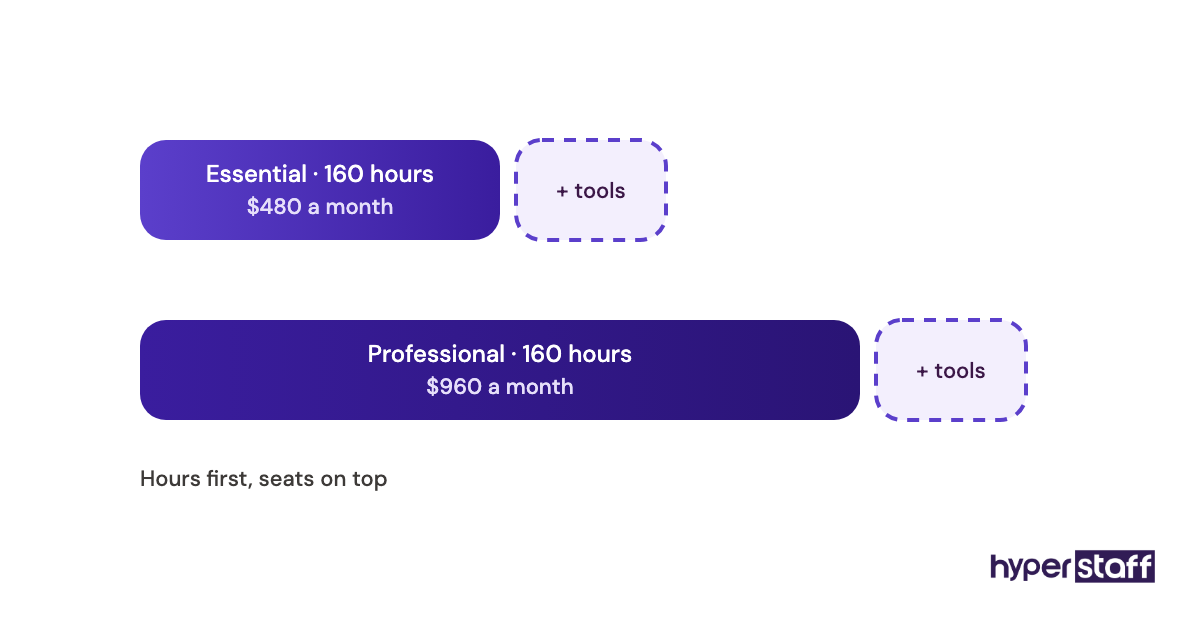
Tool fees sit on top of the hourly rate, so the full social media virtual assistant cost is the figure to plan around. If you're still unsure that a social media VA pays off, price two of these tools into the role before deciding.
1) Canva: Best for on-brand graphics and short videos
Key highlights
- Free plan; Pro covers one person
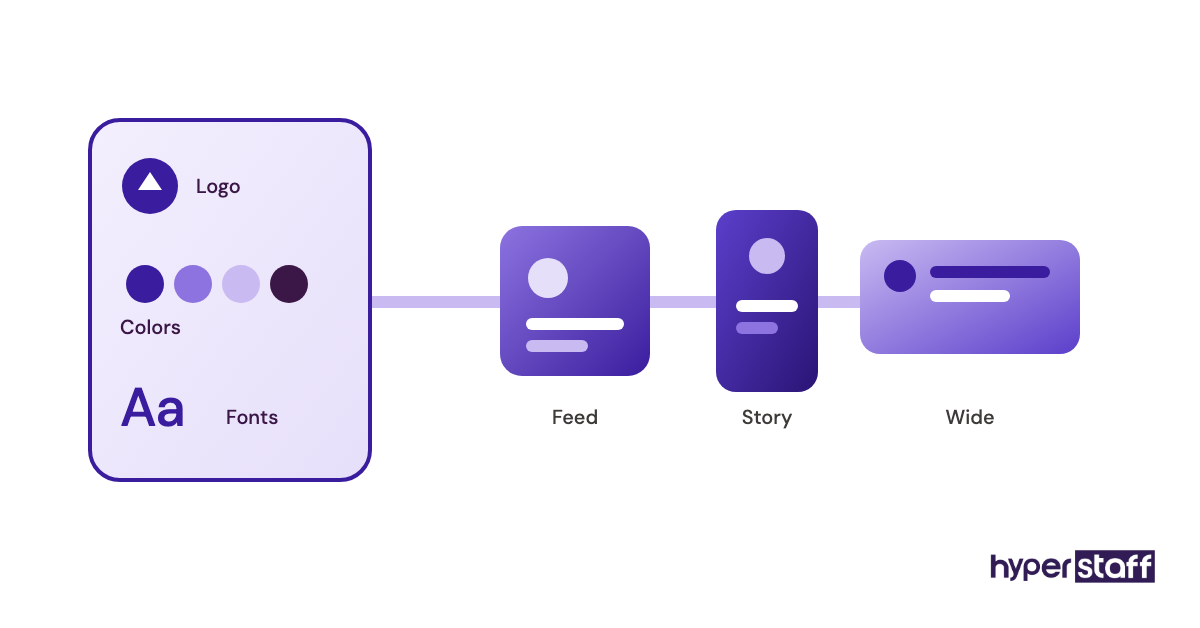
- Brand Kit stores logos, fonts and colors
- One-click resize across formats
- Built-in scheduler on paid plans
- Huge template library
Why the Brand Kit matters more than templates
Canva's Brand Kit keeps a VA's graphics in line with yours because it locks in your logo, fonts and hex colors before a template is ever opened. Templates get a draft out fast, but without a Brand Kit every post drifts a little further from your look.
Pro covers one person and runs roughly $15 to $18 a month in the US, depending on billing, per Canva's pricing page. Once you and your VA both need to edit, Canva Business costs about $20 to $25 per person a month.
Pros
- Fast for non-designers
- Brand Kit keeps posts consistent
- Resize one design for every platform
- Video editor handles Reels and Shorts
- Free plan is usable
Cons
- Pro license covers one person
- Designs can look template-made
- Scheduler is basic next to dedicated tools
- Brand Kit sits behind paid plans
- Files stay in whoever's account built them
Is Canva worth paying for?
Canva is the first paid tool we'd add for a social media VA. Graphics show up in nearly every task they own.
2) Buffer: Best for simple scheduling on a small budget
Key highlights
- Free plan for 3 channels
- Paid plans priced per channel
- Unlimited users on Team
- Clean queue and calendar views
- AI assistant for caption drafts
How per-channel pricing plays out
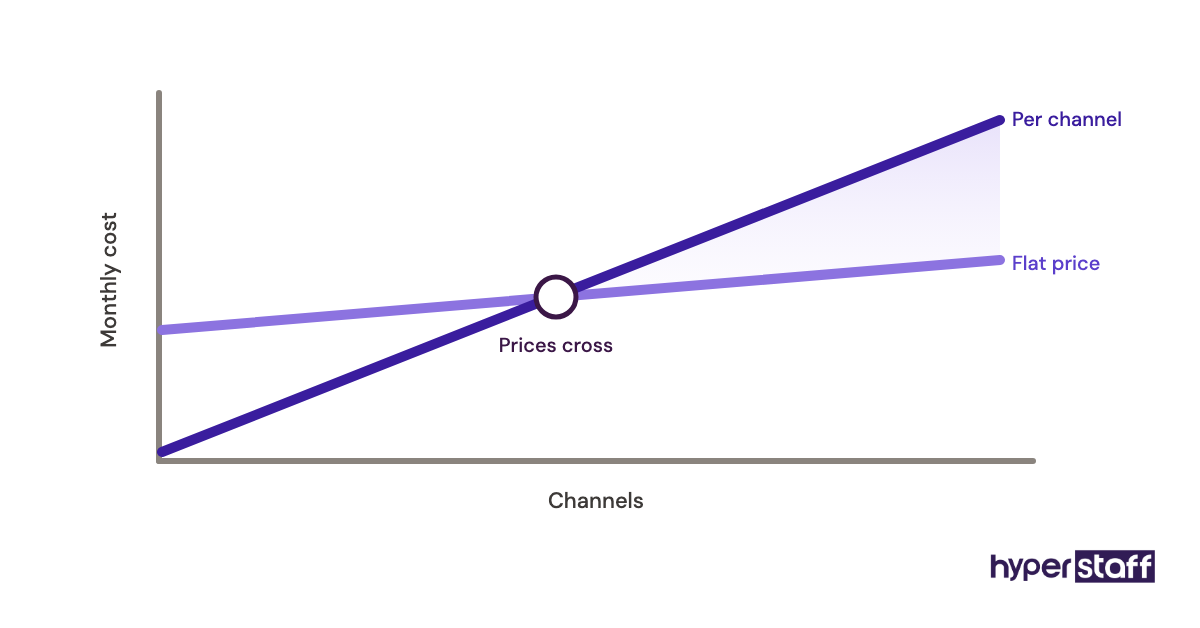
Buffer charges by channel: Essentials is $5 per channel a month for one user, and Team is $10 per channel with unlimited users, according to Buffer's pricing page. A business on four channels pays about $40 a month for Team, which is cheap for a VA plus an owner.
The math turns at higher channel counts, where flat-priced tools pull ahead. The free plan also caps you at 10 scheduled posts per channel, so a VA batching a month of content hits it fast.
Pros
- Quick for a new VA to learn
- Low entry price
- Unlimited users on Team
- Free plan for testing
- Covers the major networks
Cons
- Cost climbs with every channel
- Free plan's 10-post limit
- Lighter analytics than Metricool
- No real social listening
- Inbox is thinner than Agorapulse's
Who should pick Buffer
Buffer fits a business with a handful of channels and one VA who mostly schedules. It stops making sense once comments and DMs become half the job.
3) Metricool: Best for scheduling and analytics in one place
Key highlights
- Free plan for one brand
- Planner and analytics together
- Paid ad reports next to organic
- Competitor tracking built in
- Priced by number of brands
Where the free plan catches people out
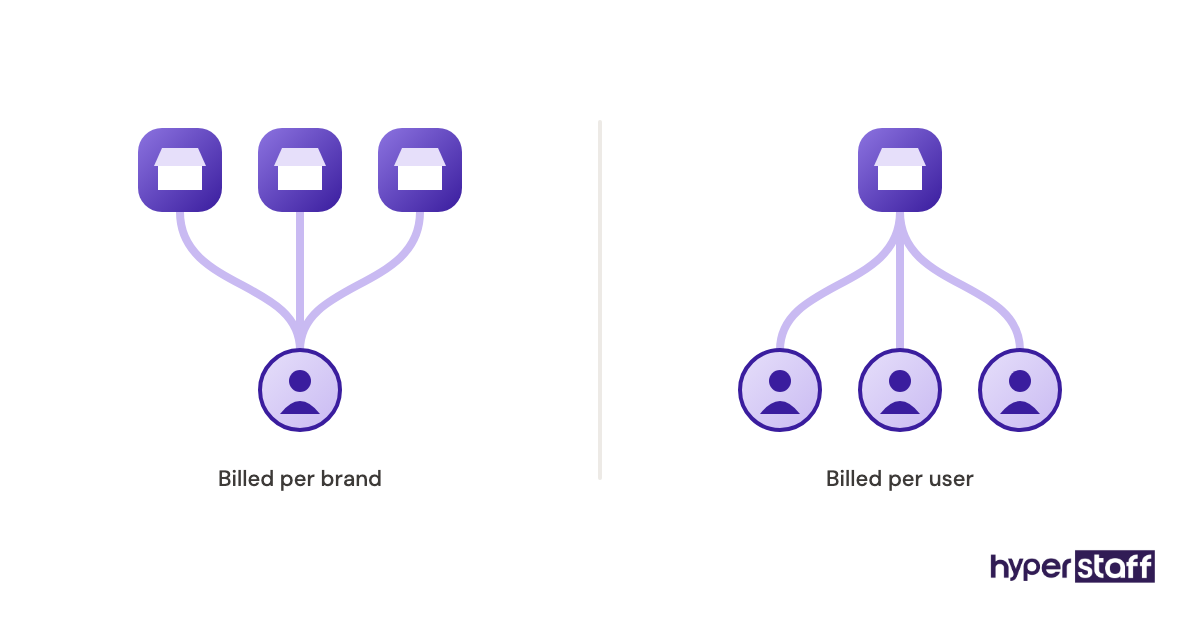
Metricool's free plan covers one brand and 20 scheduled posts a month, but it leaves out LinkedIn and X, per Metricool's pricing page. A B2B account that lives on LinkedIn has to start on Starter, from about $20 a month billed annually for up to 5 brands.
Advanced, from about $53 a month annually, adds the team and client management a VA needs when several people sign off on reports. Listed prices exclude VAT, so buyers in Europe should budget a little higher.
Pros
- Analytics included, even on free
- Organic and ad results in one report
- Low cost per brand on higher tiers
- Exportable reports for clients
- Competitor benchmarks
Cons
- Free plan skips LinkedIn and X
- Dense interface for beginners
- Prices exclude VAT
- Inbox less polished than Agorapulse's
- Monthly billing costs noticeably more
Our honest read on Metricool
Metricool is our pick when the VA owns monthly reporting. The data already sits where they schedule, so reports take minutes to pull.
4) Later: Best for planning Instagram and TikTok visually
Key highlights
- Drag-and-drop visual calendar
- Instagram grid preview
- Link-in-bio page included
- 14-day free trial
- Plans sold as social sets
Why the Starter plan rarely fits a VA setup
Later Starter costs $18.75 a month billed yearly and includes one user, one social set of 8 profiles and up to 30 posts per profile, per Later's pricing page. One user means the owner and the VA share a login, and Starter doesn't allow extra seats.
Growth, at $37.50 a month billed yearly, gives two users and 180 posts per profile. For a two-person setup, that's the real starting price.
Pros
- Visual planning suits image-led brands
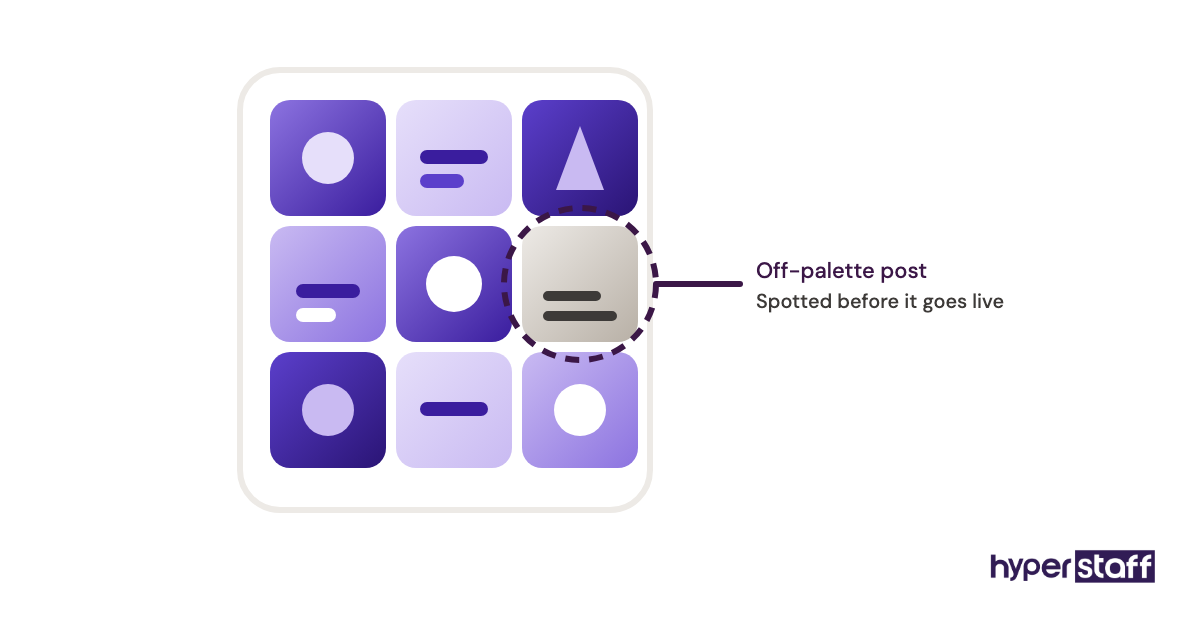
- Grid preview catches layout mistakes
- Link in bio built in
- Clear post limits on every plan
- Extra users are cheap on Growth and Scale
Cons
- Starter is limited to one user
- Post caps on lower tiers
- Weaker fit for LinkedIn-heavy brands
- Monthly billing costs more
- AI credits capped by plan
When Later earns its place
Later suits Instagram-first brands where the look of the grid helps sell, such as fashion, food and beauty. Text-heavy B2B feeds get less from it.
5) Planable: Best for approving content before it goes live
Key highlights
- Priced per workspace
- Unlimited users on Basic and Pro
- Required approvals on Pro
- Previews that look like the real feed
- 50 free posts to test with
How approval levels change your VA's day
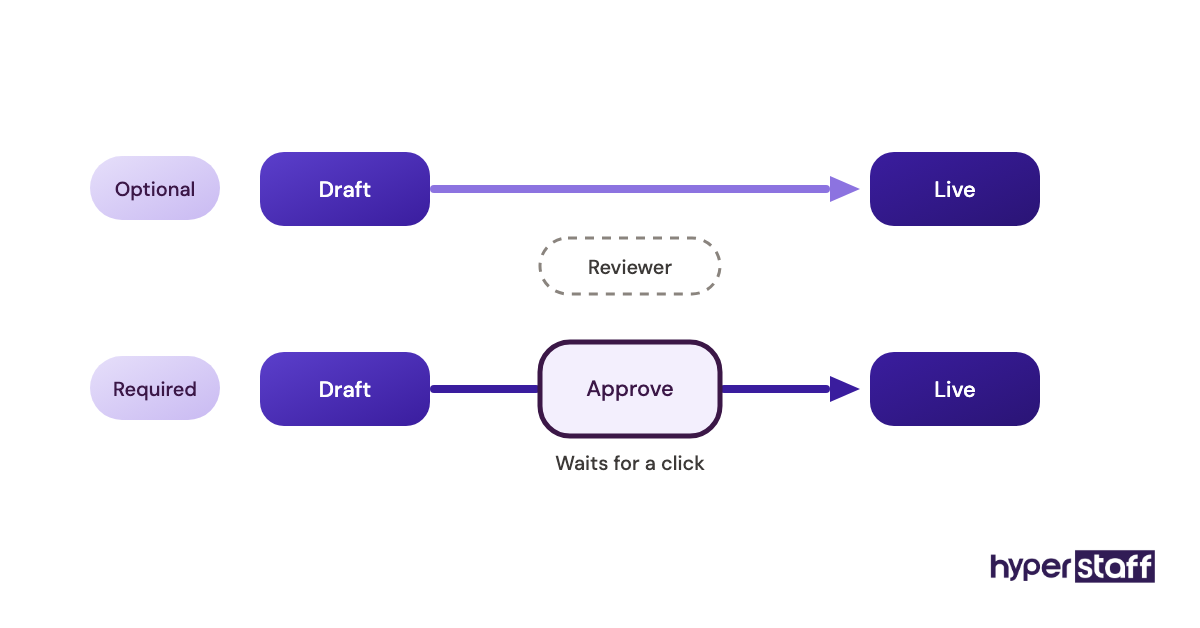
Planable prices by workspace, with Basic at $33 and Pro at $49 a month, and both include unlimited users, per Planable's pricing page. Basic allows optional approvals only, so a post can still publish before anyone signs off.
Pro adds required approvals, which hold a post until the named person clicks approve. For a client who wants the final say on every caption, that one setting is the reason to pay.
Pros
- Unlimited reviewers at no extra cost
- Feedback sits on the post itself
- Version history on every plan
- Free posts with no time limit
- Bulk approvals on Pro
Cons
- Analytics is a paid add-on
- Social inbox costs extra too
- Basic lacks required approvals
- 60-post monthly cap on Basic
- No X publishing on the free trial
Is Planable worth adding to the stack?
It's worth it when sign-offs slow you down more than design or scheduling does. Teams that rarely review posts pay for features they won't touch.
6) Agorapulse: Best for managing comments and DMs
Key highlights
- Unified inbox across networks
- 30-day trial, no card needed
- 10 social profiles per plan
- Priced per user
- Engagement and ROI reporting
What per-user pricing means once a VA joins
Agorapulse charges per user: Standard is $79 a month billed annually or $99 monthly, and Advanced is $149 annually or $199 monthly, per Agorapulse's pricing page. Each plan includes 10 profiles, with extra ones billed monthly.
A VA plus an owner on Standard comes to about $158 a month on annual billing. The spend makes sense once replies and DMs take up a real share of the VA's week.
Pros
- Inbox built for fast triage
- Conversations can be assigned to people
- Clear engagement reports
- Long free trial
- Free plan after the trial ends
Cons
- Cost doubles with a second seat
- 10 profiles before extras kick in
- Pricier than a plain scheduler
- More than a posting-only VA needs
- Custom plan requires a demo
Who gets real value from Agorapulse
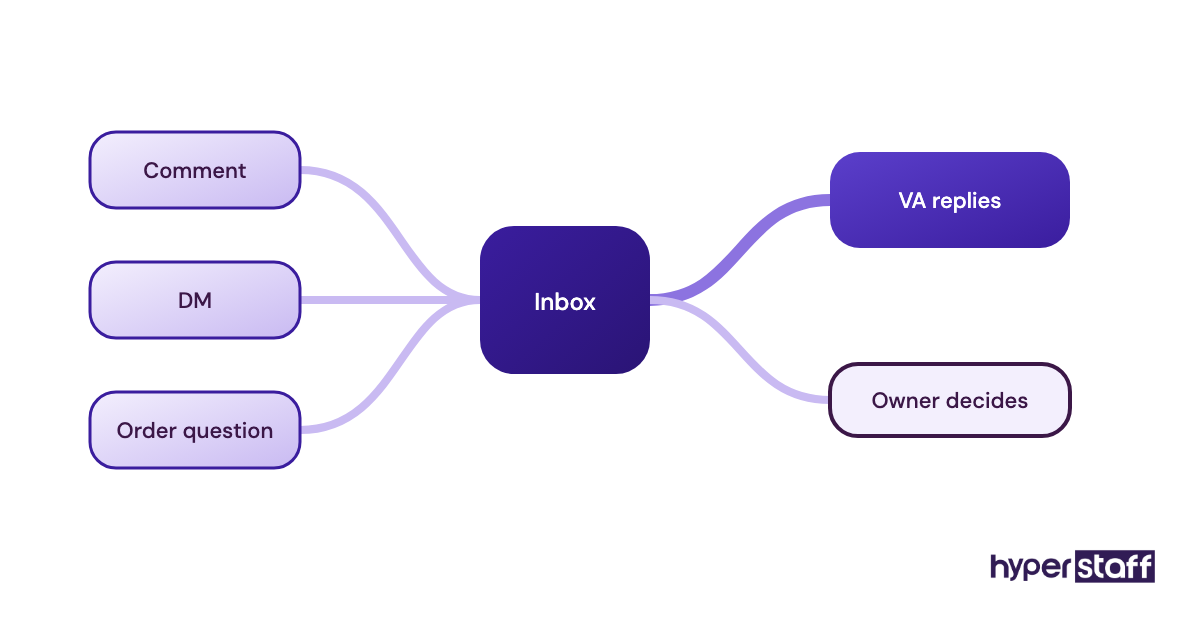
Agorapulse pays off for accounts with steady comment and DM volume, like local service businesses and online stores fielding order questions. A brand that posts and rarely hears back won't use the inbox enough.
7) Hootsuite: Best for larger teams that need social listening
Key highlights
- Streams for tracking keywords and mentions
- 14-day free trial
- Standard covers 10 accounts
- No account cap on higher tiers
- Billed per user
The case for one big suite, and against it
Hootsuite puts scheduling, inbox, analytics and listening under one login, with paid plans from $99 per user a month and up to $399 on Advanced, per the FAQ on Hootsuite's plans page. Standard covers 10 social accounts, and Professional and Advanced remove the cap.
Practitioners split on this one. Some want a single suite so a replacement VA learns just one tool.
Others build a cheaper stack from Canva plus a lighter scheduler. Under 10 accounts, we side with them.
Pros
- Everything in one dashboard
- Strong listening streams
- Scales to many accounts
- Large app integration library
- Many VAs already know it
Cons
- Highest entry price on this list
- Per-user cost adds up fast
- No free plan
- More features than small accounts use
- Plan details are hard to compare upfront
Should a small business pay for Hootsuite?
Only if listening and multi-team access matter to you. For one VA on a few accounts, the same $99 covers Canva, Buffer and a chunk of the VA's hours.
Who should own the accounts your social media VA uses?
You should, in every tool on this list. Each one lets the business hold the owner account and invite a VA as a member with limited rights, and that setup decides how fast you can swap a person or trace a post.
Shared passwords are the most common shortcut, and the hardest to undo later.
Setting up roles before the first post
Roles belong in the first week, ideally before the VA schedules anything. Our guide to onboarding a social media VA covers the full order, but access takes one sitting.
Locked-out pages and posts nobody can trace sit high on the list of common social media VA mistakes. Both usually come from one login shared by everyone.
Owner and member roles
Canva, Buffer, Planable, Agorapulse and the rest separate the owner from members. Keep billing and owner rights on a company email you control, and give the VA a member role that can create and schedule without deleting the workspace.
Two-factor codes cause more friction than people expect. Route them through a password manager like 1Password or Bitwarden that both of you can reach, so a code never depends on one person's phone.
Platform-level access
Meta's business portfolio settings let you add a person to specific Pages and ad accounts without handing over a personal Facebook password. TikTok Business Center and LinkedIn Page admin roles follow the same idea.
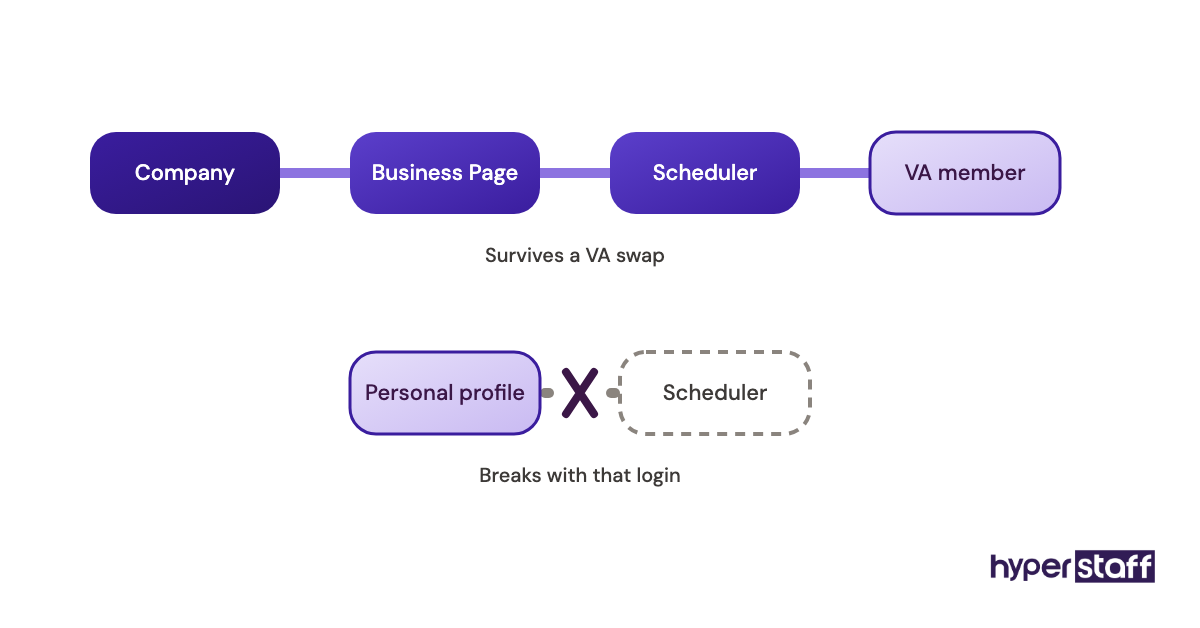
Grant access there first, then connect the tools. A scheduler connected through the VA's personal profile can break the moment that profile loses access.
Keeping the stack small enough to hand over
Two or three tools cover most social media VA roles, and a lean stack is quicker to train on and to pass to someone new. Four or more usually means paying twice for the same feature.
List the tools you've chosen in the social media VA job description so candidates know what's expected. Test them live later with a few social media VA interview questions.
Where tools overlap
Metricool, Agorapulse and Hootsuite all schedule, report and handle comments. Pairing one of them with Buffer pays twice for the same calendar.
Canva's scheduler overlaps with all of them as well. Pick one publishing tool and switch scheduling off everywhere else, or the same post can go out twice.
Writing the stack into SOPs
Every tool, login owner, role and recurring task belongs in one written document. At Hyperstaff that document is the Operations Vault, which we write and maintain for each client.
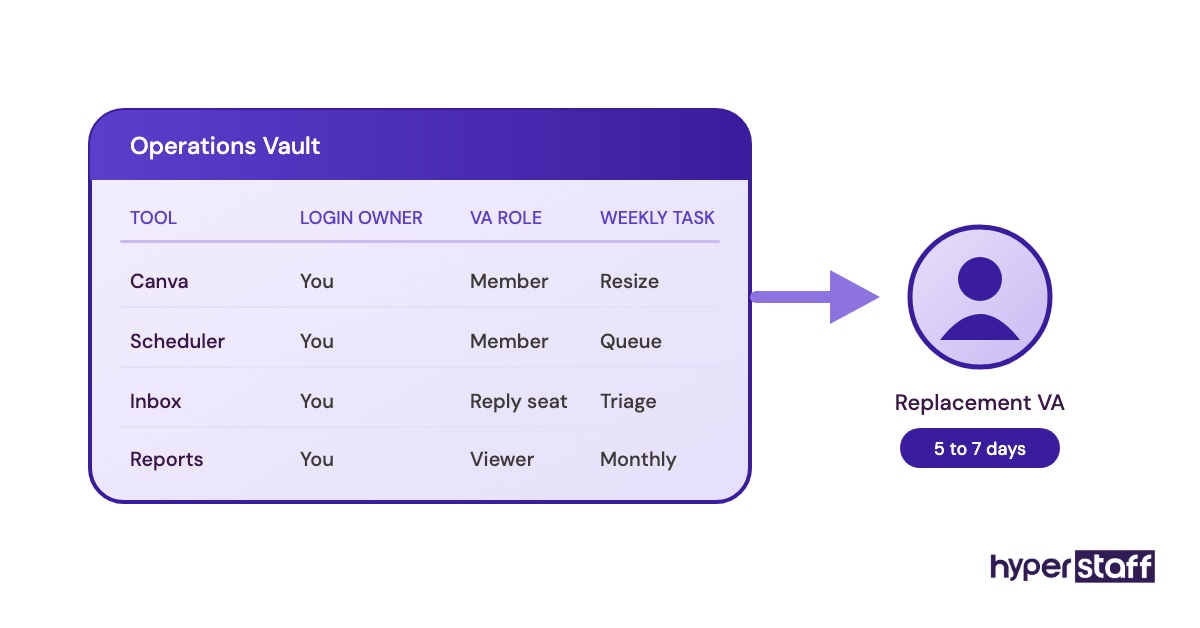
If a VA ever needs replacing, the new person is briefed from that Vault, and the free replacement arrives in 5 to 7 business days. Anyone hiring a social media VA directly should build the same document before day one.
Disclaimer: Tool prices, plans and features were checked on each vendor's website and can change without notice, so confirm current terms with the vendor before buying. This post is general information and not financial, legal or purchasing advice.
Common questions
Should I pay for the tools, or should my VA?
You should pay for them and own the accounts, since tools billed to a VA's card sit under their name and the content history can leave with them. The same rule holds for a staff hire, so it doesn't tip the social media VA vs in-house decision either way.
Can my VA and I share one Canva Pro account?
Canva Pro is licensed to one person, so two people working in it isn't what the plan covers. Canva Business adds a seat per person at roughly $20 to $25 a month each.
What's the cheapest tool stack for a social media VA?
Canva's free plan plus Buffer's free plan costs nothing and covers 3 channels. The catch is Buffer's limit of 10 scheduled posts per channel, which a VA posting daily outgrows within the first two weeks.
Do social media VA tools post to TikTok and LinkedIn?
Yes, the six schedulers reviewed here support both, though the plan level matters. Metricool's free plan leaves out LinkedIn and X, and Planable's free trial can't publish to X.
Is ChatGPT enough as a tool for my social media VA?
No, ChatGPT drafts captions but doesn't design, schedule or answer DMs. Buffer, Later, Metricool and Hootsuite now include AI caption help, so a separate AI subscription is optional for many VAs.
Book a free 15 min call
We place a pre-vetted specialist in 5 business days, fully managed, from $3/hour.