10 Social Media Virtual Assistant Mistakes That Quietly Cost You Sales
The ten setup mistakes that stop a social media virtual assistant from turning your channels into leads, and what to do about each one.
On this page
- Mistake #1: Why is sharing your own login the riskiest shortcut?
- Mistake #2: Hiring someone to post when the real gap is replies
- Mistake #3: How does post-by-post approval slow everything down?
- Mistake #4: What goes wrong when you say "just sound like us"?
- Mistake #5: Why do follower counts make a bad scorecard?
- Mistake #6: Can one assistant really be strategist, designer and editor?
- Mistake #7: What happens when your VA can't answer product questions in DMs?
- Mistake #8: Scheduling a post and nobody watching the comments
- Mistake #9: Which experience tier fits social media work?
- Mistake #10: What happens when the whole process lives in one person's head?
- FAQs
💡 Key Takeaways:
1) The costliest social media virtual assistant mistakes happen at setup: shared logins, no written voice, no approved product answers and no documentation do more damage than any single bad post.
2) Judge a social media VA on reply speed, leads from DMs and clicks on tracked links, because follower counts reward tactics that rarely bring in buyers.
3) Match the experience level to the work, keep strategy with a senior person, and give the assistant a written list of what they can publish or answer without asking.
Fix these and social starts bringing in sales
Hyperstaff places pre-vetted talent for social media virtual assistant services from $3/hour, with 70+ virtual assistants placed across 30+ clients and placement in 5 business days. Every client gets a dedicated account manager, and the ten mistakes below are worth fixing before your first hire logs in.
Mistake #1: Why is sharing your own login the riskiest shortcut?
Sharing your personal password with a social media virtual assistant feels quick on day one. It's also the setup most likely to lock you out of your own accounts later.
Why owners hand over passwords
- A password feels faster than learning role settings
- Meta, LinkedIn and TikTok each hide access in a different menu
- Two-factor codes go to the owner's phone, so people switch 2FA off
- Nobody plans for the day the VA leaves
What a shared login can cost
A shared personal login gives the assistant everything you have: ad accounts, saved payment methods, private messages and page ownership. When a platform sees a login from another country, it may trigger a security checkpoint, and the code goes to a phone your VA can't reach.
Offboarding is the bigger problem. You'd have to change passwords on every platform, reset two-factor settings and hunt down any third-party apps connected along the way.
Set up role-based access instead
Give each platform its own access role. In Meta Business Suite, add the VA as a person in your business portfolio with access to the Facebook Page and Instagram account only; on LinkedIn, make them a content admin on the company page; TikTok Business Center has member roles that work the same way.
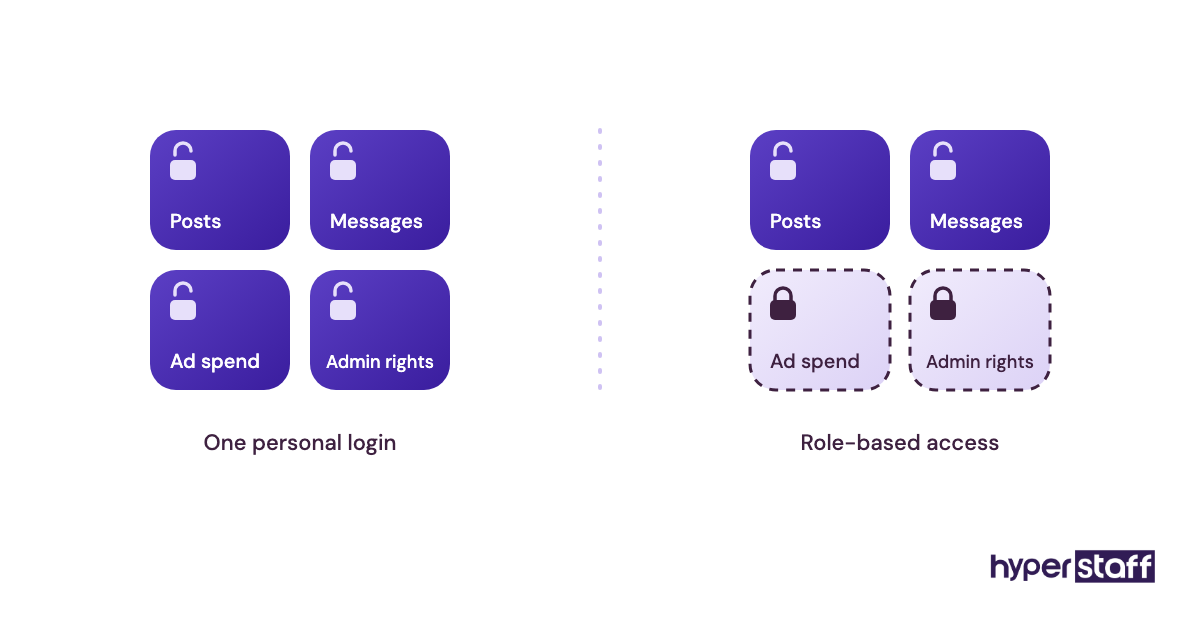
Keep any remaining passwords in a shared vault such as 1Password or Bitwarden, so you can revoke one item without resetting everything. Our breakdown of the social media VA tool stack covers the schedulers and inbox tools that plug into those roles.
Mistake #2: Hiring someone to post when the real gap is replies
Most owners hire a social media virtual assistant to post more often. The bigger leak usually sits on the other side of the account: comments, DMs and tags that nobody answers.
Why the reply gap stays hidden
- Posts are visible to the owner, missed replies aren't
- Job ads copy a "content creator" template
- Inboxes are split across Instagram, Facebook, LinkedIn and TikTok
- Owners answer DMs from their phone at night and never count those hours
The cost of slow replies
An unanswered DM asking about price or availability is a lead going cold. In our experience, people who message a business on social often message a couple of competitors at the same time, and the first useful reply tends to win.
Posting five times a week on top of a cold inbox can make things worse. More reach brings more questions, and every one left hanging is visible to the person who asked.
Split the role into posting and reply hours
Write the hours down before you hire. A simple split, such as mornings for publishing and engagement plus a late-afternoon pass through every inbox, gives the VA a routine you can actually check.
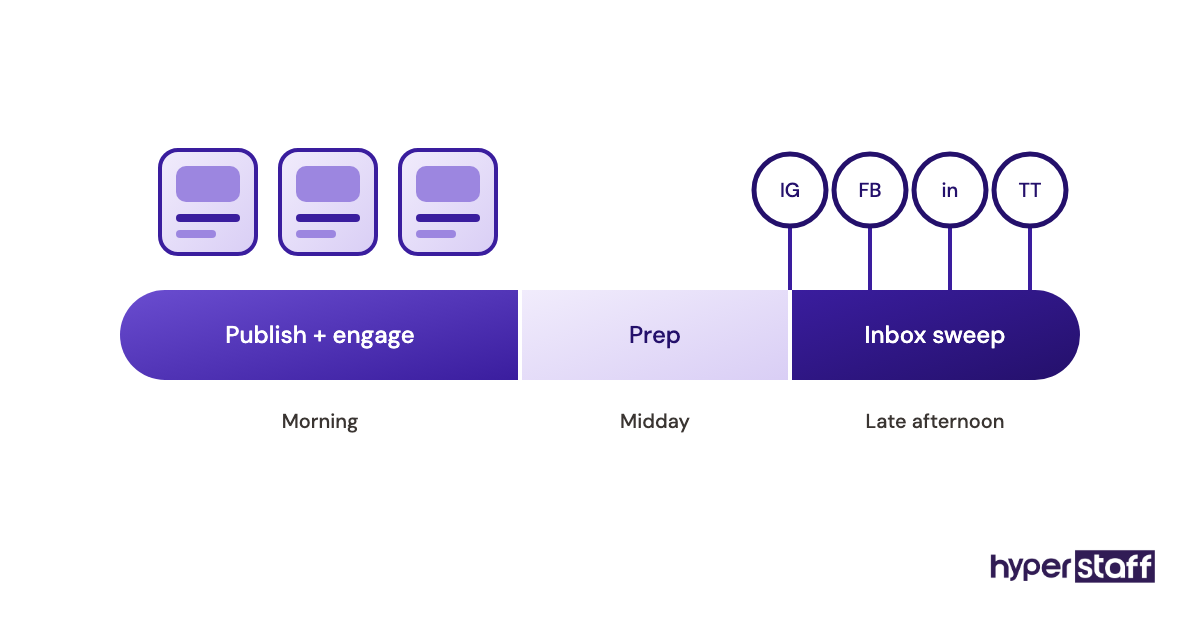
Go through a social media VA task list and mark which jobs are daily and which are weekly. Daily reply work decides the time zone you hire in: Latin America overlaps US business hours, while the Philippines and India suit early-morning or overnight coverage.
Mistake #3: How does post-by-post approval slow everything down?
Approving every post one at a time feels like control. In practice, it makes the owner the slowest step in the whole process.
Why approvals pile up
- No agreed list of what needs sign-off
- Feedback arrives across Slack, email and WhatsApp
- Owners review on their phone between calls
- Early drafts miss the voice, so trust stays low
- Nobody sets a deadline for the reviewer
What the bottleneck costs
Timely posts lose their window. A trend reply, an event recap or a restock announcement is worth far less two days late.
The VA also learns to wait. Idle time is still paid time, and an assistant who expects a 48-hour turnaround stops proposing anything that depends on speed.
Batch approvals into one weekly slot
Review the whole week's content in one sitting, inside your scheduler or a shared content calendar. Planable and Hootsuite both have approval steps, which keeps feedback attached to the post instead of scattered across chat apps.
Then write a short list of post types the VA can publish without asking: replies to common questions, reshared customer tags and evergreen tips you've approved once already. Our guide to onboarding a social media VA walks through widening that list week by week.
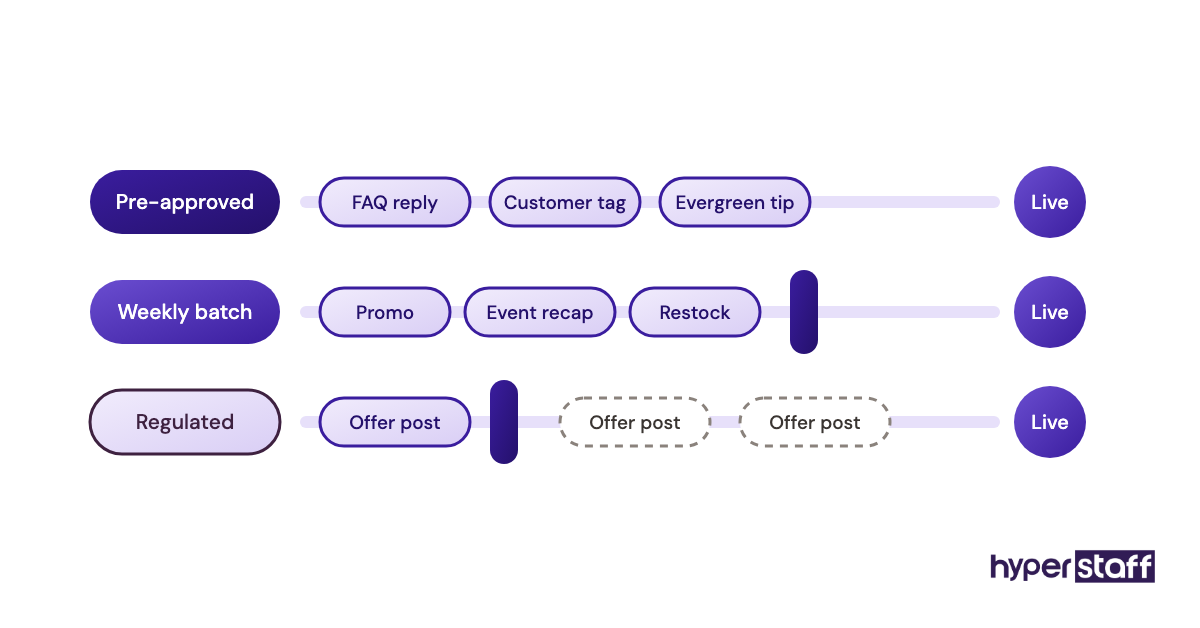
Practitioners genuinely disagree on how far to go here. For financial advisers, clinics and other regulated businesses, full approval on every public word is the right call, and the speed loss is the price of compliance.
Mistake #4: What goes wrong when you say "just sound like us"?
"Just sound like us" is the brief behind most bland social feeds. A virtual assistant can't copy a voice nobody has written down.
Why voice briefs come out vague
- The owner knows the voice but has never described it
- Brand guidelines cover logos and colours, never captions
- Past posts were written by several different people
- Nobody lists the words the brand would never use
What a generic voice costs you
Captions drift toward safe phrasing that could belong to any account in your niche. Engagement slides slowly, with no single bad post to point at.
Then come the rewrites. Editing every caption yourself means you're still doing the job you hired help for.
Build a voice file from real examples
Collect 10 to 15 posts and replies you'd happily publish again, with a one-line note on why each works. Add banned phrases, the emojis you use and avoid, and how you answer a complaint in public.
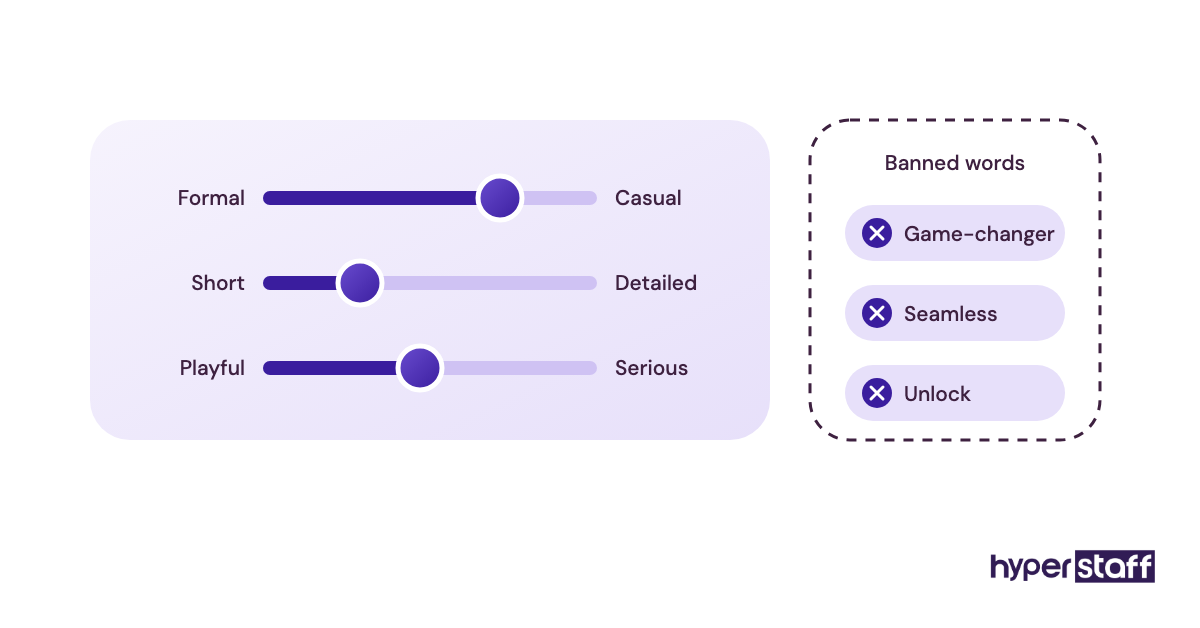
Put voice expectations into the social media VA job description as well. Candidates who send writing samples that already sound close will need far fewer edits in month one.
Mistake #5: Why do follower counts make a bad scorecard?
Follower count is the number everyone checks first and the one least tied to revenue. Judging a social media VA on it pushes them toward the wrong work.
Why followers become the scorecard
- It's the biggest number on every profile
- Platform dashboards lead with reach
- Revenue from social is harder to trace
- Few owners set up tracked links or offer codes
What chasing followers costs
An assistant scored on followers will lean on giveaways, follow-for-follow tactics and broad trends that pull in people who never buy. The account grows while the inbox stays empty, and the owner concludes that social doesn't work for their business.
Track the numbers that touch sales
Pick a few measures connected to money: DMs that turn into booked calls, clicks on tracked links, replies to story offers and saves on product posts. UTM tags on every bio and story link let Google Analytics show which visits came from which platform.
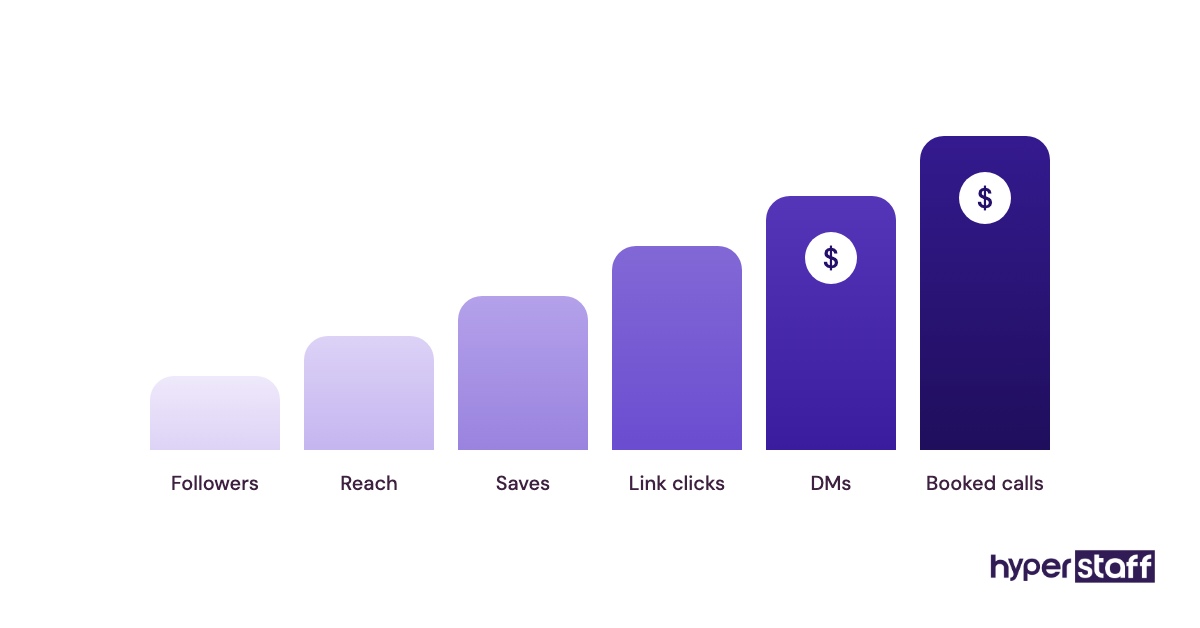
Review these monthly, since weekly numbers swing hard on small accounts. If you're still deciding whether a social media VA pays off, these figures answer it far better than a follower graph.
Mistake #6: Can one assistant really be strategist, designer and editor?
One social media virtual assistant can cover a lot of ground. Expecting that person to be strategist, graphic designer, video editor, copywriter and community manager at full quality is where the role breaks.
Why the job keeps growing
- Job ads list every skill seen on other job ads
- Canva makes design look like a small add-on
- Short-form video landed on top of existing work
- Owners pay an entry-level rate and expect senior range
What the overload costs
Something always slips, and it's usually the work nobody checks daily: replies, reporting and testing. Quality drops everywhere because the hours are spread thin.
Video editing is the usual culprit. One edited Reel can take longer than a week of static posts, so the content calendar shrinks without anyone deciding it should.
Pick a lane, then add help
Decide which skill carries the account. A product brand that sells through Reels needs an editor who can also post; a B2B firm on LinkedIn needs a writer who's comfortable in the comments.
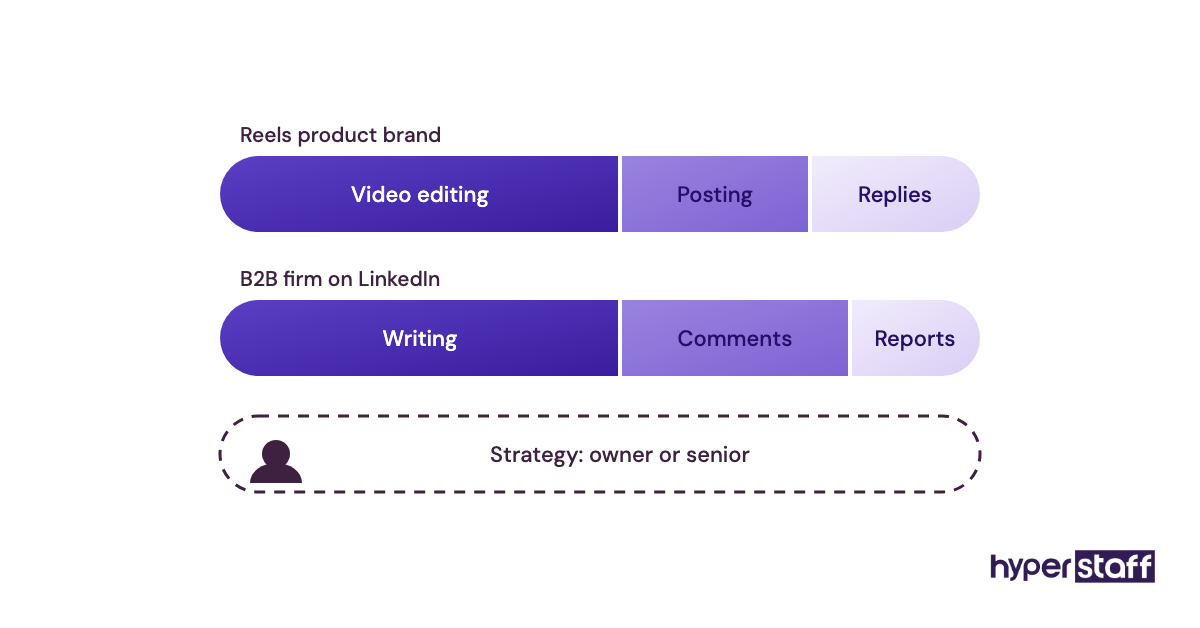
Keep strategy with the owner or a senior person, at least at the start. Our explainer on what a social media VA does sets out where the role usually ends and specialist work begins.
Mistake #7: What happens when your VA can't answer product questions in DMs?
DMs and comments are full of sales questions about price, delivery, sizing, availability and refunds. A virtual assistant without the answers will either stall or guess.
Why VAs end up guessing
- Product knowledge lives in the owner's head
- Prices change and nobody tells the VA
- There's no escalation rule for complaints
- The VA worries about looking slow, so they improvise
- Answers given once in chat never get saved
What a wrong answer costs
A guessed delivery date or last month's price turns into a refund request or a public complaint. On social, that mistake sits under a post where every other buyer can read it.
Stalling costs money in a less visible way. A reply that says "let me check" and never comes back loses the sale without anyone noticing.
Give answers and an escalation path
Write a short FAQ bank with the 20 or so questions that come up most, each with an approved answer and link. Add a clear rule for what goes straight to you: refunds, legal threats, press requests and anything naming a staff member.
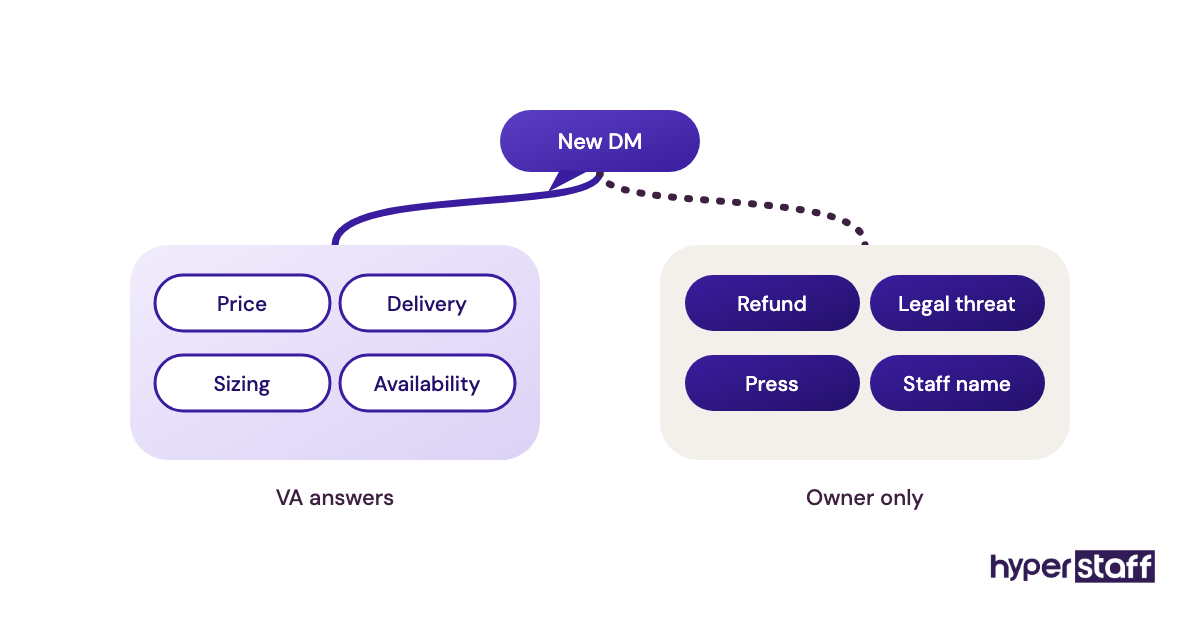
Test for this skill before you hire by handing candidates a real angry comment and asking for a reply. Pair that exercise with our interview questions for social media VAs.
Mistake #8: Scheduling a post and nobody watching the comments
Scheduling tools make it easy to queue a month of posts and step away. The risk sits in the hours after each post goes live.
Why monitoring gets skipped
- Schedulers mark a post as done once it publishes
- Comments land outside the VA's working hours
- Nobody pauses the queue when bad news breaks
- Notifications get muted to cut the noise
What unwatched posts cost
Early comments shape how everyone else reads a post. Spam, a complaint or an awkward question left sitting there sets the tone for every person who scrolls past.
Timing adds a second risk. A cheerful promo going out on autopilot during a service outage or a local tragedy looks careless, even if it was scheduled weeks earlier.
Plan a check-in after every post
Schedule posts for hours the VA is working, and block 30 to 60 minutes after each one for replies. Agree on a pause rule too: who can stop the queue, and in what situations.
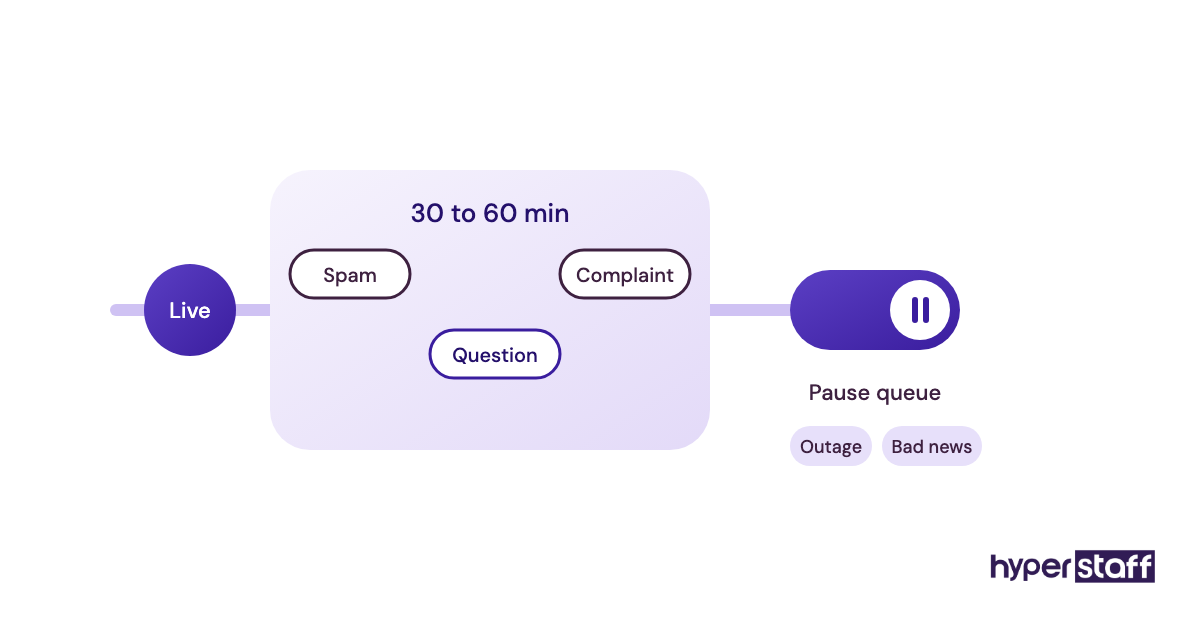
Coverage hours are one of the clearest differences when you weigh a VA versus an in-house hire. An offshore assistant in the right time zone can watch the hours your local team is offline.
Mistake #9: Which experience tier fits social media work?
Experience level matters more in social media than in most admin roles, because so much of the work is judgment exercised in public. Paying entry rates for strategy work and senior rates for scheduling both waste money.
Why tier choices go wrong
- Hourly rate is the easiest thing to compare
- Owners don't separate execution tasks from judgment tasks
- Job titles hide the gap between scheduling and strategy
- Paying more feels like insurance
The price of a poor fit
Under-hiring shows up as heavy editing and missed context. Over-hiring shows up as a senior person spending most of the week on copy-paste work.
Match the tier to the work
Hyperstaff's three experience tiers map onto social media work in a fairly predictable way. Use the table as a starting point and adjust after you've seen a month of output.
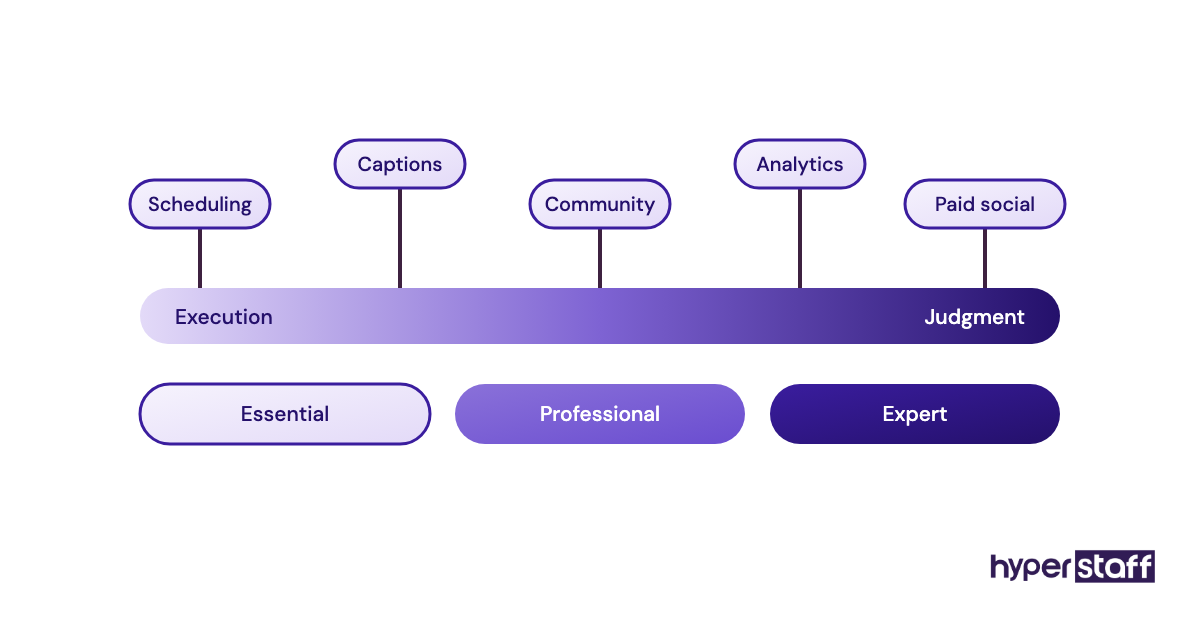
| Tier | Experience | Starting rate | Social media work it suits |
|---|---|---|---|
| Essential | 0 to 2 years | From $3/hour | Scheduling approved content, reposting customer tags, basic inbox triage, filling report templates |
| Professional | 2 to 5 years | From $6/hour | Writing captions in your voice, community management, Canva graphics, simple Reels edits |
| Expert | 5+ years | From $12/hour | Content planning, paid social support, analytics and testing, guiding other assistants |
Our social media virtual assistant cost guide shows how monthly bundles of 40, 80 or 160 hours change the total.
Mistake #10: What happens when the whole process lives in one person's head?
A virtual assistant who's been on your account for a year knows things nobody wrote down. When they leave or fall ill, that knowledge goes with them.
Why nothing gets documented
- Writing an SOP feels slower than doing the task
- Answers stay buried in chat threads
- Tool settings change without notes
- Nobody owns the document
- Turnover feels unlikely while things go well
What starting from zero costs
A replacement with no notes spends weeks relearning the voice, the logins, the posting rhythm and the regular commenters. The account goes silent or off-tone in the meantime.
Onboarding twice is the hidden cost. You pay for the learning curve again, and so does your audience.
Keep the playbook outside anyone's head
Ask the VA to document as they work: one page per recurring task, with screenshots, logins stored in the vault and the voice file linked. Review it every quarter, since platforms move their menus around often.
At Hyperstaff, each client's SOPs, tools and context sit in an Operations Vault that we write down and maintain. If a replacement is ever needed, it's free and arrives in 5 to 7 business days, briefed from that vault.
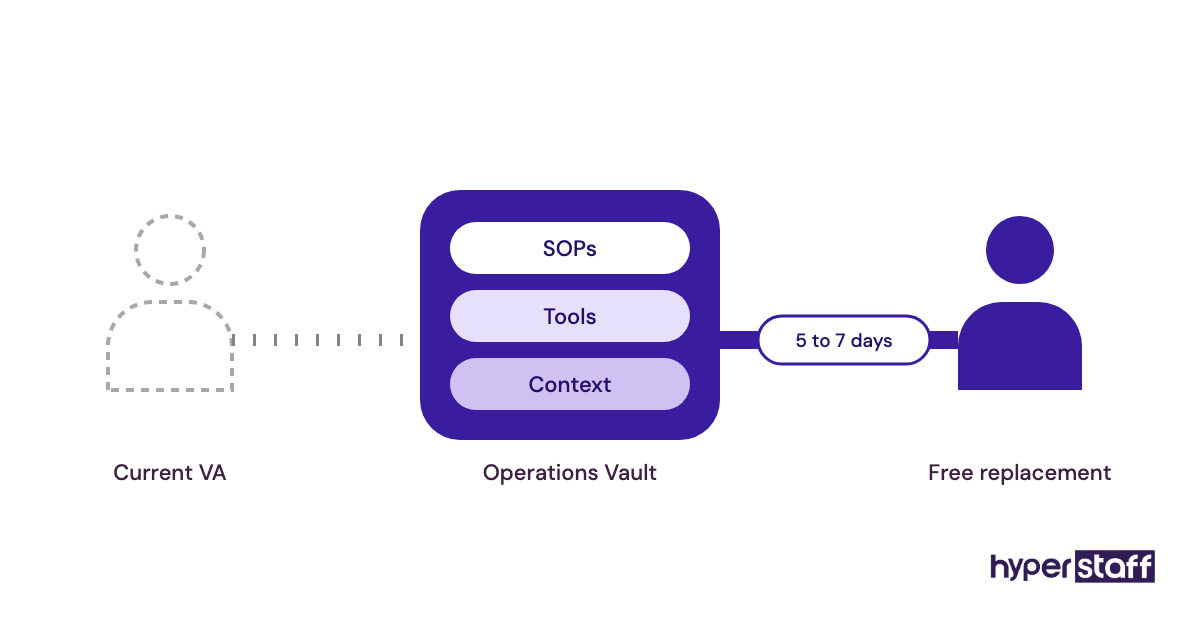
If you're about to start hiring a social media VA, put documentation in the brief from day one.
Disclaimer: This article is for general information only and isn't legal, financial or platform-compliance advice. Platform features, access settings and policies change often, so check each platform's current terms before acting. Hyperstaff accepts no liability for decisions made based on this content.
Common questions
What's the most common mistake with a social media virtual assistant?
Sharing a personal login instead of setting up role-based access. It puts your ad accounts and page ownership at risk and makes offboarding painful, so fix it before any content work starts.
How long before a social media VA can post without approval?
Usually a few weeks. Start with replies to common questions and reposts, then widen the list as drafts need fewer edits. Regulated businesses may keep full approval permanently.
Should my social media VA answer DMs about pricing?
Yes, once they have approved answers and current prices. Anything outside that list, such as refunds or custom quotes, should come to you through a clear handoff.
Can a social media virtual assistant run paid ads too?
Some can, usually at a more experienced tier. Ad spend is real money, so set budget limits inside the ad account and review results weekly until you trust the setup.
How do I know if my social media VA is doing a good job?
Check reply speed, booked calls or sales that started in DMs, and clicks on tracked links. Follower growth on its own says very little about whether the work is paying off.
Book a free 15 min call
We place a pre-vetted specialist in 5 business days, fully managed, from $3/hour.