Social Media Virtual Assistant Interview Questions (With a Free Template)
A copyable set of social media virtual assistant interview questions, with a scoring rubric and the answers that separate real operators from portfolio polishers.

On this page
- What Are Social Media Virtual Assistant Interview Questions?
- Key Social Media VA Interview Terms You Should Know
- Why Do the Right Interview Questions Matter for a Social Media VA?
- The Social Media Virtual Assistant Interview Questions Template
- How Do You Run the Interview, Step by Step?
- What Types of Interview Questions Should You Ask a Social Media VA?
- How Is the Interview Different From Other Hiring Checks?
- The Benefits of a Structured Social Media VA Interview
- The Drawbacks of a Structured Social Media VA Interview
- Who Needs These Social Media VA Interview Questions?
- Social Media VA Interview Answer Examples
- What Does an Effective Social Media VA Interview Scorecard Look Like?
- Which Tools Help You Interview a Social Media VA?
- 9 Proven Tips for Interviewing a Social Media Virtual Assistant
- Overcoming Common Social Media VA Interview Challenges
- How to Measure Social Media VA Interview Success
- How Long Does Hiring a Social Media VA Take to Work?
- How Much Does a Social Media Virtual Assistant Cost?
- Is a Structured Social Media VA Interview Worth It?
- How to Choose a Social Media VA Agency
- Where Are Social Media VA Interviews Heading?
- Should You Ask a Social Media VA About AI in the Interview?
- FAQs
💡 Key Takeaways:
1) Good social media virtual assistant interview questions test real accounts, real judgement calls and real reporting habits, because a polished portfolio can't show how a candidate replies to an angry comment at 9pm.
2) Scenario questions ("a post goes live with the wrong price, what do you do in the first 10 minutes?") separate experienced assistants from confident talkers faster than any question about strengths or passion.
3) The interview checks communication and judgement, while a short paid test task checks the work itself, so the strongest hiring process uses both and scores each one against the same written rubric.
The right questions protect every post's sales value
Hyperstaff has placed 70+ virtual assistants with 30+ clients, and the same questions below are the ones worth asking any candidate. Use the free template, or let our dedicated social media assistants team send you a pre-vetted specialist in 5 business days, at rates from $3/hour.
What Are Social Media Virtual Assistant Interview Questions?
Social media virtual assistant interview questions are the prompts you use to check whether a remote candidate can plan content, publish on schedule, moderate comments and report results for your accounts. The best sets mix background questions, platform skills, scenarios and remote-work habits.
The template on this page has 21 questions in five parts, plus a closing question and a paid test task. It's built for a 45 to 60 minute video call, and it assumes you already know what the job covers. If that part is still fuzzy, start with the social media VA role explained.
Key Social Media VA Interview Terms You Should Know
- Scenario question = a "what would you do if" prompt built on a real situation from your accounts.
- Behavioural question = a "tell me about a time" prompt that asks for a past example.
- Paid test task = a short, paid sample of the real work, done after or alongside the interview.
- Scoring rubric = a fixed 1 to 5 scale for each skill, filled in right after the call.
- Brand voice = the written rules for tone, words and emoji a business uses in public.
- Engagement rate = interactions divided by reach or followers, the number most candidates quote.
- Escalation rule = the list of comments or DMs the assistant must pass to you before replying.
- Time zone overlap = the hours a remote assistant works while you're also online.
- Red flag answer = a reply that sounds fine but shows the candidate hasn't done the job.
Why Do the Right Interview Questions Matter for a Social Media VA?
The right questions matter because a social media virtual assistant speaks for your business in public, often without anyone checking each reply first. A weak hire shows up in your comments, your DMs and your brand voice, where customers see it before you do.
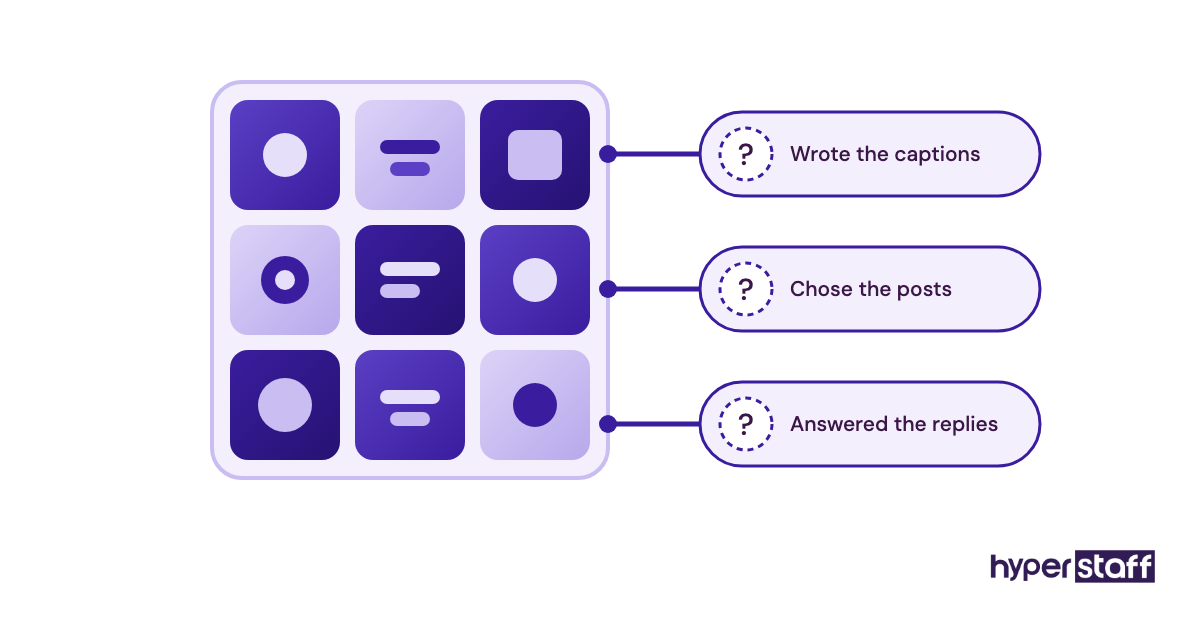
Portfolios don't solve this. Screenshots of a busy Instagram grid say nothing about who wrote the captions, who picked the posts, or who answered the complaints underneath them.
Generic questions make it worse. "What are your strengths?" gets a rehearsed answer from every applicant, so you end up choosing on charm, which is the one trait that matters least once the work starts.
Worth knowing: Social media is one of the few virtual assistant roles where a mistake is public within minutes, so judgement questions deserve more interview time than tool questions, since a careful assistant can learn a new scheduler in an afternoon but rarely learns judgement on the job.
The Social Media Virtual Assistant Interview Questions Template
Copy the template below into a doc and swap the bracketed parts for your own platforms, time zone and examples. Every question has a note on what a strong answer includes, so you can score on the call instead of from memory afterwards.
Social Media Virtual Assistant Interview: [Company Name]
Role: [Part-time / Full-time] social media virtual assistant, [hours] per week. Platforms: [Instagram, LinkedIn, TikTok, Facebook]. Call length: 45 to 60 minutes. Interviewer: [Name].
Part 1: Background and fit (10 minutes)
- Walk me through the accounts you've run in the last 12 months. Which platforms, roughly how many followers, and how many posts a week? (Strong: names platforms, numbers and their own role on each.)
- Which of those accounts can I look at today? Please share the handles. (Strong: gives live handles without hesitation and says which posts were theirs.)
- What hours can you work, and how many overlap with [your time zone] business hours? (Strong: exact hours, not "I'm flexible.")
- Are you working with other clients right now, and how do you split your week? (Strong: a clear schedule and no clash with your busiest hours.)
Part 2: Content and platform skills (15 minutes)
- Here's our [Instagram/LinkedIn] profile. What would you change in the first two weeks, and why? (Strong: specific posts, formats or bio changes tied to your audience.)
- How do you build a weekly content calendar, from blank page to scheduled posts? (Strong: a repeatable order of steps, including when you approve.)
- One week, a Reel gets 400 views and a carousel gets 4,000. What do you post next week? (Strong: asks about reach source and audience before copying the winner.)
- How do you write captions in a brand voice that isn't your own? (Strong: mentions reading old posts, a voice guide, or a word list.)
- Which scheduling and design tools have you used, and which one would you pick for us? (Strong: a reasoned preference, including a downside of their favourite.)
- What changed on [platform] recently, and how did you adjust? (Strong: a concrete change and what they did about it.)
Part 3: Community management and judgement (15 minutes)
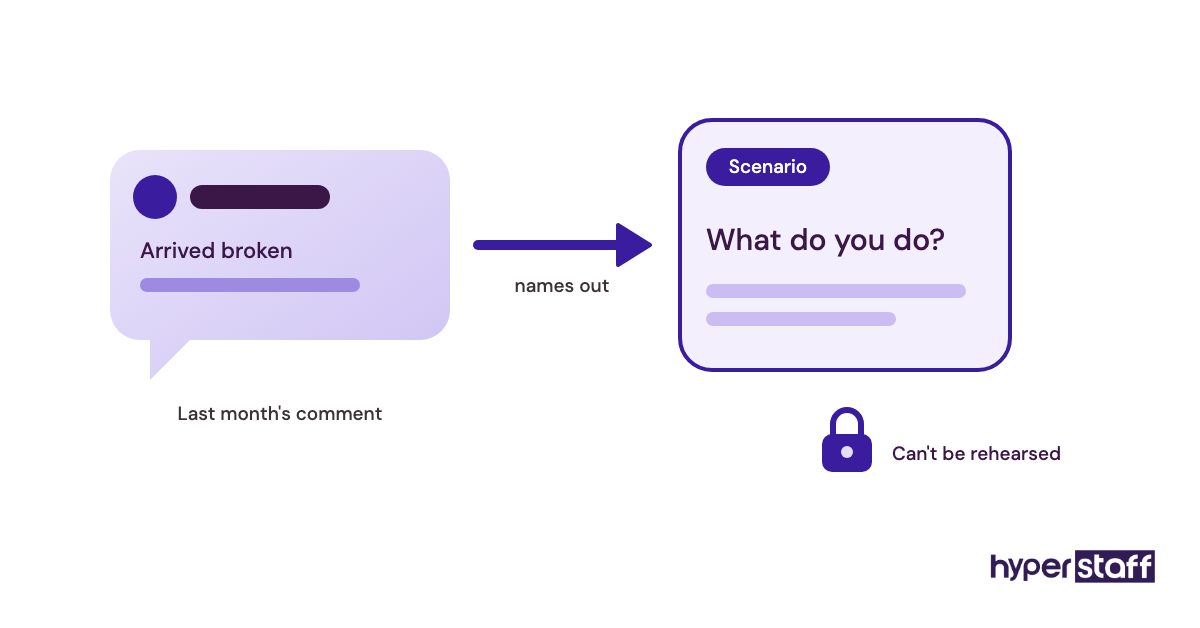
- A customer comments that their order arrived broken, on a post with 50 other comments. Walk me through your reply and who you tell. (Strong: public acknowledgement, move to DM, flag to you.)
- A scheduled post goes live with the wrong price in it. What do you do in the first 10 minutes? (Strong: edit or archive, check other channels, tell you before you find out.)
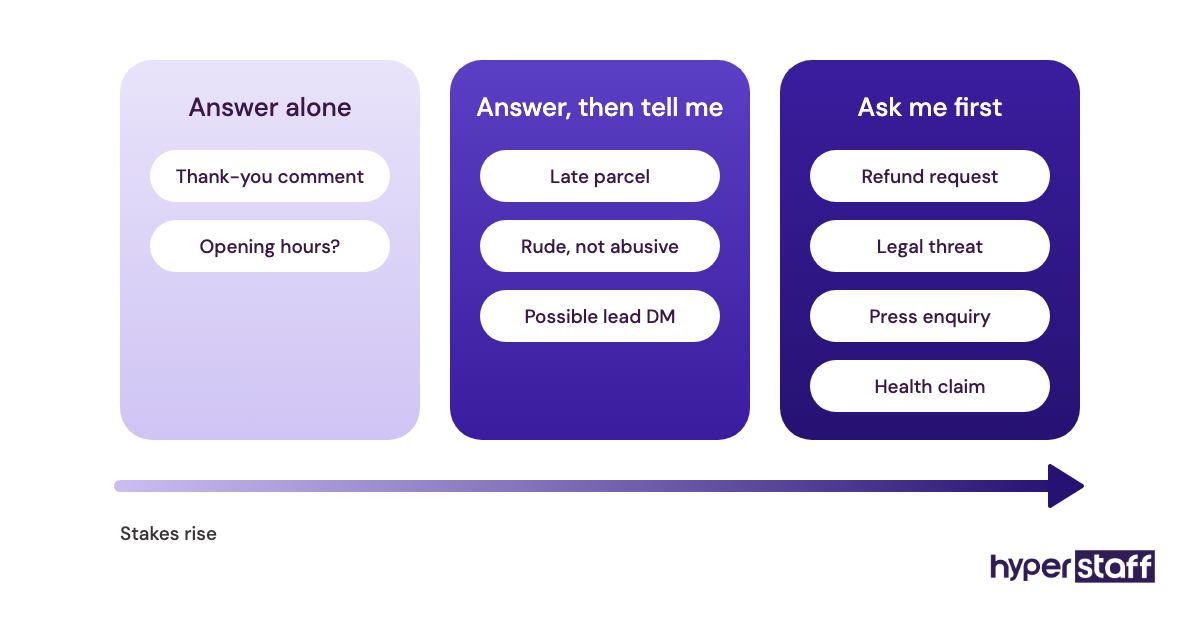
- Which comments or DMs would you never answer without checking with me first? (Strong: refunds, legal threats, press, health or safety claims.)
- A DM looks like a sales lead. What happens next? (Strong: a fast reply, a handoff to your process, and a note in your CRM or sheet.)
- Someone leaves a rude but not abusive comment. Reply, hide, or ignore? (Strong: depends on your rules, and they ask what those are.)
Part 4: Reporting and results (10 minutes)
- Which numbers would you put in a weekly report to me, and which would you leave out? (Strong: reach, saves, profile visits, link clicks or leads over follower count alone.)
- Tell me about a post that flopped. What did you learn from it? (Strong: an honest example with a reason and a change.)
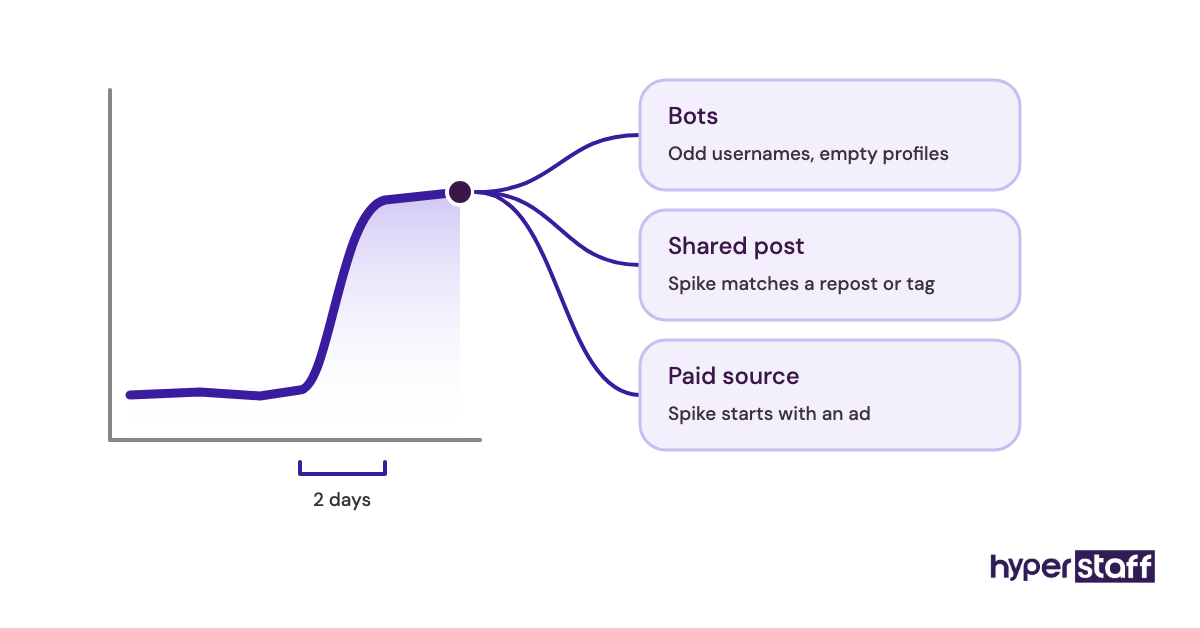
- Followers jump by 600 in two days. What do you check before celebrating? (Strong: bot accounts, a shared post, or a paid source.)
Part 5: Working remotely (5 minutes)
- How do you like to get feedback: written comments, voice notes, or a quick call? (Strong: a clear preference and a habit of asking.)
- You're stuck on something and I'm offline for the day. What do you do? (Strong: decides what can wait, documents the question, moves on.)
- How do you store client logins and passwords? (Strong: a password manager, never notes or chat messages.)
Closing (5 minutes)
What would you like to know about us, our customers or the way we work? (Strong: questions about approval rules, brand voice and goals.)
Paid test task (sent after the call)
Brief: "Draft five posts for [platform] for next week, with captions and image or video notes, plus replies to these three real comments from our page. Time limit: 2 hours, paid at [rate]. Send it as a Google Doc by [date]." Score it on brand voice, accuracy, judgement in the replies, and whether they asked smart questions first.
Twenty-one questions sounds like a lot. You won't ask all of them on every call, and Part 3 is the one to protect if time runs short.
How Do You Run the Interview, Step by Step?
Run the interview in five steps: prepare your examples, screen in writing, hold the call, send the paid test task, then score everyone on one rubric. The order matters, because each step filters out people the next step would waste time on.
Step #1: Swap in your own examples
Replace every bracket in the template with something real from your accounts. A complaint that actually happened last month makes a far better scenario question than an invented one, and candidates can't prepare for it.
Pull two real comments and one real DM for the test task while you're at it. Remove names first.
Step #2: Screen with three written questions before any call
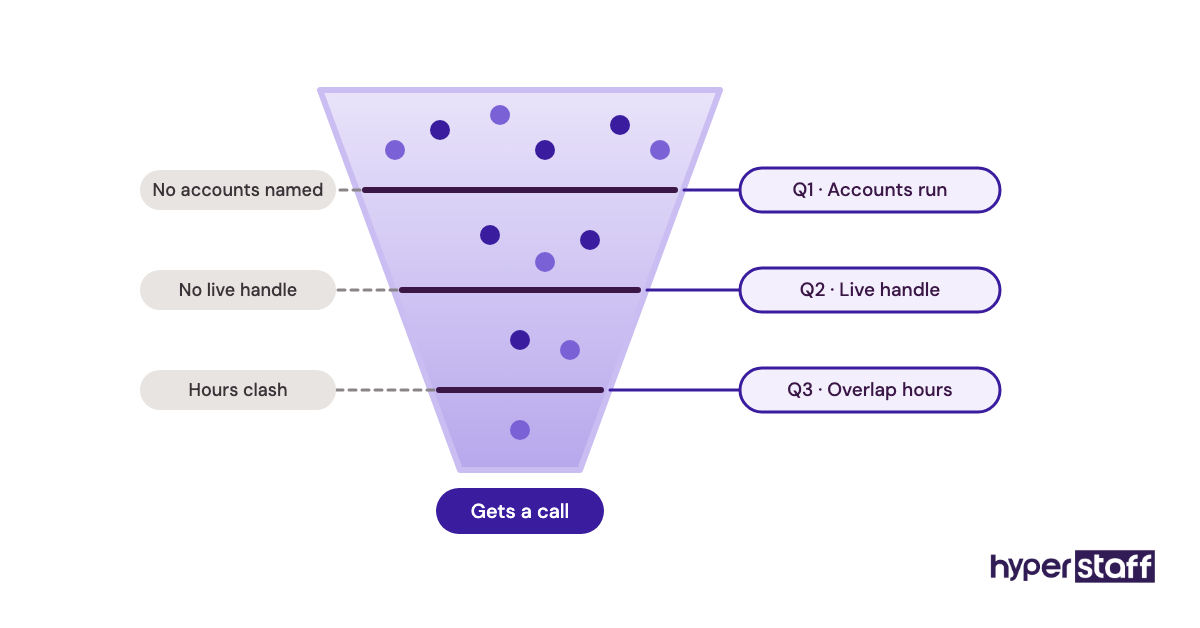
Add Questions 1, 2 and 3 to the application form. People who can't share a single live handle, or who answer in one vague line, drop out before they cost you an hour.
Written answers also show how someone writes captions when nobody is editing them, which is half the job.
Step #3: Hold the call and score as you go
Keep the call to 45 to 60 minutes and fill in the rubric during it. Scores written the next morning drift towards whoever was most likeable.
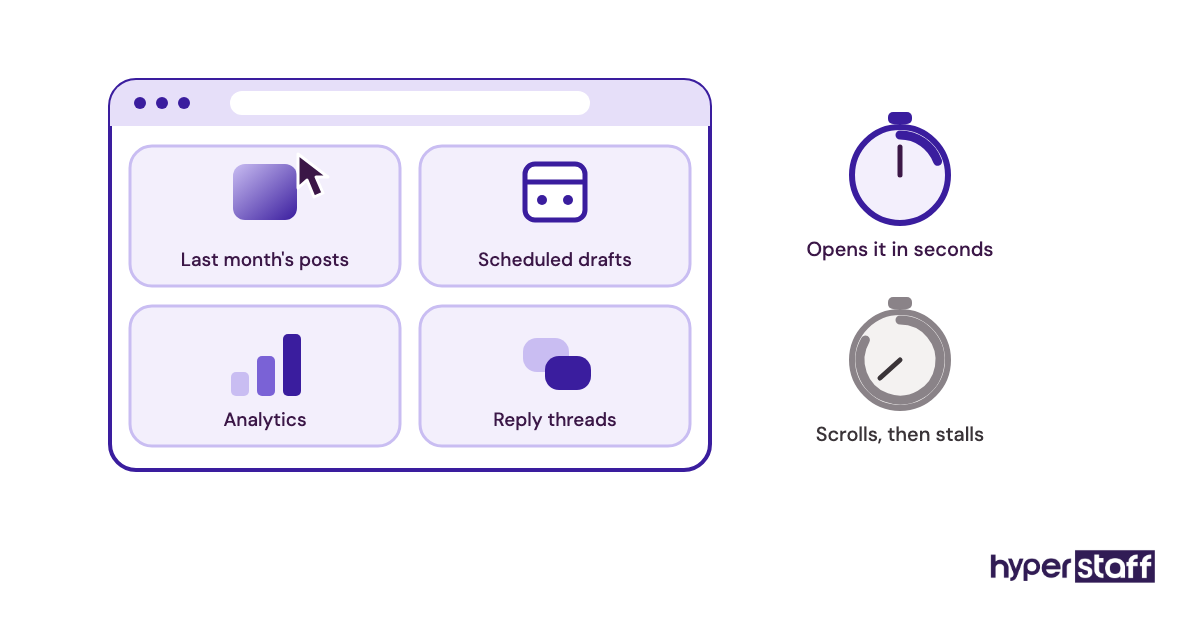
Keep in mind: Ask candidates to share their screen and open one of the accounts they listed, because a person who really ran the account can find last month's posts, scheduled drafts or analytics in seconds, while someone padding their history usually stalls.
Step #4: Send a paid test task to the top two or three
The test task checks the work itself. Keep it to about 2 hours, pay for it, and never hand over login access to do it.
Watch what happens before the work arrives. The candidates who come back with one or two good questions about your audience tend to be the ones who'll ask good questions in month three.
Step #5: Score, decide and plan the first week
Compare total scores, then read the Part 3 notes again before choosing. Once you've picked someone, the first two weeks set the habits, so plan them with this guide to onboarding your new social media VA.
For the full process around the interview, from writing the ad to checking references, see our step-by-step social media VA hiring guide.
What Types of Interview Questions Should You Ask a Social Media VA?
Ask six types of questions: background, platform skill, scenario, behavioural, reporting and remote-work questions. Each type tests something different, and leaning on one type alone gives you a one-sided picture of the candidate.
| Question type | What it tests | Example from the template | Time to give it | Weak answer looks like |
|---|---|---|---|---|
| Background | Real experience, account size | Q1, Q2: accounts and live handles | 5 to 10 min | No handles, "various clients" |
| Platform skill | Content planning, formats | Q5, Q6: profile review, calendar | 10 to 15 min | Generic tips for any brand |
| Scenario | Judgement under pressure | Q11, Q12: broken order, wrong price | 10 to 15 min | Deletes the comment, tells nobody |
| Behavioural | Honesty, learning from mistakes | Q17: a post that flopped | 5 min | "I've never had a post flop" |
| Reporting | Which numbers they trust | Q16, Q18: weekly report, follower jump | 5 to 10 min | Follower count and likes only |
| Remote work | Communication, security | Q20, Q21: stuck alone, password storage | 5 min | Passwords kept in a notes app |
| Culture and closing | Curiosity about your business | Closing question | 5 min | No questions at all |
How Is the Interview Different From Other Hiring Checks?
The interview tests how a candidate thinks and talks about the work. Other checks test the work itself, the person's history, or their written brief, and a sound process uses at least two of them.
Interview vs. paid test task
The interview shows judgement and communication. The paid test task shows actual captions, actual replies and actual attention to detail, which no amount of talking can fake.
Practitioners split on the order. Some send the task first to save interview time, while others interview first so they only pay the people they'd hire; we lean towards interview first for roles above 40 hours a month.
Interview vs. job description screening
Screening against the job description filters on facts like platforms, hours and time zone. Those facts belong in the application form, so the interview time goes to judgement instead. Our social media VA job description template lists the facts worth screening on.
Interview vs. reference check
A reference check confirms what a past client saw over months. Ask references one specific question, such as "Would you trust them to reply to a complaint without checking with you?", since general praise tells you little.
The Benefits of a Structured Social Media VA Interview
A structured interview, with the same questions and the same scoring for every candidate, gives you a fair comparison and a written record of why you chose someone. It also makes a bad fit visible before the first post goes out.
- Every candidate answers the same scenarios, so you compare like with like.
- Scenario questions expose missing experience that a portfolio hides.
- The rubric cuts the pull of charm and confidence on the final choice.
- Answers to Part 3 become the first draft of your escalation rules.
- You end up with notes you can reuse if you need to hire again.
The Drawbacks of a Structured Social Media VA Interview
The main drawback is time: a structured process with a written screen, a call and a paid task takes longer to set up than a casual chat. It can also feel stiff if you read the questions word for word.
- Preparing real examples takes an hour or two the first time.
- Strong candidates with offers elsewhere may not wait for a slow process.
- Scripted delivery can make nervous candidates look weaker than they are.
Who Needs These Social Media VA Interview Questions?
Any business owner or manager hiring a remote person to post, reply or report on social media needs a set of questions like these. They matter most when the assistant will reply to customers without approval on every message.
Founders hiring their first assistant get the most out of the scenario section, since they usually haven't written their own rules down yet. Marketing leads in larger teams lean more on Parts 2 and 4, because content strategy often sits with them and the assistant handles execution and reporting.
If you're still weighing a remote hire against a local employee, read our take on a virtual assistant versus in-house hire before you start interviewing.
Social Media VA Interview Answer Examples
Answers to the same question can tell you completely opposite things about two candidates. The examples below show what to listen for on three template questions, written as typical answers, not quotes from real people.
Social Media VA Interview Good Answers
The wrong-price post (Q12)
"I'd edit the caption if the platform allows it, or archive the post and repost it fixed. Then I'd check whether the same price went out on Facebook or in a Story, and message you before anyone else does."
The order is right: fix, check the spread, tell the owner. Nothing about blaming the scheduler.
The weekly report (Q16)
"Reach, saves and profile visits for every post, link clicks from the bio, and any DMs that looked like leads. Followers once a month, because a weekly number jumps around too much to mean anything."
The flop (Q17)
"A carousel I spent four hours on got almost no reach. Looking back, the first slide was text-heavy and didn't say who it was for, so I started testing a clear hook on slide one."
Social Media VA Interview Bad Answers
"I'd delete the negative comment"
Deleting a fair complaint usually brings a second, angrier one, sometimes with a screenshot. It also tells you the candidate hasn't thought about who the comment section is for.
"Engagement went up 300%"
A percentage with no starting number, no time frame and no platform means nothing. Ask "from what to what, over how long?" and watch whether they can answer.
"I can handle every platform"
Doing TikTok, LinkedIn, Instagram, Pinterest and X well on 20 hours a week isn't realistic. A strong candidate tells you which two or three they'd focus on, and why.
Red flag: When a candidate answers every scenario with "I'd ask you first", they're being careful, which is good in week one, but if they can't name a single comment they would answer alone, you'll end up approving every reply yourself and saving very little time.
What Does an Effective Social Media VA Interview Scorecard Look Like?
An effective scorecard rates each skill from 1 to 5 against written descriptions, with the scenario section weighted highest. Fill it in during the call, total it straight after, and read the notes before you read the totals.
| Skill | Questions | Weight | Score 1 looks like | Score 5 looks like |
|---|---|---|---|---|
| Real experience | Q1 to Q4 | x1 | No live accounts to show | Live handles, own posts named |
| Content skill | Q5 to Q10 | x2 | Generic tips | Specific changes for your profile |
| Judgement | Q11 to Q15 | x3 | Deletes, ignores, tells nobody | Clear order, knows when to escalate |
| Reporting | Q16 to Q18 | x2 | Likes and followers only | Reach, saves, clicks, leads |
| Remote habits | Q19 to Q21 | x1 | Vague, insecure logins | Password manager, clear updates |
| Test task | Paid task | x3 | Off-voice, errors | On-voice, accurate, asked questions |
The maximum is 60 points. We'd treat anything under 2 on judgement as a no, whatever the total says.
Which Tools Help You Interview a Social Media VA?
You need a video call tool, a scheduling link, a shared doc for the scorecard and a way to collect the test task. Most businesses already pay for all of these, and none of them needs a hiring platform.
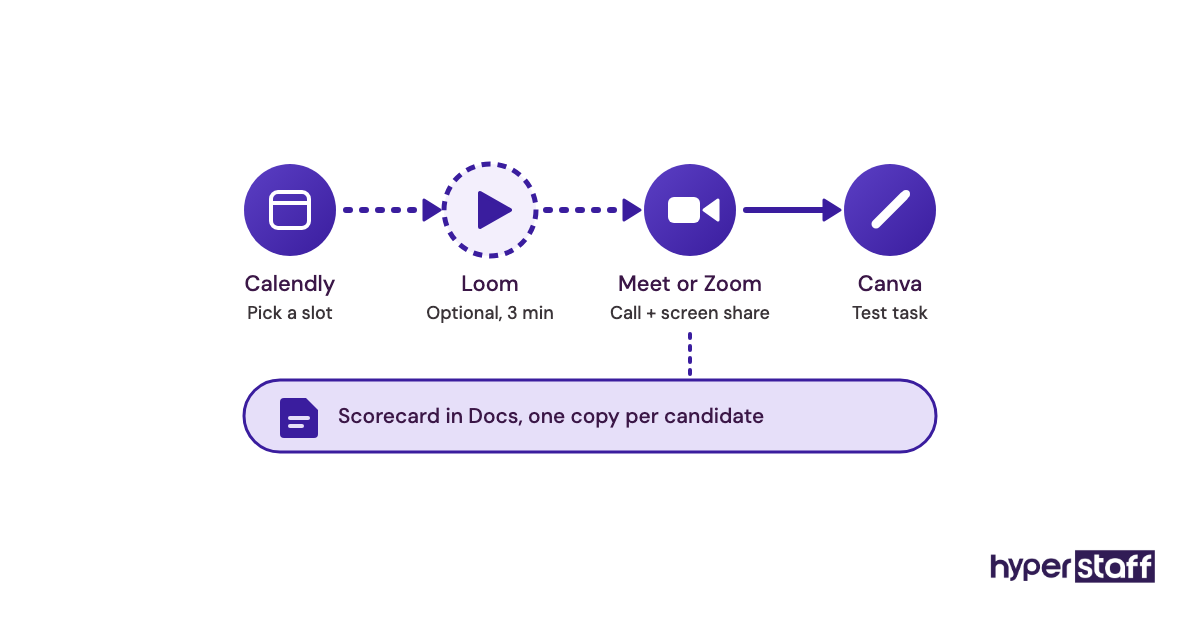
- Google Meet or Zoom for the call, with screen sharing turned on for the account walkthrough.
- Calendly so candidates book their own slot in your time zone.
- Google Docs or Sheets for the template and the scorecard, one copy per candidate.
- Loom for an optional async step: ask shortlisted people for a 3 minute video reviewing your profile.
- Canva as the test task design tool, since the free plan is enough for a few draft posts.
Ask about the tools they'll use day to day as well, such as schedulers and analytics apps. Our list of tools social media VAs use covers what's worth checking for.
9 Proven Tips for Interviewing a Social Media Virtual Assistant
These tips come from the patterns we see most often when interviews go well, and when they don't.
- Use real comments from your own page in the scenario questions.
- Ask for live handles before the call, never only screenshots.
- Score during the call, not the next day.
- Give the judgement section the most time and the most weight.
- Pay for the test task, and keep it to about 2 hours.
- Never share passwords or admin access during hiring.
- Follow every percentage with "from what to what?"
- Note the questions they ask you, since curiosity predicts good work better than polish.
- Reply to every candidate within a week, because the best ones get other offers fast.
Overcoming Common Social Media VA Interview Challenges
The most common challenge is a candidate whose portfolio is stronger than their answers. Trust the answers and the test task, since a portfolio often shows a team's work and you can't tell who did which part.
Time zones cause the second headache. Offer two or three call slots that suit the candidate's daytime, and treat lateness on a call they chose as a real data point.
Nerves are the third. Send Part 1 questions in advance so people relax into the call, but keep Part 3 unseen, because prepared answers to scenarios tell you much less.
How to Measure Social Media VA Interview Success
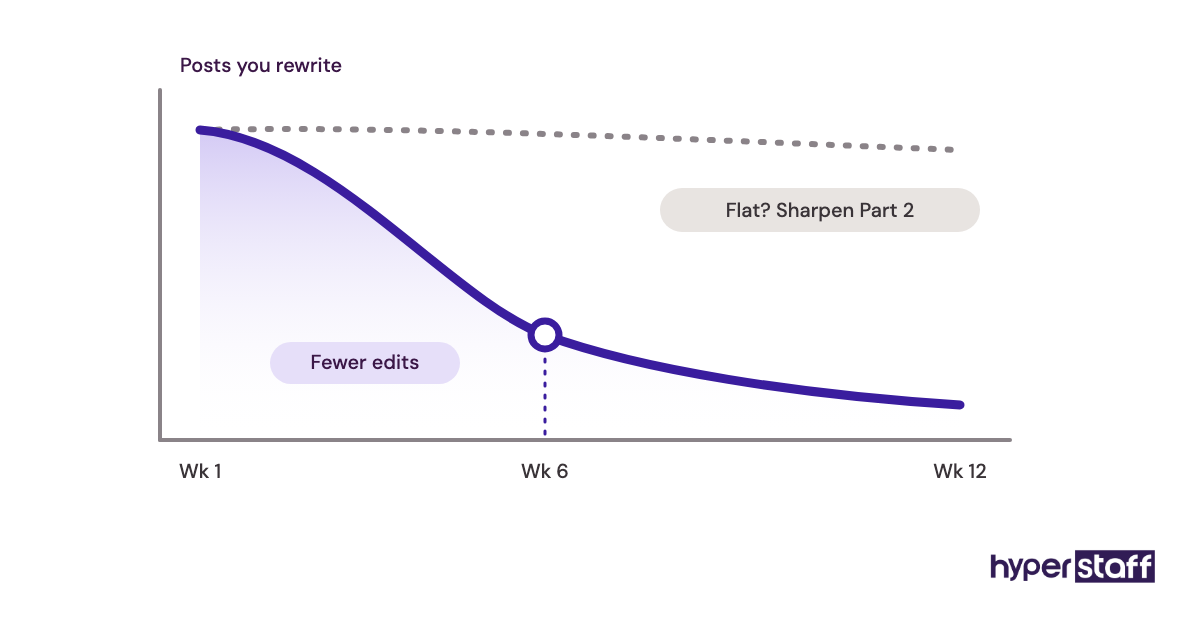
Measure the interview by what the hire does in the first 90 days. The clearest signals are posting on schedule, replying to comments and DMs within your agreed window, and the number of posts you still have to rewrite.
Track the rewrite rate weekly. It should fall clearly by week six; if it doesn't, the voice questions in Part 2 need sharper examples next time.
Avoid judging by follower growth in the first month, since it depends on far more than one assistant. Our list of common social media VA mistakes shows what to watch for early.
How Long Does Hiring a Social Media VA Take to Work?
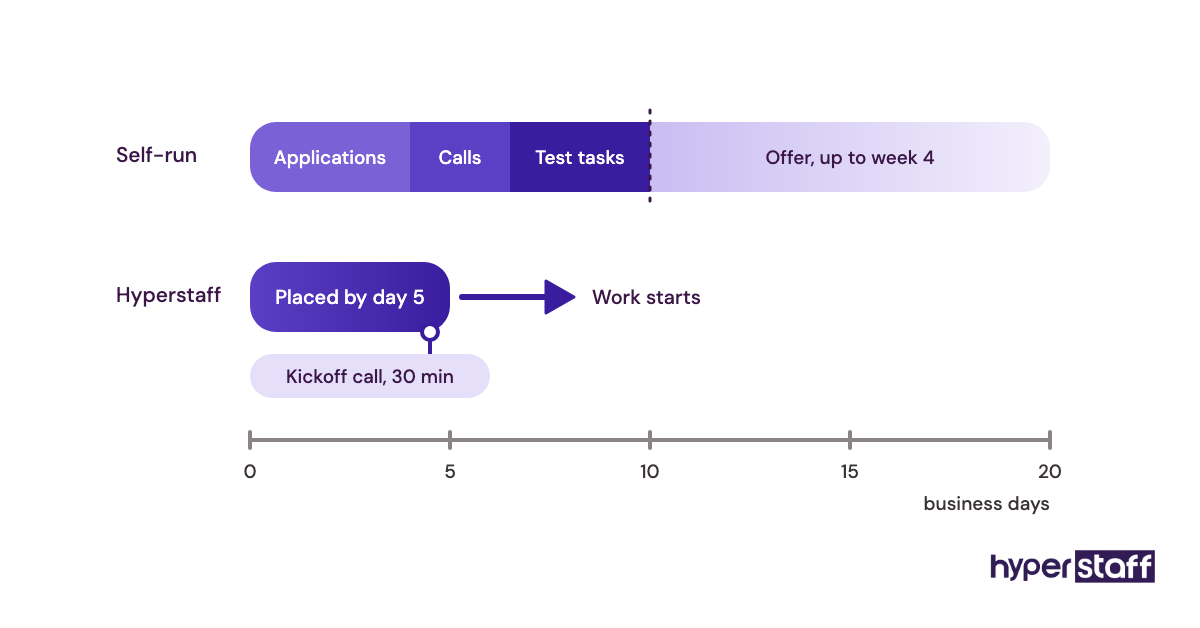
A self-run hiring process with this template usually takes two to four weeks, from posting the role to a signed offer. Most of that time goes to waiting for applications and test tasks.
After the start date, expect two to four weeks before the assistant posts without many edits, and around three months before the reporting shows clear trends. Through an agency, placement can be much faster: Hyperstaff places pre-vetted specialists in 5 business days.
How Much Does a Social Media Virtual Assistant Cost?
A social media virtual assistant costs roughly $3 to $40+ an hour, depending on experience and whether you hire through an agency, a marketplace or in-house. Knowing the range before interviews stops you from shortlisting people outside your budget.
| Experience | Hyperstaff (from) | Freelance marketplace (typical) | In-house US hire (typical, incl. overheads) |
|---|---|---|---|
| Essential, 0 to 2 years | $3/hour | $10 to $20/hour | $25 to $32/hour |
| Professional, 2 to 5 years | $6/hour | $20 to $30/hour | $30 to $40/hour |
| Expert, 5+ years | $12/hour | $30 to $40+/hour | $40 to $55/hour |
| Professional, 40 hours a month | $240/month | $800 to $1,200/month | Rarely hired part-time |
| Professional, 160 hours a month | $960/month | $3,200 to $4,800/month | $4,800 to $6,400/month |
Hyperstaff clients who pay quarterly save 10%. For every factor that moves the price, read our social media VA pricing breakdown.
Important: Hyperstaff figures above are starting rates and averages, not fixed quotes. What you pay depends on the tier, hours, platforms and scope of your work.
Is a Structured Social Media VA Interview Worth It?
Yes. An hour of preparation and a 2 hour paid test task are among the best-value hours a business owner can spend, because they decide who speaks for the brand every day. A careful interview costs little, and a wrong hire costs weeks of rework and public mistakes.
Here's a simple calculation using Hyperstaff's Professional rate. Interviewing three finalists takes about 3 hours of your time, and three paid test tasks at 2 hours each cost 6 x $6 = $36.
Compare that with a poor fit you replace after one month on an 80 hour bundle: $480 spent, plus maybe 10 to 15 hours of your own time correcting posts and re-explaining the brand. Even at a modest $50/hour value on your time, that's $980 to $1,230 lost, against about $186 for doing the interview properly.
Whether the hire itself pays off depends on what you do with the time you get back. We cover that case by case in whether the hire pays off.
How to Choose a Social Media VA Agency
Choose an agency by asking how it vets candidates, whether your assistant is dedicated to you, how fast replacements arrive and who manages the account. Then ask whether you can run your own final interview using questions like the ones above.
Ask what happens to your processes if the assistant leaves. At Hyperstaff, every client gets a dedicated account manager, and a free replacement arrives in 5 to 7 business days, briefed from your Operations Vault.
Shared pools, where a different person picks up your accounts each week, rarely keep a brand voice steady. Book a free discovery call with each agency on your list and bring this template; how they react to Part 3 tells you a lot.
Where Are Social Media VA Interviews Heading?
Social media VA interviews are moving towards more scenario questions, more short-form video checks and more questions about AI use. The role itself has widened from posting into community management, reporting and lead handling.
Short-form video is the biggest shift in what gets tested. More hiring managers now ask for a quick edited clip in the test task, so candidates who only design static posts struggle to compete.
Lead handling is the second shift, and we're less certain how far it'll go. Some businesses now treat DMs as a sales channel and ask the assistant to qualify leads, which pulls the role closer to sales support.
The broader set of typical social media VA tasks shows how wide the job already runs.
Should You Ask a Social Media VA About AI in the Interview?
Yes, ask directly how the candidate uses AI tools for captions, ideas and replies. Nearly every applicant uses them, so the useful question is how they check, edit and fact-check what the tool produces.
Two follow-ups work well: "Show me a caption the AI drafted and the version you posted," and "What would you never let an AI tool write for a client?" The second one usually gets the most honest answer of the whole call.
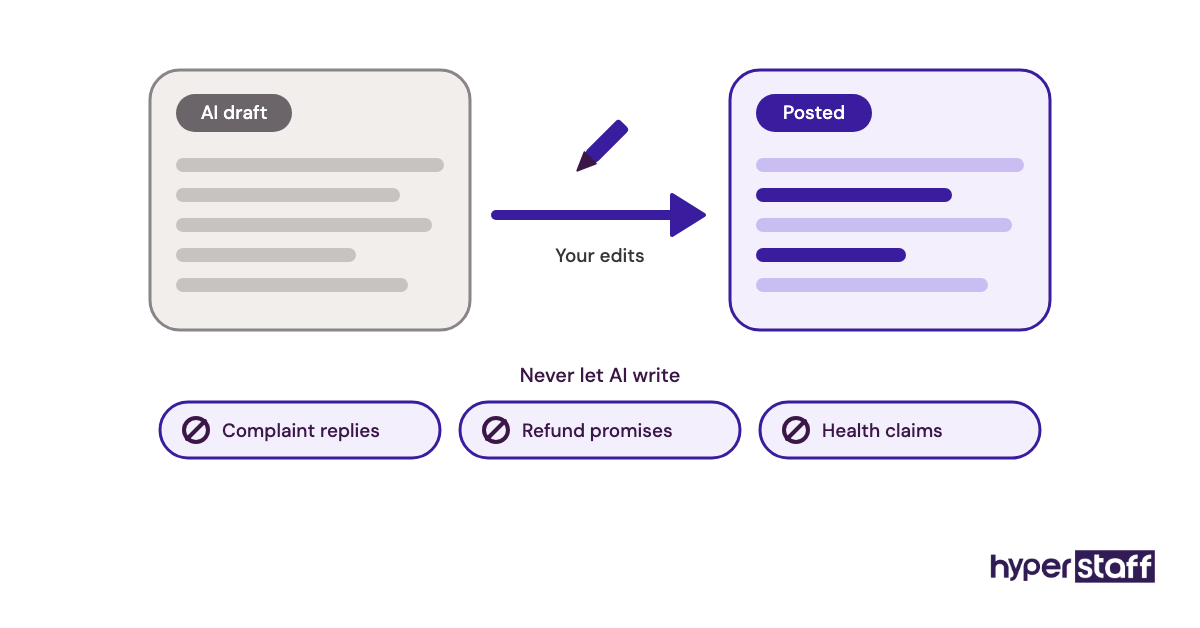
Practical note: Add one line to the test task brief asking candidates to say which parts used AI, since honest disclosure plus clear editing is a far better sign than a polished task with no explanation behind it.
We'd be wary of anyone who says they never use AI and of anyone who uses it for complaint replies. Customers spot templated empathy fast, and a complaint is where a human reply matters most.
Disclaimer: This article is general information, not legal or employment advice. Hiring rules, platform features and tool pricing change, so check current details and local employment law before hiring. Hyperstaff rates are starting rates and do not form a quote.
Common questions
How many interview questions should I ask a social media VA?
Around 15 to 20 in a 45 to 60 minute call is enough. Cut from Parts 1 and 5 if time runs short, and keep the scenario questions in Part 3.
Should I interview a social media VA on video?
Yes. Video lets them share their screen and open the accounts they claim to run, which is the fastest way to confirm experience.
What should a social media VA test task include?
A few draft posts for one platform and replies to two or three real comments from your page. Keep it to about 2 hours, pay for it, and never give login access.
Can I interview a VA placed by an agency?
You can, and you should ask the agency about it before signing. A short call with your own Part 3 scenarios tells you whether the match suits your brand.
What are red flags in a social media VA interview?
No live accounts to show, percentages with no starting number, deleting complaints, and claiming to run every platform alone. Storing client passwords in notes or chat is another one.
Book a free 15 min call
We place a pre-vetted specialist in 5 business days, fully managed, from $3/hour.