Personal Virtual Assistant Tasks: A 9-Point Handoff Checklist
A nine-point checklist of personal virtual assistant tasks, from logins and inbox rules to bill pay, follow-ups and the weekly reset.

On this page
- Checkbox 1: Can your assistant log in without waiting on your phone?
- Checkbox 2: What inbox rules can an assistant follow without asking?
- Checkbox 3: Who decides what lands on your calendar?
- Checkbox 4: Does your assistant know how you like to travel?
- Checkbox 5: Which household errands can you hand off fully?
- Checkbox 6: Can your assistant pay bills inside clear limits?
- Checkbox 7: Who follows up with your clients and contacts?
- Checkbox 8: Is research and lead work on the list?
- Checkbox 9: What should the weekly reset cover?
- FAQs
💡 Key Takeaways:
1) Personal virtual assistant tasks reach past email and calendar into travel, errands, bill pay, client follow-ups and research, as long as each one comes with written rules.
2) Account access is the first task to sort out, because two-factor codes and missing logins stall more first weeks than any skill gap does.
3) A task counts as handed off only when it runs without your input for a full cycle, so every checklist item below ends with a clear "done when" test.
Win back billable hours every single week
Every hour spent on bookings, refunds and bill reminders is an hour taken from paid work. Hyperstaff has placed 70+ pre-vetted assistants for 30+ clients through our personal virtual assistant services, with rates from $3/hour, placement in 5 business days and a dedicated account manager on every account.
Checkbox 1: Can your assistant log in without waiting on your phone?
Account access comes before every other personal virtual assistant task, because each item on this list sits behind a login. Most first-week delays we see trace back to two-factor codes landing on the owner's phone while the assistant sits and waits.
Sort this out before you hire a personal virtual assistant, and day one goes to real work. Leave it for later and day one goes to texting you for codes.
What to check before you share logins
Walk through each account your assistant will touch and confirm how it signs in.
- Every account they need, listed in one place
- Where two-factor codes go today
- Whether the service supports delegate or shared access
- A password vault holding only the items they need
- How fast you can revoke each login
Why the access step decides week one
A two-factor prompt at 7 a.m. in New York arrives at 7 p.m. in Manila, so the task waits half a day for you to wake up. Delegate access in Gmail or Outlook keeps your own password private and leaves a record of who sent what.
Shared vaults such as 1Password or Bitwarden are worth the setup hour. You can pull one login without resetting every account you own, and we compare more options in our roundup of personal virtual assistant tools.
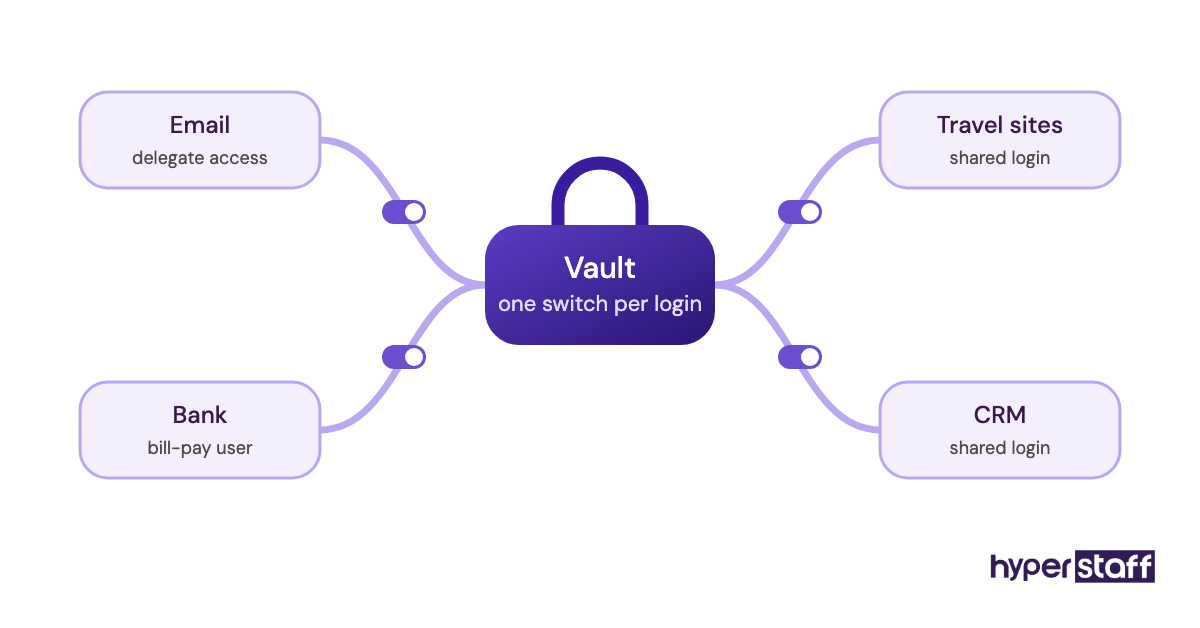
Done when the assistant signs in alone
The assistant opens every account on the list from their own device without a single message to you. Revoking any one of them takes you under a minute.
Checkbox 2: What inbox rules can an assistant follow without asking?
Inbox management works when the rules read as if-then lines: invoices go to the Bills label, anything from your accountant gets flagged, newsletters get archived. Vague direction like "handle the easy ones" produces an assistant who forwards everything back to you.
New assistants lean careful with someone else's mail, and that's the right instinct. Inbox work is also a narrow slice of what a personal virtual assistant does, so get it running fast and move on.
What to look for in your email handoff
Open last week's mail and sort it into groups before you write a single rule.
- Senders who always need you personally
- Messages the assistant can answer in your name
- What gets archived on sight
- A target reply time
Why written rules beat "use your judgment"
A written rule gives the assistant permission, and permission is what speeds up replies. Judgment grows from those rules after a few weeks of seeing your patterns.
Practitioners split on whether the assistant should reply as you or under their own name. We lean toward the assistant's own name for anything new and your name only for routine confirmations, because clients then know who to call.
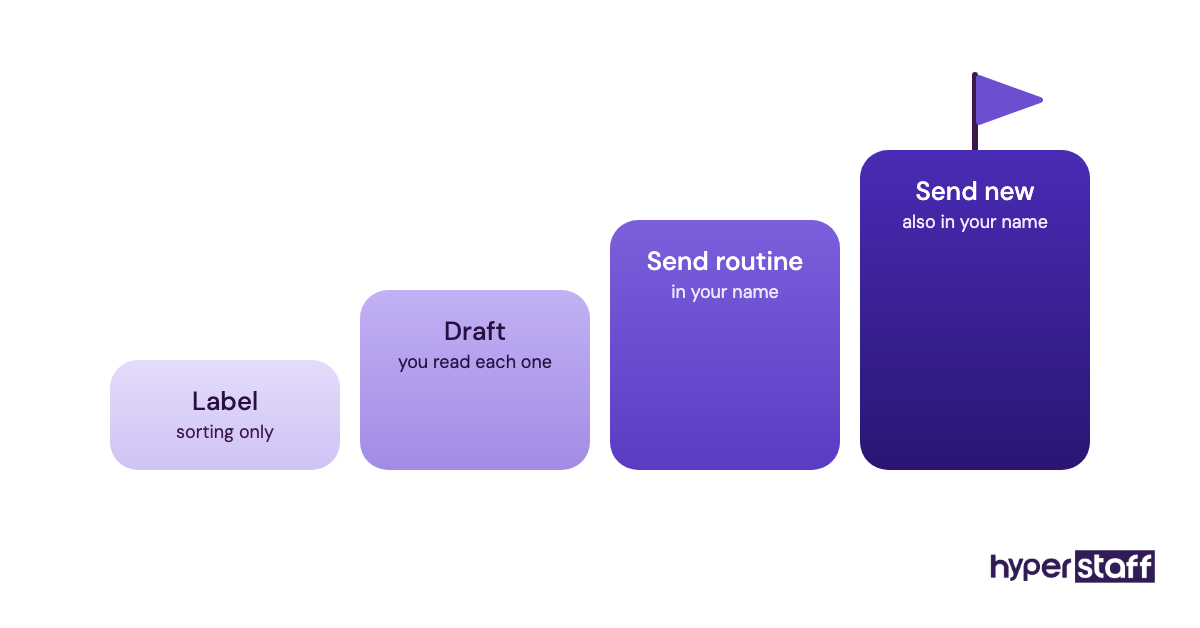
Done when the inbox shows only your threads
You open email once a day and see only threads flagged for you. Everything else is answered, filed or archived by the rules.
Checkbox 3: Who decides what lands on your calendar?
Calendar management needs one decision owner for each meeting type. A shared calendar with no rules turns into two people booking over each other.
Booking rights and the rules behind them belong in the same handoff. Calendar rules are among the first items to cover when onboarding a personal virtual assistant.
What to check on calendar control
Mark up a typical week and note every rule you follow without thinking about it.
- Protected blocks they can never book
- Meeting types they can accept for you
- Buffer time between calls
- Time zone shown on every invite
- How they answer reschedule requests
- Personal dates such as school events and appointments
Why booking rights need boundaries
Double bookings happen most when both of you accept invites from a phone. Pick one person to accept, and the other only proposes.
Scheduling links such as Calendly cut the back-and-forth on outside meetings. Loose availability rules also let strangers fill your best morning hours, so the assistant should own those settings.
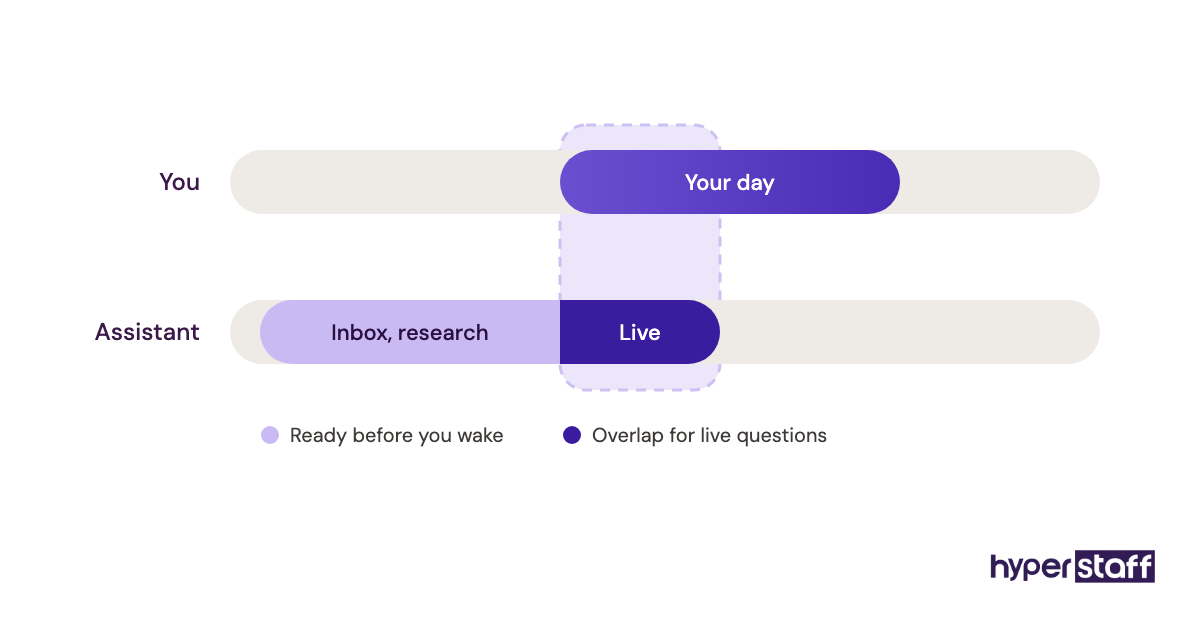
Done when next week books itself
Next week's calendar is set by Friday with every buffer intact. You haven't accepted a single invite yourself.
Checkbox 4: Does your assistant know how you like to travel?
Travel booking gets fast once your preferences live in one file: seat, airline, hotel style, budget ceiling and loyalty numbers. Without that file, every trip becomes a ten-message thread.
What to check in a travel profile
Build the profile once and let the assistant keep it current.
- Loyalty and frequent flyer numbers
- Seat, cabin and hotel preferences
- Budget limits per flight and per night
- Passport and ID expiry dates
- Which card pays for what
Why the second trip goes faster than the first
The first trip an assistant books always takes longer, because they're still learning your taste. By the third, a good assistant sends one option with a reason instead of five options with no view.
Passport dates catch people out. Many countries expect six months of validity at entry, and an assistant who tracks expiry flags it before anything is booked.
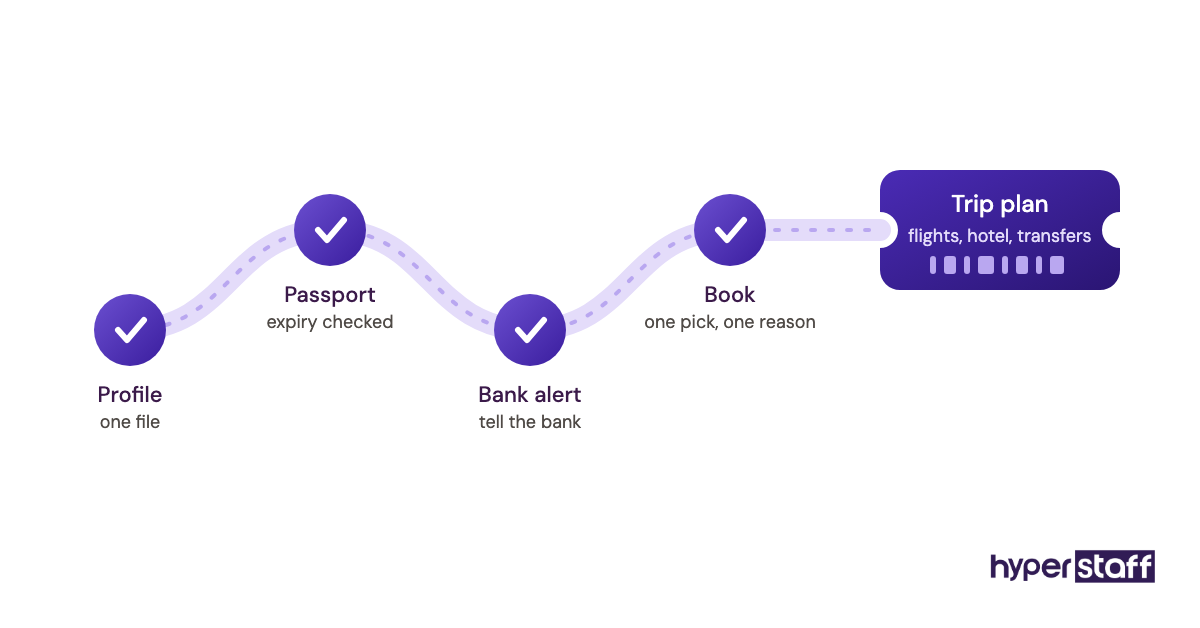
Done when a trip arrives as one plan
You get a single message with flights, hotel, transfers and confirmation numbers. You reply yes, and it's booked.
Checkbox 5: Which household errands can you hand off fully?
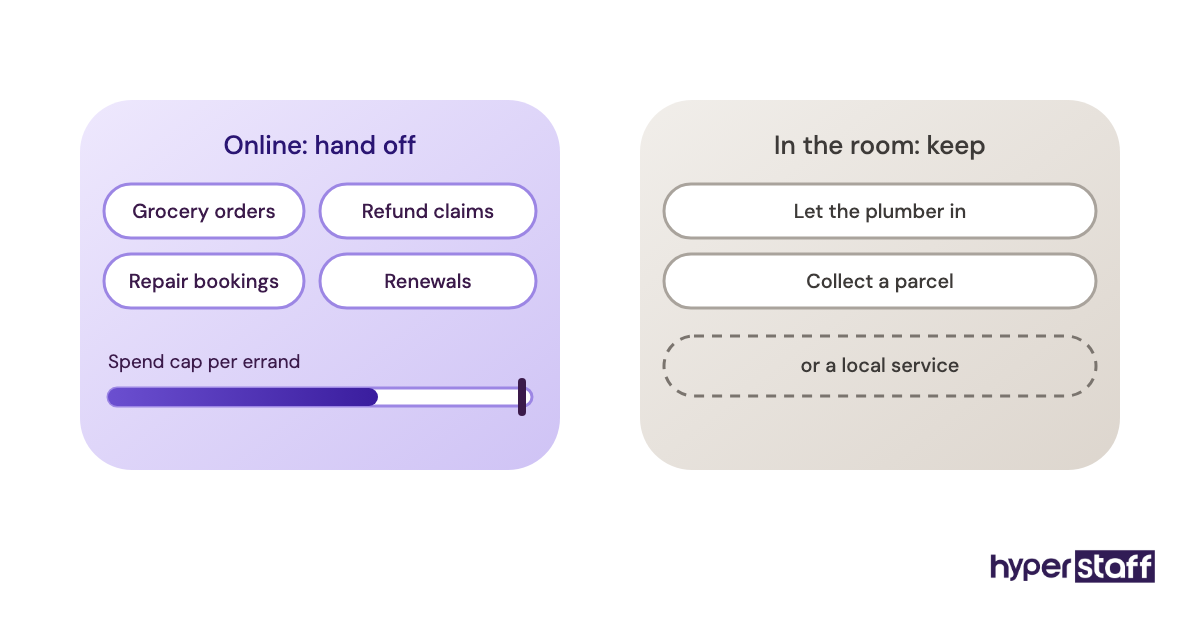
Personal errands that run online suit a remote assistant: grocery delivery orders, repair bookings, online returns, membership renewals and refund claims. Errands that need someone in the room stay with you or a local service.
What to list before handing off errands
Keep one running list so nothing lives only in your head.
- Recurring orders and their schedule
- Vendors and contractors they may contact
- Delivery address and access notes
- A spend cap per errand
- Where receipts get saved
Why small errands cost more than they look
Each errand is small, but the switching cost adds up. A ten-minute refund call can wreck an hour of focused work once you count getting back into it.
Switching cost is usually what tips the math when people ask whether a personal assistant is worth it. Hold-music errands are the easiest ones to give away.
Done when errands close without a reminder
Refunds land, renewals go through and repair slots get booked, all logged on the running list. You hear about an errand only when it breaks the spend cap.
Checkbox 6: Can your assistant pay bills inside clear limits?
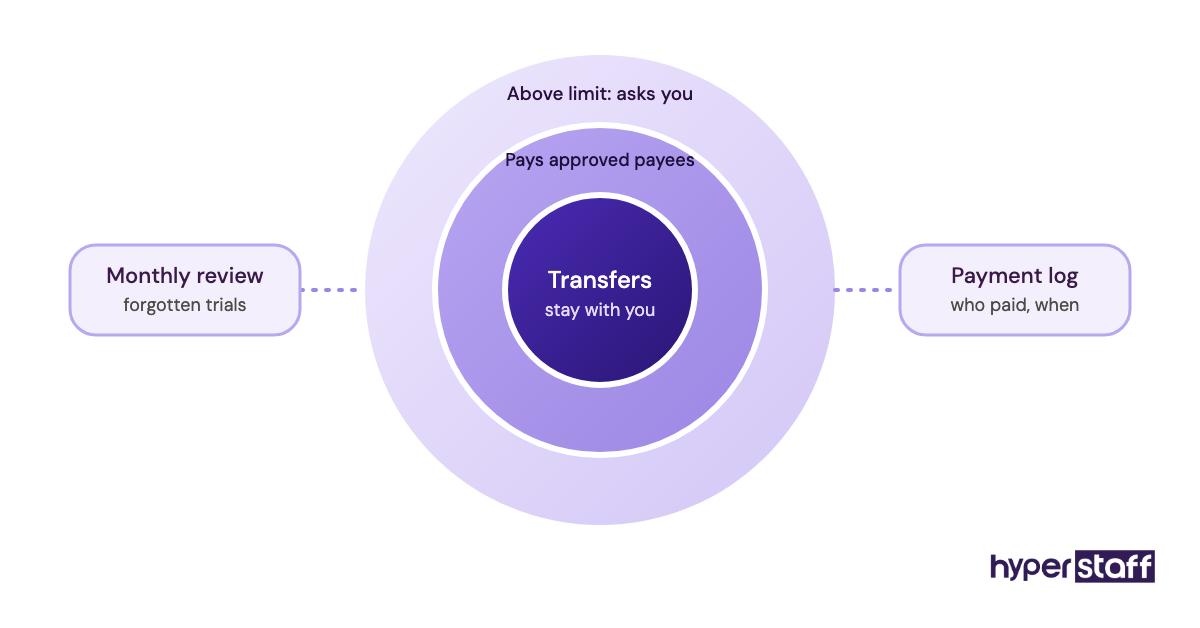
Bill pay and subscription audits are safe to delegate when the assistant can pay approved payees but can't move money anywhere else. Many banks let you add a view-only or bill-pay user, and that tier is the one to use.
Handing over full banking access on day one is one of the common personal assistant mistakes. Limits first, trust second.
What to set before any money task
Agree on these in writing before the first payment goes out.
- A limited user role at your bank
- A list of approved payees
- A payment size that needs your OK
- A monthly subscription review
Why limits protect both of you
A payment limit protects you from mistakes and protects the assistant from blame. When something odd posts, the log shows who paid what and when.
Subscription reviews tend to turn up forgotten free trials and duplicate plans. Nobody checks for them until someone is paid to look.
Done when a month of bills pays itself
Every bill on the list is paid before its due date for one full month. You get a short summary of what went out and which subscriptions were cut.
Checkbox 7: Who follows up with your clients and contacts?
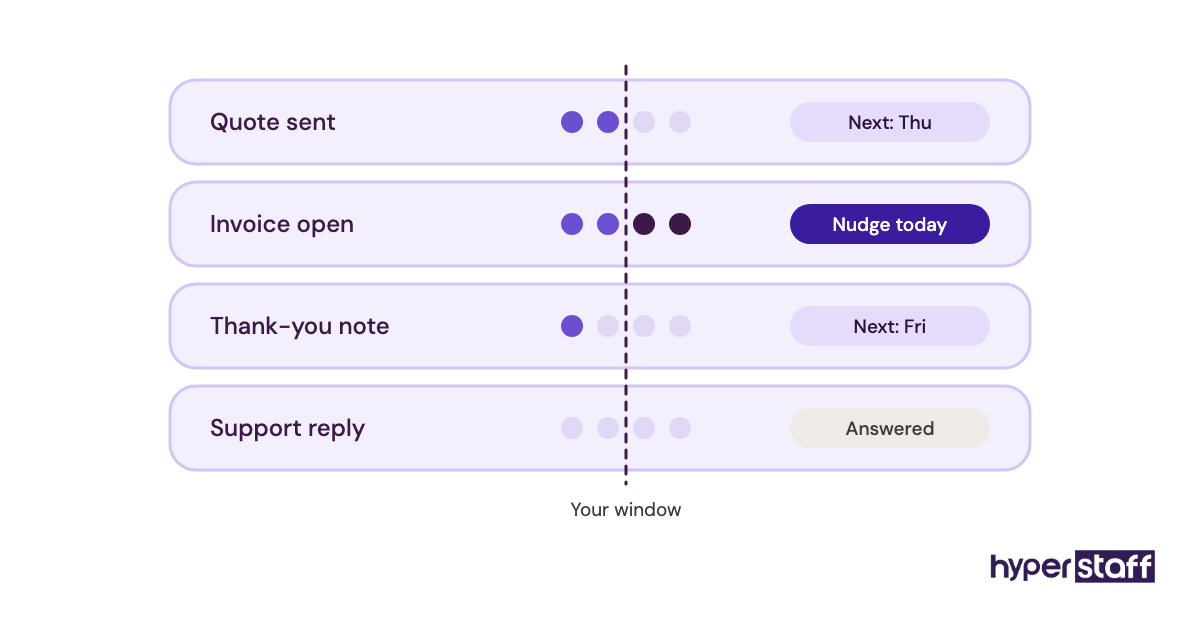
Client follow-ups, thank-you notes, invoice reminders and support replies count as personal virtual assistant tasks too. The role covers customer support, lead generation and operations work, well past inbox and calendar admin.
Plenty of owners run personal and business admin through one assistant. It works when the rules for each side live in separate sections of the process file.
What to check in your follow-up system
Pull every open conversation into one list with a date beside it.
- Contacts with a last-touch date
- Templates for frequent replies
- When unpaid invoices get a reminder
- Support questions they can answer alone
- When to pull you in
Why follow-ups slip without an owner
Follow-ups die in the gap between "I'll send that" and sending it. An assistant with a dated follow-up list closes that gap because it's written into their job.
Spell this support work out in the personal assistant job description so candidates know it's part of the role. Candidates hired for calendar work alone sometimes balk at chasing invoices.
Done when nothing waits past two days
Every open thread has a next date, and nothing sits unanswered past the window you set. Overdue invoices get a polite nudge you never had to write.
Checkbox 8: Is research and lead work on the list?
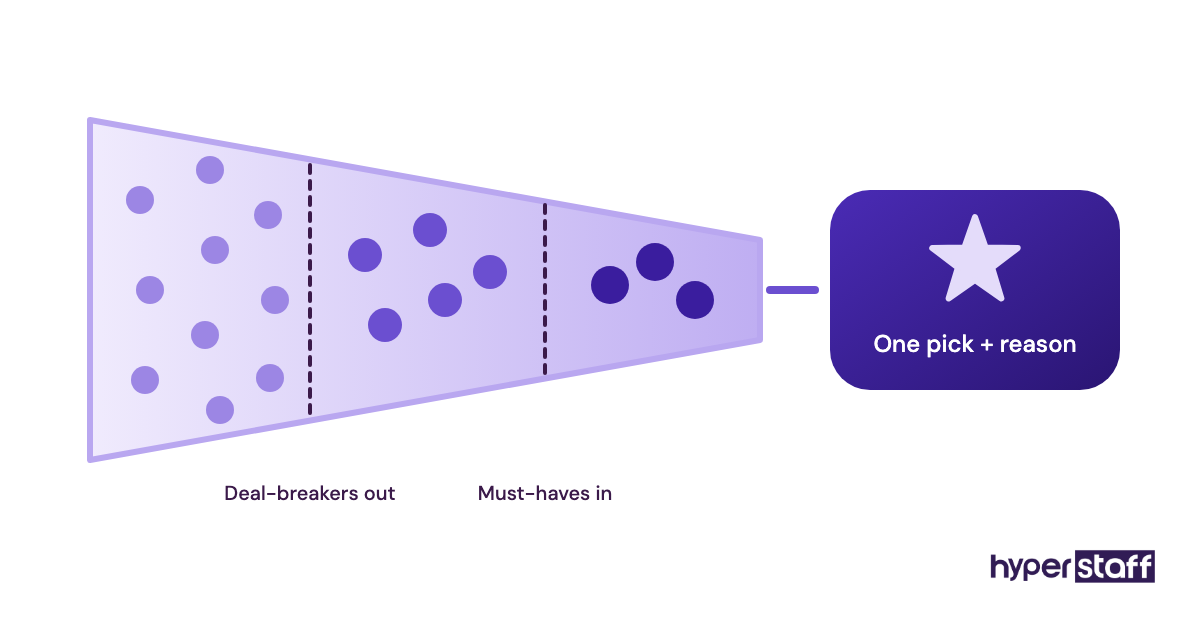
Research suits a personal assistant well: comparing contractors, shortlisting schools or gyms, finding event venues or pulling leads into a CRM. The output should be a summary you can decide from.
What to include in a research brief
A two-line brief saves hours of wandering.
- The decision the research supports
- Must-haves and deal-breakers
- How many options you want back
- The format, such as a table or short memo
- A deadline
Why open-ended research burns hours
Open-ended research is where assistant hours disappear, because there's always one more site to check. A brief with a decision and a deadline caps the effort at what the choice is worth.
Lead lists follow the same logic. A target profile and a weekly number keep the CRM clean instead of padded.
Done when you can decide in five minutes
The summary lands with a recommendation and its reasons. You make the call without opening a single link.
A paid research test is one of the sharper interview questions for personal assistants. It shows how a candidate thinks before you hand them anything real.
Checkbox 9: What should the weekly reset cover?
A weekly reset is a 20-minute review where you and the assistant close last week, set next week and update the written process. Skip it and small errors repeat until they turn into habits.
What to review every week
Use the same agenda each time so the meeting stays short.
- Open tasks and blockers
- New rules from this week's mistakes
- Next week's calendar and travel
- Hours used against the monthly bundle
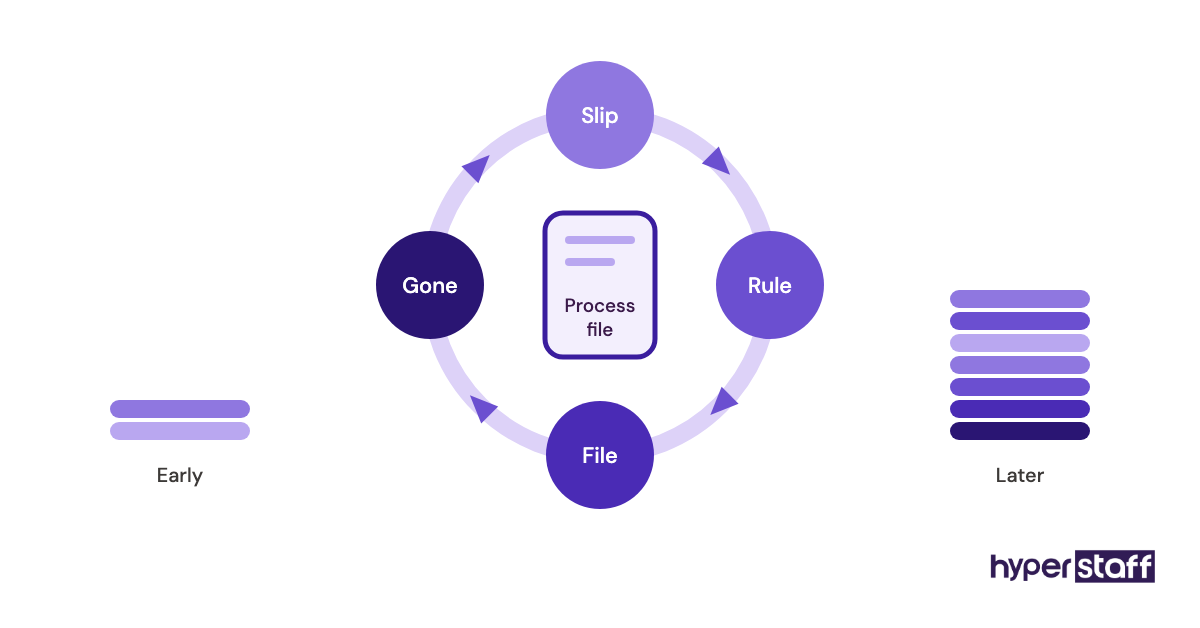
Why the process file outlasts any one assistant
Every rule you write down goes into the Operations Vault, the SOP file we maintain for each Hyperstaff client. If an assistant ever needs replacing, the next one is briefed from that file within 5 to 7 business days at no cost.
| Cadence | Typical personal assistant tasks |
|---|---|
| Daily | Inbox rules, calendar requests, client replies, delivery tracking |
| Weekly | Next week's schedule, follow-up list, research briefs, the reset call |
| Monthly | Bill run, subscription review, travel profile updates, hours check |
| As needed | Trip booking, refunds, repair bookings, lead list builds |
A 40-hour monthly bundle works out to about 10 hours a week, which in our experience covers inbox, calendar and errands for one person. Travel-heavy schedules or client follow-up work usually move people to the 80-hour bundle.
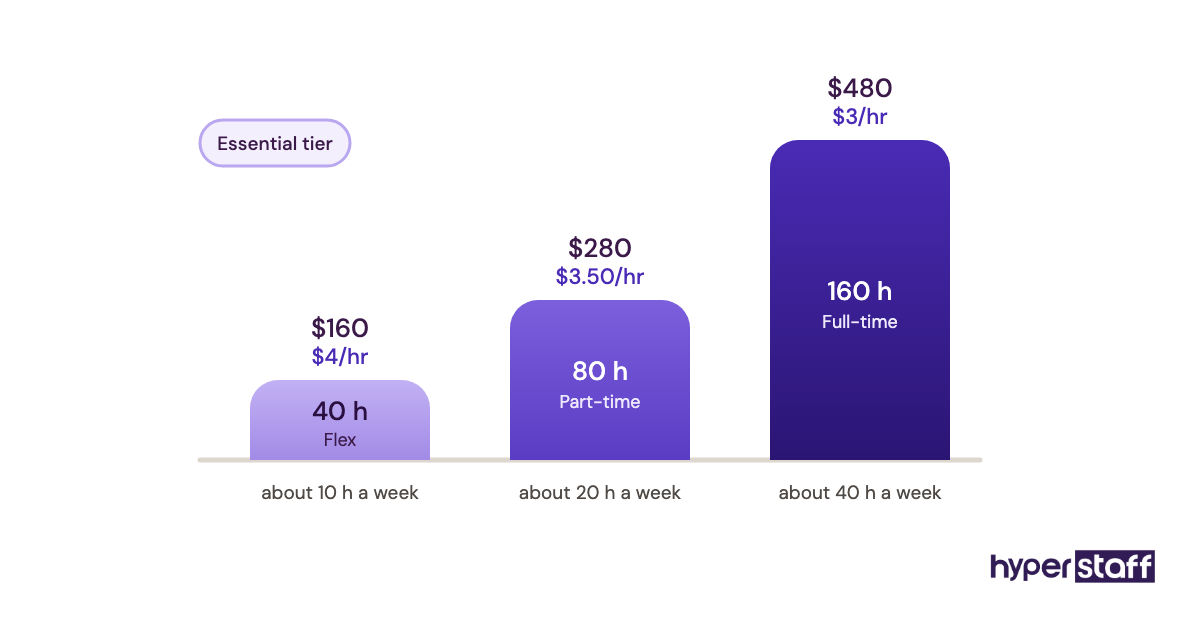
Hours and tier together set the personal virtual assistant cost, starting at $3/hour on the Essential tier. Those rates sit at the center of any virtual vs in-house assistant comparison.
Done when the week runs from the file
The assistant can run a full week from the written process with you offline for a day. Any new rule from the review is in the file before Monday.
Disclaimer: This article is for general information only and does not constitute legal, financial or security advice. Hyperstaff is not responsible for decisions made based on this content; consult a qualified professional before granting account or banking access to any third party.
Common questions
What tasks should I not give a personal virtual assistant?
Keep anything that needs you in person, legal signatures, medical decisions and large money transfers. Those belong with you or a licensed professional, and a remote assistant can still book the appointments around them.
How many hours a week do personal assistant tasks take?
It depends on how many areas you hand off. Inbox, calendar and errands often fit in about 10 hours a week, while adding travel and client follow-ups pushes most people toward 20 hours or a full-time 160-hour bundle.
Can a personal virtual assistant make phone calls for me?
You can have them call vendors, book appointments, chase refunds and confirm reservations. Some banks and utilities only speak to the account holder, so add the assistant as an authorized contact where the company allows it.
Can one assistant do both personal and business tasks?
Yes, and many owners prefer one person who knows both sides. Keep separate sections in the process file and separate logins, so personal accounts never mix with company ones.
Does a time zone difference make personal VA tasks harder?
Not if you set a two- to three-hour overlap for live questions. The gap helps with overnight work like inbox triage and research, which can be finished before your morning starts.
Book a free 15 min call
We place a pre-vetted specialist in 5 business days, fully managed, from $3/hour.