Shopify virtual assistant tasks: a 9-point checklist for store owners
Nine checks that show whether the work you hand a Shopify virtual assistant is set up to protect revenue or quietly leak it.
On this page
- Checkbox 1: Does your VA log in with their own staff account?
- Checkbox 2: Who clears the unfulfilled order queue each morning?
- Checkbox 3: Is "continue selling when out of stock" switched on by accident?
- Checkbox 4: Do your product tags still feed the right collections?
- Checkbox 5: How much can your VA refund without asking you?
- Checkbox 6: Is someone watching chargeback deadlines?
- Checkbox 7: Are old discount codes still live?
- Checkbox 8: Theme edits and app changes, logged before they go live
- Checkbox 9: Could a new VA run your store from your notes alone?
- FAQs
💡 Key Takeaways:
1) Shopify virtual assistant tasks go well past order admin and reach into inventory control, customer support, chargeback evidence, discount audits, catalog upkeep and theme change logs.
2) The tasks that protect the most revenue are the unglamorous ones, like turning off accidental overselling, retiring leaked discount codes and answering disputes before Shopify's deadline.
3) Every task on the list needs a written limit and a clear finish line, or the assistant either escalates everything or makes calls that belong to the owner.
Keep more of every order you make
Hyperstaff has placed 70+ pre-vetted virtual assistants with 30+ clients, and our dedicated Shopify virtual assistant services put one specialist on your store in 5 business days. Rates start at $3/hour, a dedicated account manager stays with you, and work starts the day after a 30-minute kickoff call.
Checkbox 1: Does your VA log in with their own staff account?
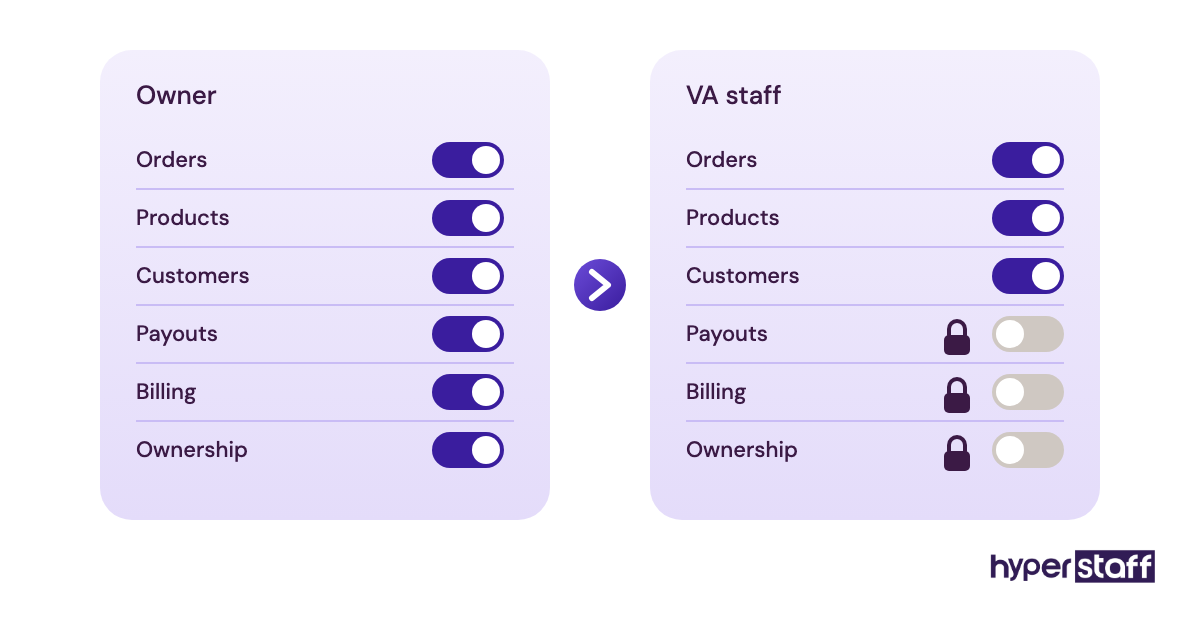
A Shopify virtual assistant needs a staff account, created under Settings, then Users and permissions, with only the permissions their tasks require. Sharing the owner login is the most common setup we see on day one, and it's the first thing to change.
The role itself spans far more than order admin, and our explainer on what a Shopify virtual assistant is lays out the full scope. Whatever that scope ends up being on your store, access decides how much of it the VA can do safely.
What to check on access
Open the VA's staff account and compare it against their task list:
- A named staff account exists for the VA, with no shared password in play
- Permissions cover orders, products and customers only where tasks need them
- Payouts, billing and store ownership settings stay owner-only
- Two-step authentication is on for the VA's login
- Third-party apps the VA uses are reached through that same account
Why separate logins pay off later
Order timelines in Shopify record which staff member made a change. On a shared login, every refund, edit and cancelled order carries your name, so a mistake can't be traced and a pattern can't be spotted.
Offboarding is the other cost. Removing a staff account takes one click, while a shared password means changing it on Shopify and every app that stored it. Access setup is step one of onboarding a Shopify virtual assistant, and it's the step most often rushed.
You're done when
The VA can log in, do every task on their list and hit a wall the moment they try to open billing or payouts. Ask them to try it once while you watch.
Checkbox 2: Who clears the unfulfilled order queue each morning?
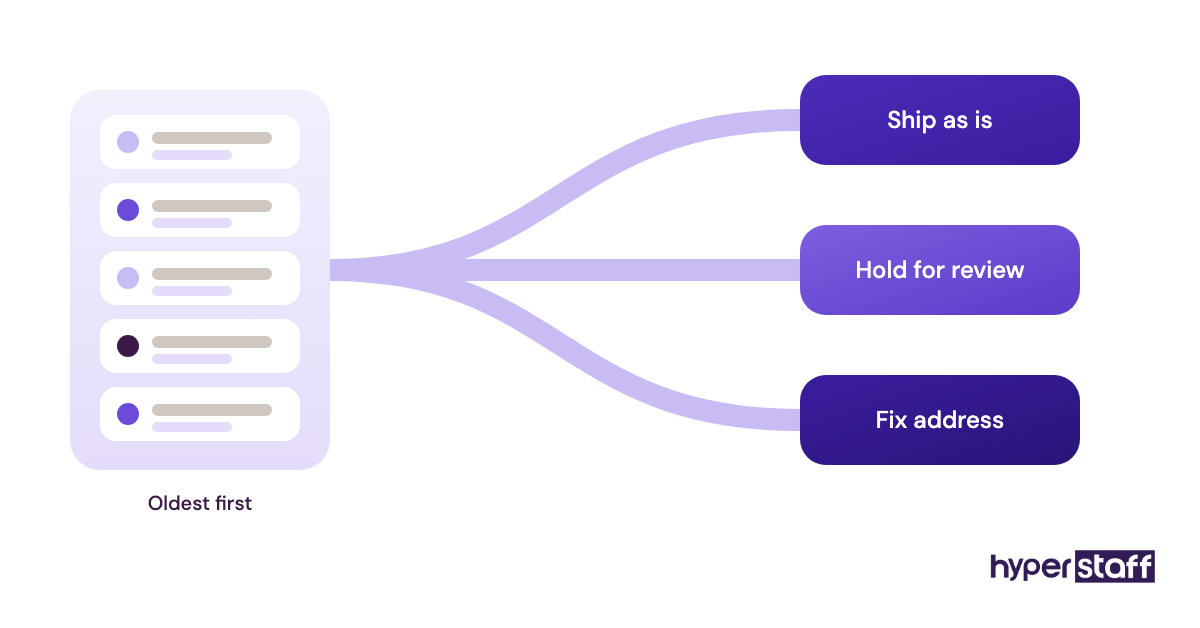
Order triage is a daily pass through unfulfilled orders to catch anything that shouldn't ship as is. A Shopify VA reviews fraud flags, bad addresses and stuck orders before the courier cutoff, so problems get fixed while they're still cheap.
Items to verify in the queue
Sort unfulfilled orders oldest first and work down:
- Shopify's fraud analysis on each order, with medium and high risk held for review
- Shipping addresses with missing unit numbers, typo'd postcodes or PO boxes your courier won't deliver to
- Orders on hold or partially fulfilled, and the reason for each
- Orders containing an item that sold out after checkout
The cost of skipping it
Fulfilling a high-risk order that turns out to be stolen card use costs you the product, the shipping and a chargeback fee. Automation can auto-fulfill clean orders, but edge cases like a mismatched billing country still need a person to read them.
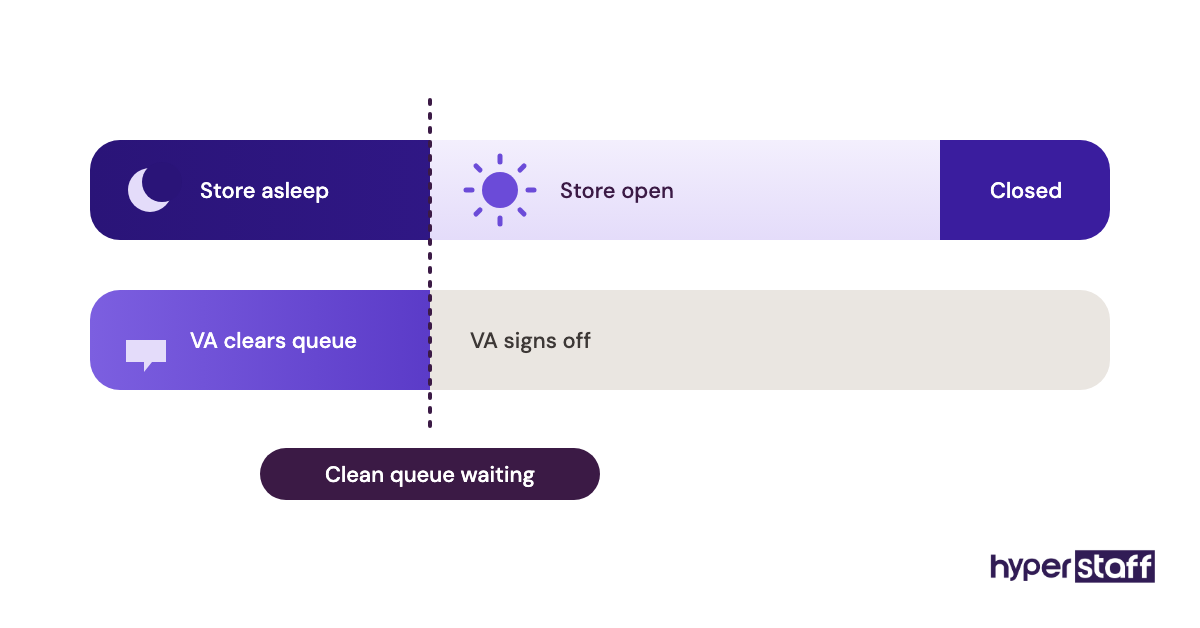
Time zones work in your favour here. A VA in the Philippines or India can clear the queue before a US store opens, and that coverage is one honest point in the Shopify virtual assistant vs in-house comparison.
Finished when
By a fixed time each day, the queue is empty or every remaining order has a note on its timeline explaining why it's waiting.
Checkbox 3: Is "continue selling when out of stock" switched on by accident?
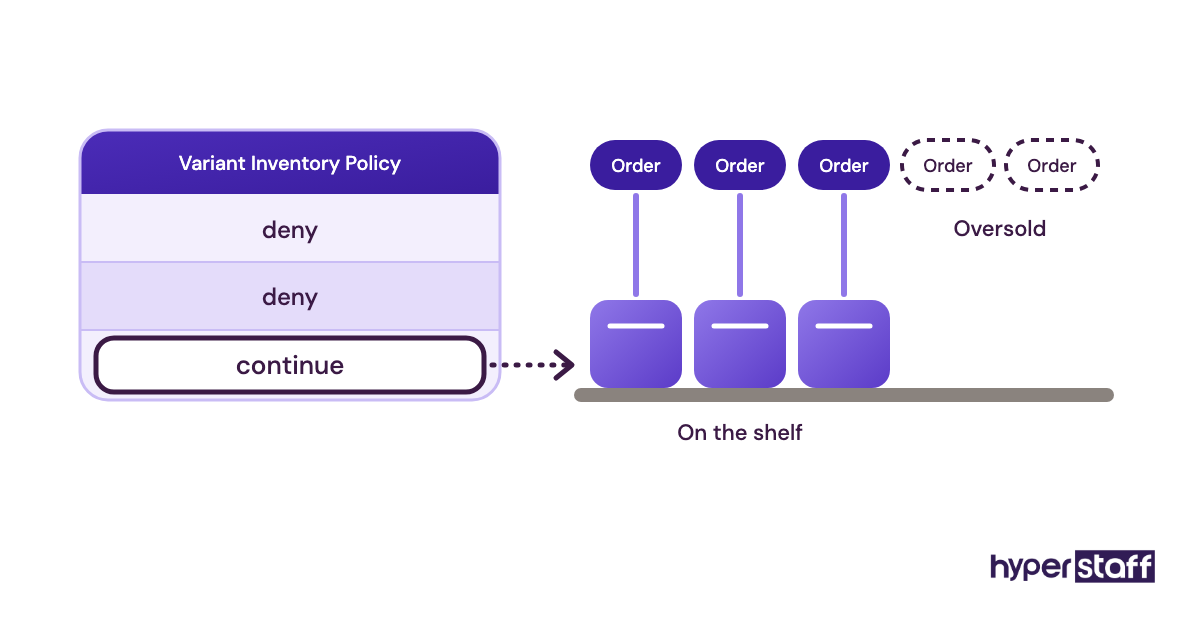
Overselling on Shopify usually comes from one checkbox. Each variant has a "continue selling when out of stock" setting, and when it's on by mistake, customers can buy stock you don't have.
What to look at in inventory
Filter the product list and check stock against reality:
- Variants with overselling turned on, and whether each one is a real preorder
- Shopify counts compared with your warehouse, 3PL or supplier figures
- Stock split across multiple locations, assigned to the right one
- Preorder items labelled clearly on the product page
- Low-stock variants that need a reorder note sent to you
- Bundles whose component counts have drifted from the bundle's own count
Why the checkbox costs money
Product CSV imports are the usual culprit. The Variant Inventory Policy column accepts "deny" or "continue," and a spreadsheet with the wrong value can flip hundreds of variants in one upload.
Nothing alerts you when it happens. The first sign is often a refund request and a one-star review from someone who waited two weeks for an item that was never in stock.
Sign-off point
A saved filter shows zero variants with overselling on, apart from the ones you've approved as preorders. Stock counts are reconciled weekly and the date of the last check is logged.
Checkbox 4: Do your product tags still feed the right collections?
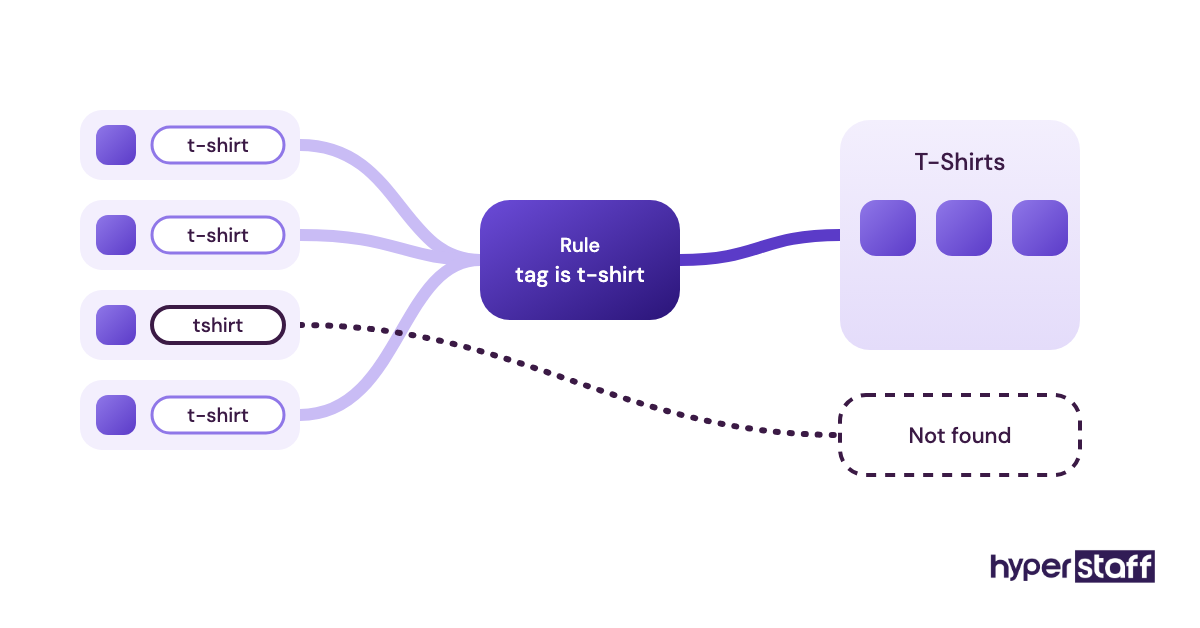
Automated collections in Shopify pull products in by conditions like tag, type or vendor. One mistyped tag, "tshirt" where the rule expects "t-shirt," and a product drops out of its collection, your menus and your filters.
Catalog hygiene is slow, detailed work. It also suits a VA well, because the rules are clear and mistakes are easy to spot once someone looks.
The catalog checks
Pick a sample of products each week and confirm:
- Tags and product types match the conditions your automated collections use
- SKUs and barcodes are filled in on every variant
- Product images carry descriptive alt text
- SEO titles and meta descriptions are written, not left as the default
- Option names stay consistent, so "Colour" isn't "Color" on half the range
What goes wrong without it
A product missing from its collection throws no error. It still has a live page, it just can't be found by anyone browsing your store, and sales on it fade without an obvious reason.
Accuracy on this kind of work is easy to test before you hire. A short catalog task in your Shopify virtual assistant interview questions shows more than any answer about attention to detail.
How you know it's done
Every active product appears in at least one collection, and a 10-product spot check turns up no missing SKUs, alt text or meta descriptions.
Checkbox 5: How much can your VA refund without asking you?
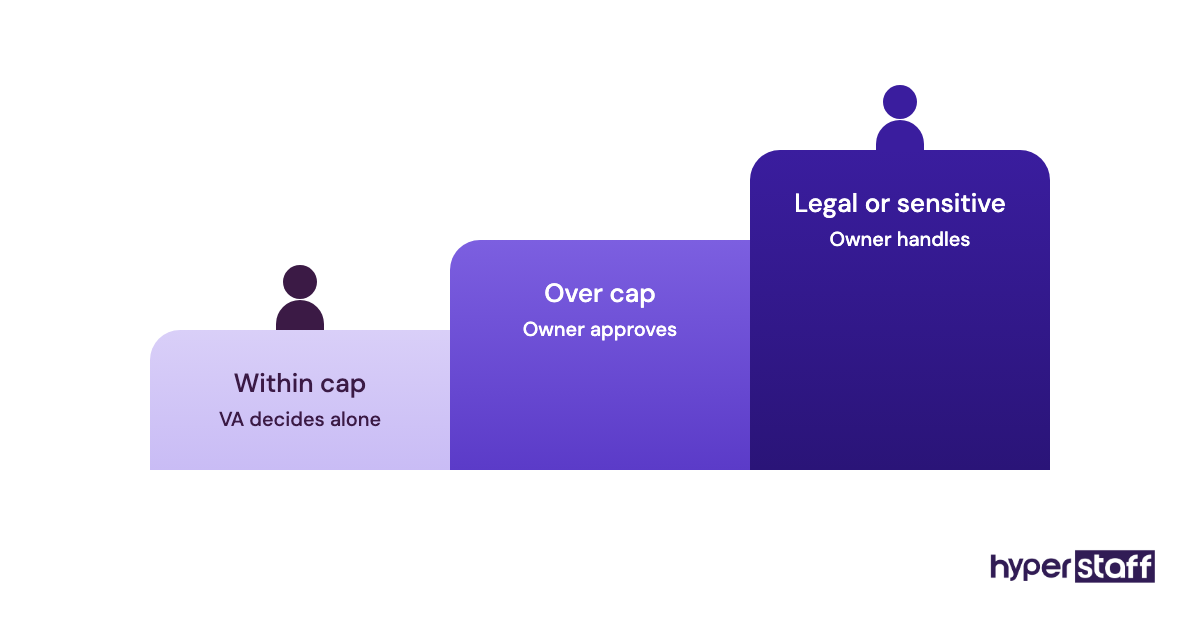
Customer support is where a Shopify VA saves the most hours, and where money leaks fastest without a written limit. Set a refund cap in dollars, plus a list of cases that always come to you.
What to set up in the inbox
Before the VA answers a single ticket, agree on:
- A refund and store-credit limit per order, in writing
- Saved replies for the top questions, starting with "where is my order"
- A target first-response time
- An escalation path for anything over the limit or legally sensitive
- Ticket tags by reason, such as damaged, late or wrong size
Why a number beats judgment calls
Without a cap, VAs drift to one of two extremes. Some refund freely to close tickets, and others escalate everything, which leaves you doing the support anyway.
Owners disagree on this one. Some never let a VA issue refunds, and for high-ticket stores that's a fair call; for stores with lots of low-value orders, a modest cap clears most tickets without you.
Tooling matters too. A helpdesk that shows the Shopify order inside the ticket, such as Gorgias, saves a VA from switching tabs on every reply, and our roundup of Shopify virtual assistant tools compares the options.
Done when
The refund limit and escalation list sit in a written SOP. Tickets are tagged, and you get the reason counts every week without asking.
Checkbox 6: Is someone watching chargeback deadlines?
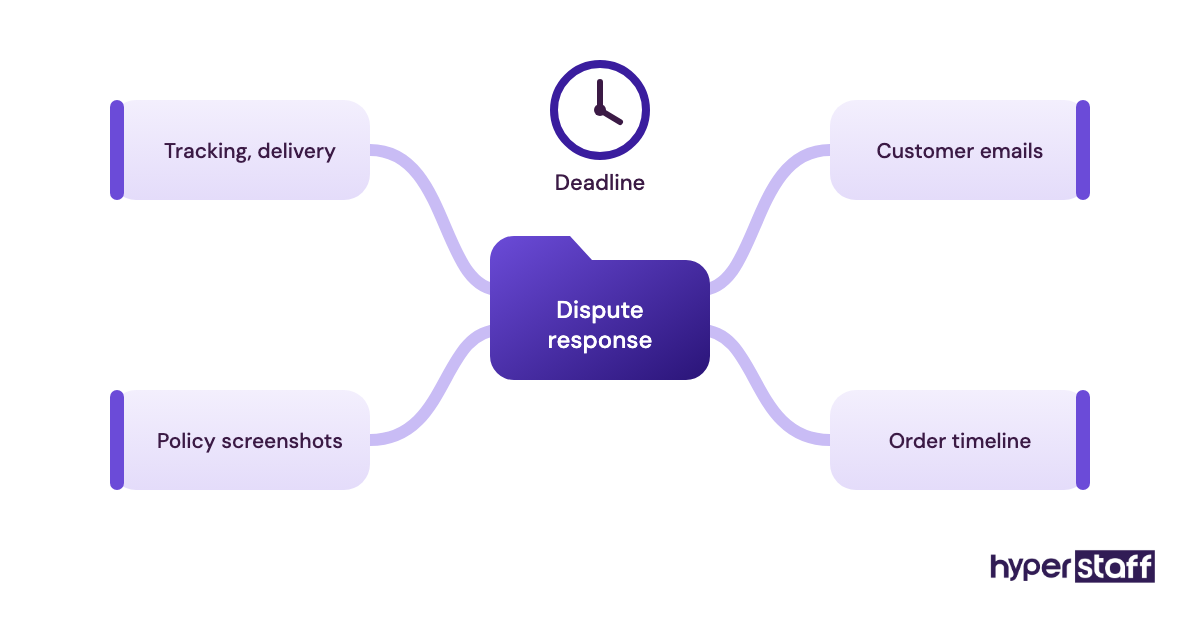
Shopify Payments shows a response deadline on every dispute, and missing it means losing the chargeback by default. Gathering the evidence is clerical work, which makes dispute prep one of the most useful Shopify virtual assistant tasks on this list.
What to gather for each dispute
The VA builds the response from what's already in your store:
- Tracking number and delivery confirmation, with signature if you have it
- Every email or chat with the customer about the order
- Screenshots of the product page and your refund policy as they stood at purchase
- The order timeline, including fraud analysis results
Why it's worth the effort
Evidence lives in four or five places, so disputes get left to the last day or skipped. A VA who checks the disputes page on a set schedule removes the deadline problem entirely.
Our confidence here has limits. "Item not received" disputes with signed delivery are often winnable, while "fraudulent transaction" disputes on stolen cards are frequently lost no matter how good the evidence is.
Wrapped up when
No dispute reaches its deadline without a submitted response. Evidence templates exist for each common dispute reason, so the next one takes minutes.
Checkbox 7: Are old discount codes still live?
Expired campaigns rarely expire on their own. Discount codes created without an end date keep working until someone disables them, and codes given to one influencer often end up on coupon sites within days.
What to audit in discounts and prices
Go through the Discounts page and your sale products:
- Active codes with no end date, and who asked for each one
- Combination settings, since Shopify lets product, order and shipping discounts stack
- Automatic discounts that overlap with a live code
- Compare-at prices left on after a sale ended
- Code usage counts that look high for the audience they were meant for
Why leaked codes hurt margin
A stacked discount on a thin-margin product can turn a sale into a loss. You'll see the revenue, but the margin damage only shows up when someone compares discount totals with gross sales.
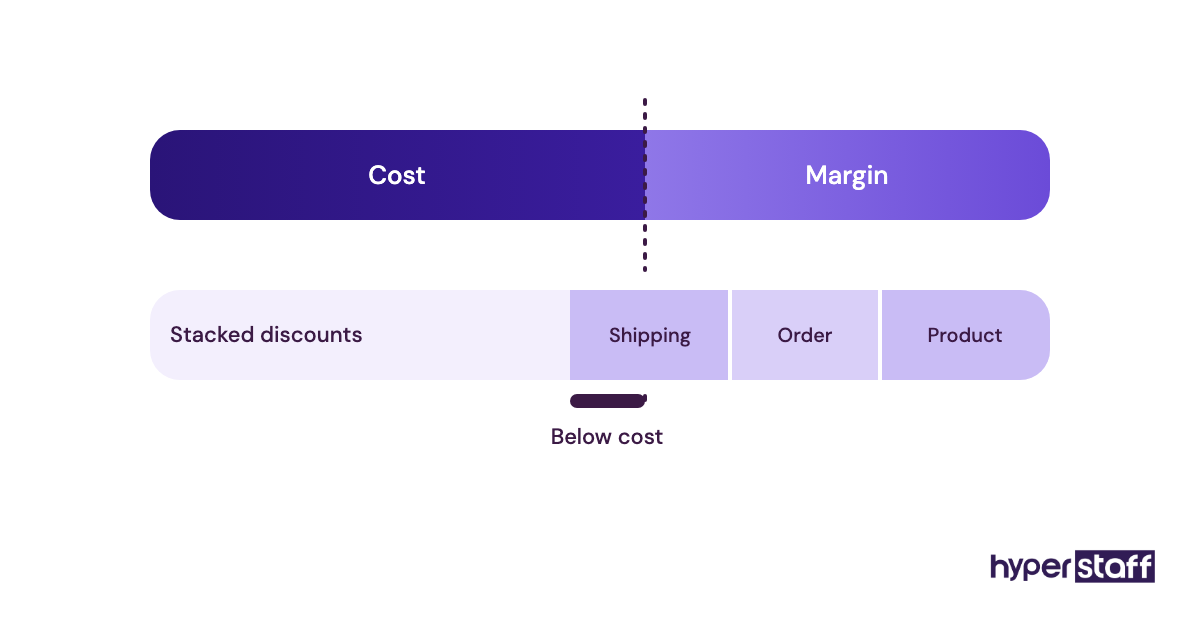
Stale compare-at prices cause a different problem. A permanent "sale" price trains repeat customers to ignore your real promotions.
Ready when
Every active discount has an owner and an end date. Compare-at prices are reviewed the day after each sale closes.
Checkbox 8: Theme edits and app changes, logged before they go live
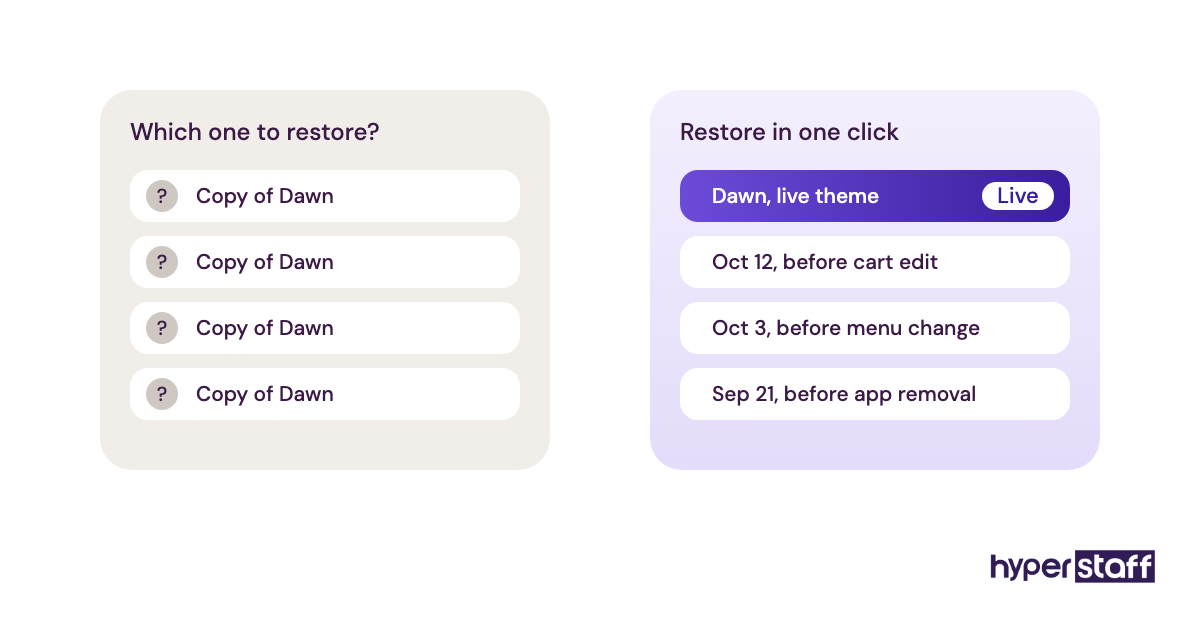
Theme and app work goes wrong in public. An edit made directly on the live theme can break the add-to-cart button for every visitor, and without a backup copy, rolling it back means guessing what changed.
Most of the damage we see on Shopify stores comes from small, unrecorded changes, and several of them feature in our list of common Shopify virtual assistant mistakes.
What to confirm before any change
A short routine before anyone touches the storefront:
- The live theme is duplicated, and edits happen on the unpublished copy
- Changes are previewed on mobile and desktop before publishing
- A change log records the date, what changed and why
- Code left behind by removed apps is flagged for cleanup
Why the log matters
Older apps often inserted code into theme files, and uninstalling the app didn't always remove it. Leftover scripts can slow pages or throw errors months later, and a change log is the only quick way to trace them.
App billing is the less obvious issue. Unused app subscriptions keep charging on your Shopify bill until someone uninstalls them, so a monthly app review belongs in the same routine.
Complete when
Every theme edit has a dated backup and a log entry. The app list has been reviewed this month, and anything unused is gone.
Checkbox 9: Could a new VA run your store from your notes alone?
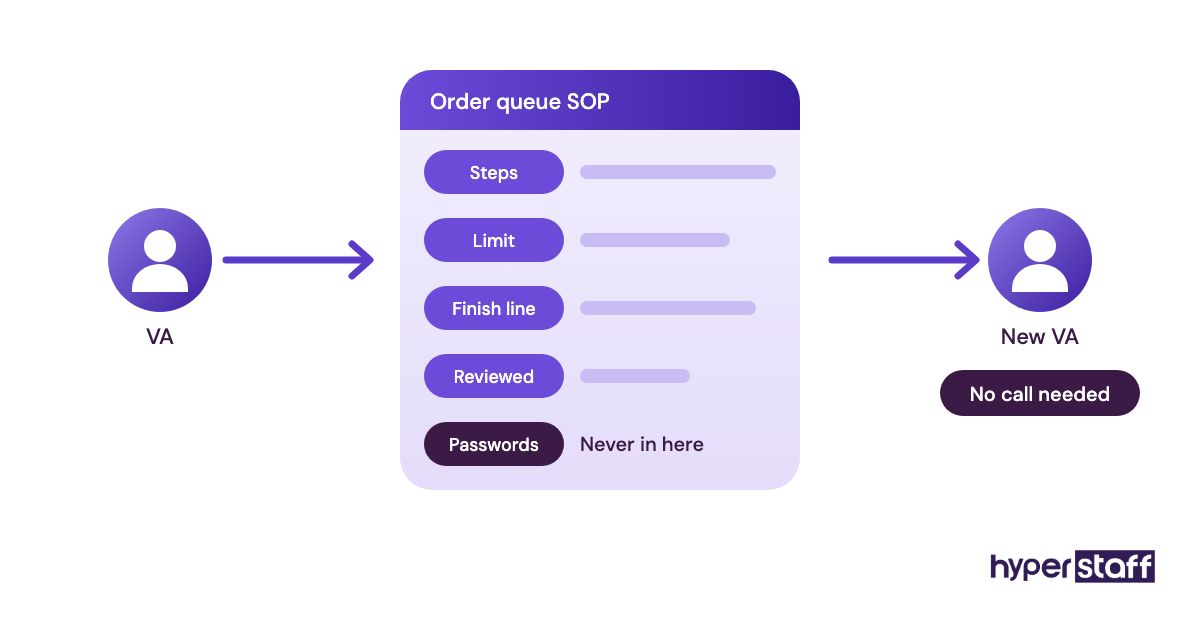
Written SOPs turn every task above into something a second person can pick up. If your VA were out tomorrow, the test is whether a replacement could clear the order queue, answer tickets and check disputes from your documents, without a call.
The task list in this post doubles as the core of a Shopify virtual assistant job description. Writing both at once saves doing the thinking twice.
What belongs in the docs
Keep it practical and current:
- One short SOP per recurring task, with the finish line from each checkbox
- Limits in writing, like the refund cap and the always-escalate list
- Apps and tools in use, with access granted through staff accounts and no passwords in the doc
- A weekly report template covering orders, tickets, disputes and stock
- Contacts for your 3PL, courier and app support
Why documentation is the real safety net
Hyperstaff keeps an Operations Vault for every client: your SOPs, tools and context, written down and maintained for you. If a placement ever doesn't work out, the free replacement arrives in 5 to 7 business days, briefed from that vault.
Hours are the other planning question. Monthly bundles of 40, 80 or 160 hours fit different store sizes, and our breakdown of Shopify virtual assistant cost shows how tier and hours change the total.
Whether the spend pays back depends on how much of this list you're doing yourself today. Our take on whether a Shopify VA is worth it walks through that trade-off, and the guide on hiring a Shopify virtual assistant covers what to do once you decide.
Done when
Someone who has never seen your store could run one full day from the docs. Each SOP shows a date from the last 90 days.
Disclaimer: This article is for general information only and isn't legal, financial or tax advice. Shopify features, settings and policies change, so check current details with Shopify and qualified advisors before acting. Hyperstaff accepts no liability for decisions made based on this content.
Common questions
How many hours a week does a Shopify VA need?
It depends on order volume and how many of these tasks you hand over. A store handing off daily order triage and support often starts with an 80-hour monthly bundle, while full catalog, dispute and theme work usually needs 160.
Can my Shopify virtual assistant run ads and email campaigns too?
You can add marketing to a Shopify VA's tasks if their skills match. Email flows, product launches and ad reporting are common additions, but an assistant strong in support isn't automatically strong in paid ads, so test that skill separately.
Should a Shopify VA have access to payouts?
No. Shopify lets you keep payouts, billing and ownership settings off a staff account, and those should stay with the owner. A VA can still prepare reports from order and sales data without seeing bank details.
Can one VA manage tasks across several Shopify stores?
Yes, if each store has its own staff account and its own SOPs. Problems start when stores share discount rules or suppliers and the VA mixes them up, so separate checklists matter more than extra hours.
Can a Shopify VA work while I'm asleep?
Yes. Hyperstaff places talent in the Philippines, Latin America, India, Eastern Europe and the United States, so you can pick a region whose working day covers your off hours, such as overnight order triage before a US store opens.
Book a free 15 min call
We place a pre-vetted specialist in 5 business days, fully managed, from $3/hour.