Amazon Virtual Assistant Job Description: A Template You Can Copy
A complete Amazon VA job description template, with notes on adapting each part to the way your store actually runs.

On this page
- What is an Amazon virtual assistant job description?
- Key Amazon VA job description terms you should know
- The Amazon virtual assistant job description template
- How do you adapt the template to your store, step by step?
- What types of Amazon virtual assistant roles can you hire for?
- How an Amazon VA job description differs from related roles
- What are the pros and cons of a detailed Amazon VA job description?
- Who needs a written Amazon VA job description?
- Amazon VA job description examples
- Which Amazon VA tools and software should the job description list?
- 9 proven Amazon VA job description tips
- Overcoming common Amazon VA job description challenges
- How to measure Amazon VA job description success
- How long does an Amazon VA job description take to work?
- How much does an Amazon virtual assistant cost?
- Is hiring an Amazon virtual assistant worth it?
- How do you choose an Amazon virtual assistant agency?
- Amazon VA statistics, trends and future predictions
- Amazon VA job descriptions and AI
- FAQs
💡 Key Takeaways:
1) An Amazon virtual assistant job description should name the exact Seller Central areas the person will own, such as listings, inventory, PPC, customer messages and account health, instead of a vague list of "Amazon tasks."
2) The strongest job descriptions state the tools, the weekly hours, the reporting line and two or three measurable KPIs, because candidates self-select far better when they can see how their work will be judged.
3) Access rules belong in the job description: an Amazon VA should work through a secondary user account with set permissions, never through the owner's primary login.
A Clear Job Description Protects Your Amazon Margins
A vague brief attracts generalists who learn on your ad budget, while a specific one brings in people who already know Seller Central. Hyperstaff has placed 70+ pre-vetted virtual assistants with 30+ clients, and our Amazon virtual assistant services start from $3/hour, with a dedicated specialist placed in 5 business days and an account manager on every client.
What is an Amazon virtual assistant job description?
An Amazon virtual assistant job description is the written brief that defines what a remote assistant does inside your Amazon seller account, which tools they use, how many hours they work and how you'll measure them. It doubles as your hiring filter and as the first page of their onboarding.
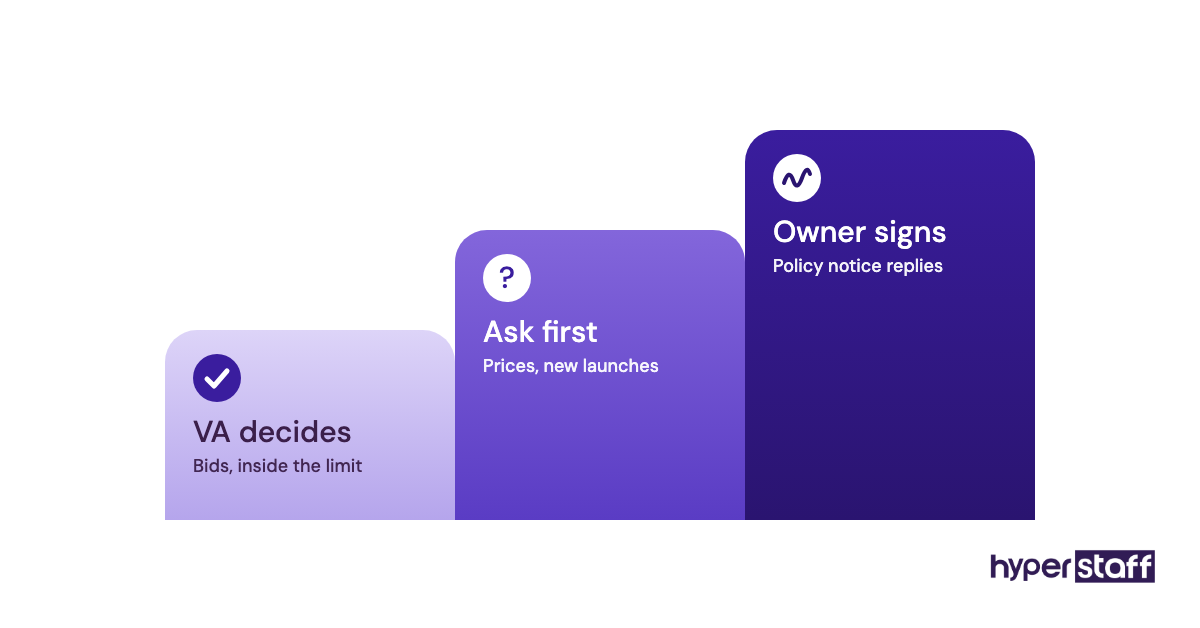
Most templates online stop at a bullet list of duties. A usable one also sets access permissions, reporting rhythm and decision limits, such as how much ad spend the VA can change without asking.
If you're still working out what the role is in the first place, our guide on what an Amazon virtual assistant does sets out the scope before you write anything down.
Key Amazon VA job description terms you should know
- Seller Central = Amazon's back office for third-party sellers, where listings, orders, inventory, ads and account health live.
- ASIN = Amazon Standard Identification Number, the unique ID for each product page in the catalog.
- FBA = Fulfillment by Amazon, where Amazon stores, picks, packs and ships your units from its warehouses.
- FBM = Fulfilled by Merchant, where you or a third-party warehouse ship orders yourselves.
- PPC = pay-per-click advertising inside Amazon, mainly Sponsored Products, Sponsored Brands and Sponsored Display campaigns.
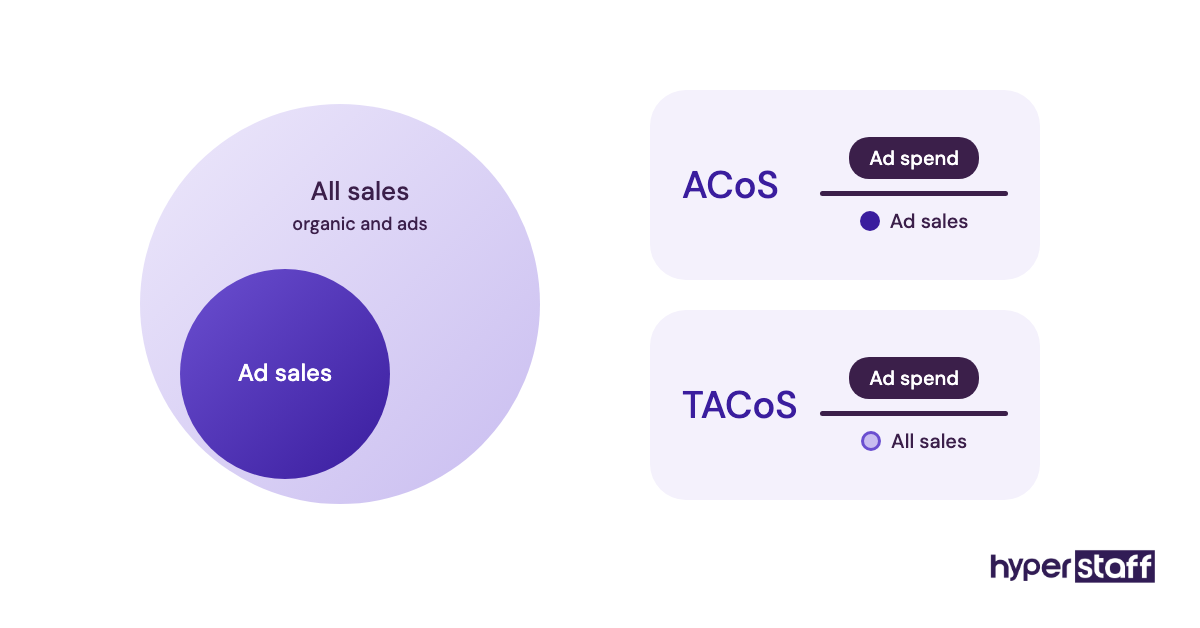
- ACoS = advertising cost of sale, ad spend divided by ad-attributed sales.
- TACoS = total advertising cost of sale, ad spend divided by all sales, organic included.
- Account Health Rating = Amazon's score for policy compliance, and the dashboard a VA should check daily.
- Buy Box = the "Add to Cart" placement on a product page, which goes to one seller at a time.
- A+ Content = the enhanced images and text modules brand-registered sellers can add below a listing.
- User permissions = Seller Central's setting that gives a secondary user view or edit rights per area.
- Flat file = the Excel or CSV upload template used to create or edit listings in bulk.
The Amazon virtual assistant job description template
Copy the job description template below and replace every bracketed part. Delete any section of duties your VA won't touch, since a shorter, honest list attracts better candidates than a long, padded one.
Job title: Amazon Virtual Assistant ([Listings and Operations] / [PPC] / [Account Management]), [part-time 80 hours a month / full-time 160 hours a month], remote
About us: [Brand name] sells [product category] on Amazon [marketplaces, e.g. US and UK] through [FBA / FBM / both]. We carry [number] active ASINs and ship about [number] orders a month.
About the role: You'll own the day-to-day running of our Seller Central account. You'll report to [name, title] and work [hours] per week, with at least [number] hours overlapping [time zone].
What you'll do:
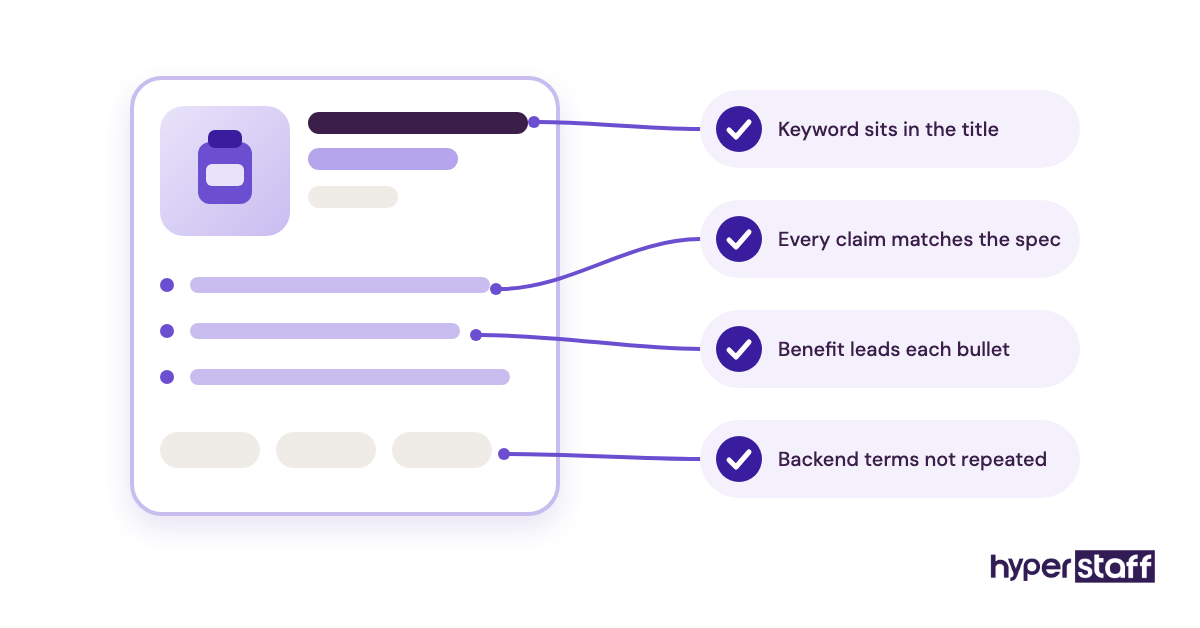
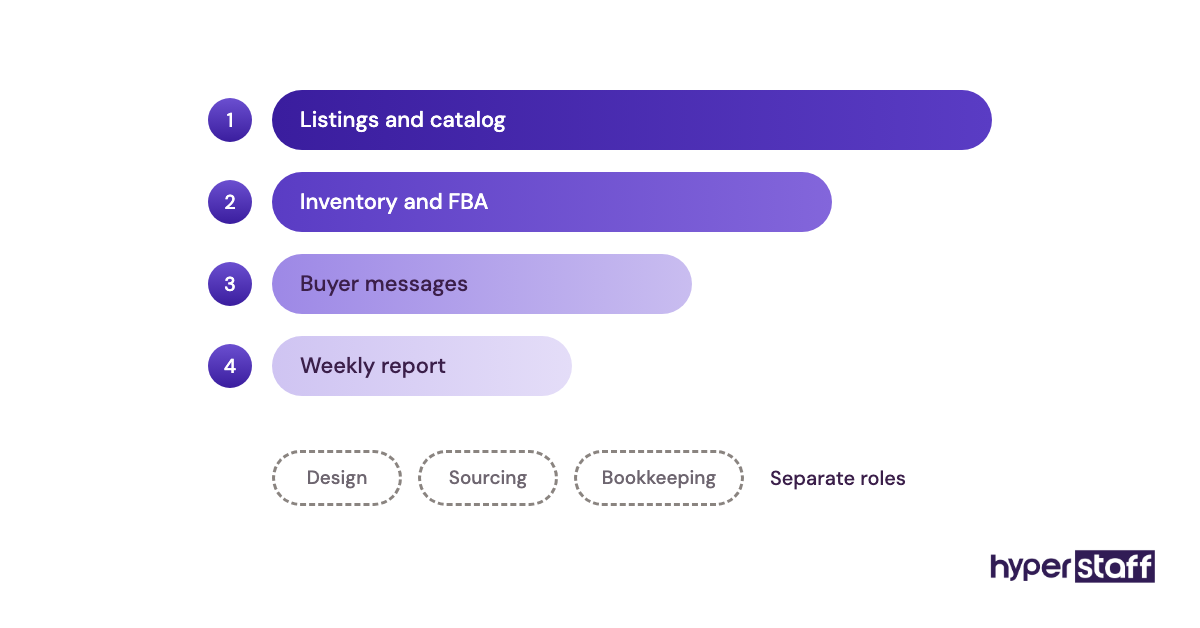
- Listings and catalog: create and update listings with flat files, fix suppressed or stranded listings, keep titles, bullets, images and backend search terms current.
- Inventory and FBA: track stock levels, build inbound shipment plans, flag reorders [number] days before stockout, reconcile FBA reimbursements.
- Advertising: manage Sponsored Products campaigns within an agreed budget, harvest search terms weekly, add negative keywords, report ACoS and TACoS.
- Customer service: answer buyer messages within 24 hours, handle return and refund requests, flag product-quality patterns from reviews.
- Account health: check the Account Health dashboard daily, respond to policy warnings, open and follow up Seller Support cases.
- Reporting: send a short weekly report on sales, ad spend, stock position and open issues.
Decision limits: You may change bids and budgets by up to [percentage] without approval. Price changes, new product launches and any reply to an Amazon policy notice need sign-off from [name].
Requirements: At least [number] years working in Seller Central; hands-on experience with FBA shipments and flat files; written English good enough to answer buyers and Seller Support; [PPC experience, if the role includes ads].
Nice to have: Brand Registry and A+ Content experience; experience with [Helium 10 / Jungle Scout / Data Dive]; basic image editing in Canva.
Tools you'll use: Seller Central, [Amazon research tool], [inventory tool], Google Sheets, [Slack / email], [project tool].
How we'll measure the role: buyer messages answered within 24 hours; zero stockouts on top [number] ASINs; ACoS held at or under [target]%; weekly report delivered every [day].
Access: You'll work through your own Seller Central user account with permissions set per area. We don't share the primary login.
Schedule and pay: [hours], [schedule], [rate or range].
How to apply: Send a short note with the Amazon stores you've worked on, then complete our paid test task: [e.g. rewrite one listing, or audit one ad campaign export].
Leave the placeholders you can't answer yet as open questions for the discovery call. Guessing at an ACoS target before you've seen 30 days of data tends to set the VA up to miss it.
How do you adapt the template to your store, step by step?
Adapting the template takes five passes: audit the work, pick the role type, set access, write measurable KPIs, then test with a real task. Each step removes one guess the candidate would otherwise make.
Step #1: List every Amazon task you did in the last two weeks
Pull the task list from your own calendar, inbox and Seller Central history, then mark each one daily, weekly or monthly. Our Amazon VA task checklist is useful for spotting anything you forgot, such as reimbursement claims.
Step #2: Choose one primary role type
Group the tasks and pick the cluster that eats the most hours. A single primary focus with one secondary area hires far better than a role spread across five specialties.
Step #3: Set access before you post
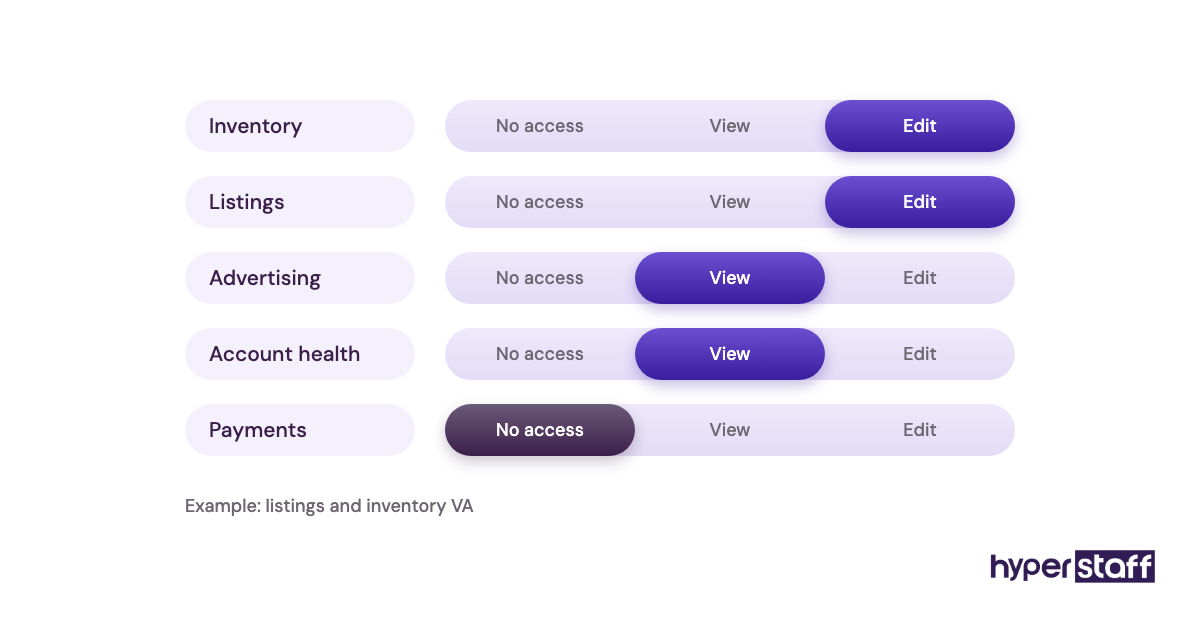
Decide which Seller Central areas get view rights and which get edit rights. Writing it into the job description tells candidates you run a tidy account, and good ones notice.
Step #4: Write two to four KPIs you can actually check
Pick numbers you already see in Seller Central or your ad console, such as message response time or ACoS. If you can't measure it in under five minutes a week, it won't get measured.
Step #5: Attach a paid test task
A short test, like rewriting one listing or auditing a campaign export, shows more than any résumé. Pair it with targeted Amazon VA interview questions about the exact areas in your brief.
What types of Amazon virtual assistant roles can you hire for?
Amazon VA roles split into five common types, each with its own core duties, tools and experience level. Match your job title to one of these so the right candidates recognise themselves in the first line.
| Role type | Core duties | Typical tools | Experience to ask for | Usual hours |
|---|---|---|---|---|
| Listings and catalog VA | Flat files, listing fixes, images, keywords | Seller Central, Excel, Canva | 1 to 2 years | 40 to 80 per month |
| Inventory and FBA VA | Shipment plans, reorder alerts, reimbursements | Seller Central, Google Sheets, inventory software | 1 to 3 years | 40 to 80 per month |
| Amazon PPC VA | Campaign builds, bids, search-term harvesting | Ad console, bulk sheets, PPC software | 2 to 5 years | 40 to 160 per month |
| Customer service VA | Buyer messages, returns, review monitoring | Buyer-Seller Messaging, helpdesk tool | 0 to 2 years | 40 to 160 per month |
| Product research VA | Niche checks, competitor tracking, supplier lists | Helium 10 or Jungle Scout, Alibaba | 2 to 5 years | 40 to 80 per month |
| Amazon account manager VA | All of the above, plus weekly reporting | Full tool stack | 5+ years | 160 per month |
How an Amazon VA job description differs from related roles
The Amazon VA brief is narrower than a general VA brief and broader than a single-channel specialist's. Getting the label right decides which candidate pool reads your post.
Amazon VA vs general virtual assistant
A general VA job description leans on inbox, calendar and admin work. An Amazon VA description names Seller Central, FBA and ad metrics, and should screen out people who have only seen the buyer side of Amazon.
Amazon VA vs Amazon PPC specialist
A PPC specialist brief is almost all advertising, with ACoS and TACoS targets at its centre. If ads are under a quarter of the hours, keep PPC as a secondary duty inside the Amazon VA description instead of hiring a pure ads role.
Amazon VA vs Shopify or ecommerce VA
Shopify work is about your own storefront, apps and email flows. Amazon work runs inside Amazon's rules, where one wrong listing edit can trigger a policy warning, so the requirements section needs Seller Central-specific experience.
What are the pros and cons of a detailed Amazon VA job description?
A detailed job description brings in better-matched candidates and speeds onboarding. The cost is time up front and a smaller applicant pool.
The benefits of a detailed job description
- Fewer applicants who've never opened Seller Central.
- Faster onboarding, since the brief becomes the first SOP.
- KPIs agreed before day one, so reviews aren't a matter of opinion.
- Clear decision limits on ad spend and pricing.
- Safer account access through defined user permissions.
The drawbacks of a detailed job description
- It takes two to four hours to write properly.
- Strict requirements can shrink the applicant pool.
- The brief goes stale when your catalog or channels change.
Who needs a written Amazon VA job description?
Any seller handing Seller Central access to another person needs a written Amazon VA job description, even for a 40-hour monthly role. The written version is what you'll point back to when a task falls between two people.
Brand owners with a handful of ASINs on FBA usually need one listings-and-inventory VA. Sellers running several marketplaces or hundreds of SKUs tend to need two narrower briefs, one for operations and one for ads, because one person rarely does both well at volume.
Amazon VA job description examples
The difference between a strong and weak job description line is usually one detail: a number, a tool or a limit. Below are lines lifted from the template, written well and written badly.
Good Amazon VA job description examples
A good responsibilities line
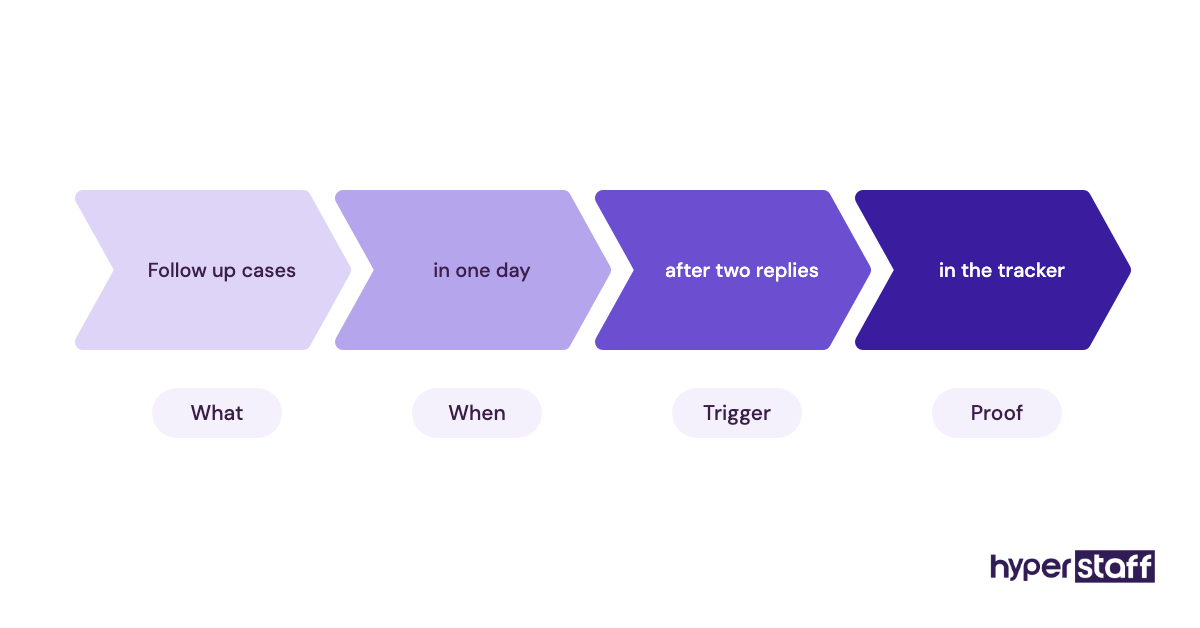
"Build FBA inbound shipment plans every Monday and flag any ASIN with under 30 days of cover." It names the task, the day and the trigger.
A good KPI line
"Answer buyer messages within 24 hours, including weekends." Amazon tracks message response time, so you can check it in Seller Central without asking the VA.
A good access line
"You'll get your own user account with edit rights to Inventory and Advertising, and view-only rights to Payments." Candidates with real Seller Central experience recognise this immediately.
Bad Amazon VA job description examples
A bad responsibilities line
"Manage all Amazon tasks as needed." Nobody can price, plan or test for that sentence, and every candidate will say yes to it.
A bad requirements line
"Must be an Amazon expert." Ask for years in Seller Central and the specific areas instead, then check them with a test task.
A bad access line
"Login details will be shared after hiring." Sharing the primary login gives full access to payments and settings, and logins from a new location can trigger extra verification on the account.
Most of these mistakes repeat across hires, and our list of common Amazon virtual assistant mistakes goes through the ones that cost sellers the most.
Which Amazon VA tools and software should the job description list?
The job description should list Seller Central first, then the research, advertising, inventory and communication tools your VA will log into in the first week. Naming them lets candidates flag gaps before the interview.
For product and keyword research, Helium 10 and Jungle Scout are the two names most Amazon VAs already know, and either is fine to list. Our opinion: list the one you pay for, and drop the other, because "Helium 10 or Jungle Scout" invites people who've only watched tutorials of both.
For ads, many sellers stay inside Amazon's own console and bulk sheets until spend justifies a third-party PPC tool. Google Sheets, Google Drive, Slack or email and a simple project board like Trello or Asana cover the rest, and our roundup of the best Amazon virtual assistant tools compares them in more detail.
9 proven Amazon VA job description tips
These tips come from what separates job descriptions that hire well from ones that need reposting.
- Put the role type in the job title, such as "Amazon VA, Listings and FBA."
- Rank duties by expected hours, largest first.
- State the monthly hours: 40, 80 or 160.
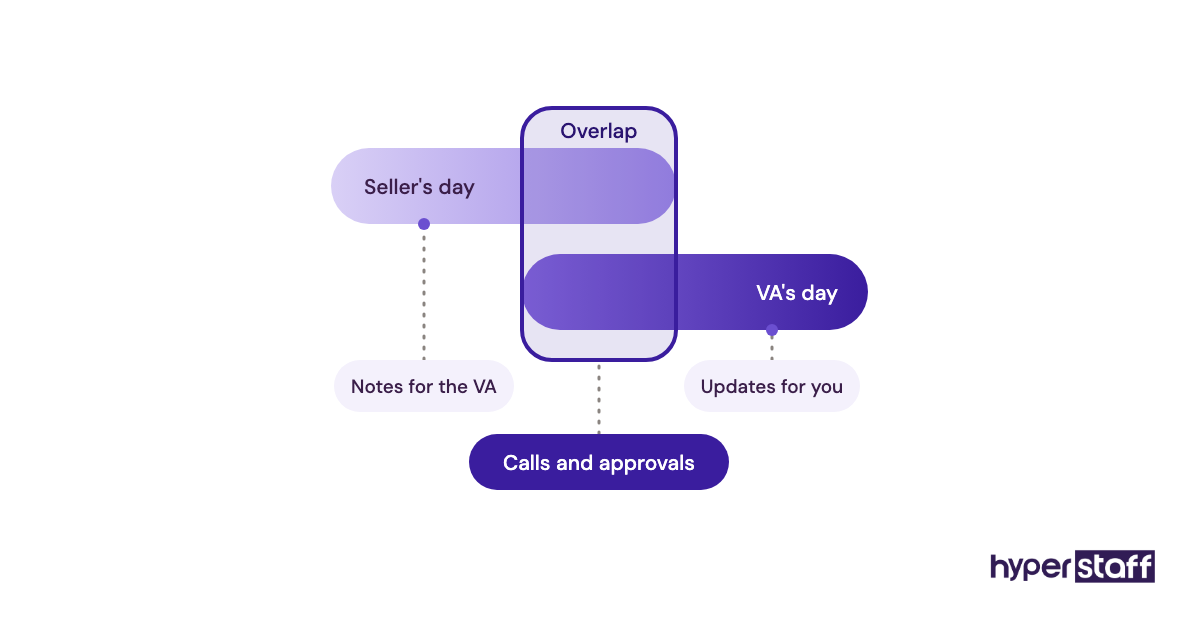
- Give the time-zone overlap you need, in hours.
- Write decision limits for bids, budgets and prices.
- Describe access as a user account with set permissions.
- Limit KPIs to two to four you can check yourself.
- Add a paid test task that matches the main duty.
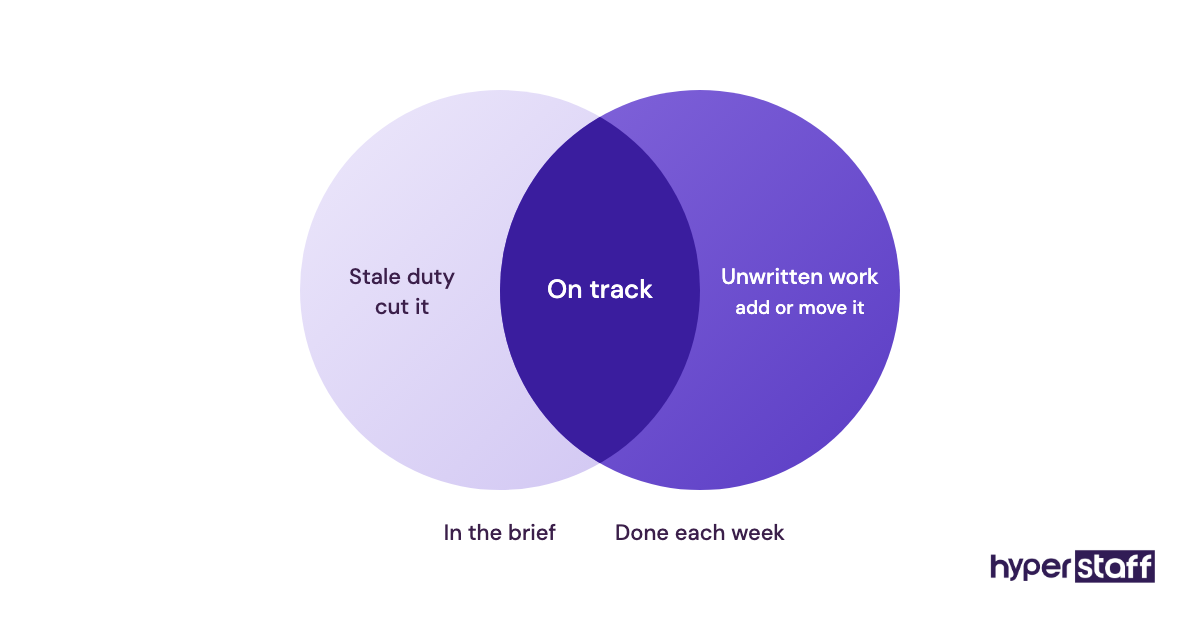
- Review the brief every quarter and cut duties that moved elsewhere.
Overcoming common Amazon VA job description challenges
The most common problem is a brief that's really two jobs. If ads and operations together need more than 160 hours a month, split them into two descriptions.
The second is scope creep after hiring, where design, sourcing and bookkeeping get added one request at a time. Write new duties into the brief before assigning them, and check that the hours still fit.
The third is stale requirements. Amazon changes Seller Central screens and policies often, so update tool and process details whenever your own workflow changes.
How to measure Amazon VA job description success
A job description works when it produces a hire who hits the KPIs it names within the first 60 to 90 days. Track the share of applicants who pass your test task as an early signal.
After hiring, compare the brief with what the VA actually does each week. If more than a few hours a week fall outside the written duties, the brief needs updating, and if the KPIs are met but the account still feels messy, the KPIs are measuring the wrong things.
How long does an Amazon VA job description take to work?
Writing the brief takes two to four hours, and a placement through Hyperstaff takes 5 business days. Hiring on your own usually takes longer, since you screen every applicant yourself.
Expect the first two to four weeks to go on account familiarisation, and our guide to onboarding an Amazon virtual assistant sets out that period week by week. KPIs set in the brief are fair to judge from around the second month.
How much does an Amazon virtual assistant cost?
An Amazon virtual assistant through Hyperstaff costs from $3 to $12+ per hour depending on experience, against roughly $45,000 to $70,000 a year in salary for a comparable in-house US hire before benefits. The table compares monthly totals.
| Option | Experience | Hourly rate | 80 hours a month | 160 hours a month |
|---|---|---|---|---|
| Hyperstaff entry tier | 0 to 2 years | From $3 | From $240 | From $480 |
| Hyperstaff Professional | 2 to 5 years | From $6 | From $480 | From $960 |
| Hyperstaff Expert | 5+ years | From $12 | From $960 | From $1,920 |
| In-house US hire | 2 to 5 years | About $22 to $34, before benefits | Rarely offered part-time | About $3,700 to $5,800 in salary alone |
Quarterly billing with Hyperstaff saves 10%, and the full Amazon VA cost breakdown goes through freelancer and agency rates as well.
Important: Hyperstaff prices above are averages, not fixed quotes. Your actual cost depends on the hours, experience level and duties in your job description.
Is hiring an Amazon virtual assistant worth it?
Yes, hiring an Amazon virtual assistant is worth it when the job description hands over work you can measure, because every hour the VA takes is an hour of the owner's time returned to product, supply and growth decisions. Done right, it's one of the cheapest ways to add operating capacity to an Amazon business.
Here's an example calculation. Say a seller spends 20 hours a week on listings, shipments and buyer messages, roughly 80 hours a month, and a Professional-tier VA takes that over at $6/hour, so the monthly cost is about $480.
If the seller values their own time at $50 an hour, those 80 hours are worth $4,000 a month. Even with 10 hours a month of management and review, the seller recovers around 70 hours for about $480, before counting any revenue from fewer stockouts.
The maths only holds when duties and KPIs are written down. Our longer piece on whether an Amazon virtual assistant is worth it looks at the cases where it isn't.
How do you choose an Amazon virtual assistant agency?
Choose an agency that will read your job description and place someone with matching Seller Central experience, not just the next available person. Ask how they vet Amazon skills, how fast they replace someone, and who keeps your processes documented.
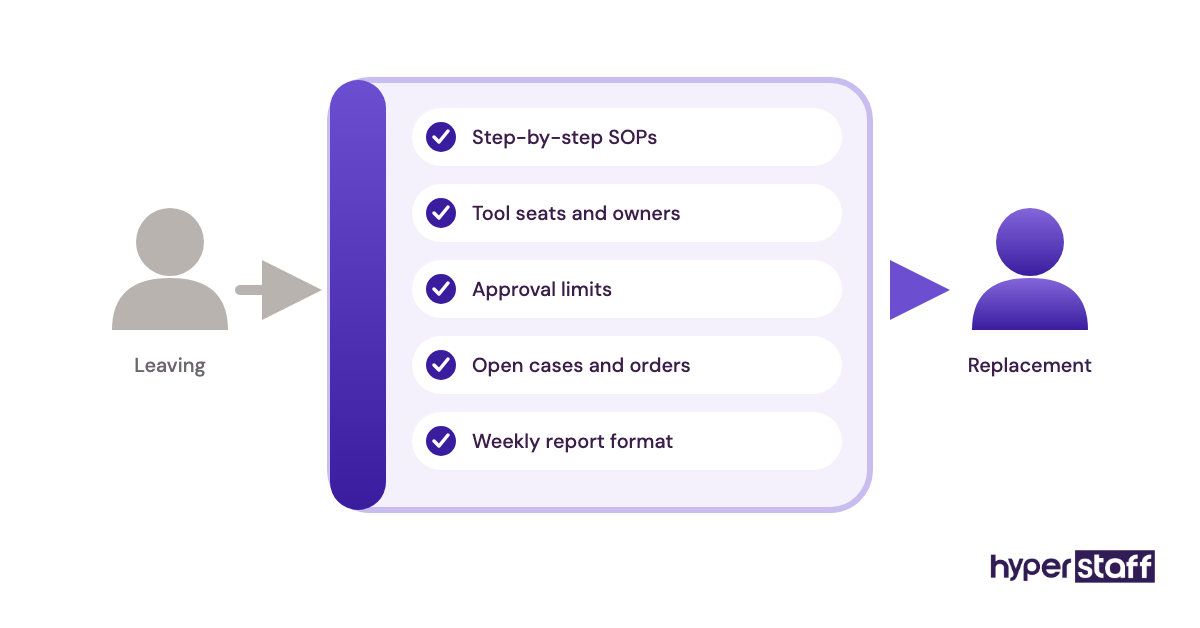
At Hyperstaff, every client gets a dedicated account manager and a 30-minute kickoff call, after which work starts that day or the next morning. Your SOPs, tools and context live in an Operations Vault we write and maintain, so a free replacement in 5 to 7 business days starts from your actual processes.
If you'd rather run the search yourself, our step-by-step guide on how to hire an Amazon virtual assistant compares job boards, freelancer sites and agencies. For the bigger staffing call, see our comparison of an Amazon VA vs an in-house hire.
Amazon VA statistics, trends and future predictions
Amazon says more than 60% of sales in its store come from independent sellers, according to its Small Business Empowerment Report. Most of those sellers are small and medium-sized businesses, which is where demand for Amazon VAs sits.
Selling costs keep the role lean. A Professional selling plan is $39.99 a month plus selling fees, and referral fees vary by category, per Amazon's own pricing page, so sellers watch every fixed cost, staff included.
The trend we expect to continue is specialisation. Job descriptions are moving from "Amazon VA" to narrower titles like "Amazon PPC VA" or "FBA operations VA," and practitioners still disagree on whether a small seller is better served by one generalist or two part-time specialists.
Amazon VA job descriptions and AI
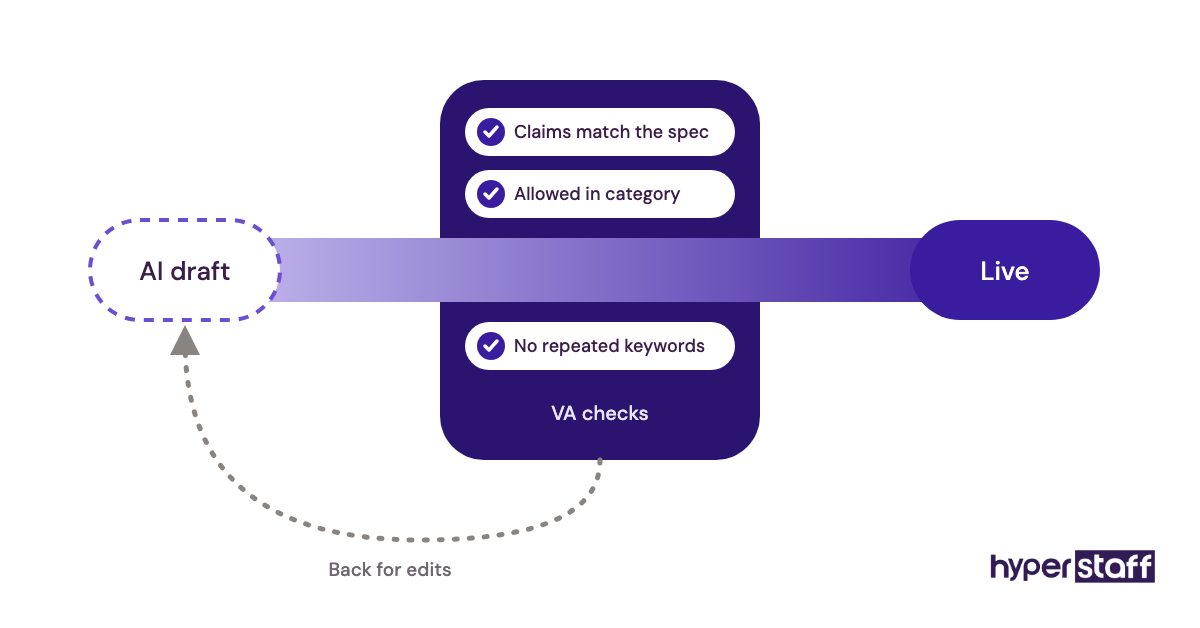
AI tools now draft listing copy, summarise reviews and suggest keywords, and Amazon has added its own generative listing tools in Seller Central. The VA's job shifts toward checking, editing and uploading that output instead of writing every bullet from scratch.
Add one line to the job description about AI use, such as "uses AI tools to draft listing copy, then checks every claim against the product spec." Amazon removes listings for inaccurate or restricted claims, and a human still answers for what goes live.
Disclaimer: This article is for general information only and isn't legal, tax, employment or Amazon policy advice. Amazon's fees and rules change, so check current terms on Amazon's site and get professional advice before hiring or granting account access. Hyperstaff accepts no liability for decisions made based on this content.
Common questions
What should an Amazon VA job description include?
It should include the role type, duties ranked by hours, required Seller Central experience, tools, weekly hours, KPIs, access permissions and a test task. Decision limits on ad spend and pricing are worth adding too.
Should I put the pay rate in an Amazon VA job post?
Putting the rate or a range in saves time for both sides and filters out mismatched applicants. Some sellers leave it out to compare offers, but they usually spend more time screening.
Can one Amazon VA handle PPC and operations?
One VA can handle both for a small catalog with modest ad spend. Once ads need daily attention or the catalog grows past what 160 hours a month can cover, two separate job descriptions work better.
Is it safe to give an Amazon VA access to Seller Central?
It's reasonably safe when you add them as a secondary user with permissions limited to the areas in their job description. Never share the primary login, and remove the user account as soon as the engagement ends.
Do I need a different Amazon VA job description for each marketplace?
Usually not. One job description can cover several marketplaces, as long as it lists each one, the languages buyers write in and any time-zone coverage that support needs.
Book a free 15 min call
We place a pre-vetted specialist in 5 business days, fully managed, from $3/hour.