Amazon Virtual Assistant Tasks: A 9-Point Checklist Sellers Skip
A checklist of nine Amazon virtual assistant tasks that recover money and protect an account, with what to check, why it matters and when each one is done.
On this page
- Checkbox 1: Are suppressed and stranded listings caught before sales stall?
- Checkbox 2: Who reconciles the inventory ledger against reimbursements?
- Checkbox 3: Are FBA fees being audited for size-tier errors?
- Checkbox 4: Do buyer messages get answered inside Amazon's 24-hour window?
- Checkbox 5: Hijacker and unauthorized seller sweeps
- Checkbox 6: Is the search term report being mined every week?
- Checkbox 7: Return reasons and Voice of the Customer review
- Checkbox 8: Which account health warnings need a same-day response?
- Checkbox 9: Is every repeated task written into an SOP?
- FAQs
💡 Key Takeaways:
1) The most valuable Amazon virtual assistant tasks are the recurring checks that stop silent losses: suppressed listings, unclaimed FBA reimbursements, fee tier errors and hijacked offers.
2) Each task needs a clear finish line, such as zero suppressed ASINs or every ledger discrepancy with an open case, so the work can be checked in minutes.
3) Appeals, product decisions and anything that spends inventory money stay with the seller, while the assistant handles detection, evidence and routine fixes.
Every Stalled ASIN Is Revenue Left Waiting
Hyperstaff places pre-vetted remote specialists who learn one store and stay with it, and our dedicated Amazon virtual assistant services sit behind 70+ placements across 30+ clients. Placement takes 5 business days at rates from $3/hour, so the checklist below can become someone's daily job instead of a backlog.
Checkbox 1: Are suppressed and stranded listings caught before sales stall?
Suppressed and stranded listings are the first daily check we'd give any Amazon VA, because both stop sales without a loud alert. A suppressed listing drops out of search, while stranded inventory sits in a fulfillment center with no live offer attached.
The wider scope of the role is laid out in our explainer on what an Amazon virtual assistant is. This checklist sticks to the tasks sellers tend to skip.
What your VA checks in Manage All Inventory
Start in Seller Central's inventory view and work through the filters in this order:
- The "Search suppressed" filter, plus the reason Amazon gives for each ASIN
- Stranded inventory: FBA units with no active offer
- Main images that break the white-background rule
- Required attributes missing after a category template change
- Prices blocked by Amazon's pricing error checks
Why a silent suppression costs more than it looks
A suppressed ASIN earns nothing but keeps paying monthly storage fees on any units sitting in FBA. Stranded units add to the bill the same way.
The usual failure is an assistant who clears the list once and stops looking. Suppressions come back after catalog merges and template updates, so the payoff lives in the daily habit.
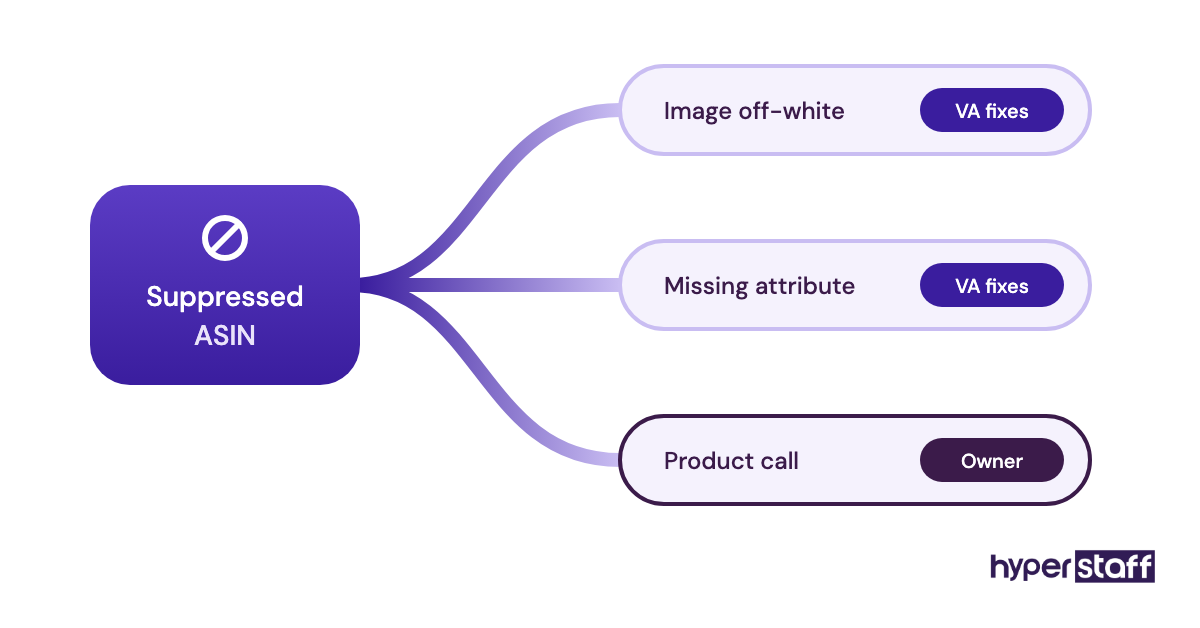
Finished when the suppressed filter reads zero
The check is done when the suppressed filter shows no ASINs, every stranded unit is relisted or has a removal order, and each fix is logged with Amazon's stated reason. Anything the VA can't clear goes to the owner with a screenshot the same day.
Checkbox 2: Who reconciles the inventory ledger against reimbursements?
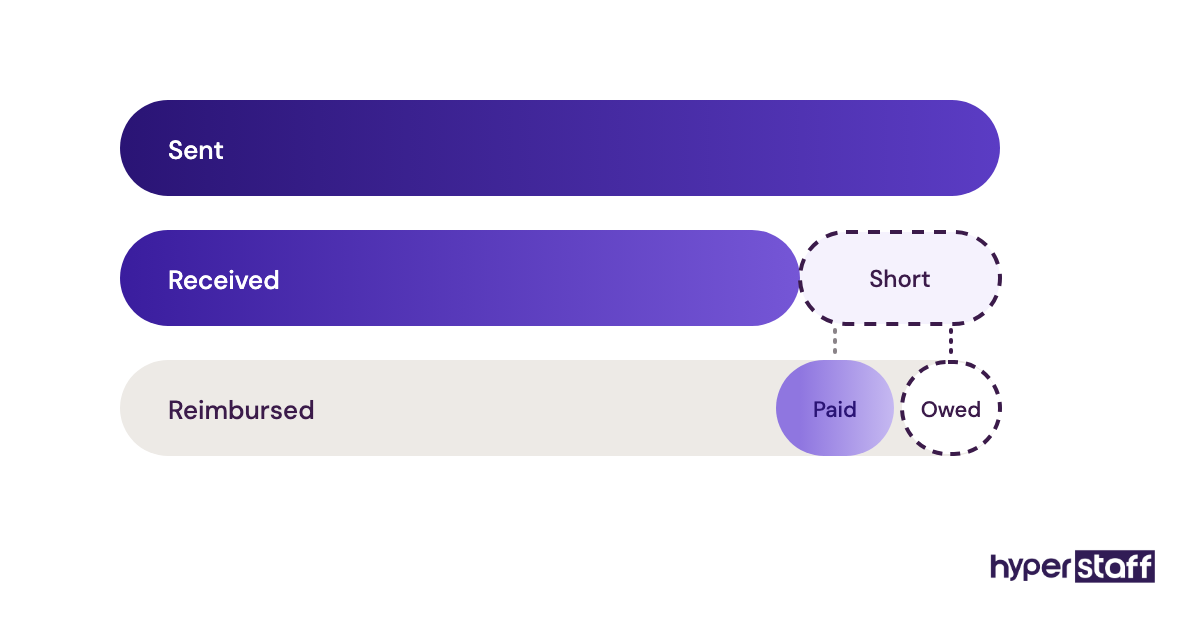
FBA reimbursement reconciliation means matching the Inventory Ledger against what Amazon has paid back for lost, damaged and miscounted units. Amazon now automates many reimbursements, but its count and yours won't always agree.
Where the ledger and the payouts drift apart
A weekly pass through the ledger should cover these points:
- Adjustments coded as lost, damaged or found
- Inbound shipments where received units fall short of units sent
- Customer refunds where the item never came back to stock
- Reimbursements paid below the item's real cost
- The deadline on every open case
- Found units that had cancelled an earlier reimbursement without anyone noticing
Why the gap is worth chasing
Money sits in this gap and nobody else is looking for it. Amazon reconciles on its own terms, and a unit marked "found" can offset a payment owed on a completely different shipment.
Sellers split on who should do this work. A paid reimbursement service runs wider audits and takes a cut of what it recovers; a trained VA costs a flat hourly rate and also learns why the losses keep happening.
Recovered reimbursements are one of the clearest lines in any honest review of whether an Amazon VA is worth it. Ledger reading is also a skill to test before hiring, and our list of Amazon VA interview questions includes a practical exercise for it.
Done when no discrepancy goes unexplained
Every discrepancy older than a week has an open case, a closed case, or a note on why it doesn't qualify. The weekly report shows units claimed and amounts reimbursed side by side.
Checkbox 3: Are FBA fees being audited for size-tier errors?
FBA fee audits confirm that Amazon measured and weighed each product correctly, since the size tier sets the fulfillment fee on every unit sold. A product bumped up one tier by a remeasurement pays the higher fee until somebody disputes it.
The fee checks to run each month
Pull the Fee Preview report and compare it line by line with your own records:
- Amazon's dimensions against your packed product dimensions
- Any ASIN whose size tier changed since last month
- Recorded weight against the supplier's shipping spec
- The referral fee category assigned to each ASIN
Why tier errors hurt fast movers most
Fee errors scale with volume. A small overcharge on your best seller adds up faster than any single lost shipment.
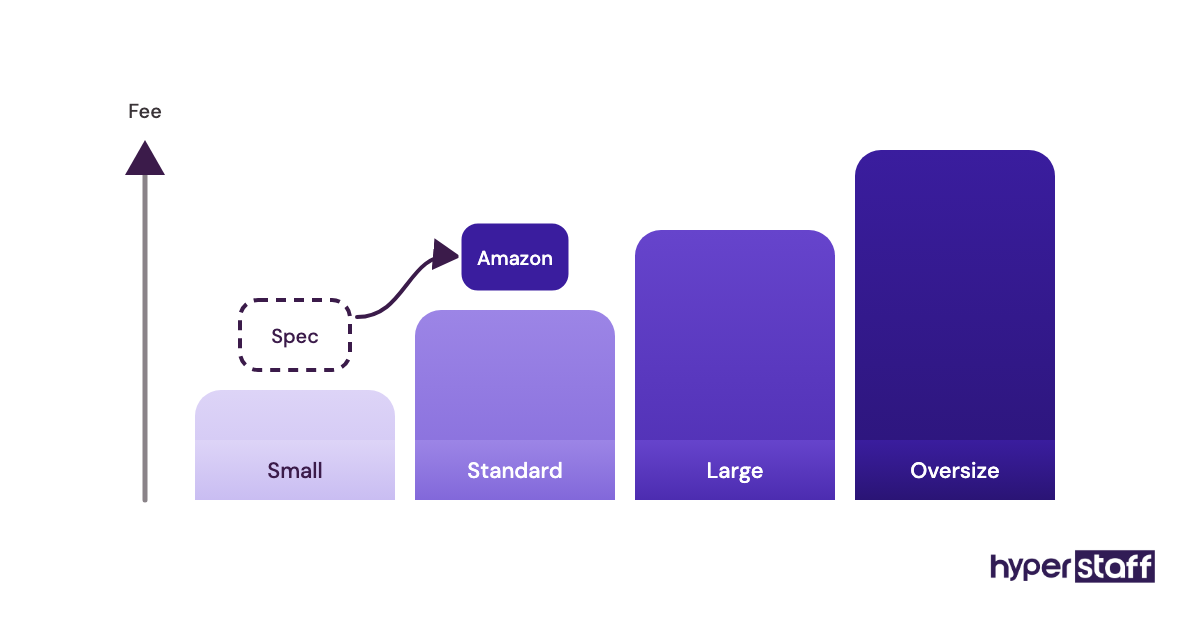
A remote VA can't measure a box, and the dispute needs real measurements. What they can do is spot the change, request numbers from your warehouse or supplier, and file the case with photos attached.
Fee audits are one of the few tasks that can offset part of an assistant's rate, a point we work through in our Amazon VA cost breakdown. Name them in the brief when hiring an Amazon virtual assistant, since candidates who've done them will recognize the task at once.
Complete when every tier matches your spec sheet
Each ASIN's size tier in Seller Central matches your documented dimensions. Any mismatch has an open case with measurements and photos attached.
Checkbox 4: Do buyer messages get answered inside Amazon's 24-hour window?
Amazon expects sellers to answer buyer messages within 24 hours, weekends included, and late replies count against response metrics. A-to-z Guarantee claims and negative feedback belong in the same customer-facing queue.
What sits in the customer queue
Sort everything by age and work oldest first:
- Unanswered messages in Buyer-Seller Messaging
- Messages that only need "No response needed" marked to stop the timer
- Open A-to-z claims and their response deadlines
- New 1-star and 2-star seller feedback
- Feedback that breaks Amazon's rules and qualifies for removal
Why weekends break this task
Weekend gaps are where response times usually fail. A Friday evening question answered on Monday morning has already missed the window.
Time zones work in the seller's favor here. An assistant in the Philippines or India is often online during the hours a US-based seller is asleep.
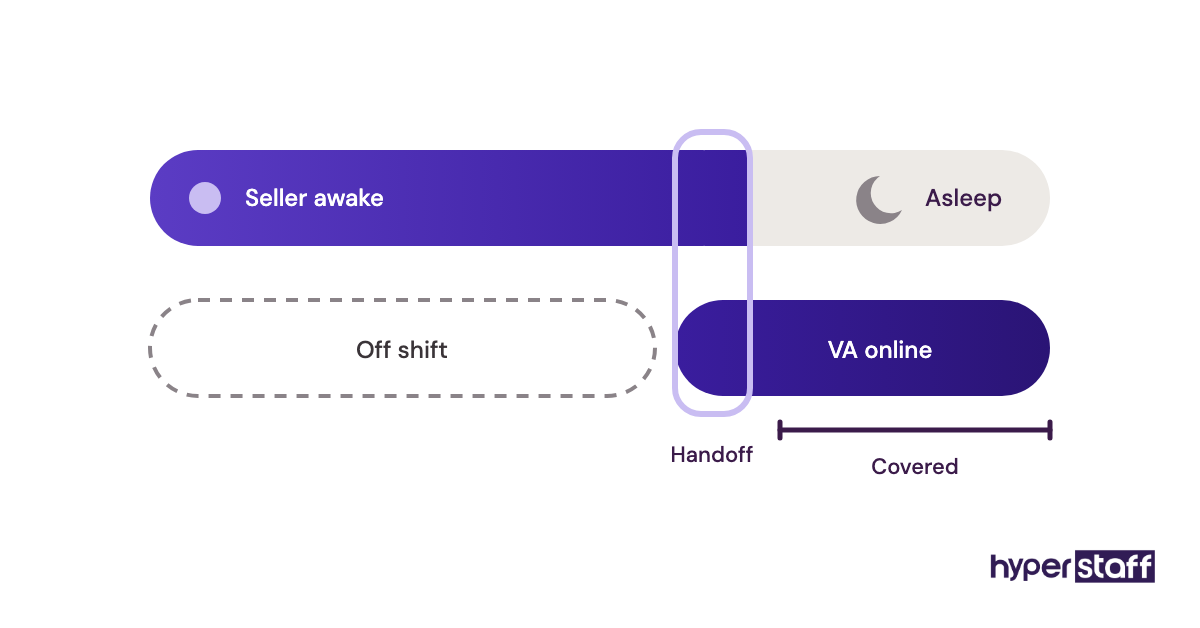
Response targets belong in the written Amazon VA job description, along with who covers weekends.
Done when nothing in the queue is aging
During the VA's shift, no message is older than a few hours. Every A-to-z claim has a logged response, and removable feedback has a request filed.
Checkbox 5: Hijacker and unauthorized seller sweeps
Hijacker sweeps check every branded ASIN for sellers you didn't authorize. Another seller on your listing can win the Buy Box with a lower price or a counterfeit, and every sale they take used to be yours.
What the daily sweep looks at
Once it's routine, the sweep takes a few minutes per ASIN:
- The number of offers on each branded ASIN
- Who currently holds the Buy Box
- Title, image or bullet changes you didn't make
- Seller names that turn up across several of your ASINs
- Open cases in Brand Registry's Report a Violation tool
Why listing edits are the less obvious threat
Unwanted listing edits do more lasting damage than an extra offer. A catalog contribution from another seller can rewrite your title or swap your main image, and the brand owner may never notice.
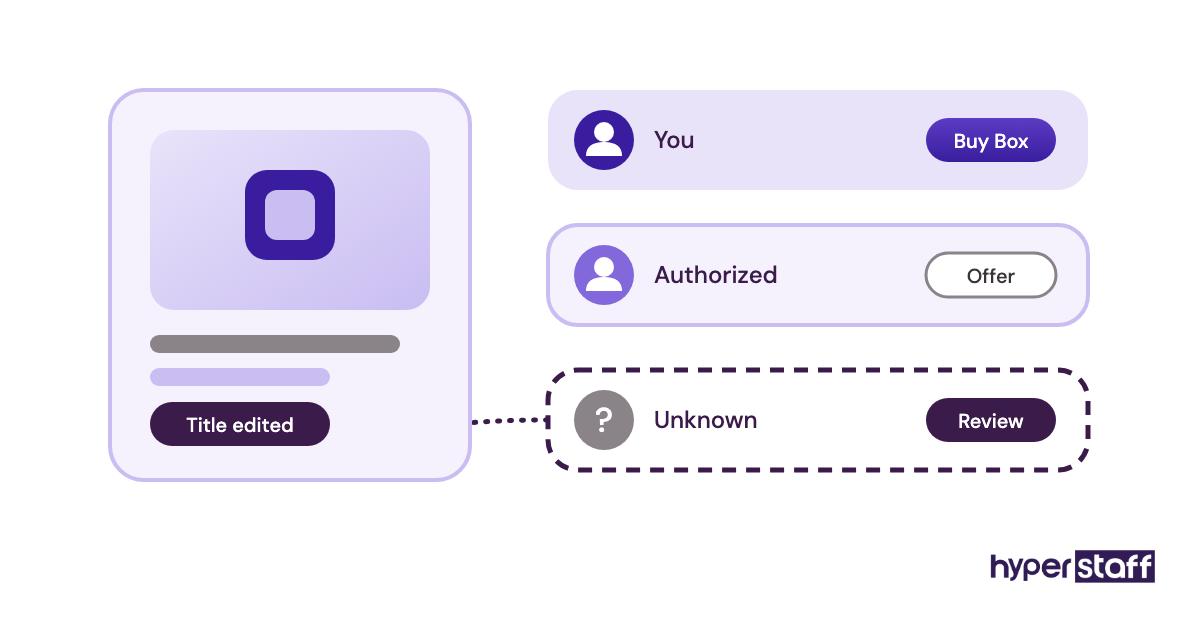
On paper, you report a violation through Brand Registry and the case resolves. In practice, one report often isn't enough, and the VA keeps the case alive with follow-ups and fresh evidence.
Because the sweep is daily but short, the Amazon VA vs in-house comparison tends to favor a part-time remote hire for it.
Finished when only authorized offers remain
Every branded ASIN shows only authorized sellers. Unwanted edits are reverted or reported, and each open case has a follow-up date.
Checkbox 6: Is the search term report being mined every week?
Search term mining means reading the Sponsored Products search term report each week to see which customer searches produced sales and which only spent money. Of all the PPC tasks, it has the most direct payback.
The rows worth flagging
Filter the report for the last full week and flag:
- Terms with clicks and spend but no orders
- Converting terms that aren't exact-match keywords yet
- Competitor ASINs showing up as search terms
- Terms where ACoS sits above your target
- Campaigns that hit their budget cap before the day ended
Why auto campaigns need a weekly harvest
Auto and broad campaigns find searches no keyword list predicted. Without a weekly harvest, the winners stay buried in broad match and the waste keeps billing.
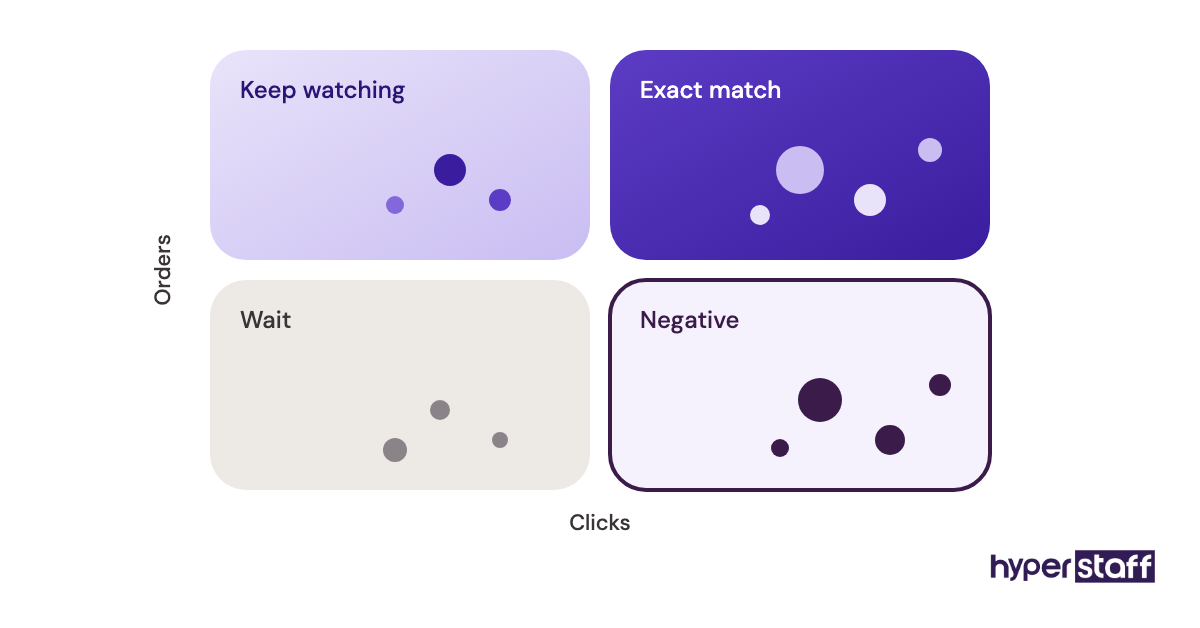
Advertisers disagree on negative keywords. Some add them as soon as a term passes a fixed click count, while others wait because Amazon's attributed sales keep updating for days after a click, and we lean toward waiting on low-volume terms.
Bid tools can automate part of the harvest. Our roundup of Amazon virtual assistant tools compares the main options.
Done when winners and waste are both moved
Converting terms sit in exact-match campaigns, and wasted terms are added as negatives. Each change is logged with a date, so next week's report can confirm the effect.
Checkbox 7: Return reasons and Voice of the Customer review
Return reasons and the Voice of the Customer dashboard show why buyers are unhappy, in their own words. An Amazon VA can turn that feedback into specific listing fixes.
Signals to pull from returns data
Check these per ASIN, newest first:
- The NCX (negative customer experience) rate in Voice of the Customer
- Return reason codes, especially "not as described"
- Comments buyers attach to returns
- Complaints that contradict a claim in your listing copy
Why "not as described" points at the listing
A rising NCX rate can get a listing flagged or suppressed. "Not as described" returns usually trace back to listing copy or images, which a VA can fix without touching the product.
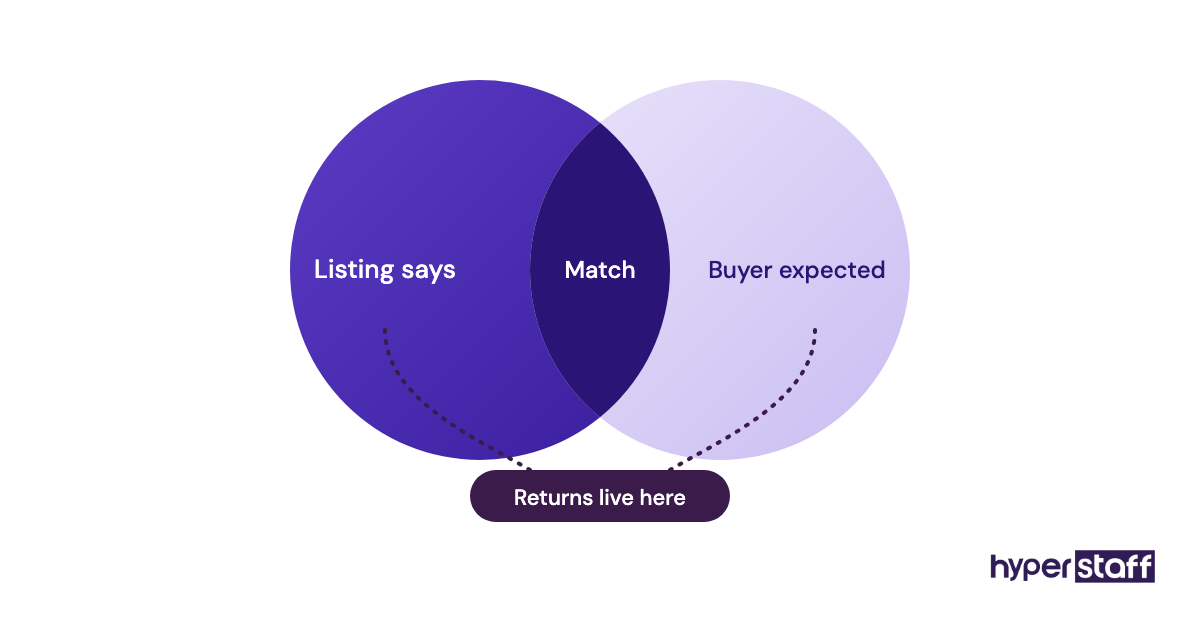
The VA's role is to spot the pattern and draft the edit. Product changes stay with the owner.
Complete when every rising return rate has a diagnosis
Each ASIN with rising returns has a one-line diagnosis and a proposed listing edit. The owner approves or rejects it within the week.
Checkbox 8: Which account health warnings need a same-day response?
Account Health warnings need a same-day response when they involve policy violations, intellectual property complaints, or a rating trending toward at-risk. Most other notifications can wait for the weekly review.
What the morning health check covers
Open the Account Health dashboard first thing and look at:
- The Account Health Rating and its direction since yesterday
- New intellectual property complaints
- Listing policy and restricted product violations
- Order defect rate, late shipment rate and cancellation rate
- Performance notifications in the Seller Central inbox
Why speed matters more here than anywhere else
A deactivated account stops every listing at once. Account Health is where a slow response becomes expensive.
The appeal itself should stay with the owner or an advisor who writes them. The VA's part is early detection and gathering evidence such as invoices, order IDs and screenshots.
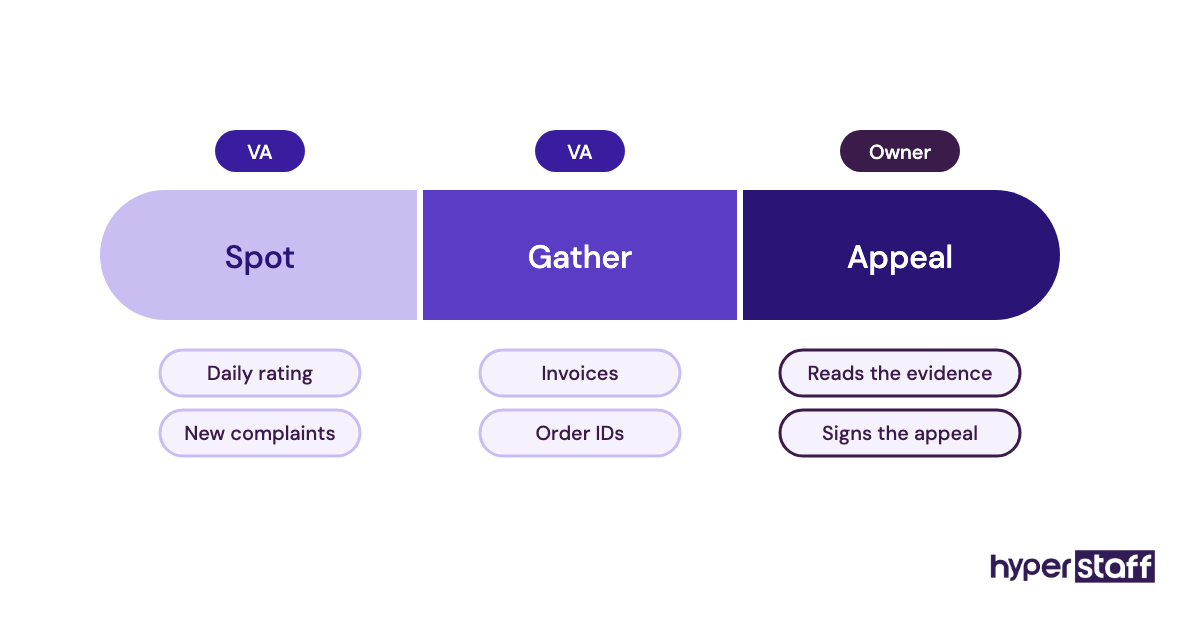
Letting an assistant write appeals unsupervised is one of the common Amazon VA mistakes we'd steer any seller away from.
Done when no warning sits unread
No warning stays unread past the VA's shift. Each one has a short summary for the owner with evidence attached, and the rating is logged daily so trends show up early.
Checkbox 9: Is every repeated task written into an SOP?
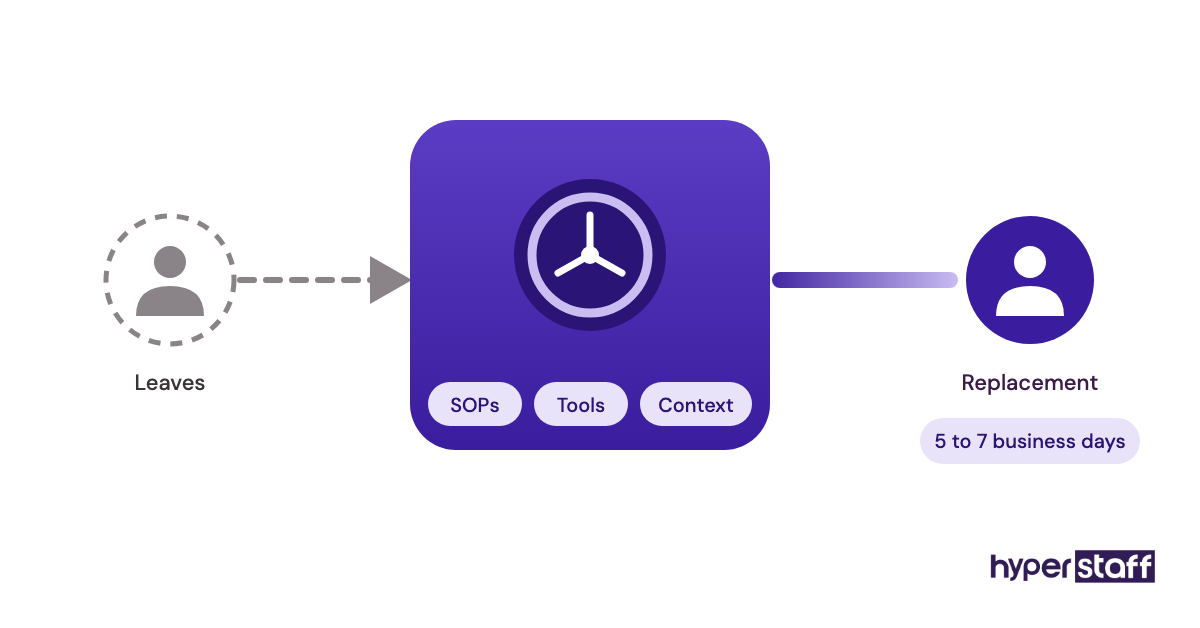
Every task on this checklist should have a written SOP, so a sick day, a holiday or a replacement doesn't reset the work. Hyperstaff keeps that record in an Operations Vault: your SOPs, tools and context, written down and maintained for you.
What a usable Amazon SOP contains
Audit the SOP folder against this list:
- One SOP for each recurring task above
- Screenshots that match the current Seller Central layout
- The owner's approval limits for prices, refunds and ad budgets
- Permission notes, with no shared primary login
- A weekly report template
Why stale SOPs mislead
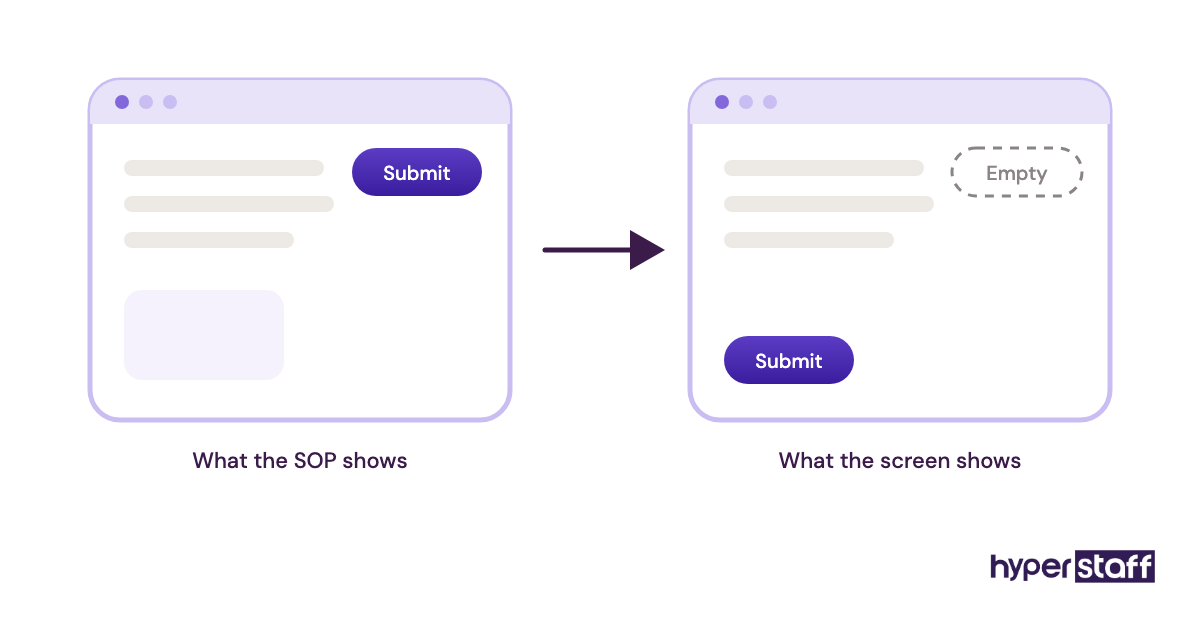
Seller Central changes its layout often enough that an old SOP sends people to buttons that no longer exist. Every SOP needs someone responsible for updating it.
Replacement is where written SOPs earn their keep. If an assistant leaves, Hyperstaff briefs the new one from the Operations Vault, and a free replacement arrives in 5 to 7 business days.
Write them during week one of onboarding an Amazon virtual assistant, while every question is still fresh.
Done when a newcomer could run it cold
Someone new could run any task on this list from the SOP alone. Each SOP shows an update date from within the past month.
Disclaimer: This article is general information about Amazon seller operations and isn't legal, financial or tax advice. Amazon's policies, fees and tools change often, so confirm details in Seller Central before acting. Hyperstaff isn't affiliated with Amazon.
Common questions
How many hours a week does an Amazon VA need?
It depends on your SKU count and ad spend. The daily checks for a small catalog can fit a 40-hour monthly bundle, while active PPC and reimbursement work usually needs 80 or 160 hours. Start smaller and add hours once the weekly report shows where the time goes.
Should I give my Amazon VA my Seller Central login?
No. Add them as a secondary user through User Permissions and grant only the areas their tasks need. Their actions then show under their own name, and you can remove access without changing your password.
Can an Amazon virtual assistant do product research?
Yes, with clear criteria from you. A VA can pull demand data, reviews and competitor pricing into a shortlist. The decision to buy inventory should stay with the owner.
Can one VA handle Amazon tasks and my Shopify store?
You can combine them if the hours allow. Give each channel its own SOP and its own section in the weekly report, so neither gets squeezed.
Which Amazon VA tasks should be daily and which weekly?
Buyer messages, suppressed listings, hijacker sweeps and account health are daily. Reimbursements, search term mining and returns review run weekly, while fee audits and SOP updates can run monthly.
Book a free 15 min call
We place a pre-vetted specialist in 5 business days, fully managed, from $3/hour.