How to Onboard an Amazon Virtual Assistant: Access, SOPs and a 30-Day Plan
A practical guide to onboarding an Amazon virtual assistant, from Seller Central permissions to the first 30 days of handover.
On this page
- What Does Onboarding an Amazon Virtual Assistant Involve?
- Key Amazon VA Onboarding Terms You Should Know
- Why Does Onboarding an Amazon VA Matter So Much?
- How Does Amazon VA Onboarding Work?
- Types and Forms of Amazon VA Onboarding
- How Is Amazon VA Onboarding Different From Related Setups?
- What Are the Benefits of Onboarding an Amazon VA Properly?
- What Are the Drawbacks?
- Who Needs a Formal Amazon VA Onboarding Process?
- Amazon VA Onboarding Examples
- Creating an Amazon VA Onboarding Plan, Step-by-Step
- What Does an Effective Amazon VA Onboarding Strategy Look Like?
- Which Tools and Software Does Amazon VA Onboarding Need?
- 10 Proven Tips for Onboarding an Amazon Virtual Assistant
- How Do You Overcome Common Amazon VA Onboarding Challenges?
- How Do You Measure Amazon VA Onboarding Success?
- How Long Does Onboarding an Amazon VA Take to Work?
- How Much Does Onboarding an Amazon Virtual Assistant Cost?
- Is Onboarding an Amazon Virtual Assistant Worth It?
- How Do You Choose an Amazon VA Agency?
- Amazon VA Statistics, Trends and Future Predictions
- Amazon Virtual Assistants and AI
- FAQs
💡 Key Takeaways:
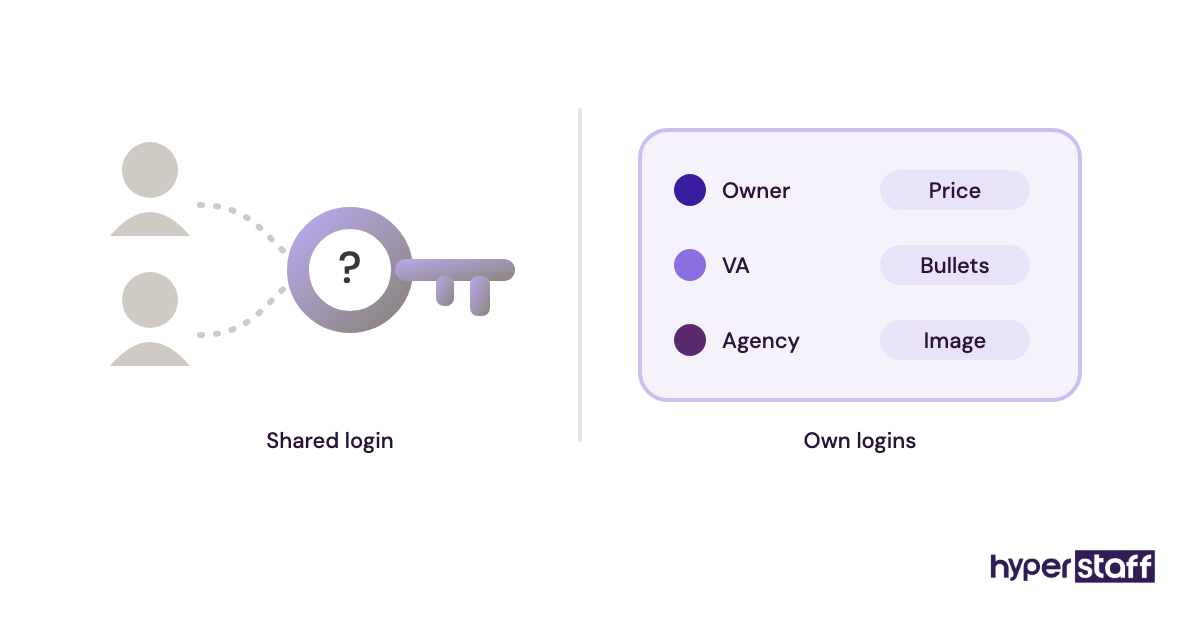
1) To onboard an Amazon virtual assistant, start by giving them their own Seller Central login through User Permissions. Set it to view-only at first, and never share the account owner's password.
2) A safe handover goes from reports to customer messages, then listings, then advertising. Each step opens only after the previous task has run without errors for about a week.
3) Most Amazon VAs reach steady output without supervision in three to five weeks when every recurring task has a written SOP and a short screen recording.
A ready Amazon VA starts paying back in week one
Hyperstaff has placed 70+ pre-vetted virtual assistants with 30+ clients. Each placement starts with a 30-minute kickoff call, and work begins that day or the next morning. Our Amazon virtual assistant services match you with a specialist in 5 business days from $3/hour, backed by an Operations Vault that keeps your Seller Central SOPs and context written down for you.
What Does Onboarding an Amazon Virtual Assistant Involve?
Onboarding an Amazon virtual assistant means setting up their access to Seller Central and your other tools, documenting each task they'll own and handing work over in stages until they run it without you. It usually covers the day before their first login through their first 30 days.
Access is where Amazon differs from most remote roles. Seller Central has its own User Permissions system, Amazon Ads and Brand Registry each need a separate user invite, and a careless login from a new country can trigger account verification.
If you're still deciding what the role should cover, start with what an Amazon virtual assistant actually does. Onboarding goes far more smoothly when the scope is settled before day one.
Key Amazon VA Onboarding Terms You Should Know
- User Permissions = the Seller Central setting where the owner invites users and sets their access for each feature.
- View vs. View & Edit = permission levels. View lets the VA see a page, and edit lets them change it.
- Two-step verification (2SV) = the login code Amazon sends to each user's own phone or app.
- Account Health = the Seller Central dashboard that tracks policy compliance and performance targets.
- Order Defect Rate (ODR) = the share of orders with negative feedback, A-to-z claims or chargebacks.
- Buyer-Seller Messaging = the inbox where customer questions arrive and reply times are tracked.
- Flat file = the spreadsheet template used to edit many listings at once.
- FBA shipment plan = the workflow for sending inventory into Amazon warehouses.
- ACoS = advertising cost of sales, which is ad spend divided by ad revenue.
- SOP = a standard operating procedure, the written steps for one recurring task.
- Case log = a running record of every Seller Support case, with its ID and status.
Why Does Onboarding an Amazon VA Matter So Much?
Amazon onboarding matters because one wrong click can cost real money. A bulk flat file upload with a bad column can overwrite hundreds of listings, and a doubled PPC bid can spend a week's budget by lunch.
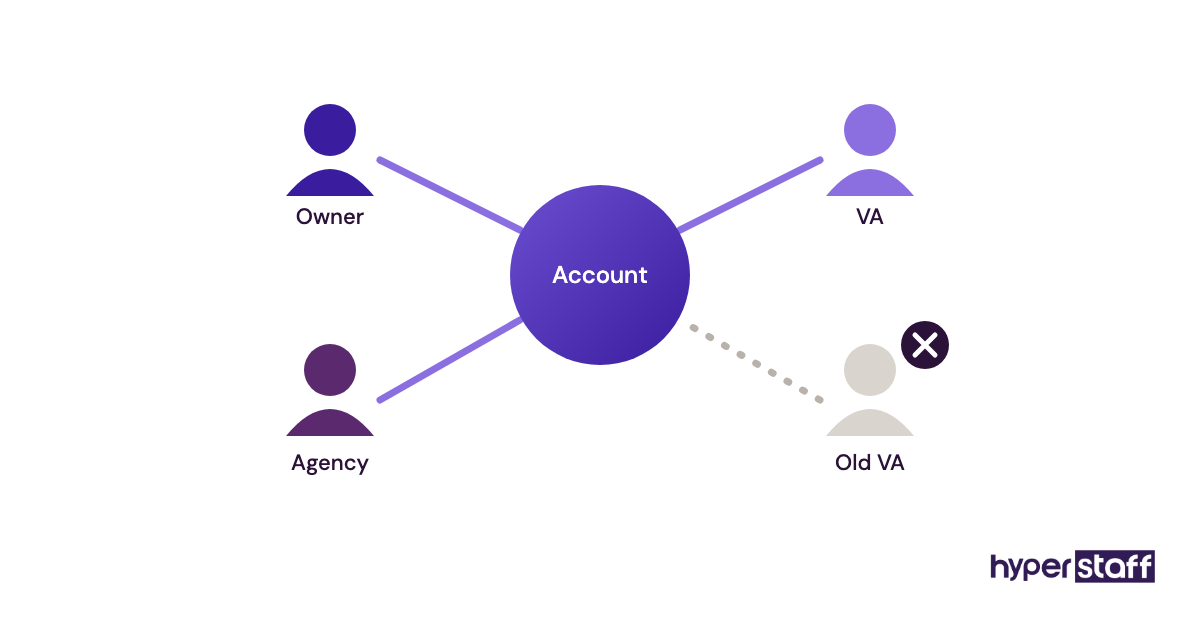
The other risk is the account itself. Amazon watches login patterns, and an owner password shared with someone in another country is a common trigger for verification holds. Getting out of one can take days.
Good onboarding prevents both problems. Each user gets a separate login with a clear audit trail, and edit rights come only after the VA has shown they understand the task.
How Does Amazon VA Onboarding Work?
Amazon VA onboarding works like a permission ladder. The VA gets view-only access, watches recordings of each task, does the task while you review it, then gets edit rights for that one area. Each rung takes about a week.
The order matters more than the speed. Reports go first, because nothing breaks when someone reads them. Advertising goes last, because it's the one area where a mistake turns into a bill.
| Week | Access granted | Task handed over | How often you review |
|---|---|---|---|
| Day 0 | Seller Central invite, View only | Read SOPs, watch recordings | Kickoff call |
| Week 1 | Reports, Inventory (View) | Daily sales and stock report | Daily check |
| Week 2 | Buyer-Seller Messaging (Edit) | Customer replies from templates | Spot-check 1 in 3 |
| Week 3 | Manage Inventory (Edit) | Listing fixes, FBA shipment plans | Review before submit |
| Week 4+ | Amazon Ads (Editor role) | Bid and negative keyword updates | Weekly review |
Types and Forms of Amazon VA Onboarding
Amazon VA onboarding changes shape with the role. A customer service VA and a PPC VA need different access and different first tasks, and they take different amounts of time to get up to speed. The table below maps the common role types.
| Role type | First access to grant | First task to hand over | Typical time to get up to speed |
|---|---|---|---|
| Customer service VA | Buyer-Seller Messaging, Orders (View) | Template replies to common questions | 1 to 2 weeks |
| Listing and catalog VA | Manage Inventory (View) | Audit titles, bullets and images | 2 to 3 weeks |
| PPC VA | Amazon Ads console (Viewer) | Search term report review | 3 to 5 weeks |
| Inventory and FBA VA | Inventory, Shipments (View) | Restock report and reorder list | 2 to 3 weeks |
| Account health VA | Account Health, Case Log (View) | Daily health check and case log | 1 to 2 weeks |
| Product research VA | Research tool seat only | Shortlist products against your criteria | 1 to 3 weeks |
| Reimbursement VA | Reports, Inventory (View) | Find lost or damaged FBA units | 2 to 4 weeks |
| Generalist Amazon VA | Reports and Messaging first | Daily report plus customer inbox | 3 to 5 weeks |
Each role's onboarding follows its job scope, so the written Amazon VA job description doubles as the first draft of the access list.
How Is Amazon VA Onboarding Different From Related Setups?
Three setups often get confused with Amazon VA onboarding. Each one handles access and ownership differently.
Amazon VA Onboarding vs. General VA Onboarding
General VA onboarding is mostly about inboxes, calendars and shared folders, and a password manager handles access. Amazon adds marketplace rules on top: separate Seller Central logins for each user, 2SV codes tied to each person, and account health targets the VA can damage.
Amazon VA Onboarding vs. Hiring an Amazon Agency
An Amazon account management agency brings its own team and process, and you mostly approve their reports. With a VA, you own the process. You write the SOPs and the training, and they stay with your business if the person changes.
Amazon VA Onboarding vs. In-House Employee Onboarding
In-house onboarding adds payroll, equipment and an office login, but the Seller Central steps are the same. The bigger differences are cost and flexibility, which we cover in the Amazon VA vs. in-house comparison.
What Are the Benefits of Onboarding an Amazon VA Properly?
Onboarding in stages makes the account safer and gets the VA working sooner.
- Your account stays safe because every user has their own login and 2SV.
- Mistakes stay small, since edit rights arrive one area at a time.
- Written SOPs make any future hire or replacement faster to train.
- Customer replies go out on time once the inbox is handed over in week two.
- You get a clean audit trail of who changed which listing.
What Are the Drawbacks?
The main cost is your time in the first two weeks.
- Writing SOPs and recording tasks takes 6 to 12 hours up front.
- Full output usually arrives in week three or later.
- Daily reviews in week one take 20 to 30 minutes of your day.
Who Needs a Formal Amazon VA Onboarding Process?
Any seller giving a VA edit rights in Seller Central needs a formal process, from a solo private label brand to a wholesale business running several accounts. The stakes rise with revenue, but the access risk is the same at every size.
Solo sellers often skip the process because they "just need help with messages." That shortcut works until the VA needs to change a listing and the only way in is the owner's password.
Larger sellers have the opposite problem. Several staff, an agency and a VA can all have access, and nobody remembers who has Admin rights. That's why a quarterly permissions review belongs in the plan.
Amazon VA Onboarding Examples
These patterns show up again and again when sellers bring on remote Amazon help. The good setups have one thing in common: the VA gets access only after showing they can do the task.
Good Amazon VA Onboarding Examples
The Read-Only First Week
The VA spends week one on View permissions only, building the daily sales and stock report. By Friday they know the catalog, the best sellers and the stock risks, and nothing has been touched.
The Recorded Task Library
The seller records a 3 to 6 minute screen video of each recurring task before day one. The VA watches it, then does the task while the seller watches, and the questions drop off fast after the first few days.
The Case Log From Day One
Every Seller Support case goes into a shared sheet with its ID, date and status. When a reimbursement or listing case stalls, the VA can reopen it with the full history and doesn't have to start over.
Bad Amazon VA Onboarding Examples
The Shared Owner Password
The seller sends the main login in a chat message and reads out 2SV codes when asked. The VA is stuck every time the seller is asleep, and a login from a new location can trigger a verification check.
PPC on Day Two
The VA gets Ads access before they understand the margins. Bids go up on products that already lose money on each sale, and the damage shows up a week later in the invoice.
Flat Files Without a Test Run
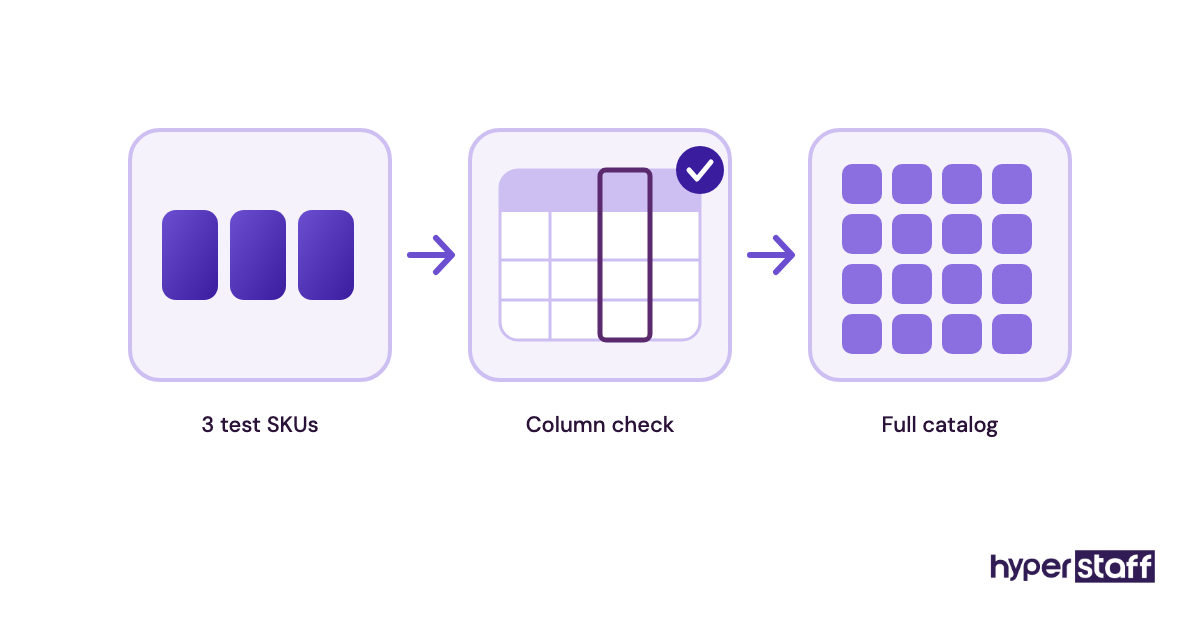
A bulk upload goes live with one column shifted. Hundreds of listings lose their bullet points at once, and fixing them takes longer than the upload ever saved. The common Amazon VA mistakes list has more examples like this.
Creating an Amazon VA Onboarding Plan, Step-by-Step
The whole plan takes five steps, and the first two happen before the VA ever logs in.
Step #1: Define the Scope and the Access List
List every task the VA will own, then write down the Seller Central permission each one needs. A customer service VA doesn't need Manage Inventory, and a listing VA doesn't need Payments.
Keep Payments, Deposit Methods and User Permissions for the account owner only. No VA task requires them.
Step #2: Write SOPs and Record the Tasks
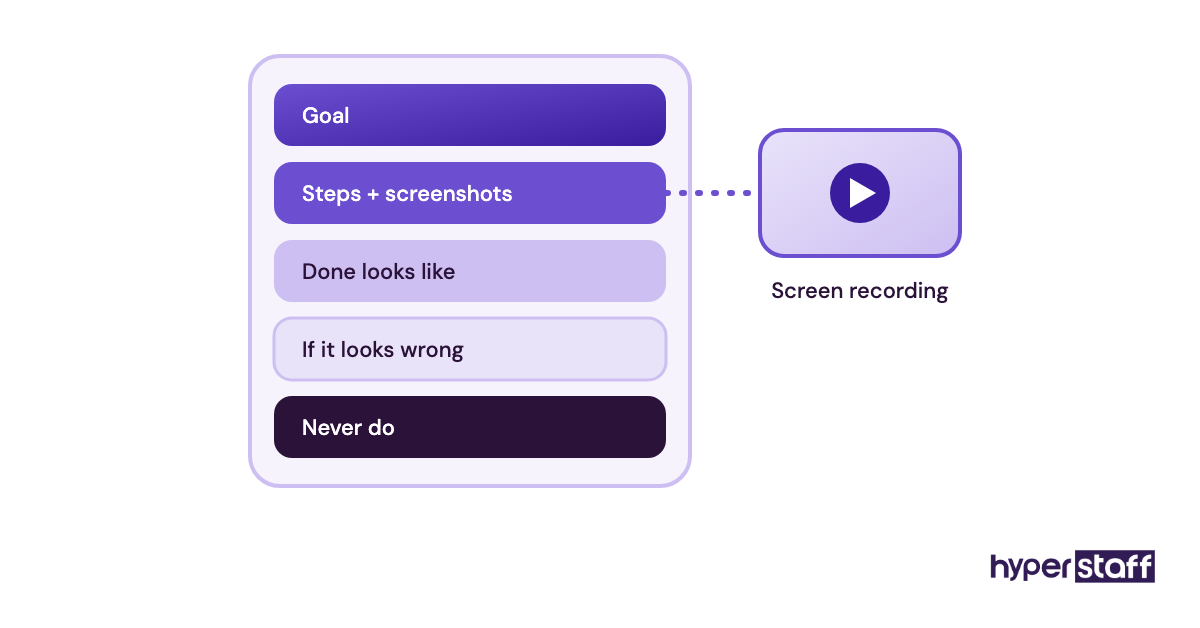
Write one SOP for each recurring task, with screenshots, and pair it with a short recording. Include what "done" looks like and what to do when something looks wrong.
Step #3: Send the Invites and Set Up Logins
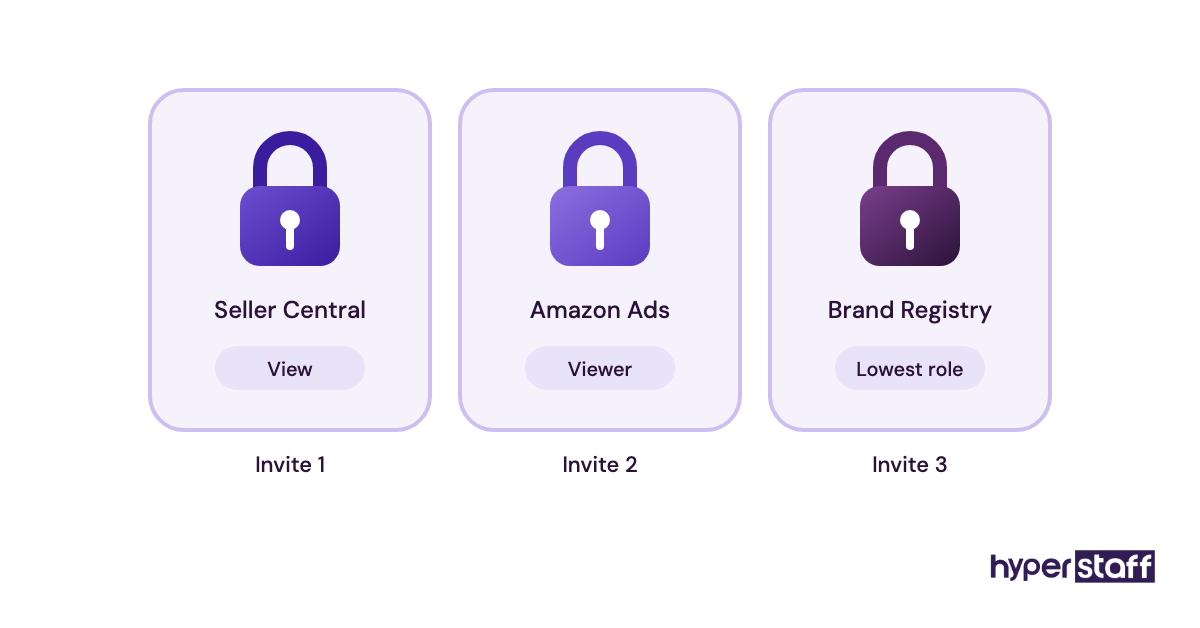
Invite the VA in Seller Central under Settings, then User Permissions. They accept with their own Amazon account and set up their own 2SV, so codes never have to go through you.
Send the Amazon Ads and Brand Registry invites separately, at the lowest role that fits. Tool seats and the password manager come next.
Step #4: Hand Over One Workflow at a Time
Start with reports, then customer messages, then listings, then ads. Open the next area only when the current one has run without errors for about a week.
Step #5: Review, Adjust and Step Back
Review daily in week one, every other day in week two, then weekly. Update the SOP every time a question comes up, so the answer is written down for next time.
What Does an Effective Amazon VA Onboarding Strategy Look Like?
An effective Amazon VA onboarding strategy ties every permission to a task the VA has done well and every task to a written SOP. If you can't point to the SOP, the VA doesn't get edit rights yet.
Sellers disagree about remote access. Some insist the VA works through a remote desktop based in the seller's own country, so every login comes from one location. Others say separate Seller Central logins with 2SV are enough, and the remote desktop just adds lag.
We lean toward the second view for most sellers. A remote desktop makes more sense when several people share one machine, or when your account has already been through a verification review.
Which Tools and Software Does Amazon VA Onboarding Need?
The core Amazon VA tool stack is Seller Central, the Amazon Ads console, a research tool, a password manager, a recording tool and a shared task board. Most sellers already pay for half of these.
- Seller Central costs $39.99 a month on the Professional plan, which includes User Permissions.
- Helium 10 starts at $99 a month billed yearly, or $129 billed monthly, on the Platinum plan, per its pricing page.
- Jungle Scout charges $49 a month for each extra user seat on its team plans, as listed on its pricing page.
- Keepa shows price and sales rank history, with a paid tier of roughly €19 to €29 a month.
- Bitwarden lets you share logins for your other tools without showing the password. See its business plans.
- Loom handles task recordings, with a free tier and paid plans on its pricing page.
Our advice: don't buy a second research tool during onboarding. Stick with the one you already know so you can answer the VA's questions. The full list is in our guide to Amazon VA tools.
10 Proven Tips for Onboarding an Amazon Virtual Assistant
These tips come from the setups that still work well after the first month.
- Never share the owner login. Invite the VA through User Permissions.
- Start every permission at View and raise it one area at a time.
- Keep Payments and User Permissions for the account owner.
- Record each task before day one, in videos under 6 minutes.
- Give the VA a library of reply templates for the 10 most common buyer questions.
- Test every flat file on 2 or 3 SKUs before a bulk upload.
- Put your price change rule in writing, with a limit the VA can't go past on their own.
- Keep a case log for every Seller Support ticket.
- Hold a 15-minute check-in every day in week one, then cut back.
- Check who has access every quarter and remove old users.
How Do You Overcome Common Amazon VA Onboarding Challenges?
Most Amazon VA onboarding challenges come from missing access, missing SOPs or a time zone gap. Each one has a simple fix you can set up before day one.
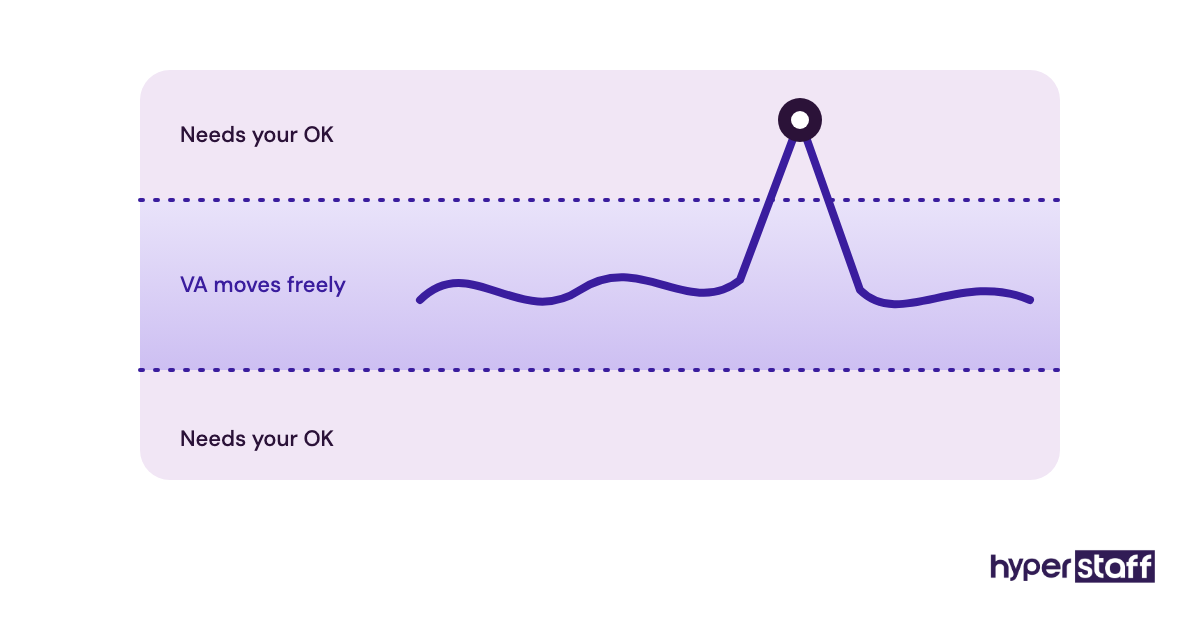
Access gaps show up as "I can't see that page." Check the permission list and grant View for that feature, not Admin.
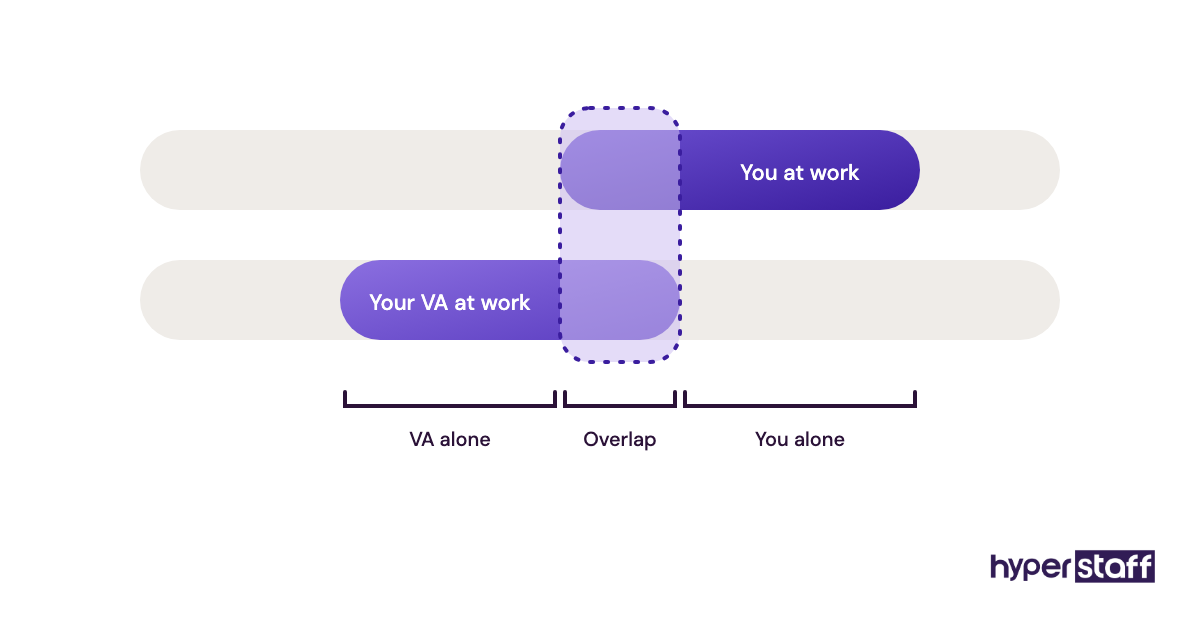
Time zone gaps hurt most with customer messages. Hand over the inbox only once reply templates exist, so the VA can answer without waiting for you, and agree on which messages always come to you.
How Do You Measure Amazon VA Onboarding Success?
Measure Amazon VA onboarding by response times, error counts and how often the VA needs you. The clearest signals are buyer messages answered within 24 hours and an Order Defect Rate under Amazon's 1% target.
Track two more numbers each week: questions asked per day and tasks sent back for fixes. Both should fall steadily from week one to week four.
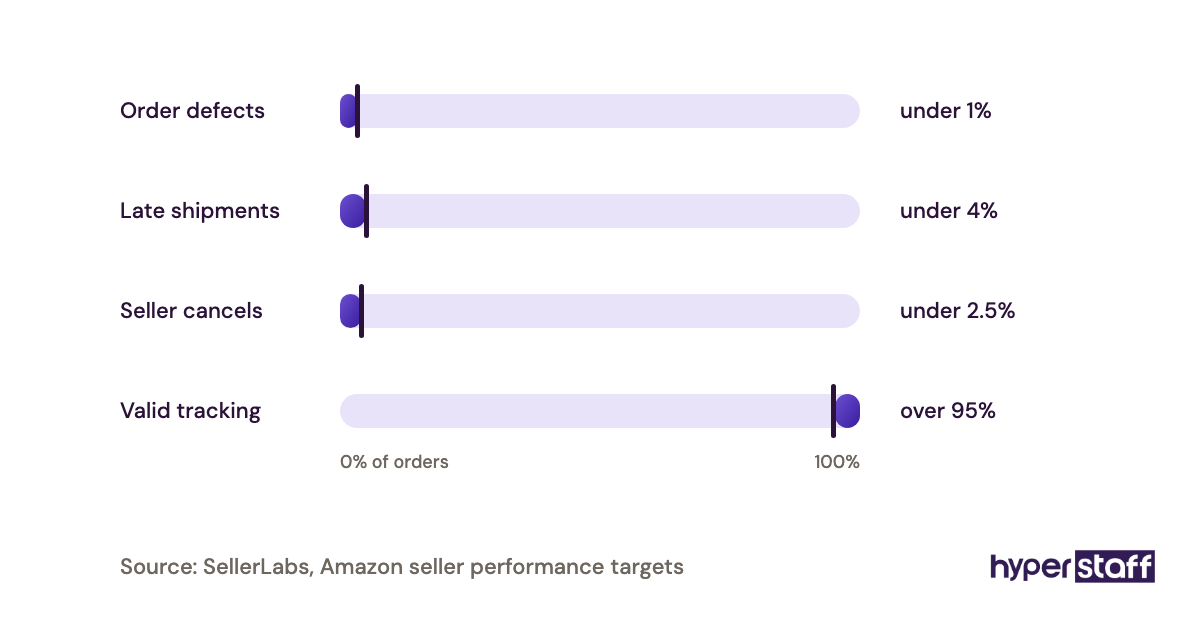
If they stall, check the SOP first. A missing step there is the usual cause.
How Long Does Onboarding an Amazon VA Take to Work?
Onboarding an Amazon VA takes about three to five weeks to reach steady output. Reports and customer replies settle in the first two weeks, while listings and ads take longer.
Expect a slow patch around week two. The VA knows enough to work alone but still checks most things with you, and that's normal.
PPC work takes the longest, often six to eight weeks, because each round of bid changes needs time to collect enough data to judge.
How Much Does Onboarding an Amazon Virtual Assistant Cost?
Onboarding an Amazon VA costs mostly your own time: about 6 to 12 hours of setup plus short daily reviews, on top of the VA's hourly rate. The table compares Hyperstaff's published rates with a typical in-house hire.
| Option | Experience | Hourly rate | 80 hrs/month | 160 hrs/month | Who keeps the onboarding docs |
|---|---|---|---|---|---|
| Hyperstaff Essential | 0 to 2 years | From $3 | From $240 | From $480 | Kept in your Operations Vault |
| Hyperstaff Professional | 2 to 5 years | From $6 | From $480 | From $960 | Kept in your Operations Vault |
| Hyperstaff Expert | 5+ years | From $12 | From $960 | From $1,920 | Kept in your Operations Vault |
| In-house US Amazon specialist | 2 to 5 years | $25 to $40 plus benefits | Rarely part-time | $4,000 to $6,500+ | You or your manager |
Paying quarterly with Hyperstaff saves 10%. For a fuller breakdown, see our Amazon VA cost guide.
Important: The Hyperstaff prices shown are averages, not fixed quotes. Your final cost depends on the hours, tier and type of Amazon work your business needs.
Is Onboarding an Amazon Virtual Assistant Worth It?
Yes. For an Amazon seller, a few hours spent onboarding a VA pay back as well as almost anything else you can do. A well-onboarded VA can take over the daily account work for years, and the SOPs you write once keep paying back with every future hire.
Here's an example calculation. Say you spend 15 hours a week on messages, reports and listing fixes, about 65 hours a month. If your time is worth $50 an hour, that's $3,250 a month.
A Professional VA on an 80-hour bundle costs from $480 a month. Onboarding takes about 10 of your hours in the first two weeks, a one-time cost of $500 of your time. From month two, you get back most of those 65 hours for under $500 a month.
The catch is the first month, when you'll feel busier. Whether it's right for your stage is covered in is an Amazon VA worth it.
How Do You Choose an Amazon VA Agency?
Choose an Amazon VA agency by checking how it vets Seller Central skills, how fast it replaces someone and who keeps your process documents. How fast they place someone matters less than what happens in month three.
Ask to see how candidates are tested on real Amazon tasks. Our Amazon VA interview questions show what a good test covers, and the Amazon VA hiring guide walks through the full process.
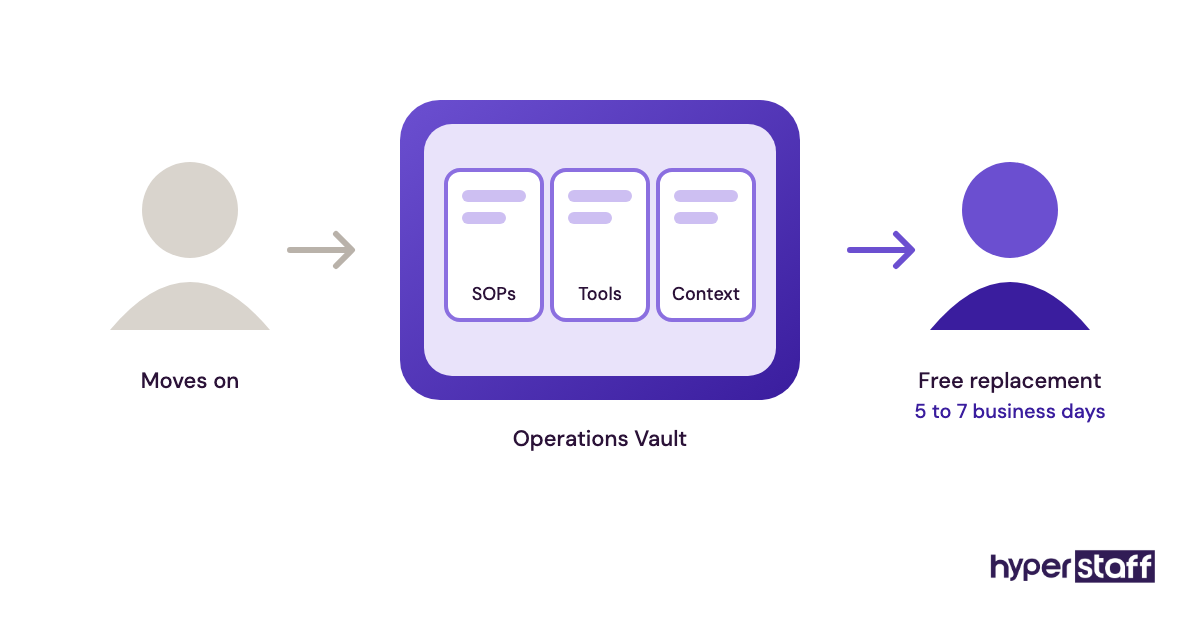
Hyperstaff places VAs in 5 business days and assigns a dedicated account manager. If you need a replacement, it's free and takes 5 to 7 business days, and the new VA is briefed from your Operations Vault.
Amazon VA Statistics, Trends and Future Predictions
Independent sellers account for more than 60% of sales in Amazon's store, according to Amazon's Small Business Empowerment Report. The same report puts average annual sales per US seller at more than $290,000.
Sellers at that size usually can't afford a full in-house team, and that's one reason remote Amazon support keeps growing. We expect more sellers to hire specialists for one job, such as PPC or reimbursements, over one generalist.
We're less sure about pricing. Rates for skilled Amazon VAs may rise as demand grows, but that depends on how supply changes across regions, which we can't predict.
Amazon Virtual Assistants and AI
AI already writes first drafts of Amazon listings, and Seller Central has generative AI tools that suggest titles, bullets and descriptions. That moves more of the VA's job toward checking claims, keywords and policy fit.
Onboarding should cover that review step. Add an SOP for AI-drafted content that lists what to check, which claims are banned in your category and when to escalate to you.
AI won't open a Seller Support case with the right evidence or catch a shipment that went missing. People still do that work, and the full list is in our guide to Amazon VA tasks.
Disclaimer: This article is for general information only and isn't legal, tax or Amazon policy advice. Amazon's rules, tools and prices change, so check Seller Central and each provider before acting. Hyperstaff isn't responsible for decisions made based on this content.
Common questions
Can I give my Amazon VA my Seller Central login?
You shouldn't. Invite them through User Permissions so they get their own login and 2SV, and you keep a record of every change they make.
What permissions should a new Amazon VA get first?
Start with View access to Reports and Inventory. Next, add Edit rights for Buyer-Seller Messaging, then for listings, and leave advertising for last.
How do I onboard an Amazon VA in a different time zone?
Write reply templates and SOPs before you hand over the inbox. Agree on one to two hours a day when your working hours overlap for questions, and list which issues always wait for you.
Does my Amazon VA need access to Brand Registry?
Only if they handle A+ Content, brand protection or brand reports. Brand Registry has its own user roles, so invite them separately at the lowest role that fits.
What should an Amazon VA do in the first week?
Read the SOPs, watch the task recordings and build a daily sales and stock report with view-only access. That week teaches them your catalog without putting the account at risk.
Book a free 15 min call
We place a pre-vetted specialist in 5 business days, fully managed, from $3/hour.