Best Medical Virtual Assistant Tools for Small Practices
Seven HIPAA-ready tools a medical virtual assistant works in every day, with BAA status, current prices and the setup traps that cause shared logins.
On this page
💡 Key Takeaways:
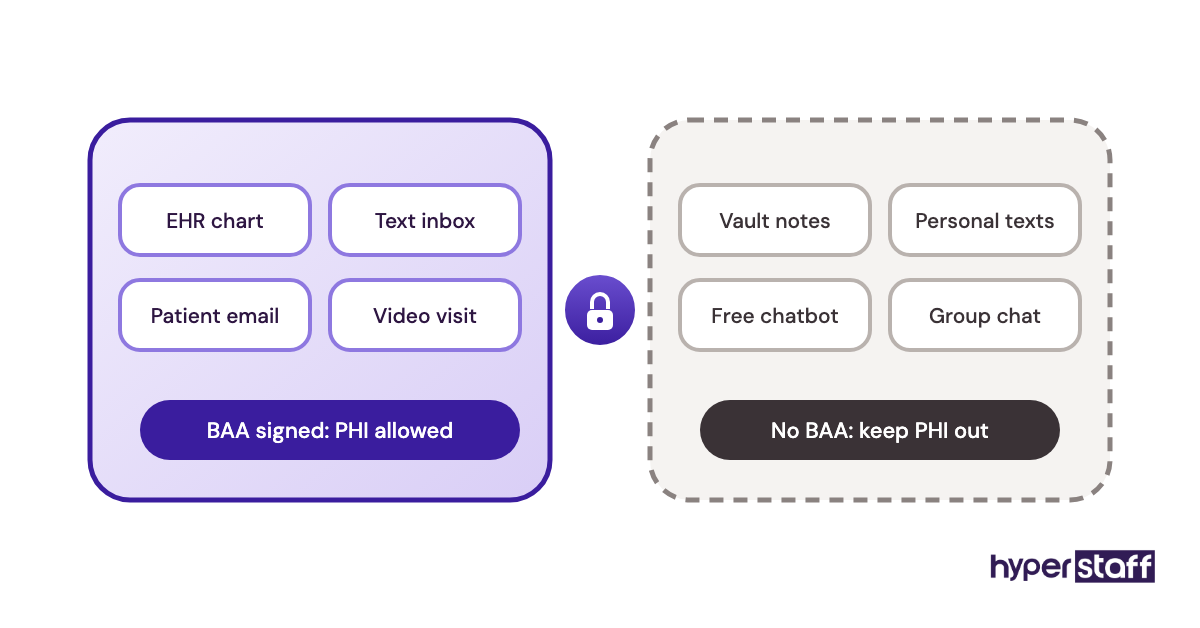
1) A medical virtual assistant needs a HIPAA-ready tool stack: an EHR or practice management system, a secure phone and text inbox, telehealth, encrypted email and a password manager, with a signed business associate agreement (BAA) for every tool that touches patient data.
2) Seat pricing sets the real cost of adding a VA. Some tools bill every user, and others add non-clinical staff at no extra cost, so the same assistant can cost $0 or $49 a month in a given tool.
3) Shared logins are the most common access failure in remote medical support. HIPAA requires a unique user ID for each person, so every VA needs their own login in every tool, created before the first shift.
The right tools turn VA hours into revenue
Hyperstaff has placed 70+ virtual assistants with 30+ clients, and our medical virtual assistant services start from $3/hour, with a pre-vetted specialist placed in 5 business days. Every client gets a dedicated account manager, and your VA's tool setup is written into an Operations Vault we maintain, so a replacement starts already briefed.
Best Medical Virtual Assistant Tools Comparison
The best medical virtual assistant tools cover five jobs: charting and billing, patient calls and texts, video visits, encrypted email and secure logins. The table compares seven tools by BAA status, starting price and the seat rule that decides what a VA adds to your bill.
| Tool | Best for | Category | BAA | Starting price | Cost of a VA seat |
|---|---|---|---|---|---|
| Tebra | Charting and billing in one login | EHR, billing, patient engagement | Yes | Quote-based, per prescribing provider | Non-clinical staff included |
| SimplePractice | Therapy and solo practices | EHR, scheduling, billing | Yes | $49 to $99 a month | Scheduler and biller roles free on Plus |
| Spruce Health | Shared phone, text and fax inbox | Patient communication | Included on every plan | $24 per user a month | $24 or $49 a month |
| Doxy.me | Simple telehealth visits | Video visits | Included on Premium | Free plan; Premium priced per user | Team users on Premium |
| Paubox | Encrypted patient email | HIPAA email | Yes | $32 a month for 1 to 5 senders (annual) | Free up to 5 senders |
| Google Workspace | Shared calendars, docs and team email | Productivity suite | Accepted in the Admin console | $7 per user a month (annual) | $7 to $22 a month |
| 1Password | Handing over and revoking logins | Password manager | Store logins only, no PHI | $24.95 a month for up to 10 users (annual) | Included up to 10 users |
Best Medical Virtual Assistant Tools Reviews
Each review looks at the tool from the VA's chair: the daily work inside it and what adding an assistant does to the bill. If you're still defining the role, start with what a medical virtual assistant is.
Prices come from each vendor's own pricing page. They change often, so confirm them before you sign.
1) Tebra: Best for charting and billing in one login
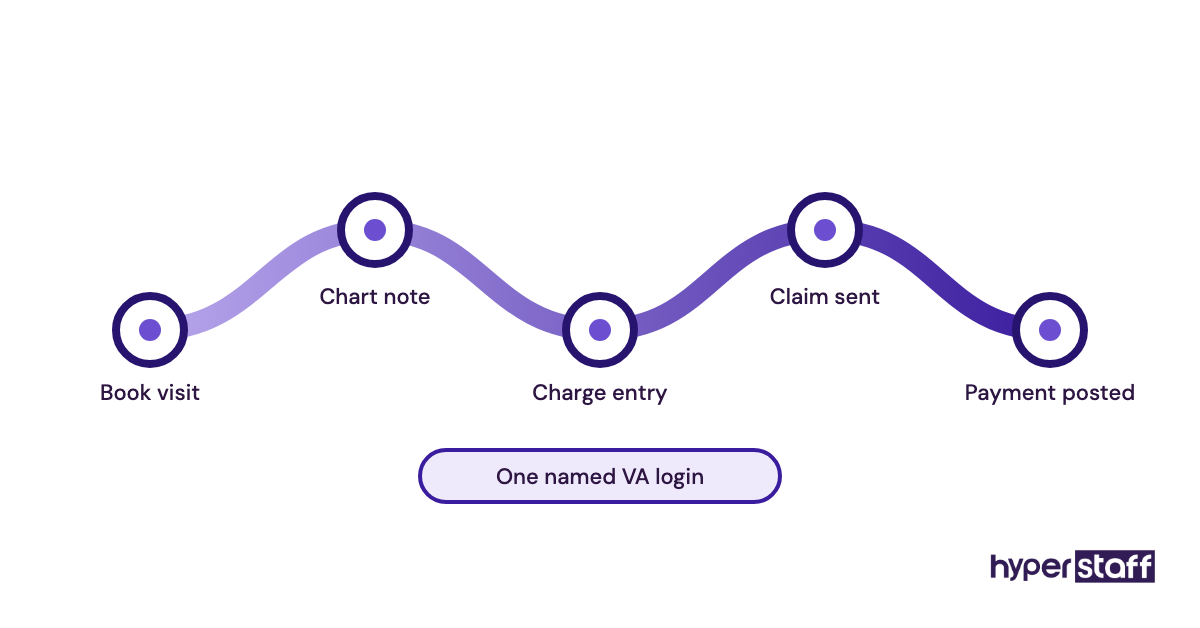
Tebra combines an EHR, medical billing and patient engagement in one system built for independent practices. Most of the tasks a medical VA covers, from scheduling to charge entry, can happen without switching apps.
Key highlights
- EHR, billing and patient engagement in one account
- Priced per prescribing provider
- Non-clinical staff at no extra cost
- Lower-tier pricing at 100 or fewer claims a month
- Bundle discounts for multi-module practices
Why a VA seat costs nothing here
Tebra builds its subscription around clinical prescribing providers, and its pricing page states that non-clinical staff are included at no extra cost. A remote VA gets a named login of their own without raising the monthly bill.
The catch is visibility. Tebra publishes no dollar figures, so you need a quote before comparing it with per-seat tools, and add-ons like EPCS setup (about $75 per provider, one-time) sit outside the base price.
Pros
- Scheduling, billing and charts in one login
- VA seats add nothing to the bill
- Cheaper tier for low claim volumes
- Patient engagement bundle available
- Volume pricing for larger groups
Cons
- No public prices
- Quote process slows side-by-side comparison
- EPCS and PDMP add separate fees
- Features depend on the bundle you buy
- More system than a scheduling-only practice needs
Who Tebra suits
Tebra fits independent practices that want the front desk and billing office in one system. A VA working claims and appointments spends the whole shift in one place.
2) SimplePractice: Best for therapy and solo practices
SimplePractice is a practice management and EHR platform built mostly for therapists, counselors and small group clinicians. A VA working in it books sessions, sends intake forms and files insurance claims.
Key highlights
- Starter $49, Essential $79, Plus $99 a month
- Extra practitioners on Plus at $74 each
- Scheduler and biller roles free on Plus
- Practice manager role at $39 a month
- Client portal for intake and booking
The plan you pick decides if a VA can log in
Team members exist only on the Plus plan, according to SimplePractice's help center. On Starter or Essential, the VA has no seat of their own, which pushes practices toward sharing the clinician's password.
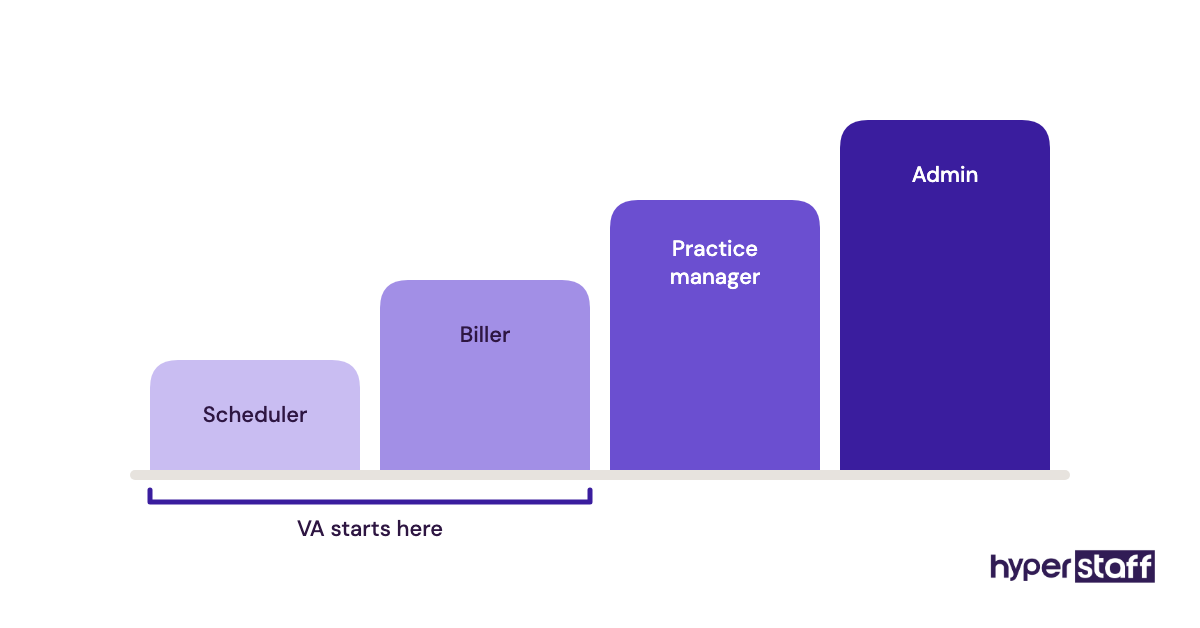
On Plus, the practice scheduler and biller roles cost nothing, per the pricing page and help center. The practice manager role is $39 a month, so give it only to a VA who needs full admin rights.
Pros
- Client portal patients find easy
- Free scheduler and biller roles on Plus
- Claims and payments in the same account
- Month-to-month plans
- Close fit for therapy workflows
Cons
- No staff seats below Plus
- Thin for multi-specialty clinics
- ePrescribe is $49 a month plus $89 setup
- AI note tools are paid add-ons
- Admin role is a paid seat
Is SimplePractice right for your practice
SimplePractice suits solo and small group clinicians in behavioral health. Budget for Plus from day one if an assistant will work inside it, and fold that into your medical virtual assistant cost.
3) Spruce Health: Best for a shared phone, text and fax inbox
Spruce Health is a healthcare communication app that puts calls, texts, secure messages, video and fax into one shared inbox. For a VA whose job is patient contact, it's where most of the day happens.
Key highlights
- Basic at $24 per user a month
- Communicator at $49 per user a month
- BAA included on every plan and trial
- $19.50 one-time fee to send SMS
- 14-day trial, no card needed
How the shared inbox works for a remote VA
Spruce gives the practice one patient-facing number while each teammate works under their own login. A VA can answer texts, return calls and file faxes from the shared inbox, and internal chat keeps the clinician in the loop.
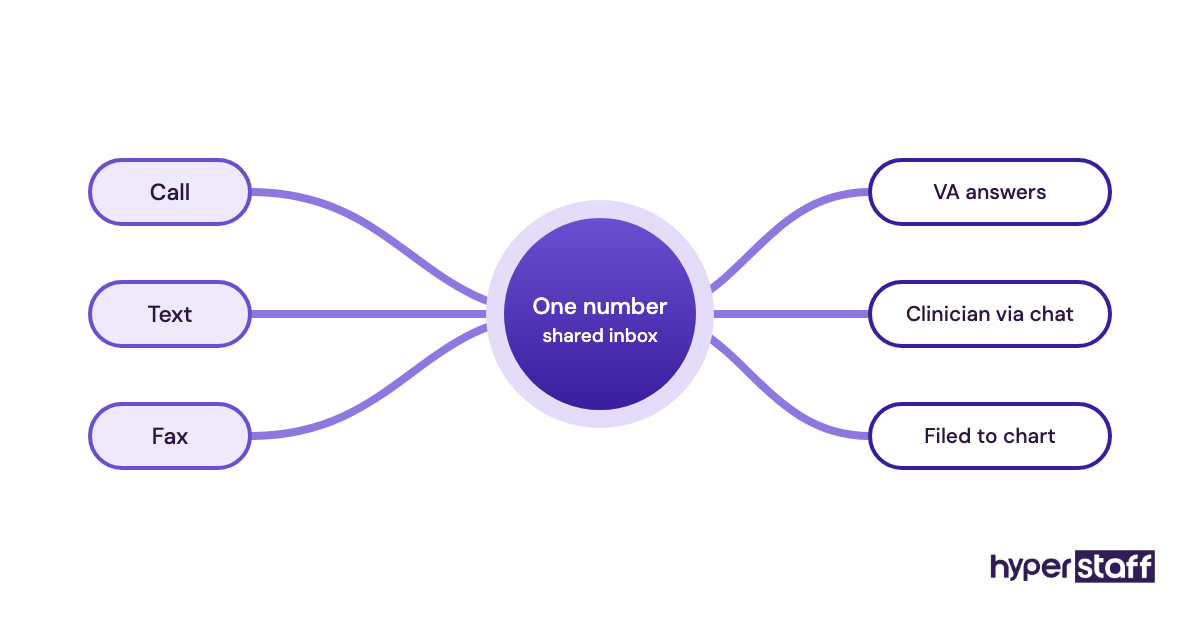
Communicator adds phone trees, after-hours triage and call recording, which matter once the VA covers the main line. Every user is billed, so a VA costs $24 or $49 a month here, per Spruce's plans page.
Pros
- Calls, texts, fax and video in one app
- BAA signed automatically
- Month-to-month billing
- Team chat for handoffs
- AI voicemail transcription on Basic
Cons
- Every user is a paid seat
- Taxes and telecom surcharges added on invoices
- Phone trees need the $49 plan
- Trial can't send SMS
- Desk phone hardware billed separately
Where Spruce earns its seat
Spruce is the strongest pick on this list for a VA who talks to patients all day. A VA doing only billing doesn't need a seat.
4) Doxy.me: Best for simple telehealth visits
Doxy.me is a browser-based telehealth platform where patients join a video visit from a link, with no app to download. A VA runs the waiting room and checks patients in before the clinician joins.
Key highlights
- Free plan for occasional telehealth
- Premium billed per user, annually
- BAA included on Premium
- Virtual waiting room and patient queue
- Team roles and permissions
What a VA does in the waiting room
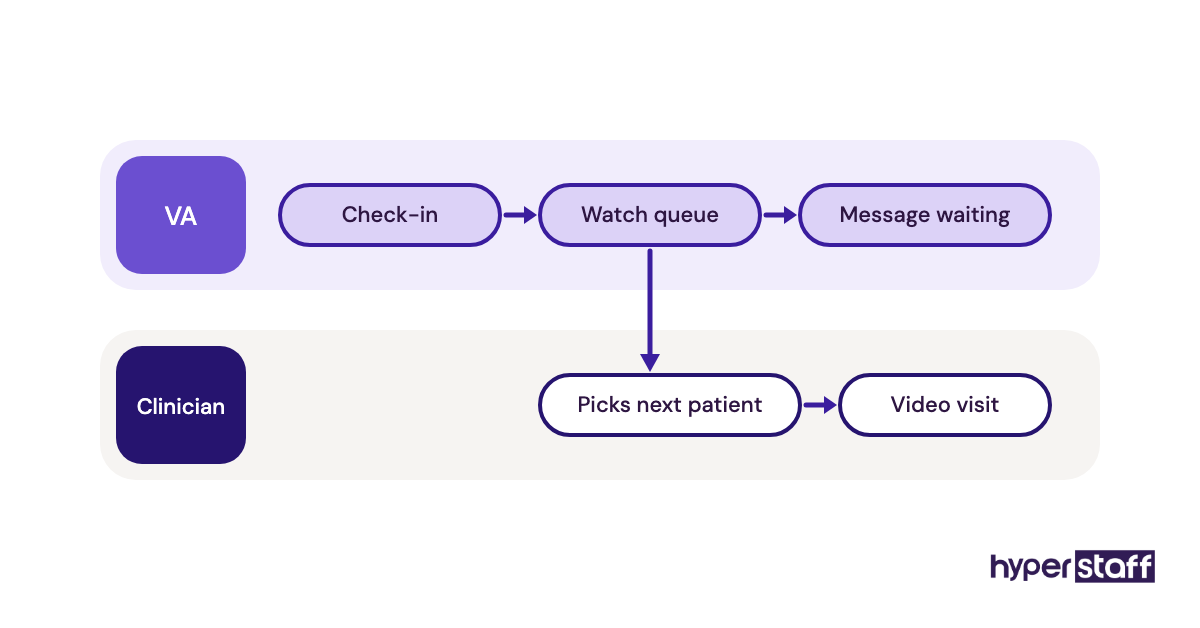
Premium supports multiple users with roles and permissions, so a VA can watch the patient queue and message people who are waiting. The clinician picks up each patient from the queue when ready.
Doxy.me's pricing page doesn't print the Premium price, and third-party listings put paid plans around $29 to $50 per provider a month. Get the exact per-user figure first, since annual billing locks it in for the year.
Pros
- Patients join from a browser link
- Free tier to test the workflow
- Waiting room suits VA-run check-in
- Team management on Premium
- BAA included on the paid plan
Cons
- Premium price not published
- Annual billing only on Premium
- Team features need the paid plan
- No scheduling or billing
- Reminders need another tool
Should you pay for Doxy.me
Doxy.me fits practices that see video patients every week. If telehealth is a few visits a month, the free plan may be enough, and it's worth asking whether a medical VA is worth it for that volume.
5) Paubox: Best for encrypted patient email
Paubox is a HIPAA compliant email service that encrypts outbound mail automatically on top of Google Workspace or Microsoft Outlook. Patients read the message in their normal inbox, with no portal or password.
Key highlights
- Standard from $32 a month, billed annually
- One to five senders cost the same
- Monthly billing runs about 30% higher
- Plus and Premium add threat protection and archiving
- 14-day free trial on every tier
Why the five-sender minimum favors small practices
Paubox bills by sender, and every plan starts at a five-sender minimum, per Paubox's pricing page. Two clinicians and one VA pay the same $32 a month (annual) as a team of five.
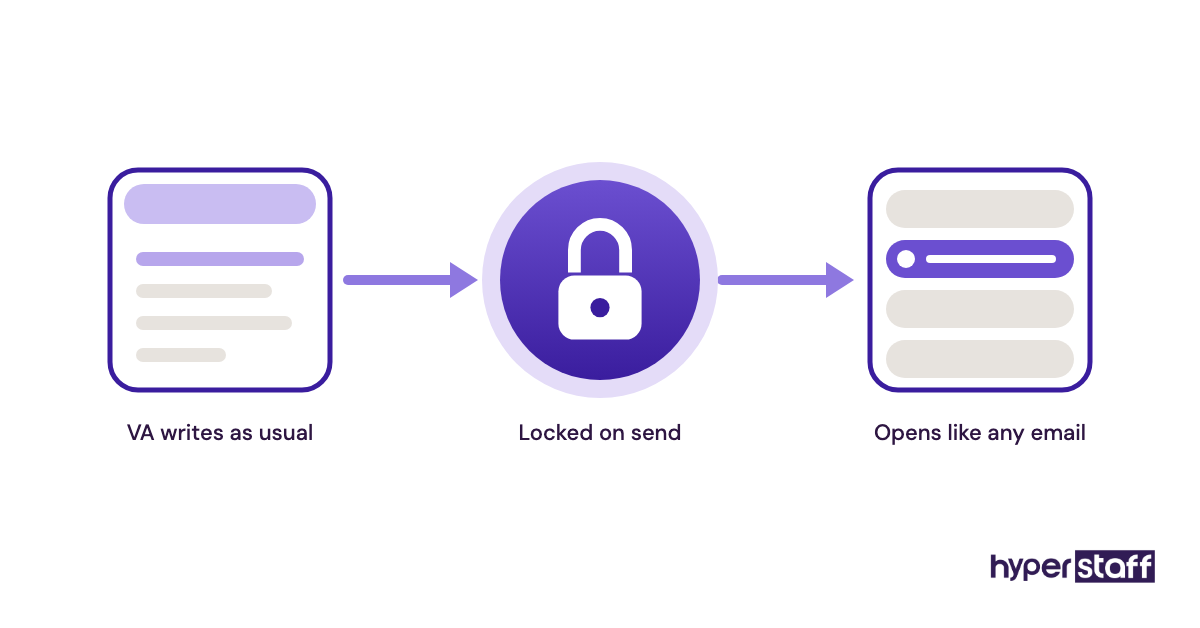
Adding a VA is free as long as you stay at five senders or fewer. Aliases and distribution groups aren't billed, so a shared front-desk address costs nothing extra.
Pros
- Encryption needs no action from the VA
- Patients skip portals and passwords
- Works with Gmail and Outlook
- Flat price up to five senders
- HITRUST certified
Cons
- Monthly billing is $42 for Standard
- Needs Google Workspace or Outlook underneath
- Inbound phishing protection starts on Plus
- Archiving only on Premium
- No free plan after the trial
Who needs Paubox
Paubox earns its place once a VA emails patients about bills, forms or appointment details. If every patient message goes through the EHR portal, you can skip it.
6) Google Workspace: Best for shared calendars and team docs
Google Workspace is the email, calendar, Drive and Docs suite many small practices already run. Google signs a BAA for it, and a VA uses it for provider calendars, SOP documents and internal email.
Key highlights
- $7, $14 or $22 per user a month on annual plans
- Flexible billing about 20% higher
- BAA accepted in the Admin console
- Third-party add-ons not covered
- Vault retention on Business Plus
The BAA gap practices miss
Google's BAA covers only the services on its HIPAA Included Functionality list, and its compliance guide says third-party add-ons fall outside it. A Gmail add-on or extension your VA installs isn't covered.
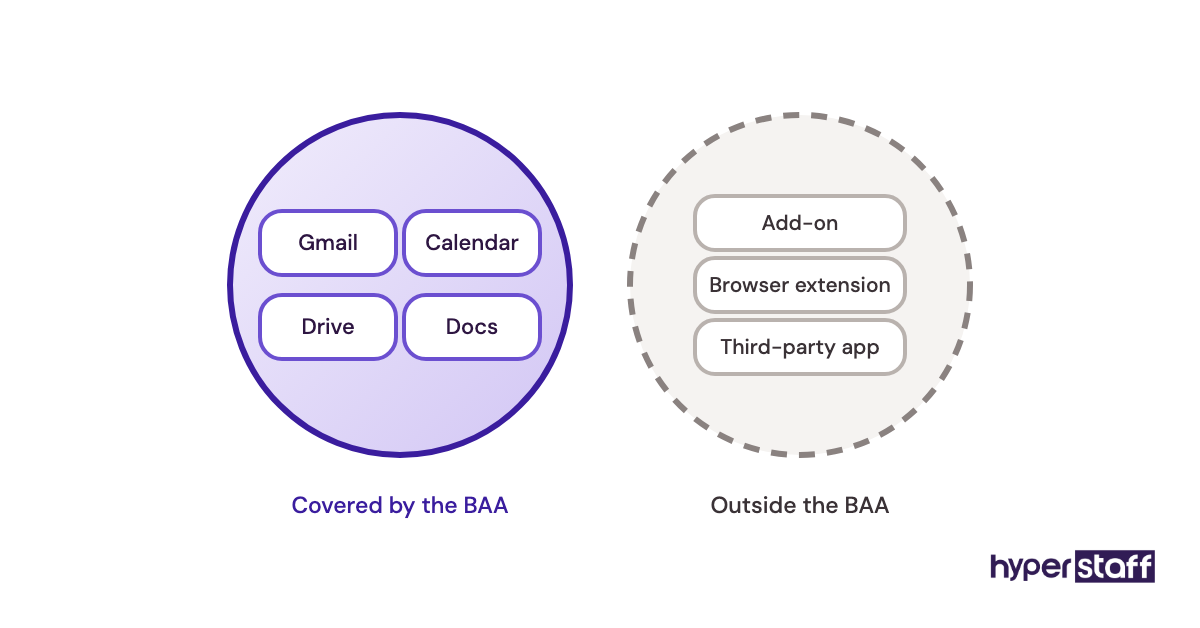
Google also says customers without a signed BAA must not put PHI in Workspace at all. A super admin accepts it in the Admin console under Account settings, then Legal and compliance, and the rules for a HIPAA compliant virtual assistant apply from there.
Pros
- Email, calendar and Drive under one login
- BAA accepted online
- Shared calendars for provider schedules
- Docs for written SOPs
- Familiar to most VAs
Cons
- BAA excludes add-ons
- Patient email may need an encryption layer
- Retention tools only on Business Plus
- Every user is a paid seat
- Admin settings take time to lock down
When Google Workspace makes sense
Workspace is the default internal hub for a small practice with a VA. Keep clinical records in the EHR and use Workspace for schedules, SOPs and team email.
7) 1Password: Best for handing over and revoking logins
1Password is a password manager that lets a practice share logins with a VA without pasting raw passwords into chat or email. Removing the VA from the account cuts their access to every shared vault.
Key highlights
- Teams Starter Pack at $24.95 a month for up to 10 users
- Business at $8.99 per user a month
- Both prices billed annually
- Shared vaults split by role
- Local-currency pricing outside the US
Where a password manager fits in a HIPAA setup
The HIPAA Security Rule requires a unique user ID for every person under 45 CFR 164.312, and a vault of shared passwords can't meet that inside the EHR. Use 1Password for the VA's own credentials and for shared non-clinical accounts like a supply portal.
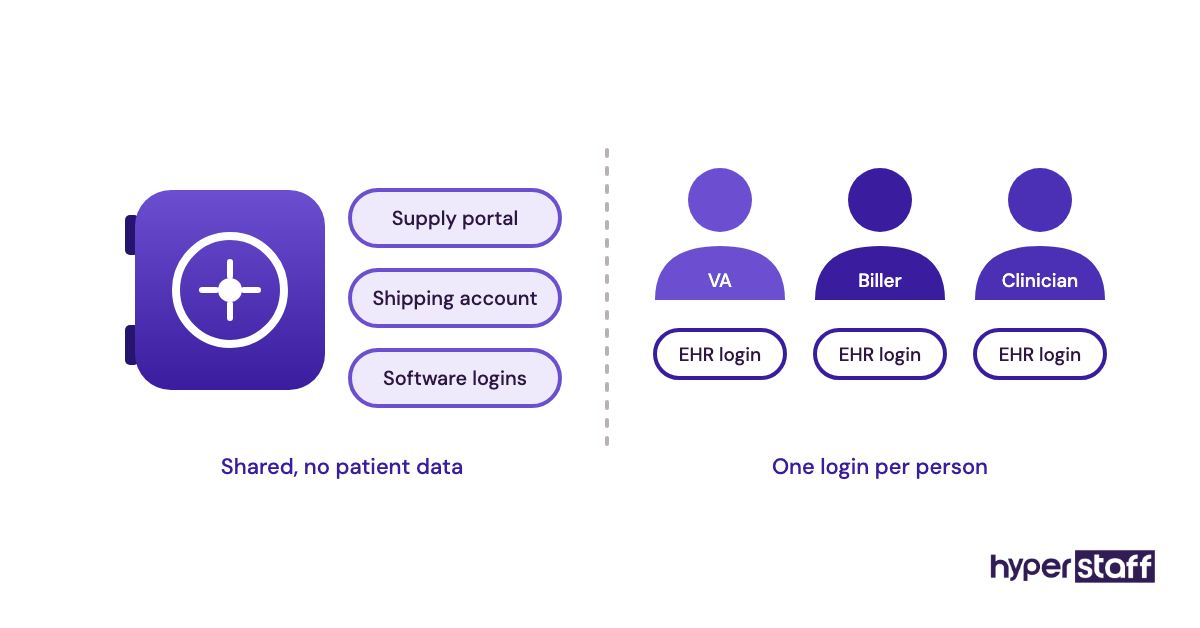
Keep patient details out of vault notes. A practice of three or four people fits inside the Starter Pack on 1Password's pricing page, and you can test tool habits with the right VA interview questions before granting access.
Pros
- Logins shared without exposing passwords
- Fast offboarding
- Flat price for up to 10 people
- Works across browsers and devices
- Vault access split by role
Cons
- No substitute for named EHR logins
- PHI must stay out of notes
- Business tier needed past 10 users
- Listed prices assume annual billing
- One more tool for the VA to learn
Is 1Password worth adding
1Password is the cheapest safeguard on this list for a practice that adds or replaces VAs. It also shortens the first-day handover.
How Should You Set Up Tool Access for a Medical VA?
Tool access for a medical VA should be ready before the first shift: BAAs signed, named logins created and permissions matched to the role. The order matters more than the tool choice, since a VA who starts before access is ready usually ends up on someone else's password.
What has to happen before the VA's first login
Access problems tend to start in week one, when the VA is ready and the accounts aren't. Hyperstaff places a VA in 5 business days, which is enough time to finish this setup if it starts the day you decide how to hire a medical VA.
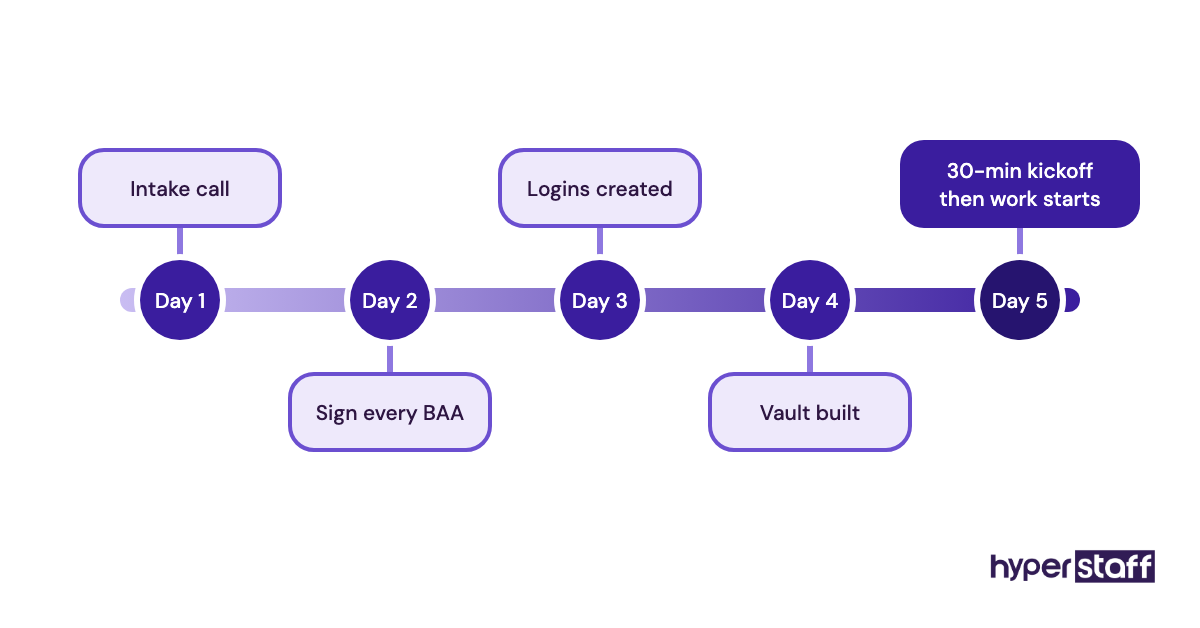
Two steps carry most of the compliance weight. Both are cheap, and both are painful to fix after patient data has already moved.
Sign every BAA first
A business associate agreement has to be in place with each vendor before PHI enters that tool. Spruce signs one automatically, Google needs an admin to accept it, and an EHR vendor's BAA usually sits inside the contract.
List each tool with its BAA status in one document. That list becomes the first page of your medical VA onboarding plan.
Give each VA a named login
Create a separate user for the VA in every tool, set to the narrowest role that covers their work. In SimplePractice that's the scheduler or biller role, and in Tebra it's a staff user at no extra cost.
Set session timeouts before handing over the login. HIPAA lists automatic logoff as an addressable safeguard, and it matters more when the screen sits in a home office.
What changes when the VA leaves or is replaced
Offboarding is where remote setups leak. A VA who moves on keeps working logins until someone removes them, and in a busy practice that job often belongs to nobody.
Hyperstaff replaces a VA free within 5 to 7 business days, briefed from your Operations Vault, so the handover has a set date. The two steps below decide whether it's clean.
Revoke access in one sitting
Remove the departing VA from every tool on the same day, starting with 1Password, since that one step cuts every shared login at once. Spreading removals across a week is one of the medical VA mistakes that leaves live access behind.
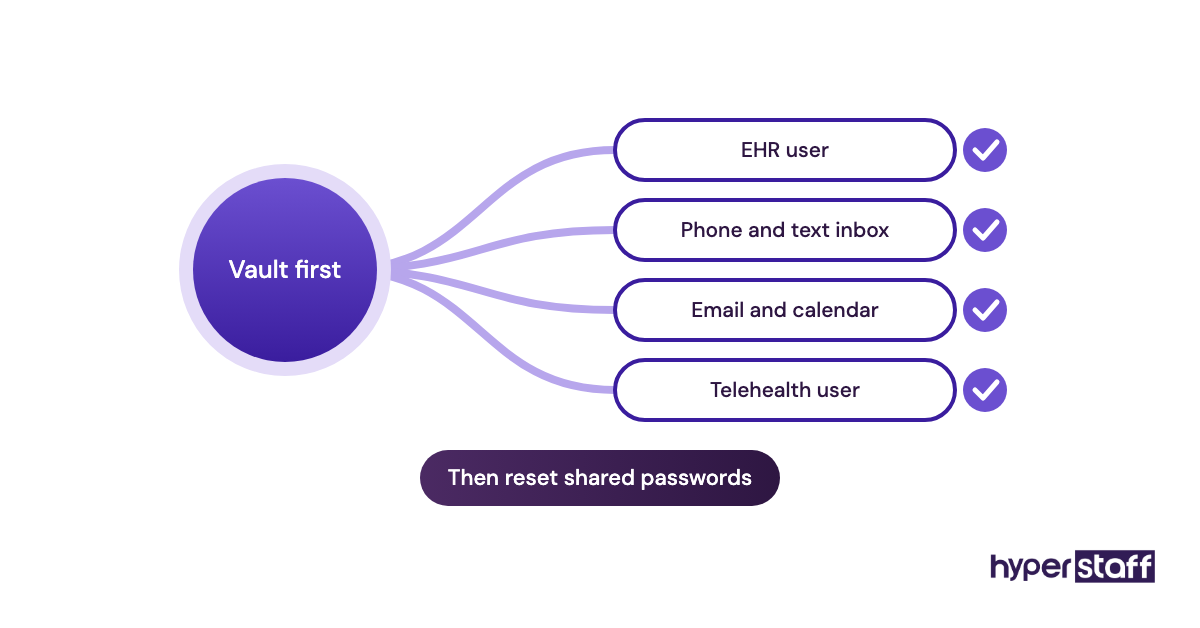
Then check the shared accounts the VA used but didn't own, like the practice's Spruce number or a supplier portal. Change those passwords in the vault so the replacement inherits fresh credentials.
Keep the tool stack written down
A new VA starts fast only if someone recorded which tools exist, which role each login has and who approves access. That record belongs in your Operations Vault, next to the role scope from your medical VA job description.
Update it the day you add a tool. An outdated list is how a replacement ends up without access to the fax line on their first morning.
Disclaimer: This article is general information, not legal, compliance or medical advice. Tool features and prices change, so confirm current terms with each vendor and a qualified HIPAA advisor before handling patient data. Hyperstaff isn't affiliated with any tool named here.
Common questions
Do medical virtual assistant tools need a BAA if the VA works overseas?
Yes. A BAA depends on whether the tool stores or transmits PHI, and the VA's location doesn't change that. Check each vendor's terms for rules on access from outside the US, since some restrict it.
What's the cheapest tool stack for a medical VA?
Google Workspace Business Starter at $7 and Spruce Basic at $24 come to about $31 a month per VA, plus a shared 1Password Starter Pack. Pick an EHR that adds staff free, like Tebra or SimplePractice Plus, and the VA's EHR seat costs nothing.
Can a medical VA work in Epic or athenahealth?
You can give a VA access to any EHR that lets you create a named staff user. The vendor's rules on remote and offshore access still apply, so confirm them before the VA's start date.
Do in-house staff and a VA need different tools?
No. A VA uses the same EHR, phone system and email as your front desk. The differences are remote access settings and a password manager for handovers, which our medical VA vs in-house comparison covers in more depth.
Can my medical VA use ChatGPT or other AI tools?
Only AI tools whose vendor signs a BAA should ever see patient details. Consumer chatbot plans generally don't come with one, so keep PHI out of them and use the AI features built into your covered tools instead.
Book a free 15 min call
We place a pre-vetted specialist in 5 business days, fully managed, from $3/hour.