The Best Small Business Virtual Assistant Tools to Set Up First
Seven tools a small business and its virtual assistant can share, with real pricing, seat limits and the setup mistakes to avoid.
On this page
More billable hours start with the right stack
Hyperstaff places pre-vetted remote specialists who learn one business and work inside tools like the seven below. With 70+ virtual assistants placed for 30+ clients, our small business virtual assistant services start from $3/hour, with placement in 5 business days and a dedicated account manager on every account.
Best small business virtual assistant tools comparison
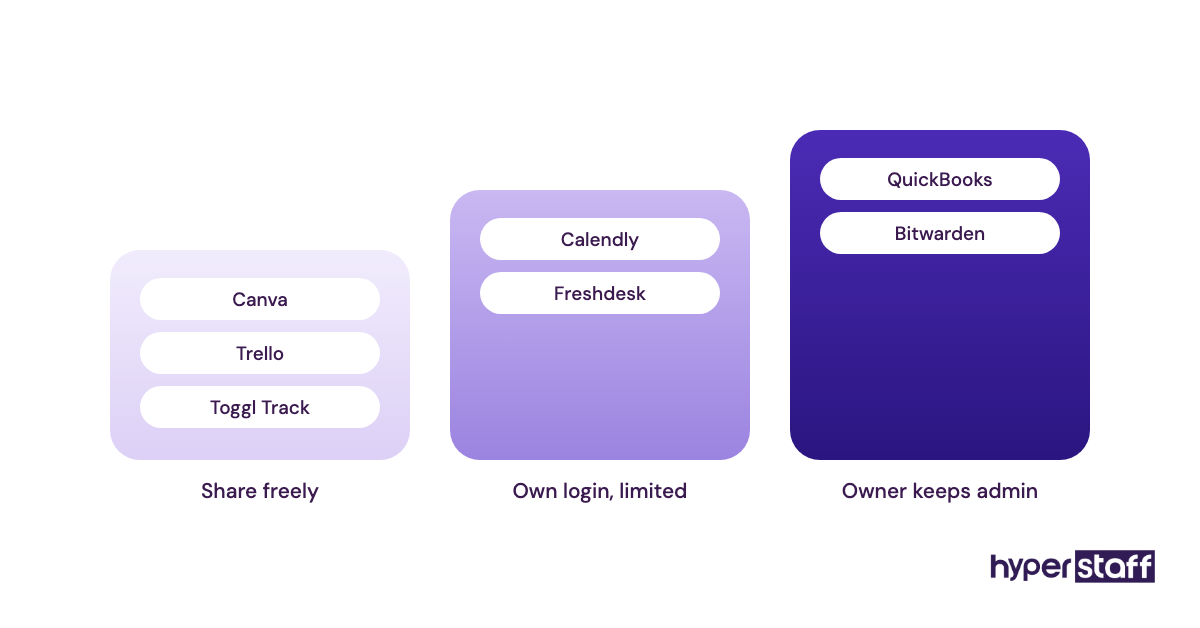
Small business virtual assistant tools split by job: QuickBooks Online for books, Calendly for bookings, Freshdesk for support, Trello for tasks, Bitwarden for logins, Toggl Track for hours and Canva for graphics. Match the list to the tasks your VA will handle and skip the rest.
| Tool | Best for | Free plan | Paid plans | Seat note for a VA |
|---|---|---|---|---|
| QuickBooks Online | Bookkeeping and invoicing | One user, no accountant invites | $38 to $340 a month (list) | Simple Start has 1 user; Essentials has 3 |
| Calendly | Client bookings and reminders | One event type, one calendar | From $10 per seat a month (yearly) | One seat in the owner's name usually covers it |
| Freshdesk | Shared support inbox | None listed, 14-day trial | $19 to $89 per agent a month (annual) | Owner plus VA is two agents |
| Trello | Task boards | Up to 10 collaborators, 10 boards | $5 to $17.50 per user a month (annual) | Free holds for most two-person setups |
| Bitwarden | Password sharing | Two users, two collections | $4 to $6 per user a month (annual) | Free organization fits owner plus one VA |
| Toggl Track | Hours by task or client | Small teams | $9 to $16 per user a month (annual) | VA needs their own user |
| Canva | Social posts and graphics | Core templates | Pro about $120 a year; Teams about $100 per person a year | Teams has a three-person minimum |
Best small business virtual assistant tools reviews
Each review below lists current pricing from the vendor's own site, the seat rules that matter once a second person logs in, and where the tool tends to break in the daily work of a small business virtual assistant. Prices change often, so treat them as ranges and confirm on the linked page before you buy.
1) QuickBooks Online: Best for bookkeeping a VA can reconcile weekly
Key highlights
- Plans from $38 to $340 a month at list price
- Simple Start has one user; Essentials has three
- Two accountant invites on paid plans
- Bank feeds with auto-categorizing rules
- Intro promos often halve the first three months
How the user limit decides your plan
QuickBooks Online pricing runs from $38 a month for Simple Start up to $340 for Advanced, according to Intuit's pricing page. For a business adding a VA, the number that matters is the user count: Simple Start allows one user, so the VA would be working in your login.
Essentials at $85 a month gives three users and is the real entry point for most owners with a VA. Some owners add a bookkeeping VA through an accountant invite instead, which works, though those slots exist for your accountant and you'll want one free at tax time.
Pros
- Bank feeds cut most manual entry
- Separate logins on Essentials and above
- Audit log shows who edited each transaction
- Most US accountants already know it
- Invoices, bills and receipts in one place
Cons
- One-user cap on Simple Start
- Price jumps when the promo ends
- A bad bank rule miscategorizes in bulk
- Payroll costs extra
- Inventory tracking starts at Plus
Is QuickBooks Online the right ledger for a VA?
QuickBooks Online suits a VA doing weekly categorizing, receipt matching and invoice follow-up, once you budget for Essentials. Review bank rules monthly, since a wrong rule repeats its mistake on every matching transaction.
2) Calendly: Best for client bookings and reminders
Key highlights
- Free plan with one event type
- Standard from $10 per seat a month
- Teams from $16 per seat a month
- Reminder workflows on paid plans
- Shows slots in the invitee's time zone
Where time zones trip up an offshore VA
Calendly's free plan covers one event type and one calendar connection, and paid seats start at $10 a month on Standard and $16 on Teams with yearly billing, per Calendly's pricing page. The free tier ends the moment you want a short intro call and a longer consult on separate links.
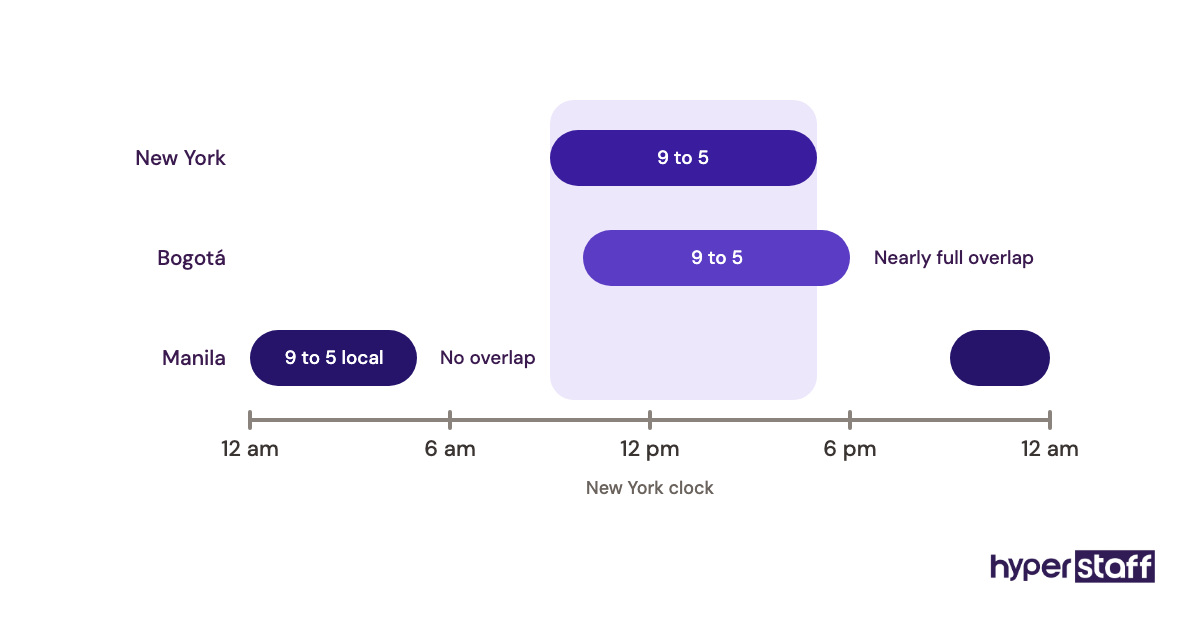
For a VA in Manila or Bogotá, the risk sits in availability settings. Minimum notice and buffers matter more than the link itself, because without them a client can book a slot 20 minutes out while the VA is offline and nobody confirms it.
Pros
- Invitees see times in their own zone
- Reminder emails cut no-shows
- Syncs with Google and Outlook calendars
- Event types are quick for a VA to edit
- Routing forms on higher plans
Cons
- Free plan stops at one event type
- Per-seat cost if the VA needs their own page
- Round-robin needs the Teams plan
- Payments need Stripe or PayPal connected
- Availability is easy to change by mistake
Who Calendly fits
Calendly fits a service business that books calls and wants a VA running reminders, reschedules and follow-ups. A product business that rarely books calls can stay on Free for a long time.
3) Freshdesk: Best for a shared customer support inbox
Key highlights
- Growth from $19 per agent a month (annual)
- Pro at $55, Enterprise at $89 per agent
- 14-day free trial
- Canned responses and ticket assignment
- Email and web-form tickets in one queue
What tickets fix that a shared inbox can't
Freshdesk pricing starts at $19 per agent a month on Growth, billed annually, with Pro at $55 and Enterprise at $89, according to Freshworks. An owner plus one VA on Growth comes to about $38 a month.
A ticket gives every customer email a status, an owner and a history. In a shared Gmail inbox, two people can answer the same complaint, and a message marked read can sit for days because it looks handled.
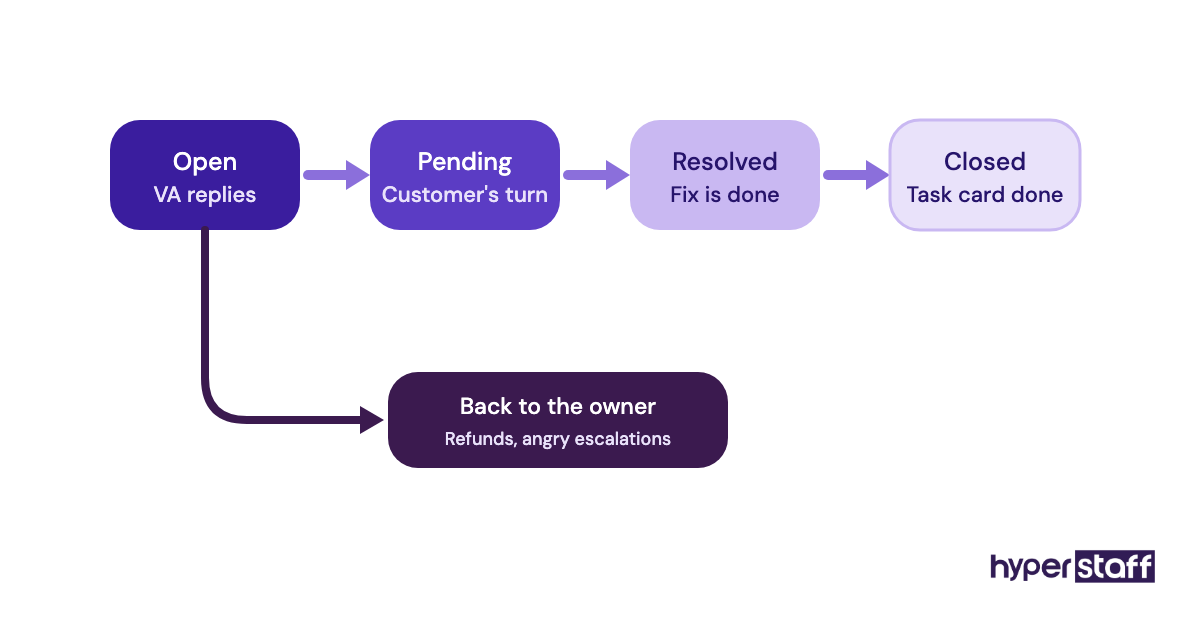
Help-desk tools are where VA skill varies most, so test Freshdesk or a similar tool with a short paid task when you hire a small business VA.
Pros
- Clear owner on every ticket
- Canned responses keep answers consistent
- SLA timers on paid plans
- Knowledge base for self-serve answers
- First response time reports
Cons
- No free plan listed right now
- Cost climbs with each new agent
- Automations take time to set up well
- AI agent sessions are capped, then paid
- Overkill for light email volume
Is a help desk worth it this early?
Freshdesk earns its fee once support volume is steady and a VA owns the queue most days. Below roughly 20 customer emails a day, in our view, a shared inbox with labels carries you fine.
4) Trello: Best for visual task boards on a free plan
Key highlights
- Free for up to 10 collaborators per Workspace
- Free plan caps at 10 boards
- Standard at $5 per user a month (annual)
- Premium at $10 per user a month (annual)
- 250 automation runs a month on Free
Why recurring cards keep a board alive
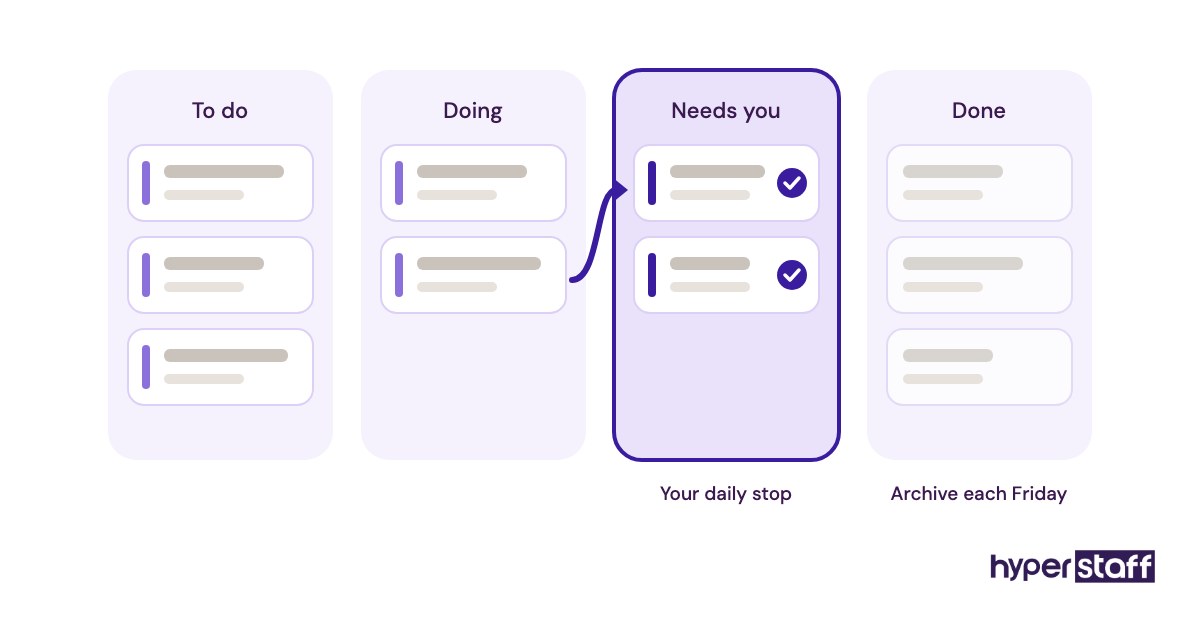
Trello's free plan covers up to 10 collaborators and 10 boards per Workspace, with Standard at $5 per user a month and Premium at $10 on annual billing, per Trello's pricing page. For one owner and one VA, Free usually holds for months.
Boards die from clutter. Weekly VA work like invoice chasing, social posting, review replies and supplier orders belongs on recurring cards made by Butler automation, and finished cards need archiving every Friday so the Done list doesn't bury what's active.
Pros
- Free plan covers most two-person setups
- Columns anyone can read at a glance
- Butler automation for recurring cards
- Checklists inside each card
- Mobile app works well for approvals
Cons
- 10-board cap on Free
- Weak for long projects with dependencies
- Only 250 automation runs a month on Free
- Timeline and Calendar views need Premium
- Boards get messy without a weekly cleanup
Trello or something heavier?
Practitioners split on this one. Some move to Asana or ClickUp once a VA runs projects with dependencies, and others keep Trello because the owner actually opens it.
5) Bitwarden: Best for low-cost password sharing
Key highlights
- Free organization for two users
- Two collections on the free tier
- Teams at $4 per user a month (annual)
- Enterprise at $6 per user a month
- Open source with published security audits
The two-factor problem most owners miss
Bitwarden's free organization lets two users share logins across up to two collections, according to Bitwarden's help center, which matches an owner plus one VA. Teams costs $4 per user a month on annual billing, per Bitwarden's business pricing.
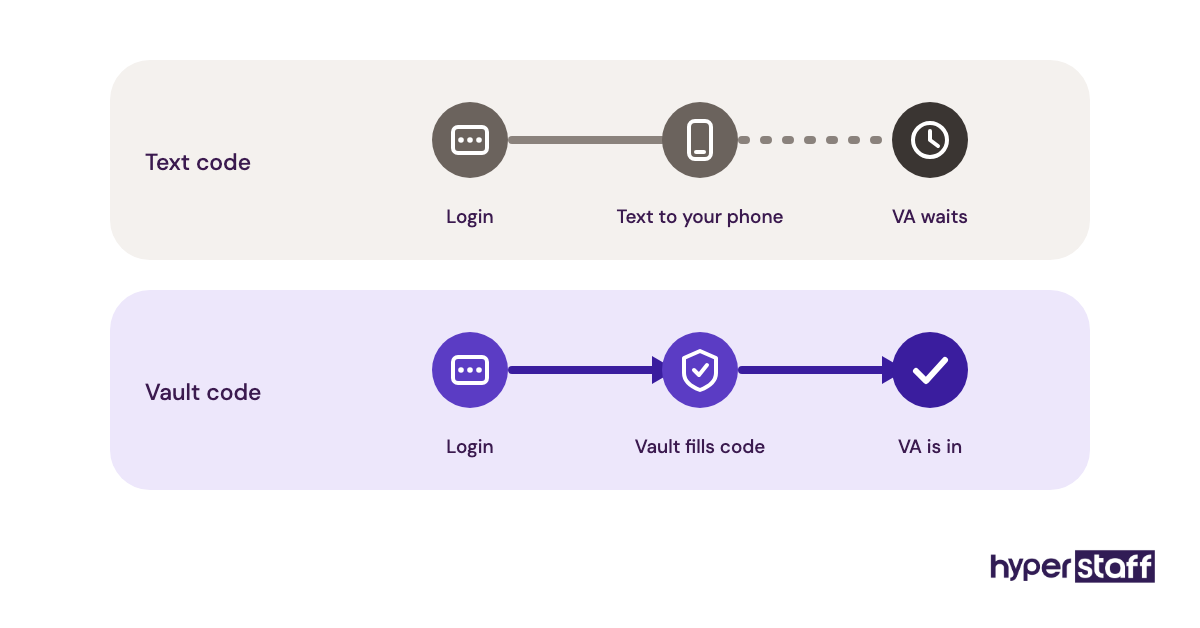
Shared passwords are the easy part. Two-factor codes cause the lockouts: a login that texts a code to your phone stalls a VA working while you sleep, so store authenticator keys in the vault (a paid-plan feature) where the account allows it.
Pros
- Free plan fits one owner and one VA
- Collections limit what the VA sees
- Access removed in one step when someone leaves
- Extensions for every major browser
- Low per-user price on Teams
Cons
- Two-collection cap on Free
- Authenticator codes need a paid plan
- Plainer interface than 1Password
- Each user needs their own Bitwarden account
- Admin console takes some learning
A cheap fix for a risky habit
Bitwarden replaces passwords pasted into chat, one of the common small business VA mistakes and the one with the most cleanup when a VA leaves. Revoking a collection takes seconds.
6) Toggl Track: Best for tracking hours by client or task
Key highlights
- Free plan for small teams
- Starter at $9 per user a month (annual)
- Premium at $16 per user a month (annual)
- One-click timers in browser and desktop
- Reports by project, client or tag
Tracking a VA's hours against a monthly bundle
Toggl Track's Starter plan costs $9 per user a month on annual billing ($12 monthly), with Premium at $16, per Toggl's pricing page. A free plan covers a few users, and reports split time by project or tag.
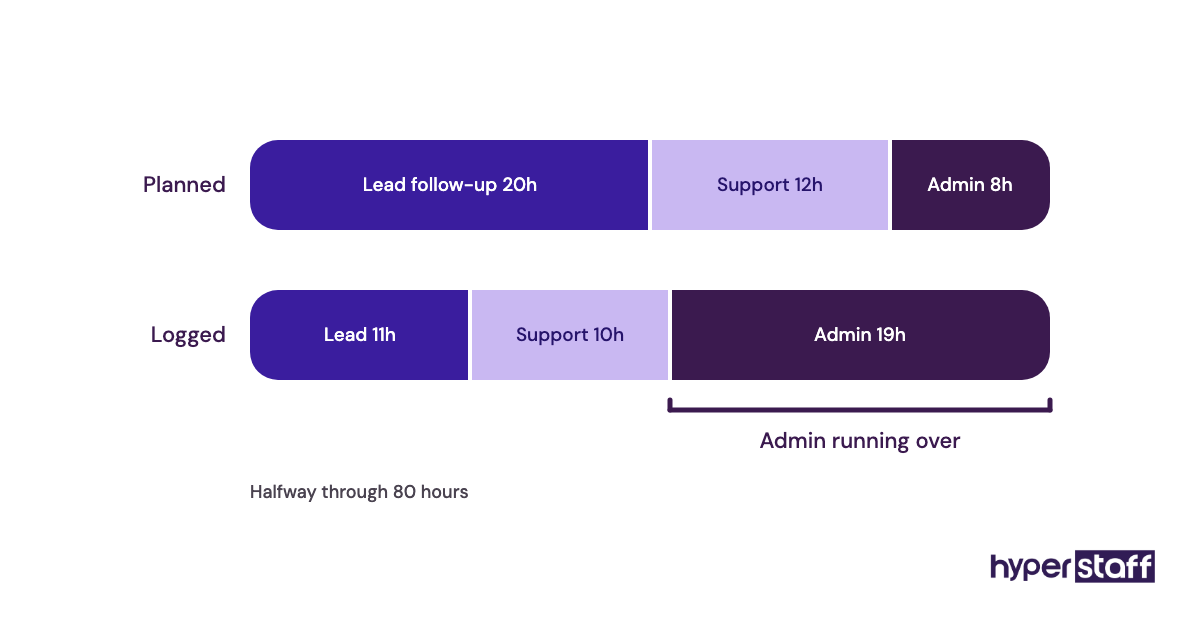
That split matters on a fixed bundle. On Hyperstaff's monthly bundles of 40, 80 or 160 hours, tagging time by task shows early in the month if admin work is eating hours planned for lead follow-up, which is also the clearest way to judge if a VA is worth the money.
Pros
- Fast to start and stop timers
- Clean weekly reports to share
- Idle detection flags forgotten timers
- Works on browser, desktop and mobile
- No screenshots, which most VAs prefer
Cons
- Free plan limits users
- Billable rates need a paid plan
- Depends on the VA starting timers
- No screenshot proof if you want it
- Monthly billing costs about a third more
Trust versus proof
Owners split on monitoring. Screenshot tools like Hubstaff record activity, while Toggl keeps a clean record and leaves judgment to output, which suits a dedicated specialist you plan to keep.
7) Canva: Best for social posts and simple marketing graphics
Key highlights
- Free plan with core templates
- Pro for one person, about $120 a year
- Teams about $100 per person a year
- Teams needs at least three people
- Brand Kit locks fonts and colors
Who owns the designs when a VA leaves
Canva Pro covers one person for roughly $120 a year in the US, and Teams runs about $100 per person a year with a three-person minimum, so check Canva's pricing page before buying. Canva has repriced Teams before, and an owner plus one VA on Teams still pays for three seats.
Design ownership is the hidden risk. Graphics a VA builds in their own free account leave with them, so invite them into your team, where files and the Brand Kit stay in your account.
Ask about this directly in your VA interview questions, since many VAs arrive with a personal Canva library they're used to working from.
Pros
- Huge template library
- Brand Kit on paid plans
- Comments make approvals fast
- Content Planner schedules social posts
- Short learning curve for new VAs
Cons
- Three-seat minimum on Teams
- Templates can look generic
- Designs in a VA's own account leave with them
- Teams pricing has changed before
- Weak for complex print layouts
When Canva is enough
Canva is enough for social posts, simple ads and one-page flyers built from a Brand Kit. Logos, packaging and anything going to a printer with strict specs still need a designer.
What should be set up before your VA logs in?
Before a VA's first login, every tool needs a seat plan, a card on file and a clear order for handoffs. Skip that setup and the first week goes to chasing access requests.
Seat costs stack on top of the cost of a small business VA, and the same licenses apply to a staff hire, a point often left out when owners weigh a VA vs an in-house hire.
Seats, cards and recovery
Count seats per tool before buying. The cheapest plan often has a single user, as QuickBooks Simple Start does, or a seat minimum, as Canva Teams does.
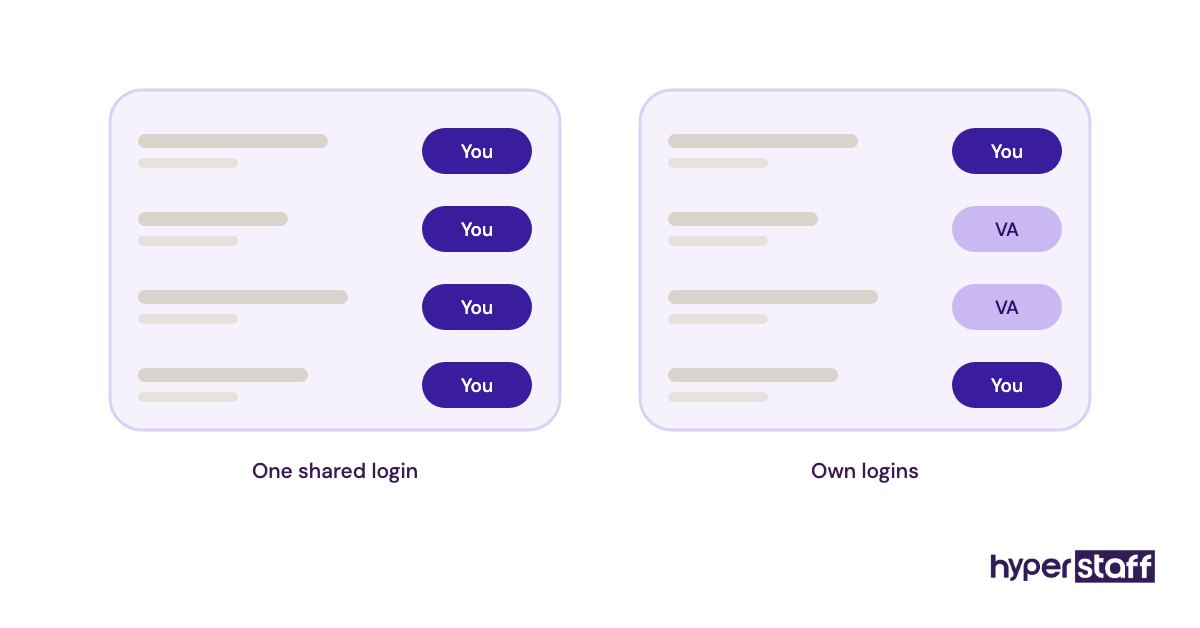
Give the VA their own login wherever a plan allows it. Their edits then show under their name, and removing access never means changing your passwords.
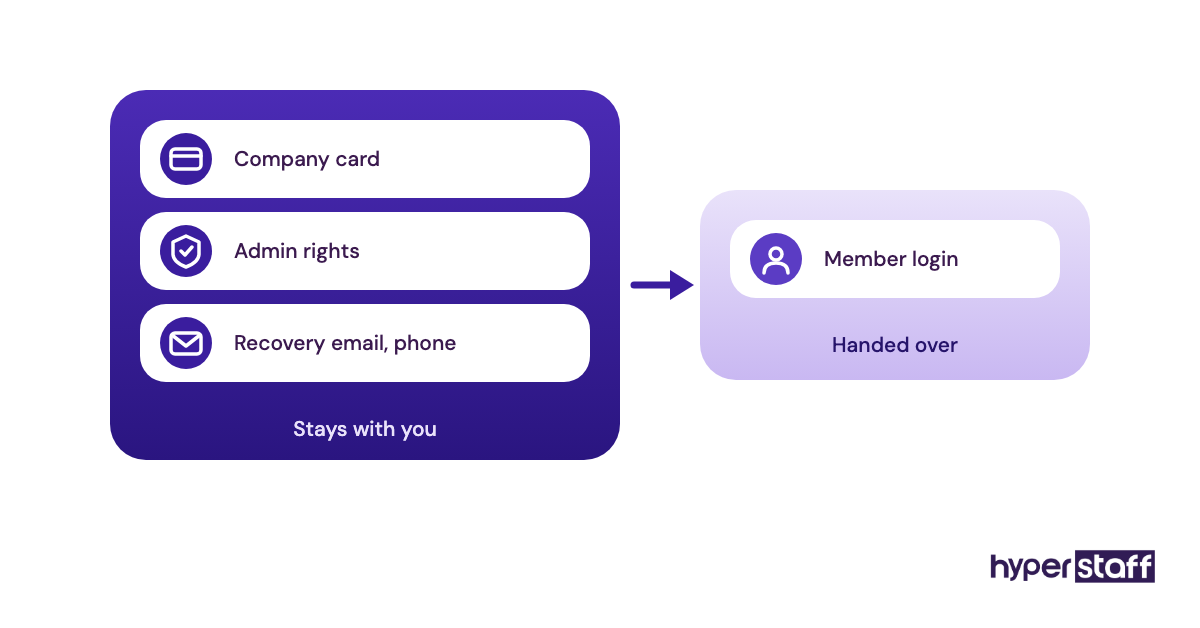
Who holds the card
Keep every subscription on a company card in your name. A tool billed to a VA's personal card can lapse during a handover, and the account may legally belong to them.
Admin rights stay with you. A member or user role is enough for daily work in most tools on this list.
Recovery settings
Recovery emails and phone numbers should point to you. A recovery address that leaves with a VA can lock you out of your own account.
Check them once a quarter. Tools add new recovery options without announcing it, and a VA can set one up while fixing a lockout.
Handoffs between tools
Tools save time when work moves between them in a set order. Write that order down once, with the trigger for each step.
A two-line rule per handoff is enough. The Operations Vault holds those rules next to your SOPs, a step covered in our guide to onboarding a small business VA.
Booking to invoice
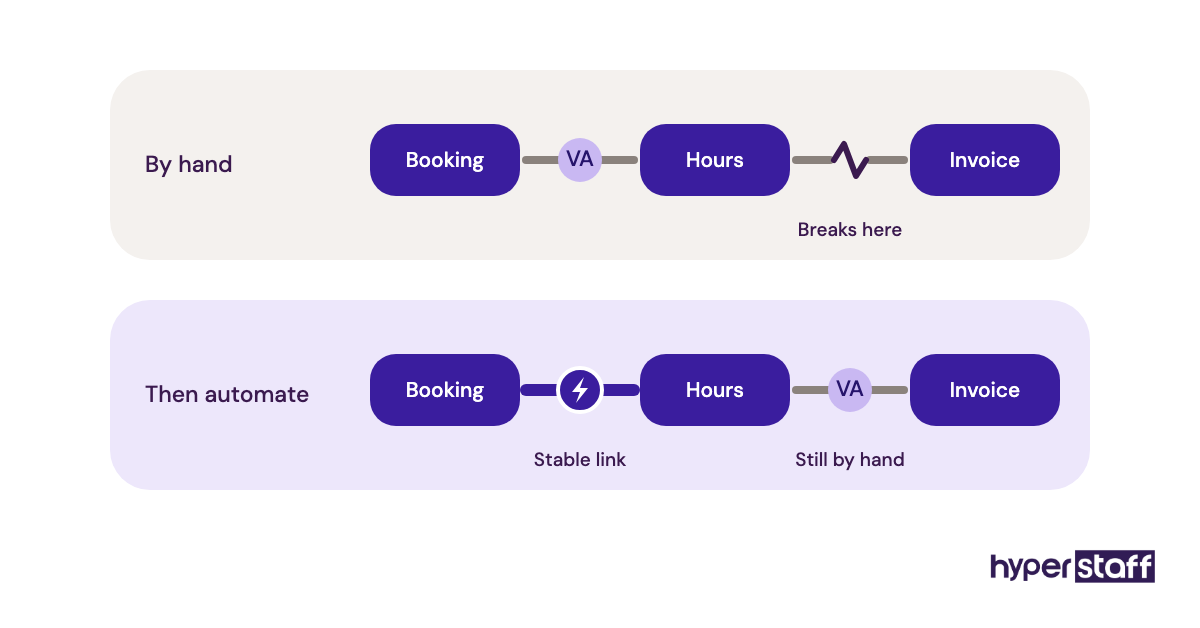
A Calendly booking can start a chain: the VA logs the call, tracks the time in Toggl and raises the invoice in QuickBooks. Each step needs one named owner.
Zapier or Make can automate parts of that chain later. Run it by hand for a month first, so you see which step breaks before you automate the break.
Ticket to task
Some Freshdesk tickets turn into real work, like a refund or a reshipment. The VA copies those into a Trello card with the ticket link attached.
Close the ticket only after the card is done. A ticket closed early tells the customer the problem is solved while it's still sitting on the board.
Disclaimer: This article is for general information only. Software pricing, plans and features change often and were taken from each vendor's site; confirm current terms with the vendor before buying. Hyperstaff is not affiliated with any tool named here and accepts no liability for decisions made based on this content.
Common questions
Can my VA use their own software accounts?
You can, but it's risky for anything that holds your data. Files, contacts and designs in a VA's personal account leave when they do, so use accounts your business owns and pays for.
What's the cheapest tool stack for a small business VA?
Trello Free, Bitwarden's free two-user organization, Calendly Free, Toggl Track Free and Canva Free cost nothing for one owner and one VA. Bookkeeping is the exception, since QuickBooks Online needs Essentials at $85 a month before a second person gets their own login.
Should my virtual assistant have access to my business bank account?
No, not in most cases. Give the VA QuickBooks access to categorize and reconcile from the bank feed, and keep the bank login, transfers and payroll approval with you.
Do small business virtual assistants already know these tools?
It depends on the tool. Most VAs know Trello, Canva and Google calendars, while QuickBooks and help-desk skills vary much more, so test those with a short paid task before you commit.
How many tools does a small business VA need on day one?
Four is plenty for week one: email, a task board, a password manager and the tool behind the VA's main job. Add the rest once the first tasks run without questions.
Book a free 15 min call
We place a pre-vetted specialist in 5 business days, fully managed, from $3/hour.