Executive virtual assistant vs in-house: which one fits your business?
A side-by-side look at remote and in-house executive assistants, with real cost math and a plain verdict on when each one wins.
On this page
- What is the difference between an executive virtual assistant and an in-house EA?
- Key executive assistant terms to know
- Executive virtual assistant vs in-house, side by side
- Why does the choice between remote and in-house matter?
- How does each model work day to day?
- Types of executive support arrangements
- How does an executive VA differ from related roles?
- Benefits and drawbacks of going remote
- When does an in-house executive assistant win?
- Who should pick which option?
- Executive virtual assistant examples
- Switching to an executive virtual assistant, step by step
- What does a strong executive support setup look like?
- Which tools does a remote executive assistant need?
- 9 tips for choosing between a virtual and in-house EA
- How do you overcome common remote EA challenges?
- How do you measure whether the choice worked?
- How long does an executive VA take to get up to speed?
- How much does an executive virtual assistant cost vs in-house?
- Is an executive virtual assistant worth it over in-house?
- How do you choose an executive virtual assistant agency?
- Executive assistant statistics and trends
- Executive virtual assistants and AI
- FAQs
💡 Key Takeaways:
1) An executive virtual assistant costs a fraction of an in-house executive assistant because you pay for hours worked, with no benefits, desk, equipment or payroll taxes on your side.
2) An in-house executive assistant still wins when the job needs physical presence: greeting visitors, handling mail and documents, running office logistics, or signing for deliveries.
3) Most of the executive role, including calendar control, inbox triage, travel, meeting prep and follow-ups, happens inside software, which is why a remote assistant can cover it at full depth.
Put more of your payroll behind revenue work
Hyperstaff has placed 70+ virtual assistants with 30+ clients, and our dedicated executive virtual assistant services match you with a pre-vetted specialist in 5 business days. Expert-tier assistants with 5+ years of experience start from $12/hour, and a dedicated account manager stays with you from the 30-minute kickoff call onward.
What is the difference between an executive virtual assistant and an in-house EA?
An executive virtual assistant supports a leader remotely, through shared access to email, calendar, documents and messaging, while an in-house executive assistant does the same work from your office on your payroll. The scope of the job can be nearly identical. Location, employment model and cost are what change.
If you want the full role definition first, our guide on what an executive virtual assistant does covers it. The rest of this post stays on the comparison.
Key executive assistant terms to know
- Delegate access = permission for an assistant to read, send and manage email or calendar events on an executive's behalf without sharing the password.
- Fully loaded cost = salary plus benefits, payroll taxes, equipment, software seats and recruiting spend for one employee.
- Time-zone overlap = the hours in a working day when the assistant and the executive are both online.
- Dedicated assistant = one named person who works only on your account, compared with a shared pool of rotating assistants.
- Hour bundle = a fixed monthly block of paid hours, such as 40, 80 or 160.
- SOP = a standard operating procedure, the written steps for a recurring task.
- Gatekeeping = deciding which requests, meetings and people reach the executive and which get handled or declined first.
- Replacement guarantee = an agency's promise to supply a new assistant, within a set window, if the first one leaves or doesn't fit.
Executive virtual assistant vs in-house, side by side
The two models differ most on cost, coverage and physical presence. Task scope overlaps almost completely.
| Factor | Executive virtual assistant | In-house executive assistant |
|---|---|---|
| Typical cost model | Hourly or monthly bundle | Annual salary plus benefits |
| Benefits and payroll taxes | None on your side | About 30% of total pay |
| Time to start | Days to 2 weeks | Often 1 to 3 months |
| Hours | 40, 80 or 160 a month | Full-time, fixed |
| Office tasks (mail, visitors) | No | Yes |
| Calendar, inbox, travel | Yes | Yes |
| Coverage outside your hours | Possible via time zones | Rare without overtime |
| If they leave | Agency replaces | You rehire from scratch |
Why does the choice between remote and in-house matter?
The choice matters because an executive assistant is one of the few hires that touches every hour of a leader's week. Getting the model wrong costs money and also costs the executive's attention, which is the scarcer resource.
The biggest trap is overpaying for presence you don't use. When an executive works from home three days a week, travels often, or runs a distributed team, an in-house assistant spends most of the day on the same laptop work a remote assistant would do.
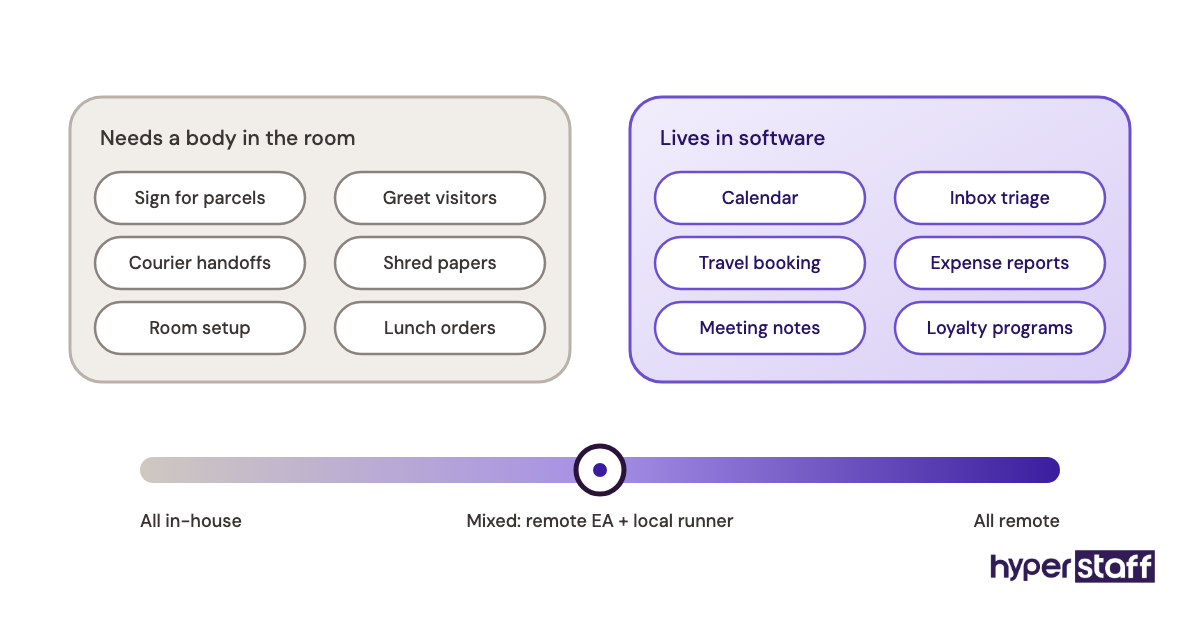
The opposite trap is real too. Some leaders hire remote, then find out half the job was physical: signing for packages, prepping a boardroom, handing documents to a courier.
How does each model work day to day?
An in-house EA sits near the executive, catches requests in person and works your office hours. An executive VA works through delegate access, a shared task list and a daily check-in, usually by chat or a short call.
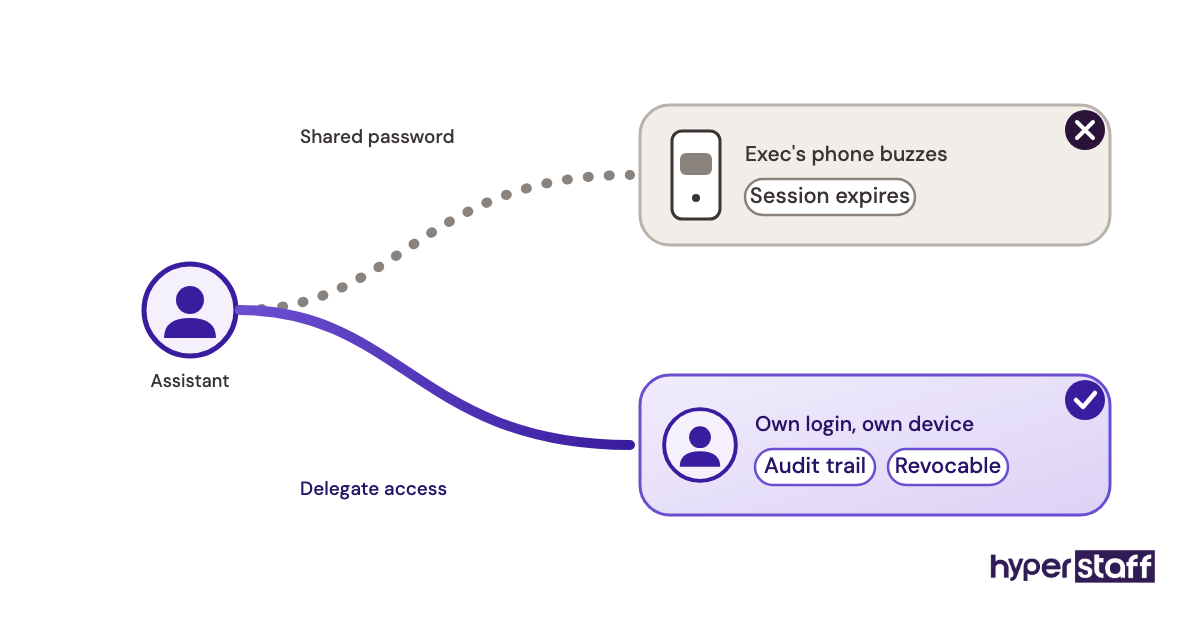
The remote setup only works when access is set up properly on day one. The most common failure we see in the first week is two-factor prompts going to the executive's phone, which blocks the assistant every time a session expires. Delegate access in Google Workspace or Microsoft 365 avoids that, because the assistant logs in as themselves.
Scope also needs to be written down. A clear executive VA job description stops the drift that happens when tasks only live in someone's head.
Types of executive support arrangements
Executive support comes in more shapes than "remote" and "office." Here's how the common arrangements compare.
| Arrangement | Who it suits | Typical hours | Main trade-off |
|---|---|---|---|
| Full-time in-house EA | Office-based C-suite | Full-time | Highest fixed cost |
| Hybrid in-house EA | Leaders in office part of the week | Full-time | Same cost, less presence |
| Dedicated full-time executive VA | Busy founders and executives | 160 hours a month | No physical tasks |
| Dedicated part-time executive VA | Lighter calendars, solo founders | 40 or 80 hours a month | Less same-day coverage |
| Freelance VA | Short projects | Variable | No backup if they leave |
| Shared assistant pool | Occasional admin tasks | Pay per task | Different person each time |
| Remote EA plus local runner | Leaders needing some errands | Mixed | Two people to coordinate |
How does an executive VA differ from related roles?
The executive VA sits between a general admin helper and a strategic operator. Here's where the lines fall.
Executive VA vs general virtual assistant
A general VA handles a defined task list, like data entry or customer support tickets. An executive VA manages a person's time and decisions, which means judgment calls about priority and who gets access to the executive.
Executive VA vs freelance assistant
Freelancers often split time across several clients, so your urgent request may sit behind someone else's. A dedicated executive VA works only on your account, and an agency covers replacement if the person leaves.
Executive VA vs chief of staff
A chief of staff owns projects, runs leadership meetings and makes decisions in the executive's name. An executive VA supports those workflows and keeps them moving, but usually doesn't hold decision authority.
Benefits and drawbacks of going remote
Remote executive support wins clearly on cost and flexibility. Its weak spots are physical tasks and the setup work it asks for at the start.
The benefits of an executive virtual assistant
- A large drop in cost, since you pay for hours rather than salary, benefits and a desk.
- Hour bundles let you start at 40 or 80 hours and scale up when the workload proves itself.
- Time-zone spread can mean your inbox gets cleared before you wake up.
- Faster start, often in days instead of months of recruiting.
- Agency replacement if the assistant leaves, so you don't restart the search alone.
The drawbacks of an executive virtual assistant
- No physical tasks: mail, visitors, office setup and in-person errands stay with someone else.
- Access to email and finance tools needs careful permission setup.
- Less hallway context, so priorities have to be shared on purpose.
When does an in-house executive assistant win?
An in-house executive assistant wins when the executive spends most days in a physical office and the job includes real on-site duties. Hosting clients, running a front desk, managing physical documents and coordinating office events all need a person in the building.
Regulated industries add another case. Some legal, healthcare or finance firms have rules about who can handle certain records and where, and compliance may settle the question before cost does.
A third case is cultural. Some executives simply work best talking things through face to face, and forcing that person into chat-based support rarely sticks.
Who should pick which option?
Founders, remote-first teams and executives who travel often get the most from a remote assistant. Office-bound leaders with on-site duties get more from in-house.
The deciding factor is where the work happens. A full list of typical executive virtual assistant tasks shows how much of the role lives in software: calendar control, inbox triage, travel booking, expense reports, CRM updates, meeting notes and follow-ups.
Growing companies often take a middle path. They start with a part-time executive VA, and add in-house help later if office duties grow.
Executive virtual assistant examples
Setup decides more outcomes than talent does. The patterns below show where remote executive support tends to work and where it tends to break.
Good executive VA setups
Executive VA running a time-zone-split calendar
An executive with partners in two or three regions needs someone to protect focus blocks and sequence calls across offsets. A remote assistant in a matching time zone can handle early-morning or late-night scheduling that an office assistant would never see.
Executive VA owning board and investor prep
Board decks, pre-reads and follow-up notes all live in shared drives. An assistant with document access and a clear prep checklist can run the whole cycle without being in the room.
Executive VA handling travel and expenses
Bookings, itinerary changes and receipt reconciliation happen entirely online. A remote assistant who tracks loyalty programs and seat preferences in an SOP gets faster every trip.
Bad executive VA setups
Executive VA hired for front-desk duties
Some businesses hire remote and then expect visitor greeting or mail handling. The assistant can't do it, and the hire gets labeled a failure when the role was simply wrong.
Executive VA with no system access
An assistant asked to manage a calendar they can only view will forward every change back to the executive. Our post on common executive VA hiring mistakes covers this and several others.
Executive VA given a moving target
When priorities change daily and nobody writes them down, the assistant guesses. Guesses about an executive's time tend to go badly.
Switching to an executive virtual assistant, step by step
Moving from in-house to remote executive support, or starting fresh, follows a predictable order. The steps below include the waiting periods most guides skip.
Step #1: Audit the current role
Track one or two weeks of real tasks and split them into "needs presence" and "happens online." The ratio tells you whether a remote assistant can cover the role alone.
Step #2: Write the role and pick the hours
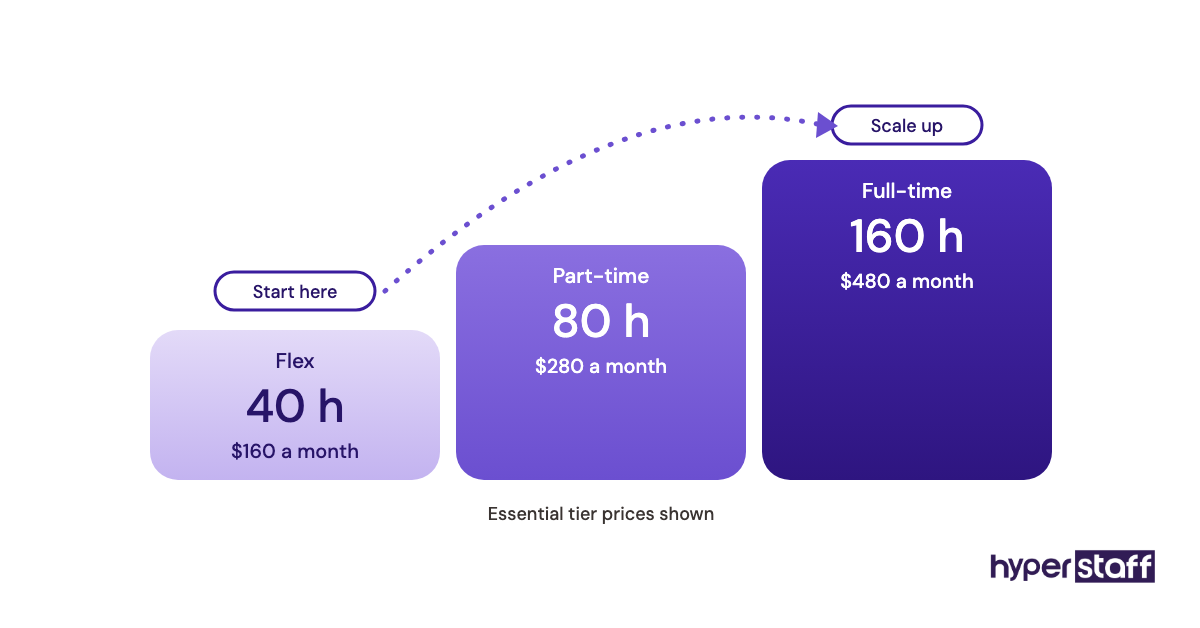
Turn the online list into a written scope, then choose 40, 80 or 160 hours a month. Start smaller if the workload is uncertain, since scaling up is easier than cutting back.
Step #3: Hire and test
Our guide on how to hire an executive VA covers sourcing and vetting. Pair it with a set of executive VA interview questions built around real calendar conflicts.
Step #4: Set up access and onboard
Grant delegate access, password-manager sharing and a shared task board before day one. Access requests often wait on IT approval, so build that delay into your start date; our walkthrough on onboarding an executive virtual assistant lays out the order.
Step #5: Review at 30 and 90 days
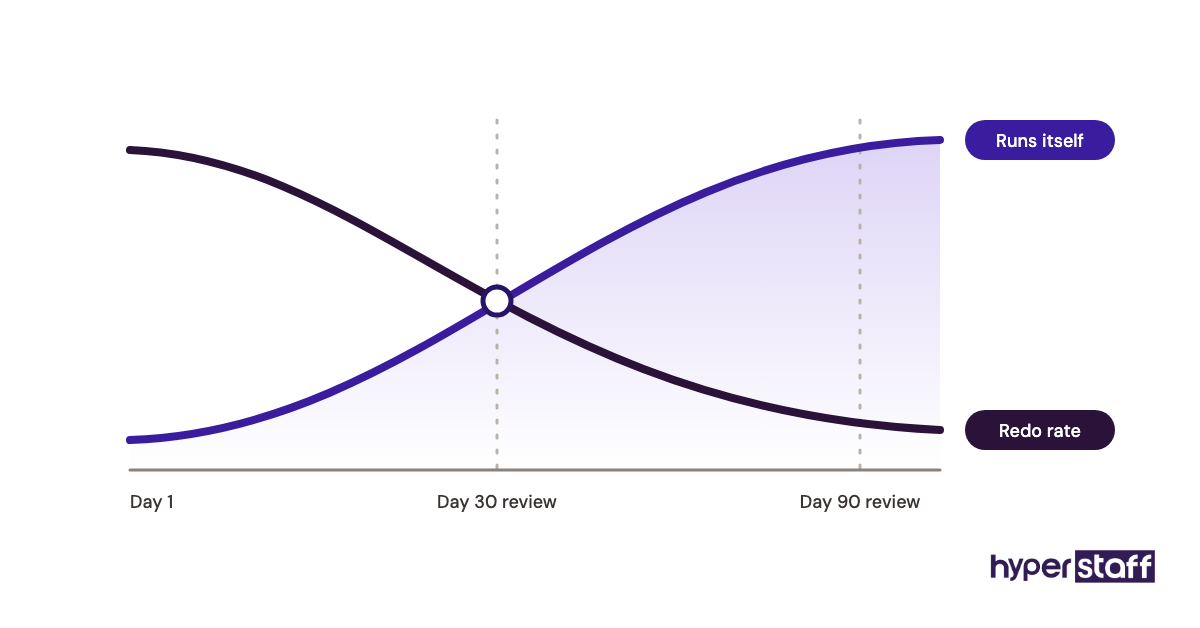
Check what's handled without prompting and what still bounces back. Move tasks into the assistant's scope one category at a time.
What does a strong executive support setup look like?
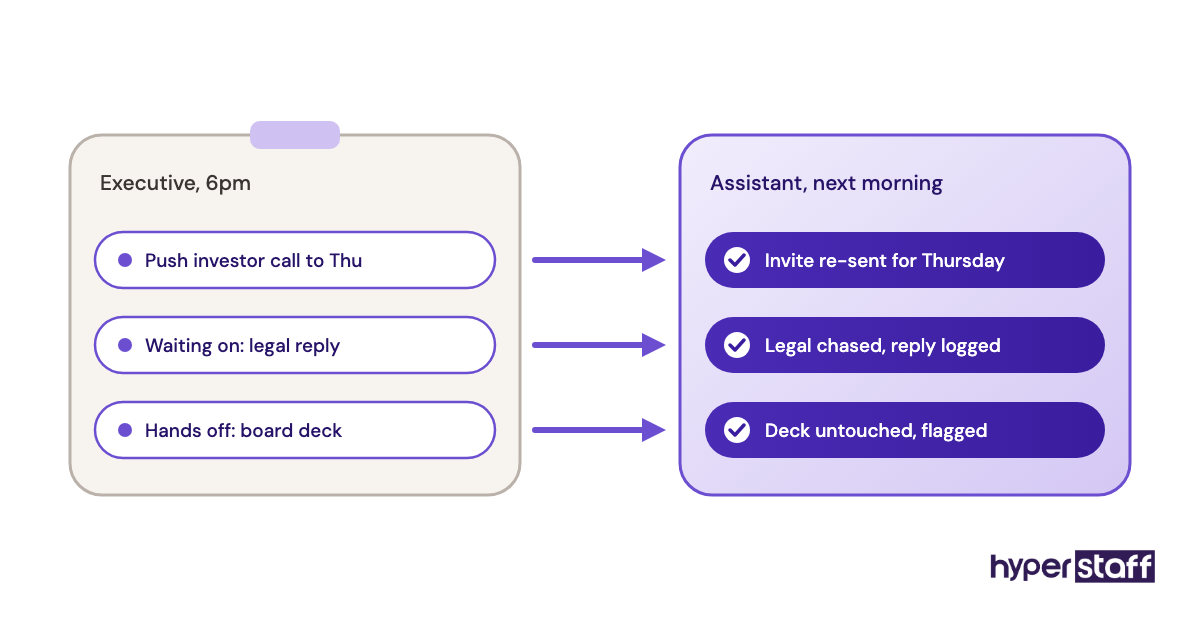
A strong setup has one dedicated assistant, written procedures and a fixed daily touchpoint. The assistant owns outcomes like "calendar has no conflicts this week," which works better than owning a pile of small tasks.
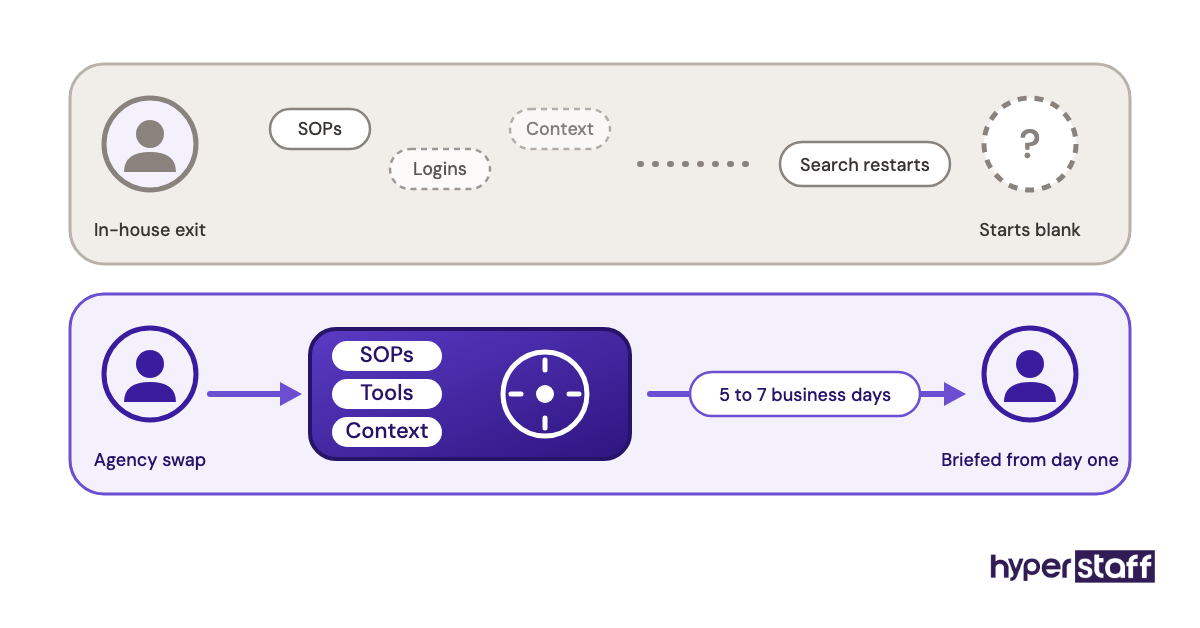
Written SOPs matter more remotely than in an office. At Hyperstaff, the Operations Vault holds your SOPs, tools and context and is kept up to date for you, so a replacement assistant can be briefed from it in 5 to 7 business days.
Which tools does a remote executive assistant need?
A remote executive assistant needs email and calendar delegation, a password manager, a messaging tool and a shared task board. Most teams already pay for the core of that stack.
- Google Workspace or Microsoft 365 for delegated email and calendar access.
- 1Password or a similar password manager, so credentials get shared without being typed into chat.
- Slack or Microsoft Teams for quick requests.
- Calendly for external booking links that follow the executive's rules.
- Loom for recording a task once instead of explaining it repeatedly.
- Notion, Asana or Trello for the shared task list.
Our full list of executive virtual assistant tools covers each category in more depth. Our honest take: the password manager matters most, and teams that skip it end up pasting logins into messages.
9 tips for choosing between a virtual and in-house EA
These tips come from what tends to separate setups that last from ones that get replaced within months.
- Count physical tasks before anything else.
- Price the in-house role at fully loaded cost, never salary alone.
- Require at least 3 to 4 hours of daily overlap with the executive.
- Pick a dedicated assistant over a rotating pool for executive work.
- Set up delegate access instead of sharing passwords.
- Start with a smaller hour bundle if the workload is unclear.
- Ask how the agency handles replacement and how fast.
- Write SOPs for the 10 most repeated tasks in month one.
- Book a 15-minute daily check-in for the first month, then cut it back.
How do you overcome common remote EA challenges?
Most remote EA problems come down to access, context and response time. Each has a fix.
Access issues go away with delegation and a password manager set up before day one. Context gaps close with a short daily priority note and recorded walkthroughs of recurring tasks.
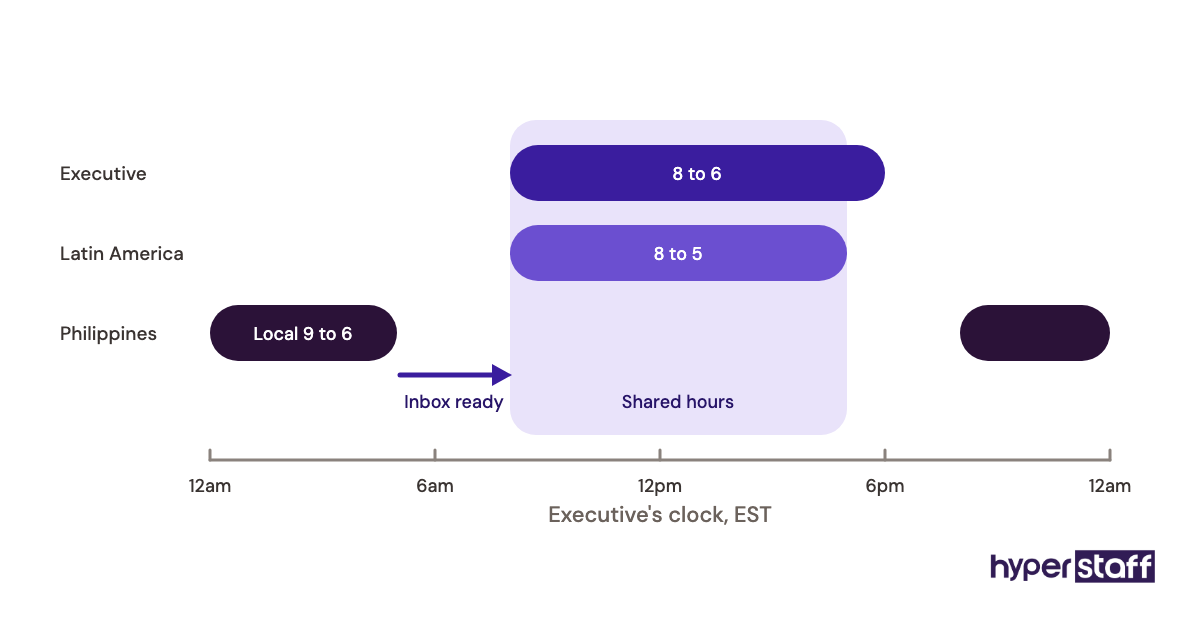
Response time depends on time-zone overlap, so agree on hours in writing. Set a clear rule for what counts as urgent and how it reaches the assistant outside those hours.
How do you measure whether the choice worked?
Measure an executive assistant by hours returned to the executive and by how many tasks get done without a reminder. Both apply the same way to remote and in-house assistants.
Track a few simple signals: calendar conflicts per week, inbox backlog at end of day, missed follow-ups and how often the executive redoes the assistant's work. A falling redo rate is the clearest sign of trust building.
How long does an executive VA take to get up to speed?
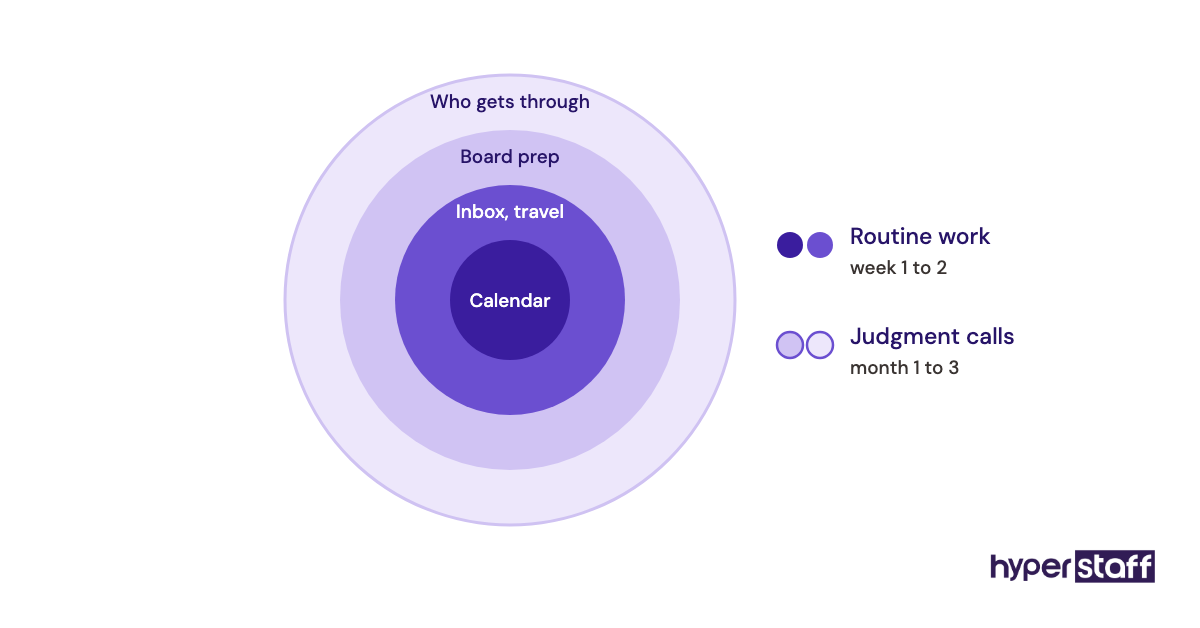
An executive VA usually handles routine scheduling and inbox work within the first one or two weeks. Judgment-heavy tasks, like deciding which meetings to decline, take one to three months.
At Hyperstaff, placement takes 5 business days, and work starts the day of the 30-minute kickoff call or the next morning. The slower phase is trust, which grows as the executive hands over one task category at a time.
How much does an executive virtual assistant cost vs in-house?
An executive virtual assistant costs roughly $480 to $1,920 a month for 160 hours at Hyperstaff's published rates, while an in-house executive assistant costs far more once benefits are counted. The U.S. Bureau of Labor Statistics puts the median annual wage for executive secretaries and executive administrative assistants at $76,590.
Benefits add a large share on top. The BLS Employer Costs for Employee Compensation release shows benefits make up 30.0% of private-industry compensation, which takes that median salary to about $109,400 in total cost.
| Option | Experience | Hourly rate | Monthly (160 hours) | Annual |
|---|---|---|---|---|
| In-house executive assistant | Varies | About $53 fully loaded | About $9,100 | About $109,400 |
| Hyperstaff Essential | 0 to 2 years | From $3 | From $480 | From $5,760 |
| Hyperstaff Professional | 2 to 5 years | From $6 | From $960 | From $11,520 |
| Hyperstaff Expert | 5+ years | From $12 | From $1,920 | From $23,040 |
For the full breakdown, including part-time bundles and recruiting costs, see our executive virtual assistant cost guide. Paying quarterly at Hyperstaff saves 10%.
Important: Hyperstaff prices shown are starting rates and averages, not fixed quotes. Your final cost depends on the hours, experience tier and scope of work your role needs.
Is an executive virtual assistant worth it over in-house?
Yes, for most executives whose work happens online, an executive virtual assistant is one of the most rewarding hires they can make. The same calendar, inbox and travel work gets covered for a fraction of the in-house cost, and the saved budget can go toward growth.
Here's the math using the figures above. An in-house executive assistant at the BLS median costs about $109,400 a year with benefits, while a full-time Hyperstaff Expert at 160 hours a month starts from $23,040, or about $20,740 with the quarterly 10% discount.
The gap is roughly $88,000 a year for the same hours of senior-level support. Recruiting fees, equipment and office space would widen it further.
The verdict is simple. Pick in-house when the job needs someone in the building most days, and pick remote for everything else. If you're still weighing it, our post on whether an executive VA pays off runs through more scenarios.
How do you choose an executive virtual assistant agency?
Choose an executive virtual assistant agency on dedication, vetting, replacement terms and documentation. Price matters less than those four.
Ask whether you get one named assistant or a pool. Ask how candidates are tested for executive-level judgment, and how long a replacement takes if the fit is wrong.
Then ask who keeps the knowledge. An agency that writes down your SOPs, tools and context keeps your setup intact when people change, and a dedicated account manager gives you one person to call when something slips.
Executive assistant statistics and trends
The BLS projects overall employment of secretaries and administrative assistants to decline 2 percent over the coming decade, with executive secretaries roughly flat. Software is absorbing basic scheduling and typing, while senior support work holds steady.
Our read is that remote executive support keeps growing as more leadership teams work across cities and time zones. That's a prediction, and offices with heavy on-site needs will keep hiring in-house.
Executive virtual assistants and AI
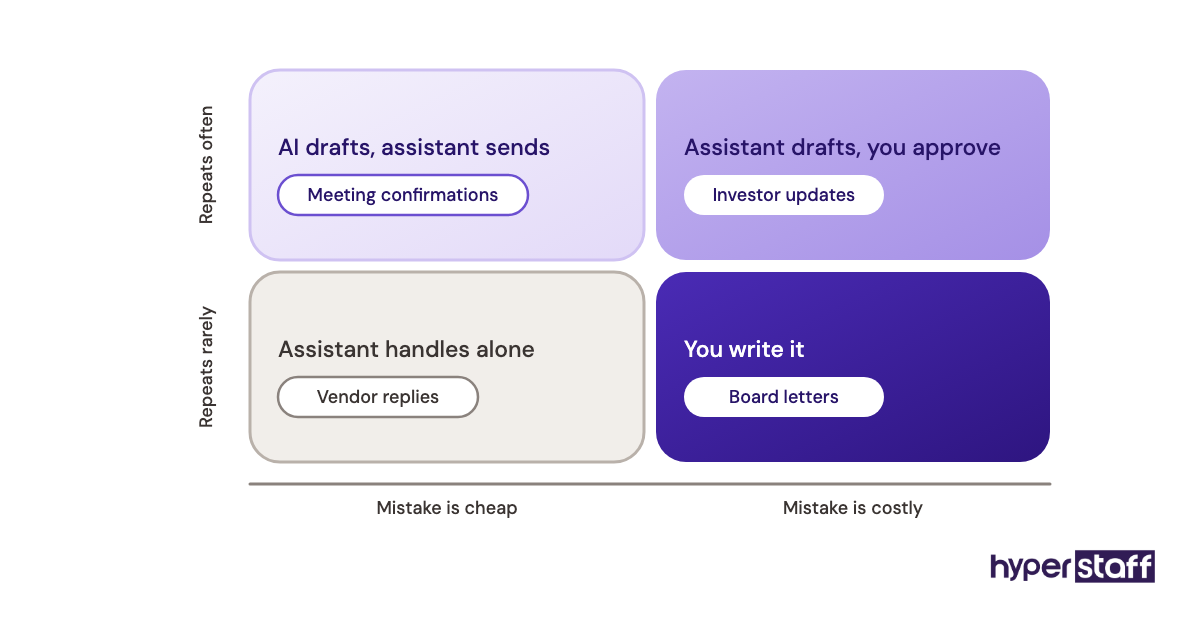
AI tools now draft emails, summarize meetings and suggest calendar slots, which speeds up both remote and in-house assistants. They don't decide which investor call matters more than a team review.
The best results we've seen come from assistants who use AI for first drafts and keep human judgment on anything that leaves the executive's name. Practitioners still disagree on how much inbox triage to hand to AI, and the honest answer depends on how sensitive the inbox is.
Disclaimer: This article is for general information only and isn't legal, tax, financial or employment advice. Costs, rates and statistics can change, and results vary by business. Check current figures and consult qualified professionals before making hiring decisions.
Common questions
Can an executive virtual assistant fully replace an in-house EA?
It depends on how much of the job is physical. If most work happens in email, calendar and shared documents, a remote assistant can cover it fully. Mail, visitors and office logistics still need someone on site.
Is it safe to give an executive VA access to my email?
It can be, with the right setup. Use delegate access instead of sharing your password, store credentials in a password manager, and limit finance access to what the role needs.
Will a remote executive assistant work my hours?
You can choose a region with good overlap. Assistants in Latin America and the United States share most US business hours, while assistants in the Philippines or India can cover early mornings or work US-aligned shifts.
Can I start with an executive VA and hire in-house later?
You can, and many companies do. Starting with 40 or 80 hours a month shows how much executive support you need before you commit to a full salary.
What happens if my executive virtual assistant quits?
With an agency, you get a replacement. At Hyperstaff, a free replacement arrives in 5 to 7 business days, briefed from your Operations Vault so the new assistant starts with your SOPs and context.
Book a free 15 min call
We place a pre-vetted specialist in 5 business days, fully managed, from $3/hour.