Social Media Virtual Assistant vs In-House Hire: Which Fits Your Business
A side-by-side look at hiring a remote social media virtual assistant or an in-house employee, with real costs and when each one wins.
On this page
- What is the difference between a social media virtual assistant and an in-house hire?
- Social media VA vs in-house hire at a glance
- Key social media staffing terms you should know
- How does each model work day to day?
- Types and forms of social media staffing
- How do VAs and in-house hires compare to other options?
- Benefits and drawbacks of a social media VA
- When does an in-house social media hire win?
- Who needs a social media VA, and who needs an in-house hire?
- Creating a social media hiring plan, step by step
- What does a good VA and in-house setup look like?
- Social media VA tools and software
- 9 proven tips for working with a social media VA
- Overcoming common social media VA challenges
- How do you measure social media VA success?
- How long does it take for a social media VA to work?
- How much does a social media VA cost compared to an in-house hire?
- Is a social media virtual assistant worth it compared to in-house?
- How to choose a social media VA agency
- Social media VAs, in-house teams and AI
- FAQs
💡 Key Takeaways:
1) A social media virtual assistant is a remote specialist who handles posting, community replies and reporting for one business. An in-house hire does the same job as a salaried employee on your own payroll.
2) The biggest gap between the two is cost. Once payroll taxes and benefits are added, a full-time US in-house social media hire usually costs several times more per month than a full-time offshore virtual assistant.
3) An in-house hire wins when the role needs on-site photo and video, live event coverage or senior brand strategy. A dedicated virtual assistant wins for consistent scheduling, engagement, community management and reporting.
Spend Less on Payroll, More on Reach
Hyperstaff places pre-vetted remote specialists through our social media virtual assistant services, with rates from $3/hour and placement in 5 business days. We've placed 70+ virtual assistants for 30+ clients, and every client gets a dedicated account manager. You get one person who learns your brand and stays with it.
What is the difference between a social media virtual assistant and an in-house hire?
A social media virtual assistant is a remote team member who schedules posts, answers comments and DMs, builds simple graphics and reports results, working an agreed number of hours from another location. An in-house social media hire does similar work as your direct employee, on your payroll and usually on your local working hours.
The job titles overlap far more than the price tags do. Both can run your content calendar, so the real differences sit in cost, management, time zones and how close the person is to your physical product.
One detail surprises first-time buyers: followers can't tell who posted. The VA works on your accounts, in your tools and in your brand voice, which is why our guide on what a social media VA is spends more time on the work than on the location.
Social media VA vs in-house hire at a glance
Here's how the two hiring models compare on the factors that usually decide the hire.
| Factor | Social media virtual assistant | In-house social media hire |
|---|---|---|
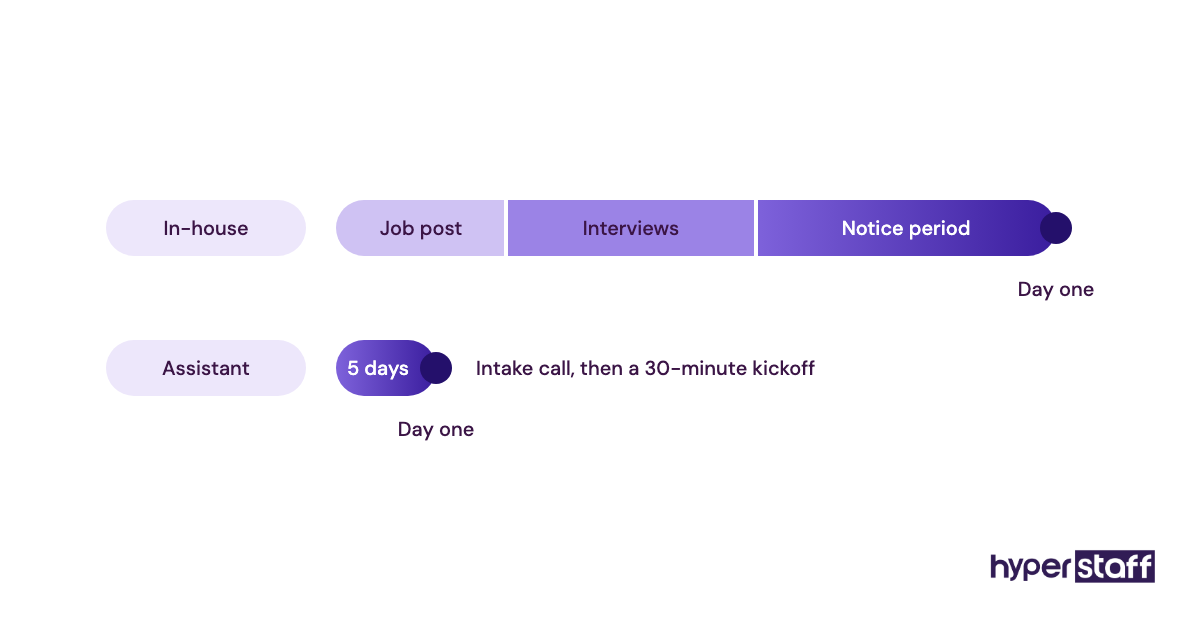
| Time to start | About 5 business days through Hyperstaff | Often 4 to 8 weeks of job posts, interviews and notice periods |
| Monthly cost, full time | $480 to $1,920 for 160 hours at $3 to $12/hour | Roughly $5,000 to $9,000 with salary, taxes and benefits |
| Hours | 40, 80 or 160 hours a month | Full time, sometimes part time |
| Location | Remote: Philippines, Latin America, India, Eastern Europe or the US | Your office or local area |
| On-site photo and video | Not possible; works from content you send | Can film products, events and staff |
| Time zone | Overnight or overlapping shifts, by region | Your business hours |
| Management | Shared with a dedicated account manager | Fully on you |
| If they leave | Free replacement in 5 to 7 business days | Recruiting restarts from zero |
| Equipment | VA's own setup; you supply tool logins | You buy hardware and software seats |
The cost row is where most comparisons stop, and it's the least interesting one. The on-site row decides more hires than price does, because a VA can't film your new menu item or stand at your trade show booth.
Key social media staffing terms you should know
- Dedicated VA = one assistant assigned to one client instead of a shared pool.
- Fully loaded cost = salary plus payroll taxes, benefits, equipment and recruiting spend for an employee.
- Content calendar = the dated plan of what goes out on each platform.
- Community management = replying to comments, DMs and mentions in the brand's voice.
- Engagement rate = interactions divided by reach or followers, depending on the platform's math.
- SOP = a written standard operating procedure for a repeat task.
- Role-based access = posting rights granted inside Meta Business Suite, LinkedIn page settings or a scheduler, so nobody shares a password.
- Time zone overlap = the hours when you and your assistant are both online.
- Operations Vault = Hyperstaff's maintained record of your SOPs, tools and context, used to brief any replacement.
How does each model work day to day?
A social media VA typically works a set block of hours against a shared content calendar: you approve posts, they schedule them, then they handle replies and send a weekly report. An in-house hire runs the same loop from inside your company, so approvals often happen in a quick desk chat rather than a comment thread.
Async work is the big operational change with a VA. Briefs, feedback and approvals move into writing, which feels slow for the first two weeks and then becomes the reason the account keeps running when you're busy.
The day-to-day list goes well past posting. Our breakdown of social media VA tasks covers the full range, from comment moderation and hashtag research to competitor tracking and capturing leads from DMs.
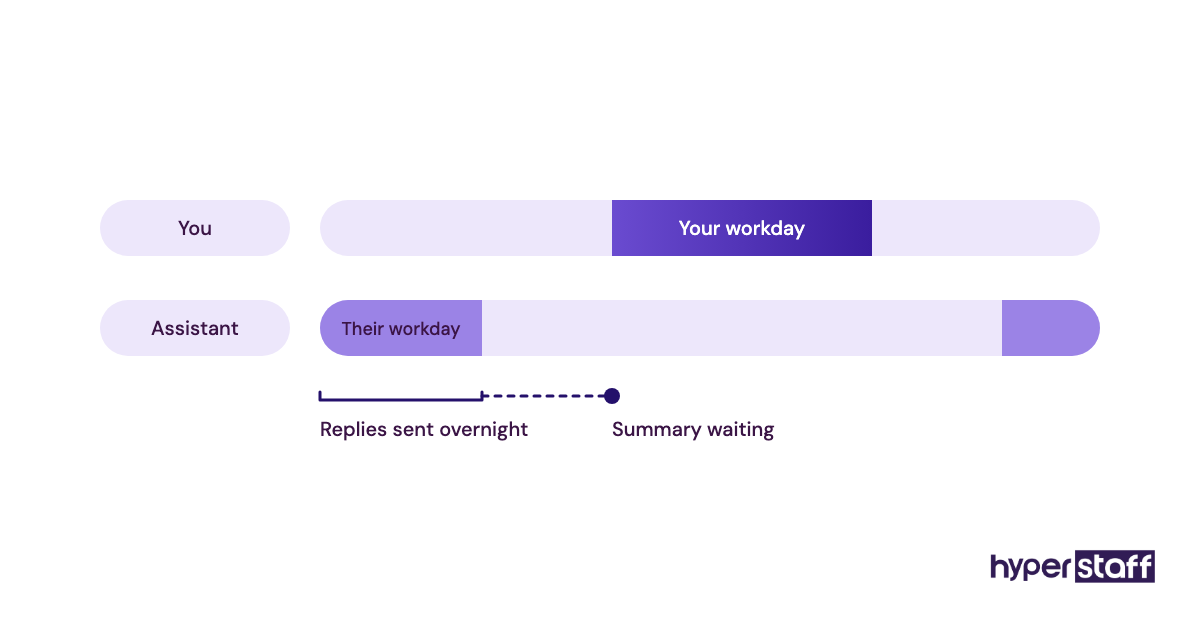
With a VA in the Philippines or India, much of the work lands while you sleep. Posts get queued, overnight comments get answered and a summary waits in your inbox each morning.
Types and forms of social media staffing
Social media staffing comes in more shapes than a two-way choice. Most businesses land on one of these seven setups, and the hybrid row is the one people overlook.
| Setup | Who does the work | Typical hours | Best fit | Main watch-out |
|---|---|---|---|---|
| Full-time in-house manager | Salaried employee | 160+ a month | Brands with daily on-site content | Highest fixed cost |
| Part-time in-house coordinator | Local employee | 60 to 100 a month | Local businesses posting a few times a week | Strong part-timers are hard to find |
| Full-time dedicated VA | Remote specialist | 160 a month | Multi-platform brands posting daily | Needs clear briefs and approvals |
| Part-time dedicated VA | Remote specialist | 40 or 80 a month | Founders who want consistency on one or two platforms | Limited same-day capacity |
| Freelancer per project | Independent contractor | Varies by gig | One-off campaigns or audits | Splits time across several clients |
| Full-service agency | Account team | Retainer-based | Paid-heavy or creative-heavy brands | Your team also serves other brands |
| Hybrid | In-house lead plus a VA | Lead full time, VA 80 to 160 | Growing brands with a strategist on staff | Two people to coordinate |
How do VAs and in-house hires compare to other options?
Two other options often sneak into the same decision, plus one that isn't a person at all.
Social media VA vs freelancer
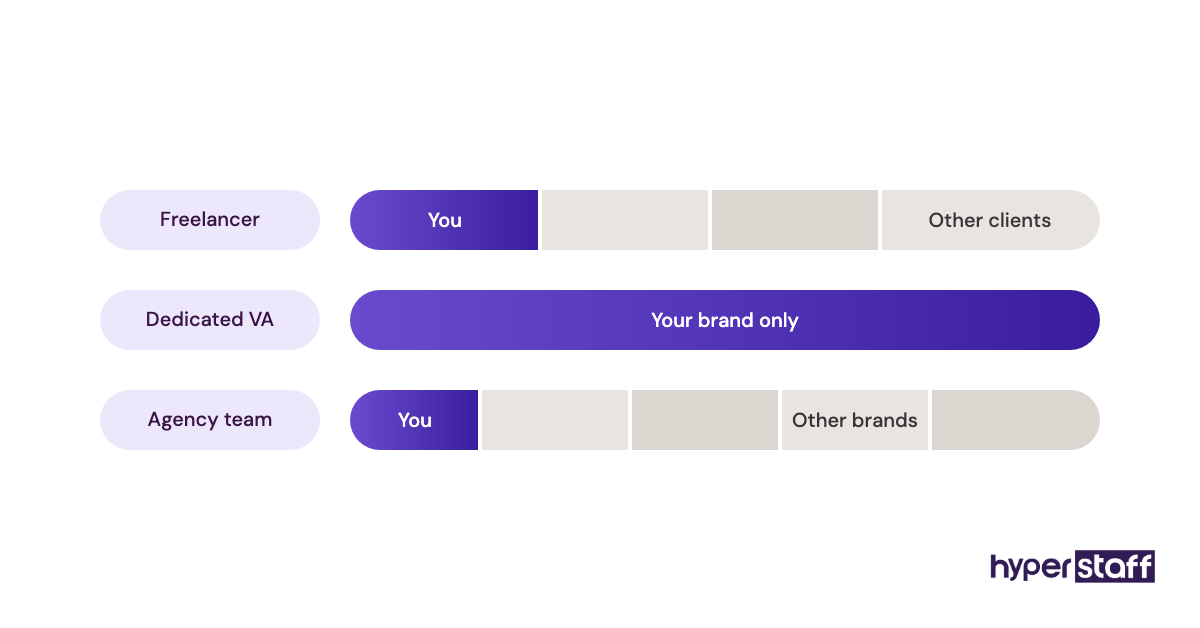
A freelancer usually sells deliverables, such as 30 posts or one campaign, and splits the week across several clients. A dedicated VA sells hours to one business, which is why they pick up your product names, regular customers and tone faster.
Freelancers suit a launch or a one-off audit. They suit poorly a business that needs a DM answered within the hour on an ordinary Tuesday.
Social media VA vs a marketing agency
A social media agency bundles strategy, creative and paid ads under one retainer, and the people on your account also work on other brands. A VA costs a fraction of most retainers but expects direction from you or an in-house lead.
The honest dividing line is strategy. If nobody in your business can say what the account is for, an agency or a senior hire has to answer that first, and a VA then carries it out.
Social media VA vs scheduling software alone
Scheduling tools publish posts. They can't write captions in your voice or calm an angry customer at 11 p.m.
Plenty of small accounts run fine on software and a founder's spare hour. The tipping point is usually replies: once comments and DMs pile up faster than you check them, a person beats another app.
Benefits and drawbacks of a social media VA
Against an in-house hire, the VA model wins on cost and flexibility and loses on physical presence and strategic depth.
The benefits of a social media virtual assistant
- Full-time monthly cost from $480, against several thousand dollars for a local salary
- Hours that flex between 40, 80 and 160 a month
- Coverage across time zones, including evenings and weekends in your market
- No recruiting restart if the fit is wrong, with free replacement in 5 to 7 business days at Hyperstaff
- One dedicated person on your accounts, so brand voice builds up month after month
The drawbacks of a social media virtual assistant
- Can't shoot photos or video at your location
- Needs written briefs and approvals, especially in the first month
- Less suited to senior strategy when nobody internal sets direction
- Approval lag when your working hours barely overlap
When does an in-house social media hire win?
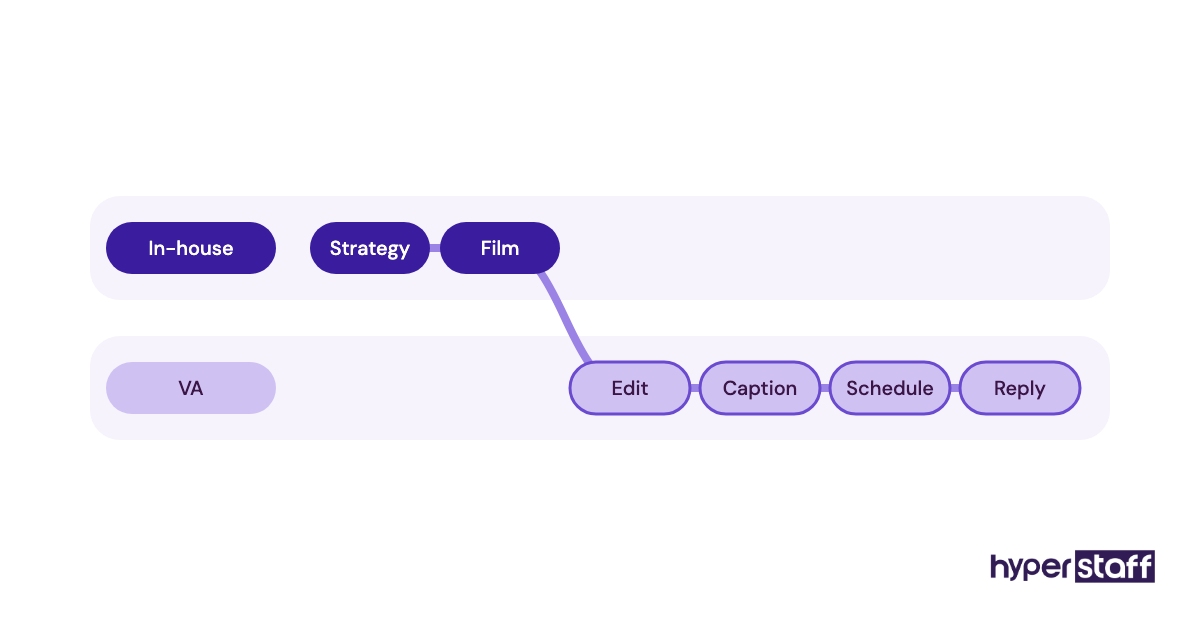
An in-house hire wins when the content depends on being physically present: a restaurant shooting daily specials, a gym filming member stories or a retailer covering in-store drops. It also wins when the role is really a head of social who sets strategy, manages a budget and sits in leadership meetings.
Regulated industries form another case. Healthcare practices, financial advisers and law firms often want posts reviewed by someone inside the compliance chain, and keeping that person on payroll can simplify sign-off.
Practitioners genuinely split on the middle ground. Some marketers hold that every brand past a certain size needs a full-time internal owner of social, while others run large accounts with a remote execution team and a part-time strategist; we side with the second camp for execution work and the first camp for anything that needs a camera in the room.
Who needs a social media VA, and who needs an in-house hire?
A social media VA fits founders, service businesses, ecommerce brands and agencies that need steady posting and replies without anyone on site. The common thread is content built from photos, product files, testimonials and screen recordings you can share online.
An in-house hire fits businesses whose best content happens in a physical place every day, plus companies large enough to need a full-time strategist leading a team. Between those two sits the hybrid: one internal owner who sets direction and a VA who handles the daily volume.
Creating a social media hiring plan, step by step
These five steps keep the decision tied to actual work volume instead of gut feel.
Step #1: Count the hours the work actually takes
Track one normal month of social media work: drafting, design, scheduling, replies and reporting. Under 80 hours makes a full-time in-house salary hard to justify, and past 160 hours any single person starts dropping tasks.
Our guide on how to hire a social media VA turns that hour count into a role.
Step #2: Split the work into remote and on-site tasks
Sort every task into two columns, one for work that can happen from anywhere and one for work that needs someone physically present. For most businesses the remote column runs far longer, which points toward a VA or a hybrid setup.
Copy that remote column straight into a social media VA job description so candidates see real tasks.
Step #3: Set up access before anyone starts
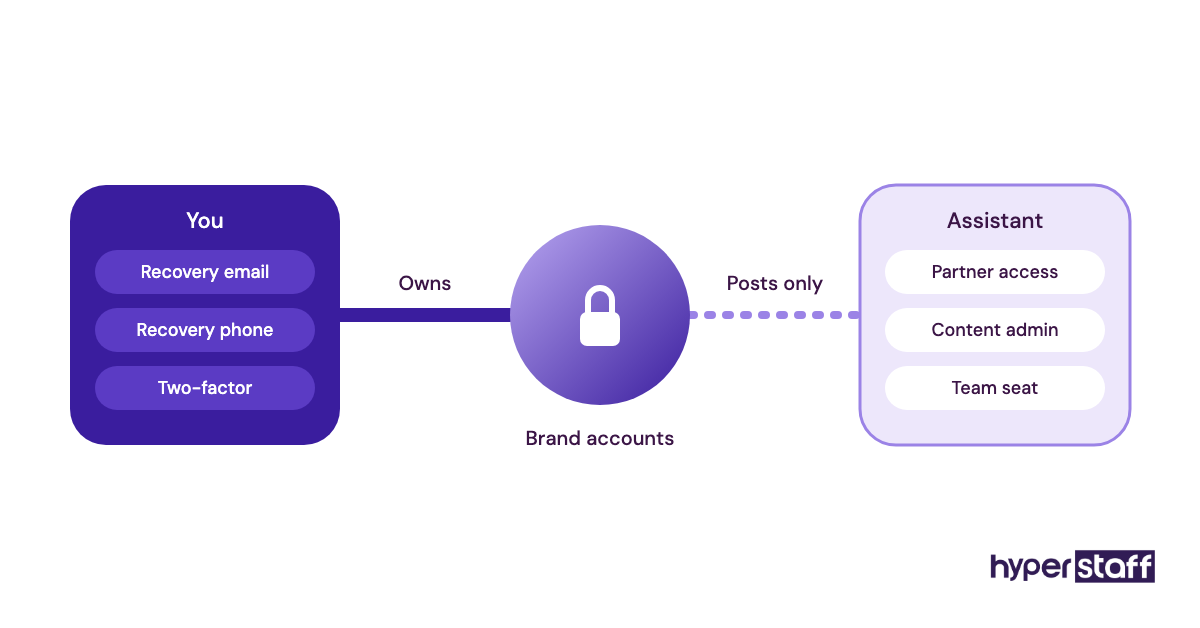
Add your new hire through role-based permissions: partner access in Meta Business Suite, a Content admin role on your LinkedIn page and a team seat in your scheduler. Shared passwords cause the most trouble later, usually on the day someone leaves.
Step #4: Interview for judgment, then test with a paid task
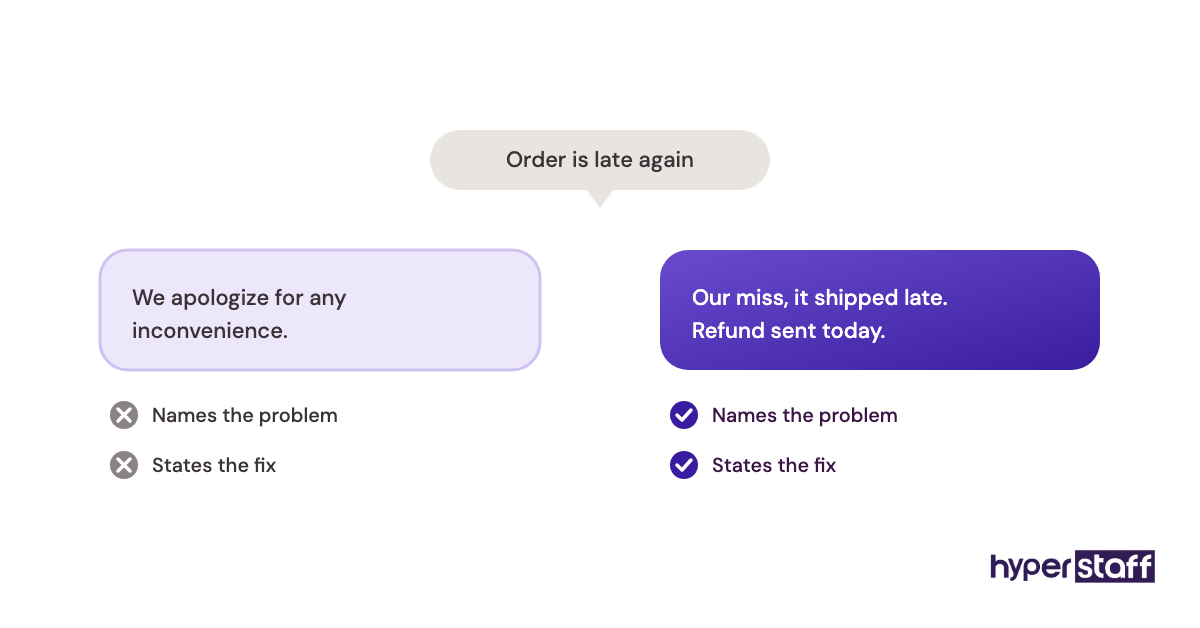
Portfolios show taste, and a short paid task shows judgment. Give two or three candidates the same brief, such as a week of posts plus replies to five real comments, and read the replies more closely than the graphics.
Use our list of social media VA interview questions before the task. With Hyperstaff, candidates arrive pre-vetted, so this step shrinks to a 30-minute kickoff call.
Step #5: Plan the first 30 days
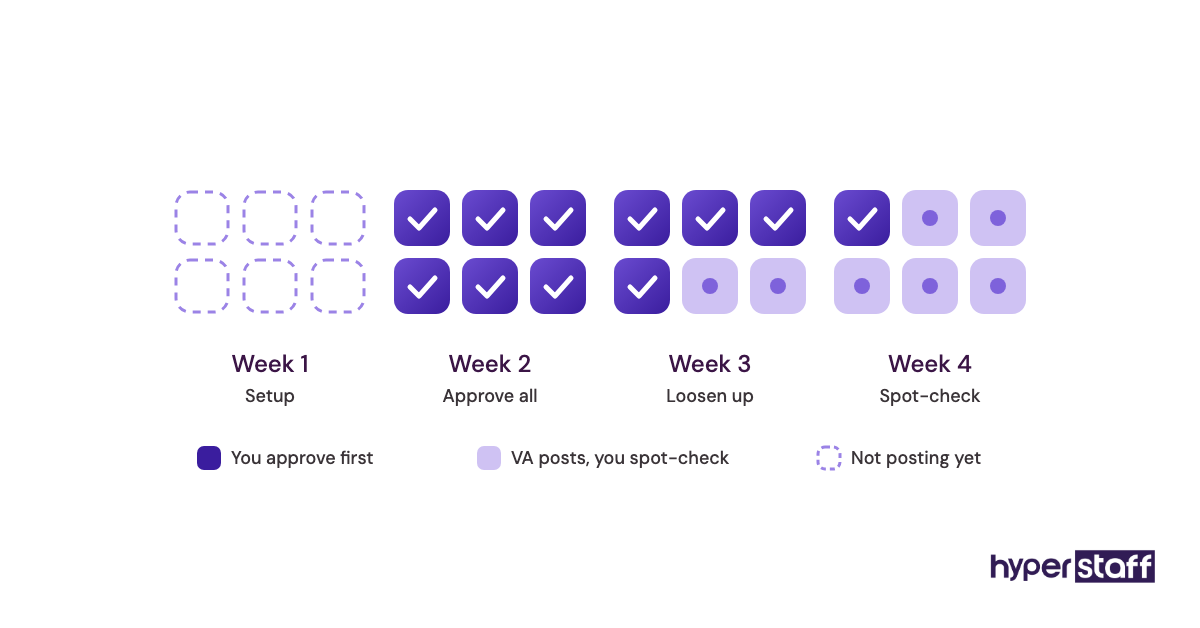
Week one covers access, brand voice notes and approval rules. Weeks two to four are supervised posting, with you approving everything first and then loosening approvals once the replies sound like you.
A checklist for onboarding a social media VA keeps that month on track.
What does a good VA and in-house setup look like?
A working social media setup has one owner of direction, one person producing the daily output and written rules connecting the two. In a small business the owner is often the founder and the VA does the output, while a larger company puts an in-house lead in charge of direction.
The written rules matter more than the org chart. Brand voice notes, an approval path, an escalation rule for complaints and a monthly reporting format let a remote assistant act without waiting on you.
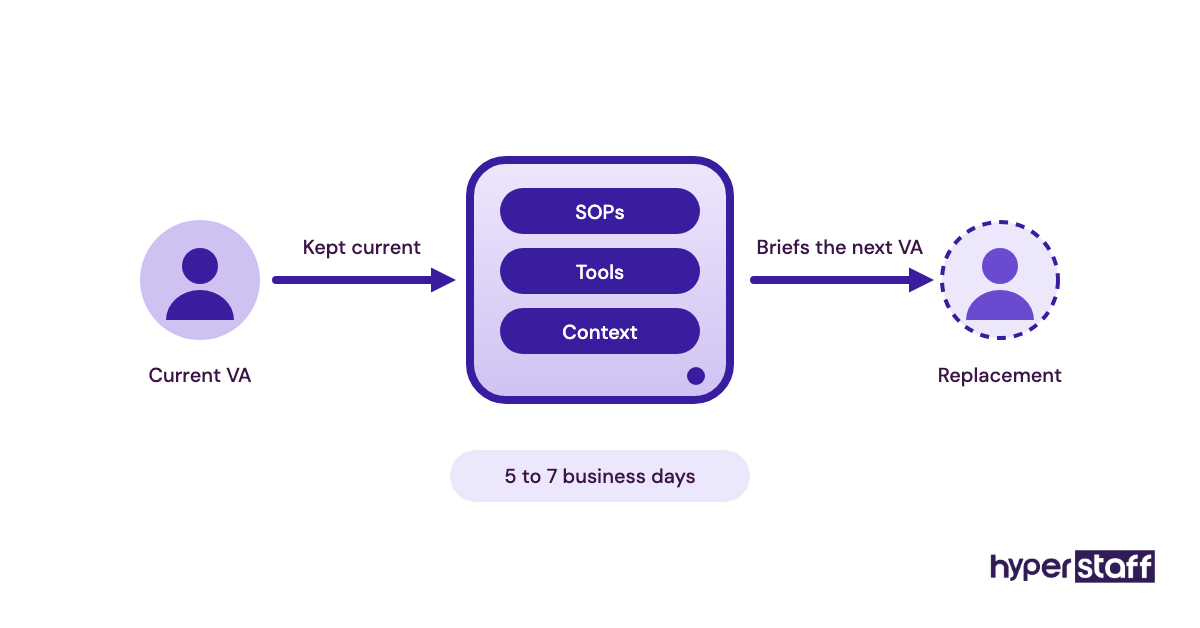
Hyperstaff keeps these in your Operations Vault, written down and maintained for you. If your VA ever needs replacing, the next person is briefed from that same record within 5 to 7 business days.
Social media VA tools and software
The tool stack is identical for a VA and an in-house hire, which makes switching models later far less painful. Most accounts run on these:
- Meta Business Suite for Facebook and Instagram posting, the shared inbox and partner access
- A scheduler such as Buffer, Later or Hootsuite for cross-platform calendars
- Canva for templates and brand kits
- Google Drive or Notion for briefs, assets and SOPs
- Slack or WhatsApp for quick approvals
- Loom for screen recordings a VA can rewatch
Loom earns its place more than any scheduler. A five-minute recording of how you want replies handled answers questions that a written SOP leaves open.
For plans and trade-offs, see our roundup of social media VA tools.
9 proven tips for working with a social media VA
Most of what makes a remote social media hire succeed is set up in the first month.
- Write the brand voice down, with ten real replies you liked as examples.
- Batch approvals into one daily slot so the VA isn't stuck waiting.
- Give access through roles, never through your personal login.
- Pick a region with at least two hours of overlap if you want same-day back-and-forth.
- Start with one or two platforms and add more once those run without edits.
- Send raw material weekly: photos, customer quotes and product news.
- Agree on what the VA may answer alone and what comes to you.
- Review the monthly report together on a short call.
- Update SOPs whenever the account changes, since stale instructions cause most avoidable errors.
Overcoming common social media VA challenges
The most common social media VA problems are voice drift, slow approvals and posts that miss local context. A library of approved replies fixes voice drift, and one daily review slot fixes slow approvals.
Local context is harder. A VA abroad may miss a public holiday, a local sports win or a slang term, so share a monthly list of dates and topics your customers care about.
We've collected the patterns behind most problems in common social media VA mistakes, and many start on the hiring side.
How do you measure social media VA success?
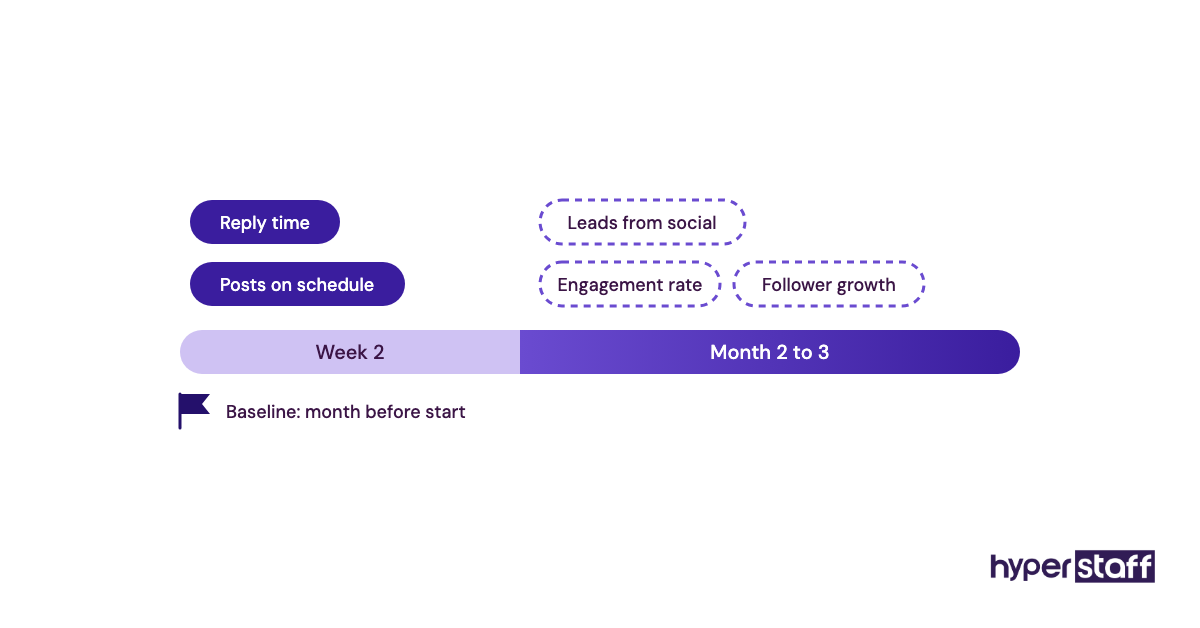
Measure a social media VA on the same numbers you'd use for an in-house hire: posting consistency, reply time, engagement rate, follower growth and leads traced to social. Pick a handful and set a baseline from the month before they start.
Output metrics show up first. Posts going out on schedule and comments answered within your agreed window are visible by week two, while engagement and leads take longer, so judging those in month one tells you very little.
How long does it take for a social media VA to work?
A social media VA usually handles scheduling and replies independently within two to four weeks, and engagement changes tend to show after two to three months of consistent posting. With Hyperstaff, placement takes 5 business days, and work starts the day of a 30-minute kickoff call or the next morning.
An in-house hire has a longer front end, since recruiting and notice periods often add one to two months before day one. After that, the ramp-up looks similar for both, because learning a brand voice takes about the same time wherever the person sits.
How much does a social media VA cost compared to an in-house hire?
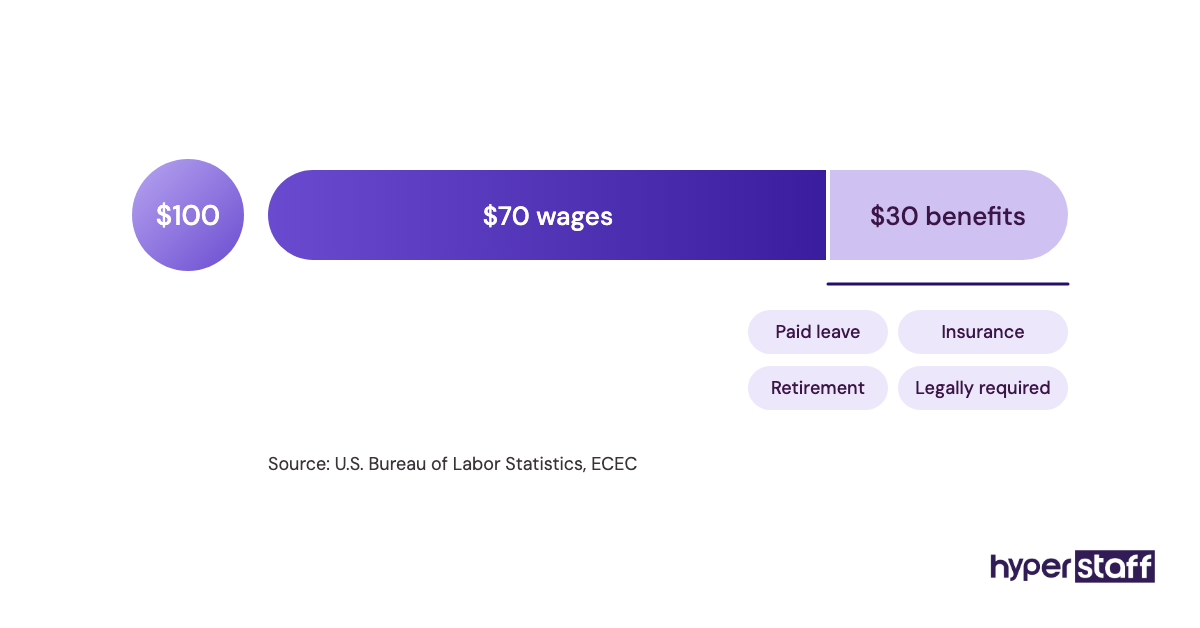
A full-time social media VA through Hyperstaff costs from $480 to $1,920 a month for 160 hours, depending on experience tier. A US in-house social media hire usually earns about $50,000 to $75,000 a year, and payroll taxes, benefits and equipment commonly add another 25% to 40% on top.
Our full social media VA cost breakdown goes deeper on rates by region. Here's the side-by-side view:
| Cost item | In-house hire (US) | Freelancer | Hyperstaff social media VA |
|---|---|---|---|
| Hourly rate | About $24 to $36 in salary alone | $15 to $50 is typical | From $3 (Essential), $6 (Professional), $12 (Expert) |
| 40 hours a month | Rarely offered as a role | $600 to $2,000 | From $120 / $240 / $480 |
| 80 hours a month | Part-time pay varies widely | $1,200 to $4,000 | From $240 / $480 / $960 |
| 160 hours a month | About $5,000 to $9,000 fully loaded | $2,400 to $8,000 | From $480 / $960 / $1,920 |
| Taxes and benefits | 25% to 40% on top of salary | Contractor handles own | Billed by the hour |
| Recruiting | Weeks of hiring time, sometimes recruiter fees | Your own screening | Placement in 5 business days |
| If the person leaves | Restart hiring | Find a new freelancer | Free replacement in 5 to 7 business days |
| Paying quarterly | Not applicable | Not applicable | Save 10% |
Important: The Hyperstaff prices above are starting averages by tier, not fixed quotes. Your final cost depends on the hours, experience level and kind of social media work your business needs.
Is a social media virtual assistant worth it compared to in-house?
For most businesses that don't need someone on site, a social media virtual assistant is worth it, and set up properly it's one of the highest-return hires a small team can make. The savings leave room for ad spend, better content or a part-time strategist on top.
Take a US in-house hire at a $60,000 salary with about 30% added for taxes and benefits: $78,000 a year, or $6,500 a month. A full-time Professional-tier VA at the $6 starting rate costs $960 a month for 160 hours, or $864 when paid quarterly with the 10% saving.
That gap is about $5,600 a month, close to $68,000 a year. Even an Expert-tier VA at $1,920 a month leaves more than $4,500 a month in the budget.
The math breaks when the work needs a camera in your store, or when nobody gives the VA direction. Our honest look at whether a social media VA is worth it covers the cases where it isn't.
How to choose a social media VA agency
Judge a social media VA agency on how candidates are vetted, whether you get one dedicated person, what happens if that person leaves and who you call when something goes wrong. Price comes after those, because a cheap placement that churns every two months costs more in rework than a slightly higher rate.
Ask to see how the agency documents your processes. Without written SOPs, every replacement starts from zero.
Hyperstaff places pre-vetted talent from the Philippines, Latin America, India, Eastern Europe and the United States, with a dedicated account manager on every client. Monthly bundles of 40, 80 or 160 hours let you start small and add hours as the account grows.
Social media VAs, in-house teams and AI
AI writing and design tools have raised how much one social media assistant can produce in an hour, and that shift favors the VA model. Caption drafts, resized graphics and first-pass reports now take minutes, so paid hours go to replies, judgment calls and community work that still needs a person.
Voice and context are where AI falls short. Generated captions tend to sound alike across brands, and an assistant who knows your customers is the filter that keeps your feed from reading like everyone else's.
Expect more hybrid teams. As AI absorbs volume, the in-house role keeps moving toward strategy and on-site content, and the remote role toward execution and community management.
Disclaimer: This article is general information about staffing options and is not legal, tax, employment or financial advice. Salary, cost and timeline figures are estimates that vary by location, role and provider, so confirm details with qualified professionals and current quotes before hiring.
Common questions
Can a social media VA run paid ads too?
Yes, an experienced social media VA can set up, monitor and report on Meta and LinkedIn ad campaigns. Budget decisions and creative direction should still sit with you or an in-house lead.
Is it safe to give a remote VA my social media logins?
Yes, if you use role-based access instead of sharing passwords. Meta Business Suite, LinkedIn page roles and most schedulers let you grant and remove posting rights in a few clicks, and keeping two-factor recovery on your side protects ownership.
Should a brand-new account start with a VA or an in-house hire?
It depends on how much content you can supply. A new account with photos, product details and a clear voice does well with a part-time VA on 40 or 80 hours, while one that needs everything filmed on site usually needs someone local first.
Can I switch from a social media VA to an in-house hire later?
You can, and the move is easier when the VA's work is documented. Brand voice notes, SOPs and the content calendar carry over, so the new in-house hire starts from a working system.
Will a social media VA cover weekends in my time zone?
Often, yes, since your weekend can overlap with their regular shift depending on region. Agree on weekend and holiday coverage at kickoff so comment replies don't stall on your busiest days.
Book a free 15 min call
We place a pre-vetted specialist in 5 business days, fully managed, from $3/hour.